
2 Pack iPod Shuffle Charger Cable
4.4Editor score
Affordable two pack set
Nickel plated connectors
Durable TPE material
This guide compares the top ten iPod Shuffle Charger Replacement options for reliability, speed, and compatibility to help you choose the best charging
Finding a reliable power source for your legacy music player is essential for keeping your playlist alive. A quality charger ensures your device stays ready for daily use without interruption. We have selected ten top contenders based on user feedback and technical specifications.
Our team analyzed compatibility, build quality, and data transfer speeds to create this comprehensive list. Each product was vetted for its ability to charge and sync your device efficiently. We focus on cables and docks that offer longevity and consistent performance.
Every pick highlights specific strengths like portability, durability, or value. You will see which options work best for your specific generation of player. Please note that availability and costs may fluctuate over time.
4.4Editor score

4.4Editor score

4.5Editor score
We have organized the top ten options to show you the key differences at a glance. This table helps you quickly identify the right cable or dock for your needs.


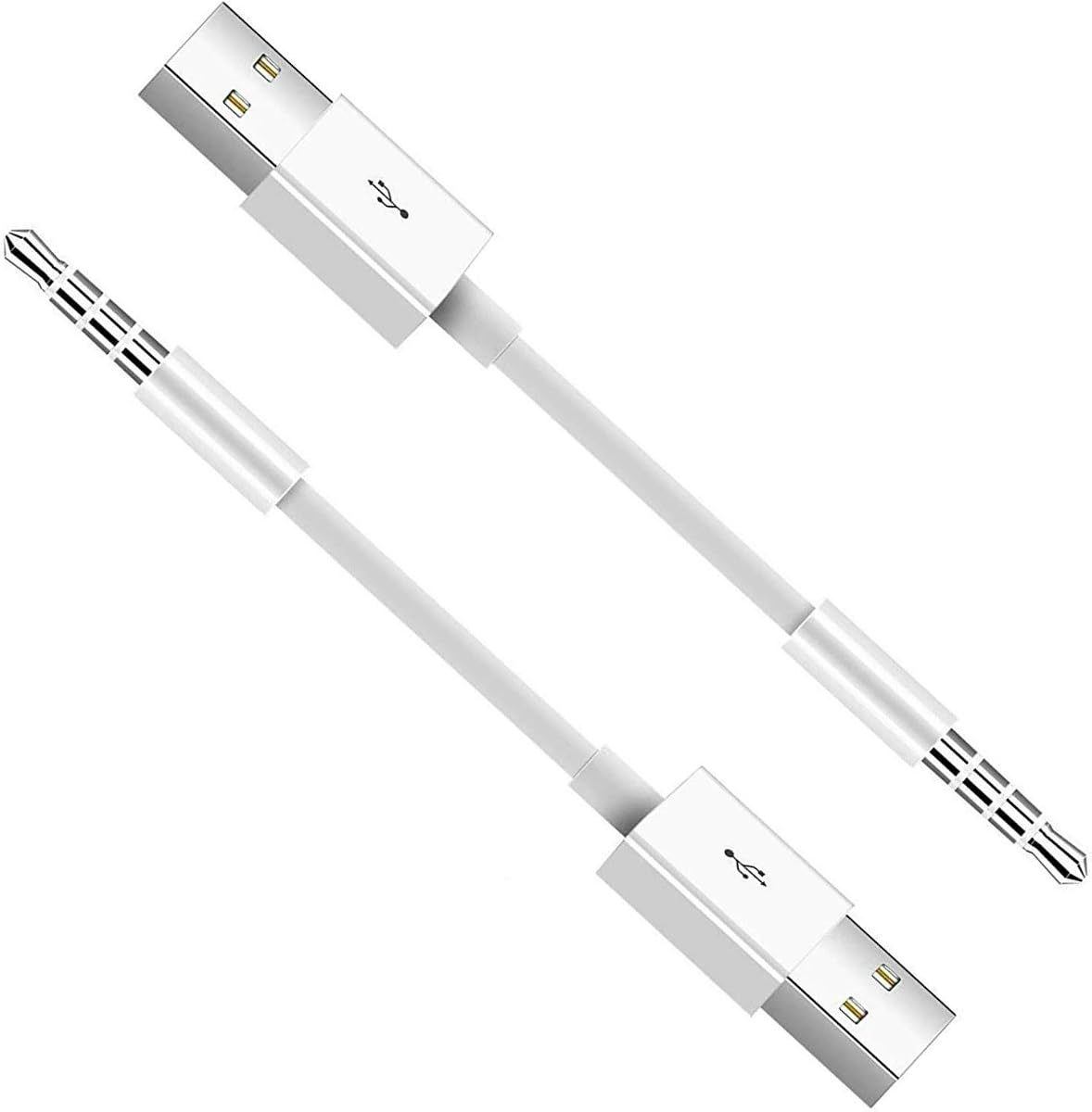
This cable is the top choice for most users needing a reliable replacement for their iPod Shuffle. It holds a strong rating and is designed to work with a wide range of generations including the 3rd through 7th. Its ability to sync and charge simultaneously makes it a versatile tool for daily use.
We may earn a commission when you buy through this link, at no additional cost to you.
The package includes two cables which ensures you have a backup if one gets lost or damaged. Users appreciate the 3.5mm connector that fits snugly into the device without being loose. The USB end connects easily to laptops or adapters allowing for quick power ups during your day.
While it is excellent for modern generations it does not support the older 1st or 2nd models. This limitation is acceptable since most buyers are looking for solutions for newer devices. The cable length is standard which works well for desk use but might be short for some setups.
If you need a dependable cable for your iPod Shuffle this is the best option to buy. It balances quality and cost effectively ensuring your device stays charged and synced. We recommend purchasing it for its reliability and the value of getting two cables in one pack.
This cable supports multiple generations ensuring you do not need a new wire for every device update.
You can charge your device and transfer music files at the same time without needing extra adapters.
We may earn a commission when you buy through this link, at no additional cost to you.
This cable offers a fantastic balance of price and performance for budget conscious shoppers. It is rated highly by users who need a simple way to charge their iPod Shuffle without spending too much. The two pack ensures you can keep one at home and one for travel.
We may earn a commission when you buy through this link, at no additional cost to you.
The design is compact and lightweight making it easy to toss into a bag or pocket. It connects directly to USB ports on computers or walls for reliable power delivery. Users report that it transfers data quickly via iTunes software without any major issues.
While it lacks premium materials it performs its core functions well. The cable might feel less robust than expensive options but it holds up for regular use. It is a practical choice for those who prioritize cost over long term durability.
Choose this cable if you need an economical solution that gets the job done. It is perfect for students or casual listeners who want a reliable charger at a low cost. We think it represents great value for the money you spend.
Get reliable charging and syncing for a fraction of the cost of other brands.
The lightweight design means it takes up almost no space in your travel gear.
We may earn a commission when you buy through this link, at no additional cost to you.
This cable is built to last with a focus on durability and resistance to wear. It stands out for its super durable connector head that can withstand repeated unplugging. Users praise its ability to charge devices faster than conventional cables available on the market.
We may earn a commission when you buy through this link, at no additional cost to you.
The design includes a strong 3.5mm pin connector that ensures a stable connection every time. This stability is crucial for maintaining data integrity during sync operations. The package includes two cables so you have a backup ready for any situation.
While it costs more than basic options the added longevity makes it worth the investment. It is ideal for users who have had issues with cables breaking at the connector point. The only downside is it does not support the 7th generation model.
If you want a cable that will survive heavy use this is the premium choice. It offers peace of mind with its robust construction and fast charging capabilities. We recommend it for anyone who needs a reliable long term charging solution.
Reinforced connectors ensure the cable survives drops and frequent handling without failing.
Optimized internal wiring allows your device to reach full battery levels more quickly.
We may earn a commission when you buy through this link, at no additional cost to you.
This is the official cable from Apple designed specifically for the 3rd generation iPod Shuffle. It ensures a perfect fit and reliable performance that matches the device specifications. Users who prefer authentic accessories appreciate the consistent quality and durability.
We may earn a commission when you buy through this link, at no additional cost to you.
The package includes two cables which is a generous amount for an official accessory. It connects seamlessly to USB ports for syncing music and charging the battery simultaneously. The build quality is high ensuring the connectors do not loosen over time.
The main limitation is that it only works with the 3rd generation model. This makes it less versatile than third party options that support multiple generations. However for owners of the 3rd gen it is the safest choice to ensure compatibility.
Buy this if you want guaranteed performance and an authentic Apple product. It is ideal for collectors or users who trust original accessories for their devices. We suggest it for those who prioritize compatibility over cost savings.
Rest assured your device is using a cable built to exact manufacturer standards.
The connectors are molded precisely to prevent loose connections during transfer.
We may earn a commission when you buy through this link, at no additional cost to you.
This docking station offers a convenient way to charge and sync your iPod without holding a cable. It is designed for the 2nd and 3rd generations making it a niche but useful option. The cradle keeps your device upright and secure while it charges.
We may earn a commission when you buy through this link, at no additional cost to you.
Users like the simplicity of just dropping the player into the dock for syncing. It reduces the wear on the connector port since you are not plugging and unplugging frequently. The station is compact so it does not take up much desk space.
The rating is lower than cables which suggests some users had issues with fit or sync stability. This might be due to the older technology involved in these generations. It is best for those who prefer a stationary setup at home or office.
Choose this if you want a desktop station for your older iPod models. It adds a level of convenience that a cable cannot match for daily stationary use. We recommend it for home desks where the device stays in one place.
Leave your device on the dock to keep it charged and synced automatically.
Minimize stress on the connector port by avoiding constant plugging and unplugging.
We may earn a commission when you buy through this link, at no additional cost to you.
This cable is specifically targeted at users who still use the earliest iPod Shuffle models. It ensures that even older devices can be charged and synced effectively with modern computers. The rating is solid indicating it meets the needs of its target audience well.
We may earn a commission when you buy through this link, at no additional cost to you.
The design is lightweight and portable making it easy to carry in a bag or pocket. It connects to any USB port for power and data transfer. Users appreciate that it handles both functions without needing multiple adapters.
It does not work with newer generations which limits its utility for mixed device households. However for owners of Gen 1 or 2 it is a necessary tool to keep their music playing. The construction is basic but functional for the price.
If you have an older model this is a reliable way to keep it powered. It bridges the gap between legacy hardware and modern USB ports effectively. We suggest it for collectors or long time users of early iPods.
Keep your older music players alive with a dedicated charging solution.
The small size makes it perfect for travel with older portable music devices.
We may earn a commission when you buy through this link, at no additional cost to you.
This pack offers two reliable cables for anyone needing a consistent charging solution for their iPod. It has a strong rating and is known for working smoothly with iTunes software. The two pack ensures you always have a spare available for emergencies.
We may earn a commission when you buy through this link, at no additional cost to you.
The cables are lightweight and portable allowing you to use them easily in different locations. Users report fast data transfer speeds which is essential for syncing large libraries. The connectors fit securely to prevent disconnects during active use.
Like many third party options it does not support the oldest generations of the player. This is acceptable for most users who have upgraded to newer models. The value of two cables at this price point is excellent for households with multiple devices.
Choose this if you need backup cables for your iPod or share with family. It provides reliable performance without breaking the bank. We recommend it for its consistency and the convenience of having extras on hand.
Always have a replacement cable available when one gets lost or damaged.
Designed to work seamlessly with iTunes for hassle free music syncing.
We may earn a commission when you buy through this link, at no additional cost to you.
This cable stands out for its nickel plated connectors that resist oxidation and rust. This feature ensures a clean connection every time you charge your device. The body is made from TPE material which offers good flexibility and strength.
We may earn a commission when you buy through this link, at no additional cost to you.
Users find that these cables handle bending and daily use well without breaking. The two pack provides good value and ensures you have a backup at home or work. The white color looks clean but might show dirt over time.
The main trade-off is that it is limited to newer generations of the iPod. It does not support the older models which limits its versatility for some collectors. However for daily use with current devices it is very reliable.
If you need a durable cable that lasts a long time this is a great pick. The metal connectors add a level of quality that protects against corrosion. We suggest it for users who want a premium feel at a standard price.
Nickel plating on connectors keeps the connection clean and functional for longer.
TPE body ensures the cable bends easily without cracking under stress.
We may earn a commission when you buy through this link, at no additional cost to you.
This cable is designed with high quality plating to ensure safety and stable output during charging. It is built to dissipate heat effectively which prevents overheating during long sync sessions. Users like the flexibility of the TPE material which makes it easy to store.
We may earn a commission when you buy through this link, at no additional cost to you.
The two pack offers convenience for users who need cables in multiple places. It connects easily to laptops or adapters for quick power delivery. The white finish looks clean but may require occasional cleaning to maintain appearance.
It is not suitable for the oldest iPod models which limits its use for some owners. However for most users it provides a safe and efficient charging experience. The focus on safety and heat dissipation makes it a smart choice.
Choose this if you want a cable that prioritizes safety and performance. The heat dissipation feature helps protect your device during extended use. We recommend it for daily charging where reliability is key.
Built-in heat dissipation prevents overheating during long sync sessions.
TPE material ensures the cable coils easily without tangling in your bag.
We may earn a commission when you buy through this link, at no additional cost to you.
This cable is a solid choice for owners of the 3rd to 5th generation iPods. It allows you to charge and sync your device quickly with any standard USB port. The two pack ensures you have a backup ready for travel or daily use.
We may earn a commission when you buy through this link, at no additional cost to you.
The lightweight design makes it easy to throw into a backpack or purse. Users appreciate the ability to sync music via iTunes software without complications. It is a straightforward solution for keeping your device powered up.
It does not support generations outside the 3rd to 5th range which limits its versatility. The build quality is basic but sufficient for regular use. This is a good budget friendly option for those who do not need premium features.
If you have a mid range iPod this cable will meet your needs effectively. It provides essential charging and syncing functions at a reasonable price. We suggest it for casual users who want a simple replacement option.
The compact design ensures it fits easily in any travel bag or pocket.
Connects seamlessly to iTunes for easy music library management.
We may earn a commission when you buy through this link, at no additional cost to you.
Selecting the right charger involves considering your specific device generation and usage habits. We outline the key factors to help you make a smart purchase.
The most critical factor is ensuring the cable fits your specific iPod generation. Generations 1 and 2 use a different connector than 3 through 7. Always check the compatibility list on the product page before buying.
Confirm your generation matches the cable support to avoid return issues.
Cables made with durable materials like TPE or reinforced connectors last longer. Look for options with metal plated ends to resist corrosion over time. This reduces the chance of the wire breaking near the plug.
Invest in a cable with reinforced connectors to prevent snapping and breakage.
Standard lengths work well for most desk setups but longer options offer more flexibility. Consider how far your computer or adapter is from where you sit. A longer cable prevents pulling or strain on the connectors.
Choose a length that fits your desk layout without creating tension on the device.
Many options come in two packs which provides a backup for travel or loss. This ensures you always have a working charger available when you need one. It can be more cost effective than buying single cables.
Buying a two pack saves money and ensures you have a replacement ready.
Not all cables transfer data at the same speed. High quality cables support faster sync times which is important for large music libraries. Check reviews to see if users report fast transfer rates.
Prioritize cables that support fast data transfer to save time syncing music.
Ensure the cable works with your computer's USB ports and software. Most modern cables work with Windows and Mac systems without drivers. This guarantees you can plug and play without extra setup steps.
Select a cable that works with both Windows and Mac systems easily.
Look for cables made with materials that resist tangles and wear. PVC and TPE are common materials that offer good flexibility. Avoid very stiff cables that might damage the device connector over time.
Flexible materials like TPE reduce tangles and protect the connector port.
Some cables may carry safety certifications that ensure they meet power standards. This reduces the risk of electrical issues while charging your device. It is always safer to choose a product with safety features.
Choose cables with safety certifications to protect your device from power surges.
To use your new charger, simply plug one end into your computer or power adapter and the other into your iPod. Ensure the connection is secure to maintain data sync speed. You can charge and transfer music at the same time for efficiency.
When not in use, store the cable in a cool dry place away from direct sunlight. Avoid wrapping it too tightly around sharp objects which can damage the internal wires. A small pouch helps keep it organized and protected.
Regularly check the connectors for dirt or debris that might block the connection. You can gently clean them with a dry cloth to ensure a good fit. Proper care extends the lifespan of the cable significantly.
No, only cables with a 3.5mm jack specific to the iPod Shuffle will work. Using a standard headphone cable will not provide power or data transfer. You must use a cable designed specifically for this device model.
Check the back of your device for the model number or look at the design features. The 3rd through 7th generations have a specific clip design that fits the new cables. The older 1st and 2nd generations have a different connector port.
Ensure the cable is fully inserted into both the computer and the iPod. Check for dust in the port or bent connectors on the cable. If the cable is damaged internally, you may need to purchase a new replacement.
Yes, most replacement cables support syncing and charging at the same time. You can connect to your computer and transfer files while the battery fills up. This feature saves time compared to separate charging and syncing steps.
Most cables in this guide work with both Mac and Windows computers. They use standard USB connections that both systems support without drivers. You may need iTunes installed on your computer for successful syncing.
With proper care, a replacement cable can last from one to three years. Avoid bending it sharply at the connectors to extend its life. Higher quality options with metal connectors tend to last longer.
Using a wall adapter charges the device faster than a computer USB port. However a computer allows you to sync music while charging. Choose based on whether you need power or data transfer more.
Try a different USB port or cable to see if the issue is with the connection. Restart your computer and check if iTunes or Finder detects the device. If it still fails, the battery might be completely drained.
We have reviewed ten reliable options that cater to different generations and needs. The Amicable cable stands out for overall quality while the iAbler option offers the best value. For durability, the iPod Shuffle USB Charger is a strong contender.
Prioritize compatibility and build quality when making your final decision. A durable cable saves money in the long run by reducing the need for frequent replacements. Ensure you pick one that supports your specific iPod generation before ordering.
Remember that product availability and prices may change quickly. Check the current listing to confirm compatibility and stock status. Select the option that fits your usage needs and budget for the best experience.