
Evermyth Android 16 Tablet 10 Inch
4.3Editor score
24GB RAM Plus 64GB ROM
10 Inch HD IPS Display
Wi-Fi 6 And Bluetooth 5.4
Finding the right entry level tablet can be challenging with so many choices available today. You want a device that offers smooth performance and a vibrant screen without breaking your bank.
We evaluated ten popular models based on display quality, battery life, storage capacity, and overall value. Our goal is to highlight tablets that deliver reliable everyday experiences.
Each pick below shows key strengths and ideal use cases for students or casual users. Remember that pricing fluctuates so always check current deals before buying.
4.3Editor score

4.5Editor score

4.6Editor score
As an Amazon Associate we earn from qualifying purchases.
Here is a side-by-side look at the core specifications of each tablet in our list to help you decide quickly.


The Amazon Fire HD 10 stands out as a top choice for everyday use. It carries a solid rating and offers a large vibrant screen ideal for movies.
We may earn a commission when you buy through this link, at no additional cost to you.
Its 10.1 inch display delivers crisp visuals while the battery lasts up to 13 hours of mixed use. The octa-core processor ensures smooth streaming.
Trade-offs include reliance on the Amazon Appstore which lacks some Google apps. However this is acceptable for most users focused on content consumption.
Anyone seeking a reliable media device for home or travel will find this tablet excellent. It balances performance and price effectively.
Enjoy extended sessions without hunting for a charger thanks to the 13 hour endurance.
Use voice commands to control smart home devices or request recipes hands free.
We may earn a commission when you buy through this link, at no additional cost to you.
The Evermyth tablet offers impressive specs for its price point. It runs Android 16 and provides ample RAM for switching between apps smoothly.
We may earn a commission when you buy through this link, at no additional cost to you.
Its 24GB RAM ensures quick launches while Wi-Fi 6 keeps connections stable. The HD IPS display offers decent colors for casual viewing tasks.
You may notice the screen resolution is not Full HD which affects sharpness. This trade-off is minor given the low cost and high performance.
Students or families needing a flexible device for browsing will love this option. It delivers professional grade speed without a premium cost.
Switch between games and videos without lag thanks to the generous RAM allocation.
Enjoy faster downloads and stable streams with the included Wi-Fi 6 support.
We may earn a commission when you buy through this link, at no additional cost to you.
The Galaxy Tab A11+ brings premium features to a competitive range. Its high rating reflects excellent build quality and a fluid screen experience.
We may earn a commission when you buy through this link, at no additional cost to you.
The 11 inch 90Hz display makes scrolling look natural while quad speakers provide rich sound. Internal storage is large enough for many apps.
The higher cost might deter strict budget shoppers but the performance justifies it. It feels more refined than cheaper alternatives in this list.
Users wanting a near flagship feel for media and light work should choose this. It excels in both visuals and audio.
The 90Hz refresh rate ensures smooth animations and responsive touch interactions.
Dolby Atmos tuned speakers deliver a cinematic sound experience for movies.
We may earn a commission when you buy through this link, at no additional cost to you.
This Samsung model offers a smaller footprint ideal for reading or travel. It includes a high refresh rate screen which is rare at this size.
We may earn a commission when you buy through this link, at no additional cost to you.
Running Android 15 ensures access to modern apps. The 64GB base storage can be expanded with a microSD card for extra space.
Since it is an international model you may need to set country settings manually. Also note the charger is not included in the box.
Those who want a portable Samsung device will appreciate its size and speed. It is a smart choice for on the go use.
The slim 8.7 inch profile fits easily in bags for daily commuting.
The 90Hz refresh rate makes web browsing feel fast and fluid.
We may earn a commission when you buy through this link, at no additional cost to you.
The Idea Tab Plus focuses on a large workspace for notes or media. It comes with a pen and case which adds immediate value.
We may earn a commission when you buy through this link, at no additional cost to you.
The 2.5K display is sharp enough for detailed work. Its lightweight build helps carry the bigger screen without fatigue during long sessions.
The cost is higher than basic tablets but the accessories justify it. You save money on separate cases and stylus purchases initially.
Students needing a digital notebook will find this tablet perfect. It replaces paper effectively while remaining easy to hold.
Use the included tab pen for writing notes directly on the screen.
The 12.1 inch display offers ample room for split screen tasks.
We may earn a commission when you buy through this link, at no additional cost to you.
This TCL tablet delivers crisp visuals thanks to its Full HD screen. The metal body gives it a premium feel that resists scratches well.
We may earn a commission when you buy through this link, at no additional cost to you.
With 128GB storage you can keep many apps without filling up fast. Face unlock allows quick access without typing passwords every time.
Battery life is decent but not as long as some rivals in this set. Lack of stylus support limits it for creative tasks.
Viewers who prioritize screen clarity and build quality will like this pick. It offers a premium look at a mid range price.
Movies look sharp on the 10.1 inch display with clear pixel detail.
Access your device quickly with a glance using face recognition.
We may earn a commission when you buy through this link, at no additional cost to you.
The Fire HD 8 is a tiny powerhouse perfect for reading or travel. It carries a high rating and offers excellent battery for long days.
We may earn a commission when you buy through this link, at no additional cost to you.
Its compact size fits in bags easily while the 4GB RAM handles apps well. Alexa integration allows voice control for smart home tasks.
The screen is HD instead of Full HD which is less sharp than larger models. App store limitations exist but cover most daily needs.
Kids or travelers needing a pocket sized device should consider this. It balances portability with strong performance effectively.
The 8 inch form factor makes it easy to hold with one hand.
Enjoy up to 13 hours of reading or browsing on a single charge.
We may earn a commission when you buy through this link, at no additional cost to you.
This 2026 model updates the A11 line with a charger included. It keeps the 90Hz screen for smooth visuals and decent audio output.
We may earn a commission when you buy through this link, at no additional cost to you.
The 4GB RAM supports basic multitasking well. Its dual speakers provide clear sound for videos on the go without needing headphones.
The international status means setup might vary slightly by region. Storage is modest but expandable so you can add more space.
Users who want a Samsung tablet with a charger out of the box will appreciate this. It is solid for daily browsing.
Power up quickly with the included 20W fast charging cube.
The 90Hz screen ensures menus and apps scroll smoothly.
We may earn a commission when you buy through this link, at no additional cost to you.
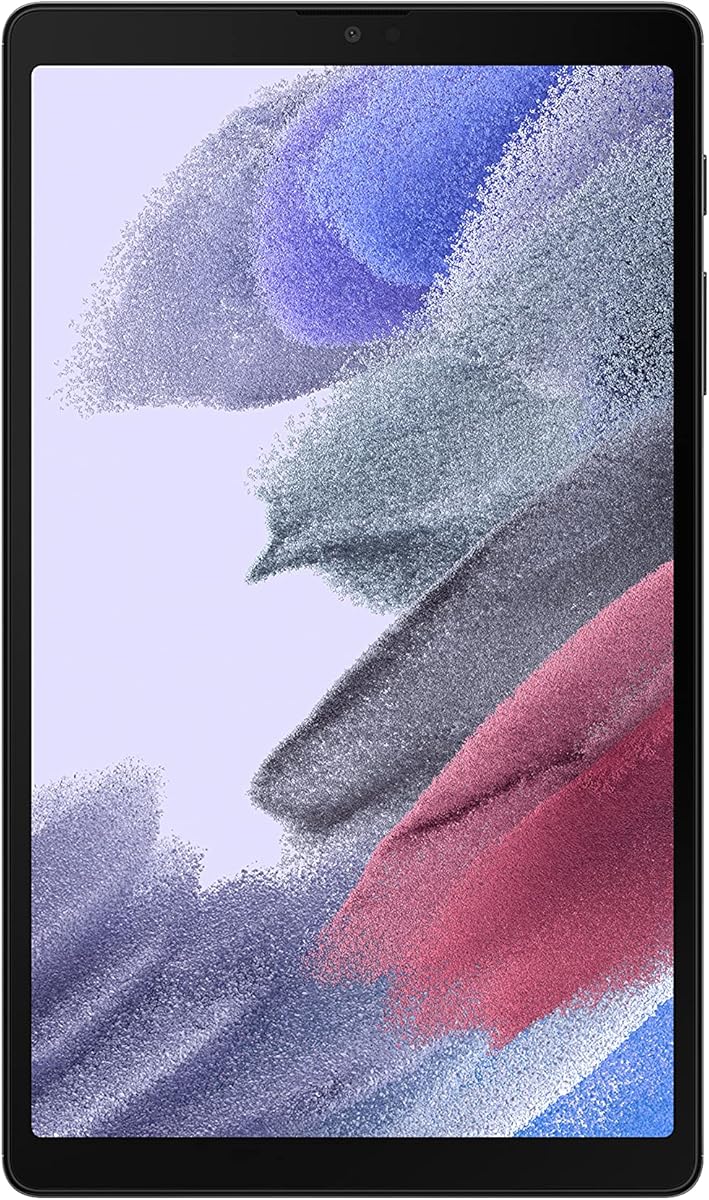
The A7 Lite uses a metal frame for extra durability. It is designed to handle drops better than plastic shells in the same class.
We may earn a commission when you buy through this link, at no additional cost to you.
Its 8.7 inch screen is great for kids or light browsing. The long battery life means it lasts through school days or travels.
The base storage is only 32GB so you may need a card. It is an older model but still reliable for basic tasks.
Families needing a tough device for children will find this ideal. The frame protects against drops and scratches.
The metal frame protects against everyday drops and accidents.
Add more space easily with a microSD card if needed.
We may earn a commission when you buy through this link, at no additional cost to you.
This gray version matches the silver model in specs and build. It offers a budget friendly path to a durable Android experience.
We may earn a commission when you buy through this link, at no additional cost to you.
The metal frame helps it resist damage while the battery lasts long. Kids can use it safely without worrying about immediate breaks.
It may feel dated compared to newer tablets here. Still its reliability and low price make it a strong option for casual needs.
Those wanting a simple tough tablet for kids should pick this. It covers essentials well.
Get a reliable Android experience at an entry level price.
Enjoy long days of use without constant recharging.
We may earn a commission when you buy through this link, at no additional cost to you.
Selecting the right tablet depends on understanding key specs that affect daily performance and satisfaction.
Screen size impacts portability and media enjoyment. Look for Full HD or better resolution for clear text and sharp video. Larger screens suit media while smaller ones fit pockets.
Prioritize resolution and refresh rate to ensure visuals stay crisp.
RAM controls how many apps run at once without slowing down. Aim for 4GB minimum for smooth multitasking. Storage holds apps and files so choose 64GB or more.
Ensure the tablet supports microSD cards to expand storage later.
Battery endurance matters for travel or school use. Aim for 8 hours of mixed activity to avoid frequent recharging. Fast charging helps if you are often on the go.
Check battery size in mAh for better comparisons between models.
Android offers broad app support while Fire OS is cheaper but limited. Ensure the OS version is recent for security updates. Some tablets may lack Google services entirely.
Verify app compatibility before buying if you rely on specific apps.
Wi-Fi 6 ensures faster and more stable internet connections. Bluetooth helps connect headphones or keyboards for productivity. Check for USB-C ports for modern charging.
Look for dual band Wi-Fi to avoid signal congestion.
Metal frames often resist drops better than plastic. Weight affects comfort if you hold the device for hours. Consider screen protection for kids.
Choose lightweight models for one hand use during travel.
Front cameras support video calls while rear ones take photos. Aim for 5MP or higher for clear face to face meetings. Good cameras matter if you use it for online classes.
Check lens quality for better video call clarity.
Set a budget but compare features to find true value. Sometimes extra cost buys better build or screen quality. Watch for bundle deals with cases.
Balance cost against specs that you actually use daily.
Always start by charging the battery fully before first use to calibrate power. Install essential apps from official stores to avoid security risks.
Keep the screen clean with a microfiber cloth to prevent scratches. Avoid exposing it to heat or direct sunlight to protect the battery.
Use cases or screen protectors if kids handle the device. This extends lifespan by preventing accidental drops.
Yes these tablets provide enough power for notes and research. They are lighter than laptops and offer long battery life for classes.
Most Android tablets support Google apps fully. Fire tablets require side-loading to use Google Play which may be tricky for beginners.
64GB works well for basic media if you use cloud storage. For offline movies choose 128GB or more to avoid running out of space.
Models with metal frames or protective cases hold up better. Always enable parental controls to keep content safe for children.
4GB handles everyday tasks well. 8GB allows heavier multitasking and gaming without slowdowns but costs more.
Some models support generic capacitive pens. Active stylus support is usually limited to higher end devices in this category.
We highlighted ten solid options ranging from budget friendly to premium features. The Evermyth and Fire HD 10 stand out for value and versatility.
Prioritize screen quality and battery life if you watch many videos. For students consider models with better RAM and stylus support.
Always review current pricing since deals change often. This guide remains valid as of November 2026 for your best choice.