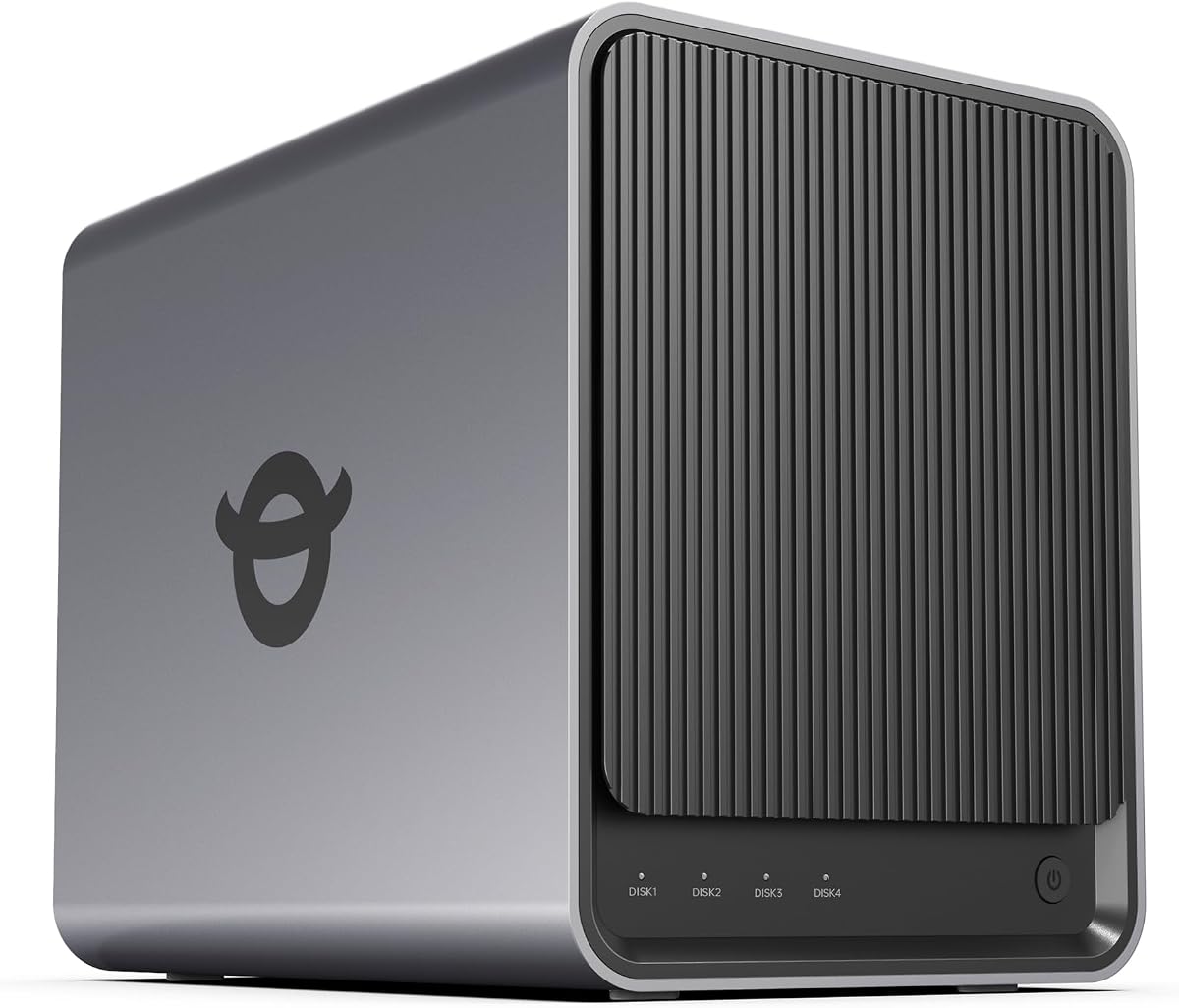
Yxk Zero1 Pro 4-Bay NAS
4.4Editor score
Intel N100 Processor
144TB Raw Storage
4K HDMI Output
This guide compares the top 4 Bay NAS models for home and business use, analyzing performance, storage capacity, and software features to help you choose the
Finding the right network attached storage device is crucial for managing your digital assets securely. A good 4 Bay NAS offers ample space for files, media, and backups while providing remote access and data redundancy for peace of mind.
We evaluated ten leading models based on processing power, networking capabilities, software ecosystems, and ease of use. Our analysis considers how each device handles multitasking, media streaming, and data protection to ensure you get the best value.
Each pick highlights specific strengths like budget affordability or professional-grade performance to match different needs. Keep in mind that pricing and availability fluctuate frequently, so verify current details before making your final purchasing decision today.
4.4Editor score

4.0Editor score

4.4Editor score
This side-by-side comparison breaks down the key specifications and capabilities of the top ten models available today. Use this table to quickly identify which device aligns best with your specific storage and performance requirements.





The TERRAMASTER F4-425 stands out as a powerful option for users needing robust media handling. With an Intel x86 quad-core processor and 4GB RAM, it manages multitasking and 4K transcoding efficiently for home theaters.
We may earn a commission when you buy through this link, at no additional cost to you.
Its 2.5GbE port ensures ultra-fast file transfers, supporting multiple users accessing files concurrently without bottlenecks. The Photos app uses AI to organize millions of photos automatically, making it easier to manage large media libraries.
While the mobile app provides full control including remote sync, it lacks some advanced desktop features found in competitors. The tool-free design makes adding drives simple, but upgrading RAM later is not possible which might limit future growth.
This NAS is ideal for families and small offices wanting reliable storage without enterprise costs. If you prioritize smooth video streaming and quiet operation, the F4-425 delivers excellent value for a balanced user experience today.
Hardware-level 4K decoding ensures smooth playback across Plex, Emby, and Jellyfin without CPU strain.
TRAID arrays provide 30% more space than traditional RAID while maintaining crucial data redundancy for safety.
We may earn a commission when you buy through this link, at no additional cost to you.
The UGREEN DXP4800 GT offers high performance at an accessible price point for enthusiasts. Powered by AMD Ryzen R2514 with 8GB RAM expandable to 64GB, it handles backups, media, and Docker apps smoothly without slowdowns.
We may earn a commission when you buy through this link, at no additional cost to you.
Dual 10GbE ports allow for fast transfers up to 2.5GB/s theoretical, enabling local-like editing directly from the NAS. The built-in Surveillance Center supports ONVIF cameras, turning the device into a complete home security control hub.
Users should note the pre-installed RAM is non-ECC requiring upgrades for error correction in critical environments. Plex support is available but requires manual Docker setup which adds complexity for less technical users initially.
This model suits creators and tech-savvy teams needing speed and flexibility. With USB and SD slots for instant backups, it simplifies workflows significantly making it a strong budget choice for power users today.
Link Aggregation on compatible switches can double bandwidth for balanced multi-user access and large file transfers.
AES and SHA-512 encryption protect data transfers while local storage keeps your files off third-party cloud servers.
We may earn a commission when you buy through this link, at no additional cost to you.
Engineered for demanding workflows, the UGREEN DXP4800 Pro delivers desktop-class performance in a compact chassis. The Intel Core i3-1315U processor with 8GB DDR5 RAM enables smooth virtual machine execution and Docker container management.
We may earn a commission when you buy through this link, at no additional cost to you.
Its dual network ports offering 10GbE and 2.5GbE provide blazing fast transfer speeds up to 1.25GB/s for professionals. Local AI handles photo organization on-device ensuring privacy while managing massive libraries effortlessly without cloud dependency.
The 144TB capacity supports massive files including 4K movies and RAW photos. Dual M.2 PCIe 4.0 slots eliminate HDD bottlenecks acting as cache or storage pools for accelerated application access and workflow efficiency.
This NAS is perfect for developers and IT professionals needing serious workhorse capabilities. If you require enterprise security and granular permissions for many users the DXP4800 Pro offers unmatched flexibility for growing teams today.
13th Gen Intel graphics ensure smooth multitasking when running multiple virtual environments simultaneously without lag.
Data Vault encrypts sensitive files and granular permissions allow up to 2048 user accounts for detailed access control.
We may earn a commission when you buy through this link, at no additional cost to you.
Synology DS425+ excels as a centralized repository for secure file sharing and media streaming. It supports concurrent access from ten users with 278 MB/s speeds making it suitable for small offices needing reliable collaboration tools.
We may earn a commission when you buy through this link, at no additional cost to you.
Data protection is robust with RAID redundancy automated backups and snapshot technology to prevent loss from any cause. The system also handles surveillance tasks supporting up to thirty IP cameras with motion detection and secure remote access.
While powerful the higher price reflects its business-grade features and enterprise-level support including dedicated account management for critical environments. This reliability is essential for businesses but might be overkill for typical home media storage.
Buy this if you need enterprise-grade protection and scalability without moving to rackmount units. For offices managing client files and assets DS425+ offers stability and long-term value through its proven Synology ecosystem today.
Multi-layered data protection combines hardware RAID with software snapshots for recovery against accidental deletion.
We may earn a commission when you buy through this link, at no additional cost to you.
The UGREEN DXP4800 Plus provides high-performance storage ideal for small offices and home teams. It works seamlessly across Windows macOS Linux iOS and Android allowing collaboration without device friction.
We may earn a commission when you buy through this link, at no additional cost to you.
Backups are incredibly fast with 10GbE ports transferring 1GB in less than a second for urgent tasks. Secure private cloud features retain full data ownership while flexible permissions make sharing with collaborators safe and easy.
Users must note wired Ethernet only applies to this model which limits wireless access options for non-networked devices. Plex requires Docker setup manually meaning initial configuration needs more time compared to pre-installed media centers.
This NAS suits those needing massive capacity and speed for media or work files. With AI photo organization and extensive compatibility it balances professional features with a user-friendly experience for growing teams today.
10GbE networking ensures massive media files upload and download instantly reducing waiting time significantly.
We may earn a commission when you buy through this link, at no additional cost to you.
UGREEN DH4300 Plus offers an intuitive entry into private cloud storage for families and remote workers. It supports Docker apps and provides easy file sharing across mixed devices with real-time photo backups keeping memories organized automatically.
We may earn a commission when you buy through this link, at no additional cost to you.
The magnetic dust cover simplifies maintenance while NFC connection speeds up initial setup for non-technical users. Cost-effectiveness stands out here as one-time purchase saves significant recurring monthly fees compared to traditional cloud plans over time.
Virtual machines are not supported limiting advanced use cases like running independent operating systems. Wired Ethernet only ensures stable connections but reduces flexibility for users relying on wireless networks for primary connectivity options.
This device is perfect for those wanting a simple private cloud without technical complexity. With robust encryption and smart photo tools it serves home users well for securing digital assets securely today.
One-time purchase avoids recurring cloud subscriptions saving thousands of dollars over ten years of usage.
We may earn a commission when you buy through this link, at no additional cost to you.
The Synology DS925+ brings reliable performance with dual 2.5GbE ports providing fast network transfer speeds and redundancy. It handles file and photo management efficiently with stable data transfers up to 565 MB/s sequential read/write throughput.
We may earn a commission when you buy through this link, at no additional cost to you.
Virtualization and surveillance solutions make it versatile for home and business needs. Users can monitor security cameras and access files remotely using Synology DSM which offers a polished interface for managing shared folders.
Base 4GB RAM limits heavy multitasking but is sufficient for standard storage tasks. While expansion is possible the initial configuration works best for users needing reliable storage rather than intense virtualization workloads.
This model balances performance and reliability well for multimedia enthusiasts and small businesses. If you prioritize stable throughput and proven software support DS925+ is a solid choice for modern NAS needs today.
Dual 2.5GbE ports allow link aggregation for higher bandwidth and failover protection if one port fails.
We may earn a commission when you buy through this link, at no additional cost to you.
Yxk Zero1 Pro offers beginner-friendly setup with powerful Intel N100 processing. It provides 144TB storage and dual 2.5GbE ports for shared media libraries without needing custom operating system setup initially.
We may earn a commission when you buy through this link, at no additional cost to you.
The 4K HDMI output allows direct connection to TVs for a home theater experience. Aluminum housing ensures heat dissipation with dedicated fans supporting overnight backups and large file transfers in living rooms quietly.
Advanced users can manually install third-party OSs like TrueNAS or Unraid for custom environments. However compatibility and license details vary meaning extra effort is required to configure these alternatives compared to out-of-box software.
This NAS serves families needing shared storage and media access easily. With efficient power consumption and flexibility for customization it balances simplicity with room to grow for tech enthusiasts today.
Direct HDMI connection to displays allows playing media directly without needing a separate streaming box.
We may earn a commission when you buy through this link, at no additional cost to you.
Asustor Drivestor 4 offers optimized quad-core performance at an entry-level price for daily storage needs. It handles automated backups and data management efficiently with lower power consumption while supporting 2.5GbE network upgrades.
We may earn a commission when you buy through this link, at no additional cost to you.
Btrfs snapshots and WORM technology protect against ransomware keeping business documents and memories immutable. This enterprise-grade data protection adds safety without requiring high-end hardware configurations for small office backups.
Limited RAM restricts advanced multitasking but keeps costs low for basic file sharing. 4K media streaming works well for smart TVs but heavy virtualization or complex Docker containers may cause performance issues due to memory constraints.
This NAS fits budget-conscious buyers needing reliable protection and speed. If you want secure local storage and remote access without high costs Drivestor 4 provides solid value for home cloud tasks today.
Immutable snapshots allow instant restoration to previous states preventing permanent loss from malicious attacks.
We may earn a commission when you buy through this link, at no additional cost to you.
Synology DS423 prioritizes secure private cloud access allowing safe file sharing from anywhere for families and businesses. Comprehensive data protection includes snapshots and versioned files to guard against malware threats effectively.
We may earn a commission when you buy through this link, at no additional cost to you.
Versatile video surveillance supports up to thirty cameras for intuitive monitoring and archiving. Local file sharing replaces expensive Dropbox services providing permission-controlled team folders without third-party subscription costs.
The system uses 2x1GbE ports limiting throughput compared to 2.5GbE models but ensuring stability for general users. While slower for large transfers it remains effective for typical family backups and remote access workflows.
This NAS is ideal for users seeking privacy without complexity. If you value strong security features and proven software DS423 offers reliable backup and sharing capabilities for modern home and office use today.
Versioned files and multi-destination backups ensure you recover from malware quickly without paying ransoms.
We may earn a commission when you buy through this link, at no additional cost to you.
Choosing the right 4 Bay NAS depends on your specific needs for performance, storage, and software. Understanding key factors helps you avoid overspending or missing critical features needed for your digital assets.
The processor determines how smoothly your NAS handles multitasking media transcoding and virtualization tasks. Look for models with quad-core or higher CPUs to ensure efficient handling of multiple users accessing files simultaneously without lag.
Prioritize processors designed for low power consumption and heat management to maintain stable operation in home environments.
RAM impacts how many apps can run at once and how fast file indexing occurs for search and AI photo organization. Devices with expandable RAM offer better future-proofing if your storage needs grow significantly over time.
Select units with at least 4GB of RAM for standard media tasks while 8GB or more supports Docker containers and virtual machines effectively.
Network ports dictate transfer speeds between your NAS and other devices on your local network. Models offering 2.5GbE or 10GbE ports significantly outperform standard Gigabit systems enabling faster backups and direct media editing.
Dual ports provide redundancy allowing failover protection and higher bandwidth through link aggregation on compatible switches.
The OS provides the interface and tools you use daily for file management backups and security settings. Research each system's app ecosystem and community support to ensure it meets your technical requirements and usability preferences.
User-friendly interfaces simplify setup for beginners while advanced options like Docker support empower power users to customize workflows.
Check the maximum drive capacity supported by each bay and additional slots for SSDs or NVMe caches. Flexible expansion options ensure your NAS grows with your needs without requiring a complete hardware replacement sooner.
Models with M.2 slots allow using fast SSDs as cache to speed up frequent file access and improve overall system responsiveness.
Security features like encryption RAID options and backup snapshots protect your files from hardware failure or cyberattacks. Ensure the device supports robust protocols like AES encryption and immutable backups to prevent ransomware interference.
Local storage ownership keeps your data private and safe from third-party breaches while giving you full control over access permissions.
Consider the availability of mobile apps and desktop clients for remote access and file sharing across devices. A well-supported ecosystem ensures seamless synchronization and management from any location without needing complex setups.
Tools for photo organization surveillance and media streaming add significant value by replacing multiple separate applications with one platform.
Build quality noise levels and thermal management affect where you can place the NAS in your home or office. Quiet models with efficient cooling systems are essential for living spaces where constant fan noise would be disruptive.
Tool-free drive bays simplify installation and maintenance allowing you to swap drives easily without needing specialized hardware tools.
Start by installing your hard drives securely into the trays before connecting the NAS to your router and power source. Follow the guided app setup to register an account initialize storage and set basic permissions for your household or office users.
Regularly update your NAS firmware through the admin dashboard to access new features and security patches. Keep your backups automated by configuring scheduled tasks for critical files ensuring your data is protected against unexpected failures or malware.
Place the device in a well-ventilated area away from dust accumulation to maintain cooling efficiency and extend hardware lifespan. Monitor system health through the provided dashboard for any drive warnings or temperature alerts indicating maintenance is needed soon.
Yes most models sold as diskless do not include storage drives. You must purchase compatible SATA hard drives or SSDs separately to store data. Ensure drives match the capacity limits supported by your chosen NAS model for optimal performance.
You can access files locally over your home network without internet for internal backups and media streaming. However remote access from outside your home requires an active internet connection to connect securely to the device.
RAID 0 combines drives for maximum speed and capacity but risks losing all data if one drive fails. RAID 1 mirrors data across drives so you keep files if one drive fails but total usable space is halved.
Enable remote access through the admin panel and configure QuickConnect or DDNS settings provided by the manufacturer. This allows you to connect securely from anywhere using the official mobile or web client apps.
Many models allow upgrading drives or adding expansion units if supported by the chassis. Check the compatibility list before replacing drives to ensure new models work correctly with your current RAID configuration and software.
Local NAS access is typically much faster on your internal network compared to downloading from public cloud servers. Uploading initial data may be limited by your internet upload speed but local transfers remain high speed instantly.
Most support Plex Emby or Jellyfin either natively or through Docker containers for smooth media streaming. Some include direct HDMI outputs for playing media straight to your TV without needing a separate streaming device.
Private NAS storage keeps data on your local drives reducing exposure to cloud breaches. Using strong passwords enabled encryption and updated firmware ensures your files remain secure from unauthorized access attempts by outsiders.
This guide highlights top contenders ranging from budget-friendly options to high-performance powerhouses for professionals. Whether you prioritize media streaming speed or data protection the picks above cover various needs effectively.
Consider your specific use cases like virtualization or photo management before deciding. A model that excels in home media might lack the RAM required for complex IT workflows or heavy multitasking tasks.
Always verify current availability and warranty terms before purchasing to ensure you get the best support. Technology evolves quickly so checking the latest updates ensures your investment remains valuable for years to come.