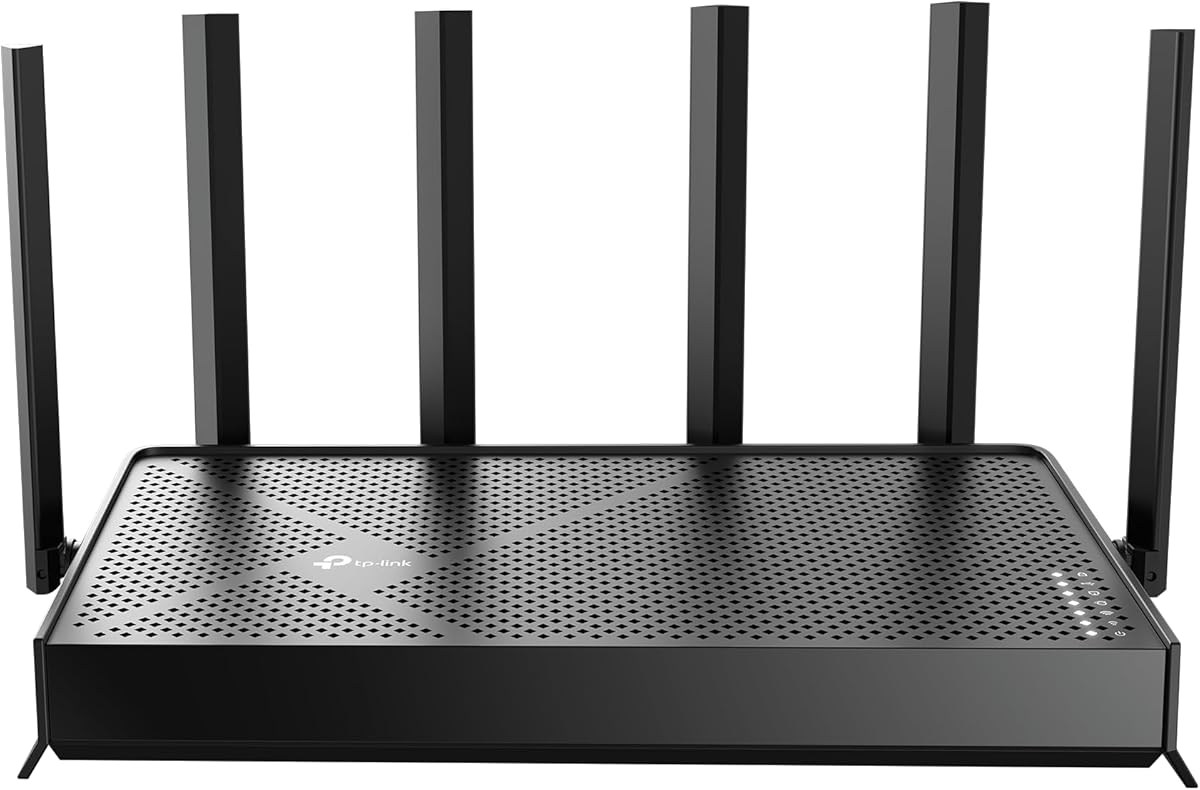
TP-Link BE6500 Dual-Band WiFi 7 Router
4.3Editor score
Next Gen Wi-Fi 7 Support
6 Stream Dual-Band Performance
2.5 Gbps Ethernet Ports
Compare the top high bandwidth WiFi routers for 2026. This guide reviews speed, coverage, and features to help you choose the best network solution.
Finding the right high bandwidth WiFi router is essential for modern homes packed with streaming devices and smart gadgets. A quality router ensures every device connects smoothly without buffering or lag during peak usage times.
We evaluated ten top models based on real-world performance, coverage area, and advanced features like Wi-Fi 7 and tri-band technology. Our analysis highlights which routers deliver the best value and reliability for different household needs.
Each pick below shows key specs and unique strengths to help you match a router to your internet plan and home size. Please note that prices and availability can change frequently, so check current listings before buying.
4.3Editor score

4.3Editor score
4.3Editor score
This side-by-side comparison summarizes the key specifications and strengths of all ten routers reviewed in this guide to help you make an informed decision quickly.



The TP-Link AXE5400 stands out as a top performer for households needing serious bandwidth and reliability. It earns a solid 4.3 rating from users who appreciate its tri-band efficiency and consistent speeds during heavy usage.
We may earn a commission when you buy through this link, at no additional cost to you.
This router utilizes the new 6 GHz band to provide near-zero latency for gaming and video chats. Its 1.0 GHz dual-core CPU and 512 MB memory ensure it handles multiple devices without slowing down the network.
While it lacks a USB port for file sharing, its focus on wireless performance pays off for most users. The unique housing design helps keep the router cool, which is critical for long-term stability in warm environments.
We recommend this model for families streaming 4K video and gaming simultaneously. It delivers high bandwidth where it counts, and EasyMesh support lets you expand coverage easily if your home is large.
Separating traffic across three bands reduces congestion significantly compared to dual-band alternatives.
Basic security features are included for free, offering essential IoT protection without extra costs.
We may earn a commission when you buy through this link, at no additional cost to you.
The TP-Link BE6500 brings next-generation Wi-Fi 7 technology to a budget-friendly price point. With a 4.3 rating, it offers impressive performance for those looking to future-proof their network without breaking the bank.
We may earn a commission when you buy through this link, at no additional cost to you.
Its Multi-Link Operation technology allows data to be sent across bands simultaneously, improving speed and reliability. This is a major step up from older standards and ensures smoother connections for modern devices like the iPhone 16 Pro.
Although it lacks the 6 GHz band found in tri-band models, the dual-band performance is still very capable for most homes. The 2.5 Gbps ports provide a great way to connect wired devices that need faster throughput.
This router is ideal for tech enthusiasts who want the latest specs at a lower cost. It handles streaming and gaming well, and the included security features add peace of mind for families with smart devices.
Wi-Fi 7 features like MLO and 4K-QAM ensure compatibility with upcoming high-speed devices.
TP-Link adheres to cybersecurity pledges, ensuring built-in protection against common network threats.
We may earn a commission when you buy through this link, at no additional cost to you.
The NETGEAR Nighthawk WiFi 7 offers massive bandwidth and range for larger homes with many connected devices. Users rate it 4.3 for its ability to handle heavy loads across a 2,500 square foot area effectively.
We may earn a commission when you buy through this link, at no additional cost to you.
This router delivers up to 9.3 Gbps across three bands, ensuring even the fastest devices get priority access. The dedicated 6 GHz band prevents interference, which is crucial for competitive gaming and video conferencing.
While the setup process can be slightly complex, the resulting network stability is worth the effort. The inclusion of Armor security for a trial period adds extra protection against external threats without immediate cost.
We suggest this model for families with multiple floors or thick walls that challenge standard routers. Its wired ports support multi-gig plans, making it a strong choice for future internet upgrades.
Strong antennas and beamforming ensure reliable signals reach every corner of large spaces.
2.5 Gig ports allow you to utilize internet plans faster than standard 1 Gig connections.
We may earn a commission when you buy through this link, at no additional cost to you.
The NETGEAR Nighthawk RS90 provides a balanced entry into Wi-Fi 7 without the cost of tri-band models. It holds a 4.3 rating for delivering consistent speeds up to 3.6 Gbps for standard household needs.
We may earn a commission when you buy through this link, at no additional cost to you.
Dual-band design with 5 GHz and 2.4 GHz support allows for efficient traffic management. The 2.5 Gig WAN port ensures that if you have a fast internet plan, you can actually use those speeds on your devices.
Compared to higher-end models, it lacks the 6 GHz band, which may limit peak speed potential. However, for most users, the performance difference is negligible, and the price savings are significant.
This router is perfect for small to medium homes that want modern technology without overspending. It simplifies network management through its app and keeps your home secure with built-in protections.
Move from older WiFi 6 routers to WiFi 7 technology at a very accessible price.
Designed for stability, it handles everyday streaming and browsing tasks without drops.
We may earn a commission when you buy through this link, at no additional cost to you.
The TP-Link BE9300 stands out for its extensive wired connectivity options alongside wireless speed. It has a 4.0 rating, appealing to users who need multiple fast connections for desktops and NAS drives.
We may earn a commission when you buy through this link, at no additional cost to you.
With four 2.5G LAN ports and a WAN port, this router supports a fully wired high-speed backbone. This is rare at this price point and makes it ideal for home offices with multiple computers.
Wireless performance is also strong with tri-band speeds reaching 9.3 Gbps, ensuring plenty of room for mobile devices. However, some users find the initial setup requires more attention to configuration details.
We recommend this model for power users who need both fast wireless and extensive wired ports. Its ability to isolate IoT devices on a private network adds a layer of security that many home users appreciate.
Four LAN ports allow you to connect high-speed devices without worrying about wireless congestion.
Separate your smart home devices from your main network to improve overall security.
We may earn a commission when you buy through this link, at no additional cost to you.
The TP-Link AX5400 is a highly rated router that balances cost and performance well for many households. With a 4.5 rating, users appreciate its simplicity and reliable speeds up to 5400 Mbps.
We may earn a commission when you buy through this link, at no additional cost to you.
Its standout feature is the USB 3.0 port, which lets you share storage files across your network. This eliminates the need for expensive cloud subscriptions and keeps your data local and secure.
While it uses WiFi 6 rather than the newer WiFi 7, it is still incredibly fast for current needs. The improved venting design ensures it stays cool during long streaming sessions, enhancing durability.
This router is excellent for families who want solid performance without needing cutting-edge tech. It supports all major ISPs and provides a stable connection for streaming and working from home.
Connect a hard drive to share movies and documents with everyone on the network instantly.
High user ratings reflect consistent performance and minimal technical issues over time.
We may earn a commission when you buy through this link, at no additional cost to you.
The TP-Link BE3600 offers an accessible way to experience Wi-Fi 7 in smaller homes. With a 4.2 rating, it provides solid speeds and modern features at a price point that appeals to budget-conscious buyers.
We may earn a commission when you buy through this link, at no additional cost to you.
It includes a next-gen quad-core processor that manages traffic efficiently. While it does not have the 6 GHz band, its dual-band performance is sufficient for most streaming and browsing needs.
The inclusion of 2.5G ports makes it future-proof for faster internet plans. You can connect your modem via this port to ensure your router doesn't bottleneck your connection.
We recommend this model for apartments and small homes. It handles device loads well and integrates easily with existing systems using EasyMesh if you need to expand coverage later.
Control your network with voice commands via Alexa or Google Assistant for convenience.
2.5G Ethernet ensures you can keep up with internet plan upgrades without replacing the router.
We may earn a commission when you buy through this link, at no additional cost to you.
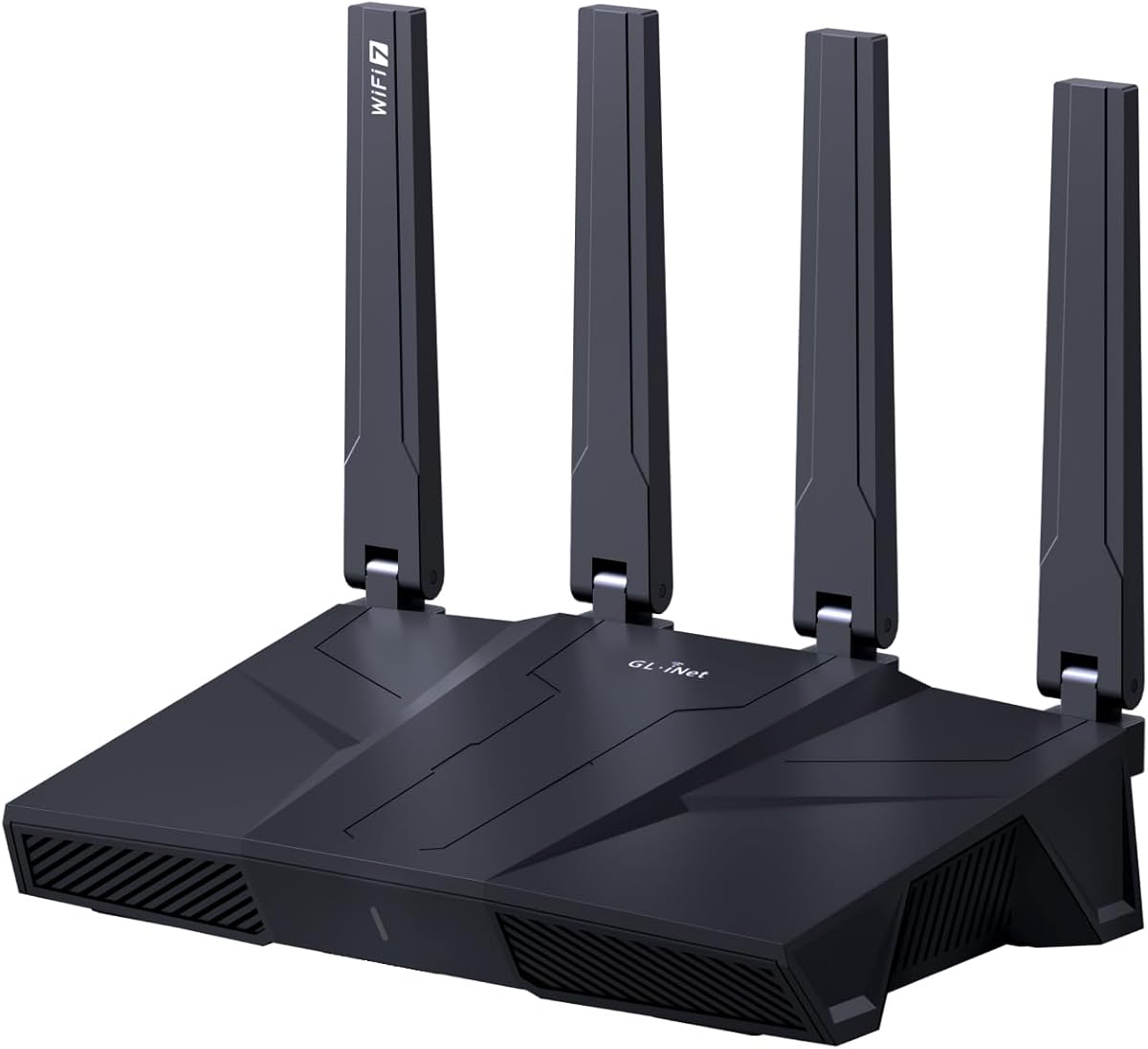
The GL.iNet Flint 3 is a favorite among users who prioritize privacy and control over their network. It has a 4.3 rating and offers unique features like OpenVPN and Wireguard support with impressive speed.
We may earn a commission when you buy through this link, at no additional cost to you.
Built with AdGuard Home support, it lets you block ads and trackers at the DNS level across your home. This saves bandwidth and protects your devices from unwanted content without needing browser extensions.
It supports over a hundred devices, making it ideal for households with many smart gadgets. However, setting it up correctly requires updating firmware first to unlock its full potential.
We recommend this router for tech-savvy users who want a secure private network. Its VPN capabilities make it easy to access your home network remotely or protect public Wi-Fi connections.
Reduce clutter and improve browsing speed by blocking ads at the router level.
Flexible software allows you to install plugins for advanced network management features.
We may earn a commission when you buy through this link, at no additional cost to you.
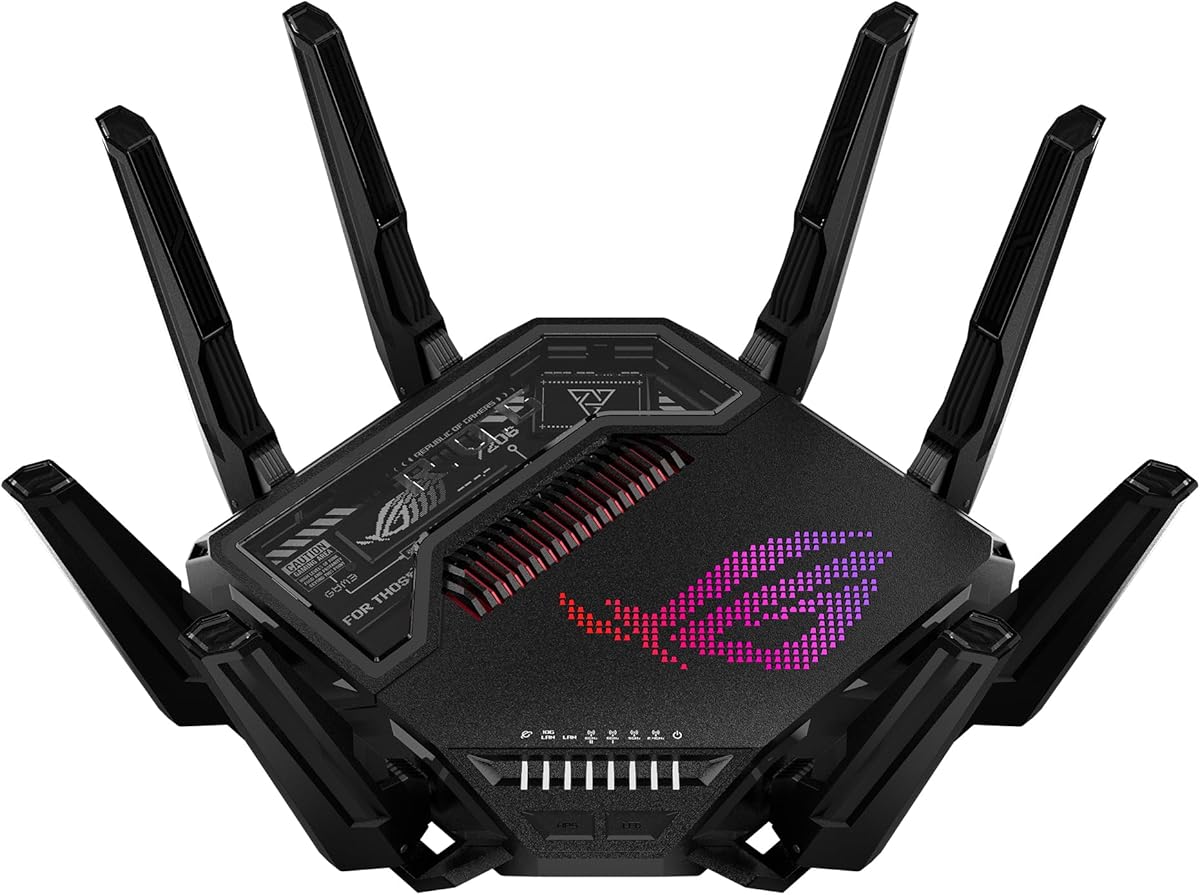
The ASUS ROG Rapture GT-BE98 Pro is a powerhouse designed for those who demand the absolute best. With a 4.3 rating, it delivers unmatched speeds up to 30 Gbps and supports the latest gaming standards.
We may earn a commission when you buy through this link, at no additional cost to you.
Its dual 10G ports allow for wired connections that rival fiber optic speeds. This is essential for users who need zero latency during competitive multiplayer matches or live streaming.
The triple-level game acceleration ensures that gaming traffic gets priority over other devices. While expensive, this level of control guarantees that your connection never lags during critical moments.
We recommend this router for serious gamers and home labs that need extreme performance. It is a true premium device that justifies its cost with features found in no other home router.
Traffic shaping ensures your game data travels faster than any other data on the network.
30 Gbps allows multiple 8K streams and downloads to run simultaneously without slowing down.
We may earn a commission when you buy through this link, at no additional cost to you.
The NETGEAR Nighthawk X10 is a legacy high-end router that still offers unique features like 10G SFP+ connectivity. It holds a 4.3 rating for users who need specific wired capabilities not found in newer models.
We may earn a commission when you buy through this link, at no additional cost to you.
Its 60GHz support was ahead of its time, providing fast short-range connections. The quad-core processor ensures it can manage heavy data loads, and the multiple USB ports allow for extensive file sharing.
While it lacks modern Wi-Fi 7 features, its wired capabilities make it useful for specific setups like network attached storage. It works well for users with existing SFP+ networking equipment.
We recommend this router only if you have specific needs for SFP+ ports. For most, a newer model will offer better wireless performance, but this unit remains solid for wired high-speed tasks.
The SFP+ port allows you to connect directly to high-speed fiber or network backbones.
Two USB ports let you connect multiple drives for flexible media storage solutions.
We may earn a commission when you buy through this link, at no additional cost to you.
Selecting the right router depends on your internet plan, home size, and specific usage habits. Understanding key factors helps you avoid overspending or underestimating your needs.
Wi-Fi 7 offers the latest features like Multi-Link Operation and 4K-QAM for faster speeds and lower latency. If you have many new devices, a Wi-Fi 7 router ensures you can use their full potential.
Wi-Fi 6 and 6E are still excellent choices if you want to save money and your devices are slightly older. They provide high speeds and capacity that handle most streaming and gaming needs well.
Total throughput matters when multiple users are online at once. Look for routers that offer combined speeds matching or exceeding your internet plan to prevent bottlenecks.
Ensure the router supports multi-gigabit Ethernet ports if you have a fast internet plan. This ensures your wired connections do not limit your internet speeds.
Match the router's coverage to your home size. Larger homes benefit from models with strong antennas and beamforming technology to push signals through walls and floors.
For multi-story homes, consider mesh compatibility or units with high power output. This ensures consistent signals on every level without dead zones.
Modern homes have dozens of smart devices, so capacity is key. Routers with MU-MIMO and OFDMA handle more simultaneous connections efficiently without slowing down.
Check the maximum device count supported if you have a large smart home setup. This ensures your network remains stable even when every gadget is active.
Built-in security services like parental controls and threat protection are essential for family safety. Look for routers that offer free basic security or affordable premium options.
Regular firmware updates are critical to protect against new vulnerabilities. Choose brands with a strong track record for timely software patches.
High-performance wired devices like gaming PCs need fast Ethernet connections. Ensure the router has enough ports to connect your most critical devices without using splitters.
Look for 2.5G or higher ports if you have devices that exceed standard 1G speeds. This maximizes the performance of your local network for large file transfers.
A user-friendly app simplifies setting up guest networks and monitoring usage. Intuitive interfaces save time and make troubleshooting easier for non-tech users.
Voice assistant support can help you manage your network hands-free. Check if the router is compatible with Alexa or Google Assistant if this feature is important to you.
If you plan to grow your network, look for routers that support Mesh systems. EasyMesh compatibility allows you to add extenders later without replacing your main unit.
Consider whether the router works well with other devices from the same brand. Consistent ecosystems often provide smoother integration and management.
Install your router in a central location high off the floor to maximize signal spread. Keep it away from thick walls, metal objects, and other electronics that might cause interference with the wireless signal.
Regularly update your router's firmware to ensure you have the latest security patches and performance improvements. Most modern routers offer automatic updates through their mobile apps or web interfaces.
Reset your router periodically if you notice slowdowns or connection issues. Rebooting clears temporary data and helps refresh the connection to your devices for optimal performance.
You need a new router to access WiFi 7 speeds because older routers do not support the new bands. If your devices are WiFi 6 compatible, you can still upgrade to WiFi 7 for better performance. Future devices will take full advantage of the new technology.
Gamers should look for routers with low latency features and strong wired ports. The ASUS ROG Rapture GT-BE98 Pro offers game acceleration, while the TP-Link AXE5400 provides excellent tri-band stability. Prioritize models with strong Ethernet support to reduce lag.
A router cannot exceed the speed provided by your ISP plan. However, a higher-end router ensures you actually get the speeds you pay for even with many connected devices. Cheaper routers might bottleneck high-speed plans due to limited processing power.
Most modern routers can support over 50 devices simultaneously without issues. High-end models can handle up to 100 or more smart home gadgets smoothly. The key is having efficient traffic management features like MU-MIMO.
Tri-band routers offer better capacity by adding a dedicated 5 GHz or 6 GHz band. This reduces congestion when many devices stream or download at the same time. Dual-band is usually sufficient for smaller homes with fewer users.
Most routers work with any ISP as long as you have a separate modem. Some cable providers may require specific modem combinations, but the router connects via Ethernet. Always check your modem compatibility before buying.
Choosing the best high bandwidth WiFi router depends on balancing your needs with your budget. The TP-Link AXE5400 offers a great all-around performance for most users.
For those with large homes or many devices, models with Wi-Fi 7 and tri-band capabilities provide the stability needed. Gamers and power users should consider premium options with advanced ports.
Remember that prices and models change often, so check current listings before buying. Investing in a quality router now ensures your network stays fast and secure for years to come.