
ASUS Dual GeForce RTX 5060 Ti
4.7Editor score
767 AI TOPS performance
2.5 slot design
Dual BIOS toggle profiles
This guide compares the top 10 GPUs for DaVinci Resolve including NVIDIA and AMD options to help you choose the best card for editing and color grading.
Selecting the right graphics processing unit is critical for smooth performance in DaVinci Resolve. Professional editors need powerful hardware to handle high resolution video timelines and complex color grading tasks without lag or frame drops.
We evaluated ten top rated models based on their architecture, memory capacity, and rendering capabilities. Each product was assessed for compatibility with industry standard software and its ability to accelerate GPU intensive workflows efficiently.
Every pick highlights key strengths and potential trade offs for different user needs. Please note that prices fluctuate frequently so check the current listings before making your final purchase decision for your workstation setup.
4.7Editor score
4.9Editor score

4.3Editor score
This side by side comparison outlines the core specifications and capabilities of each model to help you identify the best fit for your specific editing requirements and budget constraints.



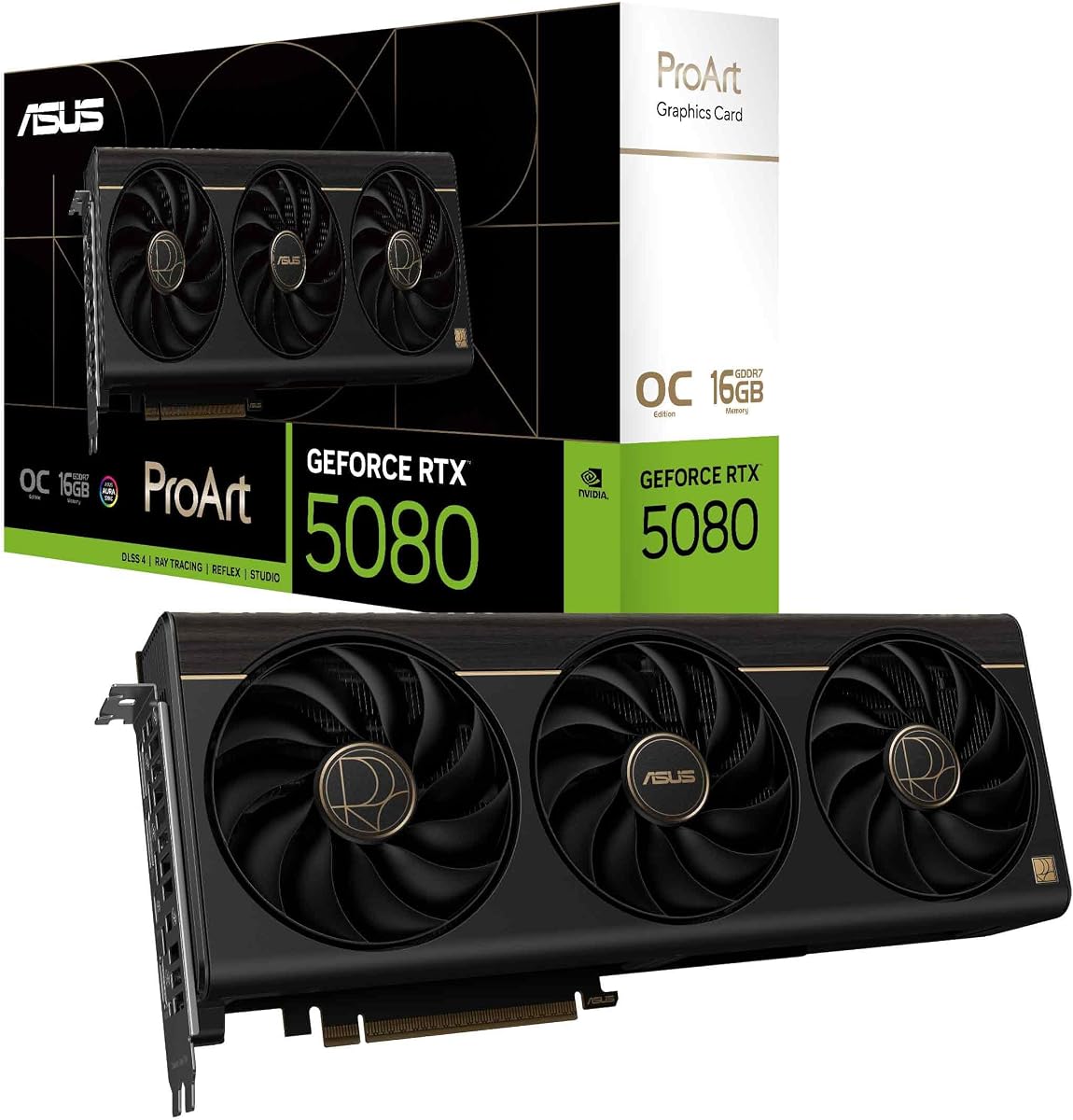
This ASUS ProArt model delivers top tier performance for creative professionals working in DaVinci Resolve. With a stellar 4.9 rating users praise its balance of power and efficiency in demanding color grading workflows.
We may earn a commission when you buy through this link, at no additional cost to you.
The Blackwell architecture combined with DLSS 4 provides incredible acceleration for rendering and effects. Its MaxContact heatsink design ensures sustained clock speeds without thermal throttling during long editing sessions.
While it commands a premium price the included USB Type C port adds versatility for connected displays or capture cards. The minimalist design with wood trim complements high end workstation aesthetics perfectly.
Ideal for serious editors needing reliable horsepower without excessive bulk. This card stands out as the most refined option for those prioritizing both performance and thermal quietness in their setup.
With 1858 AI TOPS this GPU handles AI driven tools like Magic Mask and Voice Isolation with remarkable speed and precision.
Phase change thermal pads and a vapor chamber keep temperatures low ensuring stable performance even under continuous 4K editing loads.
We may earn a commission when you buy through this link, at no additional cost to you.
This professional workstation GPU is designed for enterprise level tasks involving massive datasets and complex simulations. It offers an impressive 96GB of DDR7 memory which is ideal for 8K and 16K video editing workflows.
We may earn a commission when you buy through this link, at no additional cost to you.
The 5th Gen Tensor Cores accelerate AI models significantly reducing processing time for generative effects and machine learning tasks within Resolve. PCIe Gen 5 support ensures data transfers between CPU and GPU are incredibly fast.
Users benefit from ECC memory which prevents data corruption during long renders. The double flow through cooling design handles the high power draw efficiently keeping the card stable under heavy loads.
Best suited for large studios and professionals handling enterprise projects. While the price is steep the unmatched memory capacity and bandwidth make it a future proof choice for demanding technical workflows.
1.8 TB/s bandwidth allows seamless handling of multiple 8K streams without dropping frames or causing stutter in the timeline.
MIG technology divides the GPU into isolated instances enabling multiple users to access dedicated resources on a single powerful card.
We may earn a commission when you buy through this link, at no additional cost to you.
The ASUS Dual RTX 5060 Ti offers a compelling balance of performance and cost for entry level to intermediate editors. It features 16GB of GDDR7 memory which is a generous amount for its class and price range.
We may earn a commission when you buy through this link, at no additional cost to you.
Its 0dB technology means fans stay silent during light tasks like basic editing or timeline scrubbing. The compact 2.5 slot design makes it easy to fit into smaller cases or older chassis with limited clearance.
Dual BIOS allows users to toggle between quiet and performance profiles depending on current needs. This flexibility is appreciated by those who value a quiet workspace but need power for rendering jobs.
Highly recommended for hobbyists and freelance editors on a budget. It handles 4K editing smoothly and provides enough power for moderate effects without breaking the bank.
0dB technology ensures the fans stop spinning during low load tasks making it perfect for shared office environments.
The 2.5 slot profile maximizes compatibility with small form factor builds and older computer cases.
We may earn a commission when you buy through this link, at no additional cost to you.
GIGABYTE delivers a robust GPU that excels in raw rendering tasks and complex timelines. The Blackwell architecture brings significant improvements in efficiency and power handling over previous generations.
We may earn a commission when you buy through this link, at no additional cost to you.
WINDFORCE cooling ensures the card remains cool even during prolonged 3D rendering or heavy color grading sessions. The 16GB of GDDR7 memory supports high resolution assets without needing to proxy as often.
PCIe 5.0 compatibility means this card is future proof for upcoming high bandwidth standards. It integrates well with modern motherboards and offers plenty of headroom for system upgrades.
Great for power users who prioritize performance over form factors. It is a reliable choice for studios needing consistent output during long project deadlines.
Multiple fans and heat pipes dissipate heat quickly allowing sustained boost clocks without throttling.
GDDR7 memory offers faster data access for textures and effects reducing lag when scrubbing through complex compositions.
We may earn a commission when you buy through this link, at no additional cost to you.
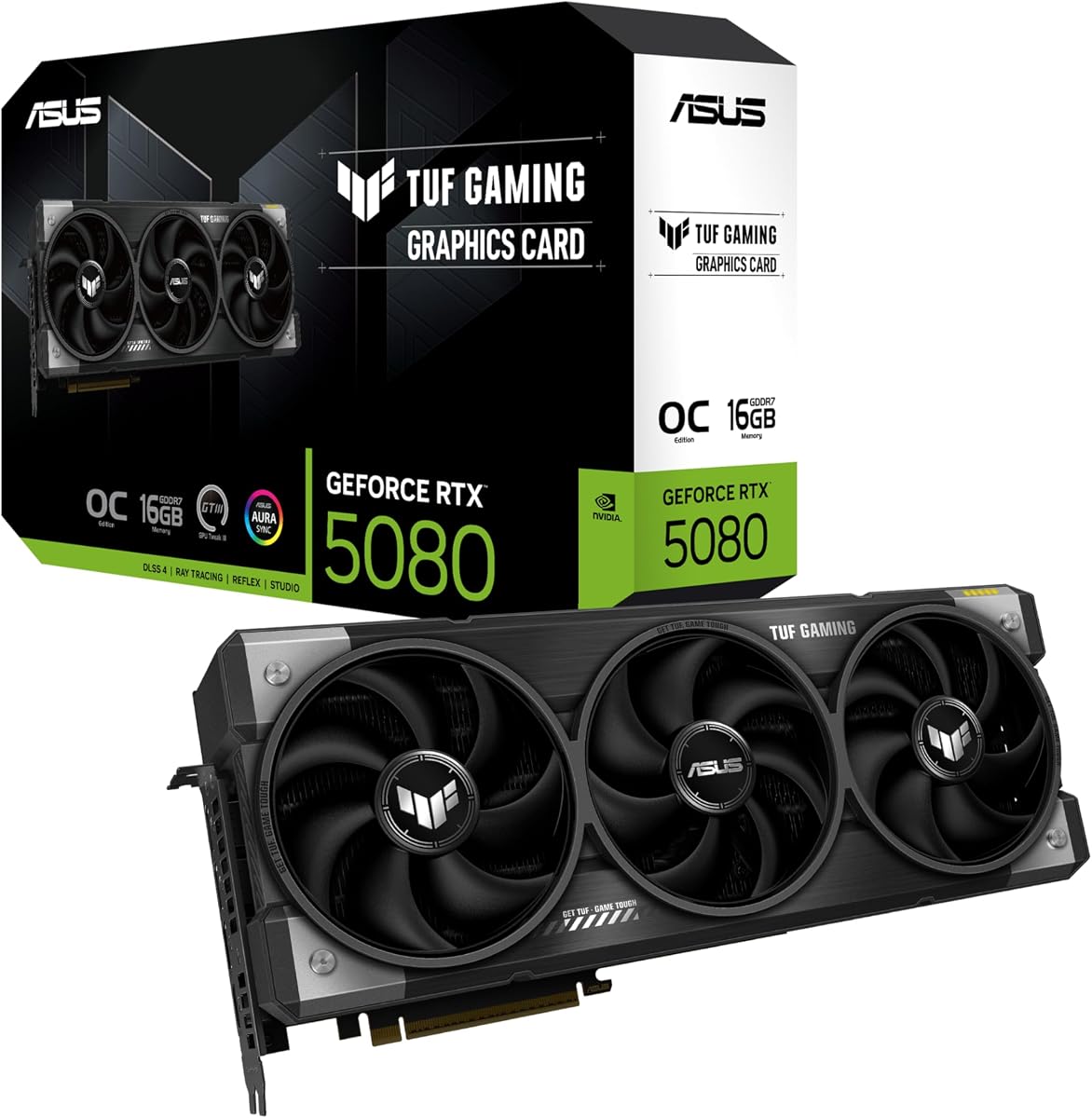
This TUF model focuses on reliability and longevity for demanding workloads. Military grade components ensure that the card can withstand continuous operation without failure over time.
We may earn a commission when you buy through this link, at no additional cost to you.
The phase change thermal pad provides consistent heat transfer performance even as traditional pastes dry out. Axial tech fans push more air through the heatsink to maintain cool operating temperatures.
Protective PCB coating guards against moisture and dust which is beneficial for long term storage or humid environments. This attention to detail makes it ideal for mission critical editing rigs.
Recommend for professionals who need a card that can run 24/7 without maintenance. Just ensure your case has enough space as this card is quite long and wide.
Industrial grade materials and coating protect the internal circuits from environmental stressors like dust and humidity.
Advanced thermal pads maintain contact pressure over years ensuring consistent cooling performance.
We may earn a commission when you buy through this link, at no additional cost to you.
AMD offers a competitive alternative with this RX 9070 XT card which delivers strong value for money. It features 16GB of GDDR6 memory which is sufficient for 4K editing and moderate effects work.
We may earn a commission when you buy through this link, at no additional cost to you.
The WINDFORCE cooling system with Hawk fans ensures efficient heat dissipation and low noise levels. PCIe 5.0 support means it will not bottleneck future CPU upgrades and bandwidth heavy tasks.
While NVIDIA still holds advantages in some professional features this card performs well in standard editing scenarios. The price point makes it accessible for those looking for high performance without the premium cost.
Ideal for users on a tight budget who still want robust capabilities. Always verify software compatibility with your specific plugins before purchasing.
Offers a high ratio of performance per dollar making it a smart choice for cost conscious creators.
PCIe 5.0 ensures readiness for next gen motherboards and high bandwidth storage devices.
We may earn a commission when you buy through this link, at no additional cost to you.
ASRock positions this card for professional creators needing more memory for large scenes. The 32GB of VRAM allows for handling complex textures and large frame buffers without swapping to system RAM.
We may earn a commission when you buy through this link, at no additional cost to you.
RDNA 4 architecture brings AI accelerators that improve performance in machine learning tasks and rendering. The blower design makes it suitable for multi GPU setups where airflow management is critical.
DisplayPort 2.1a outputs support high refresh rate displays and high resolution monitors for accurate color grading. A vapor chamber heatsink helps maintain stability during long work sessions.
Recommended for professionals working in multi GPU environments or needing extra VRAM. Ensure your workstation case can handle the blower exhaust efficiently.
Blower cooler design ensures cards stacked together do not overheat each other in tight workstation chassis.
32GB VRAM provides headroom for large 3D projects and heavy composite scenes.
We may earn a commission when you buy through this link, at no additional cost to you.
The Titan RTX remains a powerful option for those who prefer established professional drivers. Its high count of CUDA cores supports parallel processing tasks efficiently in rendering and simulation.
We may earn a commission when you buy through this link, at no additional cost to you.
Tensor cores accelerate AI tasks and ray tracing features which are increasingly common in modern workflows. Despite being older it still holds up well for standard 4K editing and color grading.
Professional certification ensures stability with critical applications reducing the risk of crashes during export. The build quality is solid and designed for continuous operation in studio environments.
Good for legacy workstations or those who value driver maturity over raw speed. Ensure your power supply can support its significant energy requirements.
Nearly 5000 CUDA cores provide substantial parallel processing power for compute heavy rendering tasks.
Driver validation focuses on stability and reliability which is crucial for mission critical production pipelines.
We may earn a commission when you buy through this link, at no additional cost to you.
This Quadro card offers entry level professional capabilities with solid stability for general editing. RTX technology enables real time rendering and ray tracing which is useful for 3D integrations.
We may earn a commission when you buy through this link, at no additional cost to you.
Certified drivers ensure compatibility with professional software reducing crashes and bugs. It is a reliable workhorse for editors who need dependable performance without the cost of top tier cards.
The form factor is compact and easy to fit into a variety of workstations. It does not require excessive power making it suitable for smaller systems with lower wattage supplies.
Ideal for small studios or individuals transitioning from consumer cards to professional gear. Check VRAM needs before purchasing as this model has less capacity than newer options.
Quadro certification guarantees optimized performance and stability for industry standard editing applications.
RTX technology allows immediate visual feedback during 3D compositing and lighting adjustments.
We may earn a commission when you buy through this link, at no additional cost to you.
Intel offers an interesting alternative with this card that focuses on media encoding capabilities. It supports AV1 encoding and decoding which is becoming a standard for efficient video workflows.
We may earn a commission when you buy through this link, at no additional cost to you.
ISV certification ensures it is tested for professional applications providing a baseline of reliability. The twin media transcoders allow for fast export speeds in high resolution formats.
Four DisplayPort 2.1 outputs provide extensive connectivity for multi monitor setups used in professional grading suites. PCIe 5.0 support ensures high bandwidth for future proofing.
Suitable for users wanting an alternative to NVIDIA or AMD with strong encoding features. Verify software compatibility with your specific editing pipeline before purchase.
Dual transcoders speed up export times significantly especially for H.264 and HEVC workflows.
Four DisplayPort outputs enable a four monitor setup for reference and timeline viewing.
We may earn a commission when you buy through this link, at no additional cost to you.
Choosing the right graphics card requires understanding your workflow needs and budget constraints. Here are the key factors to consider before making your final decision for your editing workstation.
VRAM determines how many high resolution textures and frames your GPU can hold simultaneously. For 4K editing 16GB is recommended while 8K workflows benefit from 32GB or more.
Always choose a card with more VRAM than you think you need to future proof your system against larger project requirements.
Newer architectures like Blackwell or RDNA 4 offer better efficiency and feature support than older models. Look for cards that support the latest industry standards like DLSS or AV1.
Modern architecture ensures you get the most performance per watt and compatibility with upcoming software features.
High performance cards often require significant power and robust cooling solutions. Verify your power supply unit can handle the wattage and has the correct connector types.
Ensure your PSU has enough headroom and the correct power connectors to support your chosen GPU without instability.
NVIDIA cards often have broader support for professional plugins and effects than competitors. Check if your preferred third party tools require specific GPU features like CUDA.
Confirm that your specific workflow plugins are compatible with the GPU architecture you choose before purchasing.
Workstation cases vary in size and airflow capacity. Measure your case clearance to ensure the card fits physically without blocking other components.
Check your case dimensions and slot availability to guarantee the card fits and has adequate airflow space.
Efficient cooling ensures the card maintains peak performance during long rendering sessions without throttling. Look for designs with vapor chambers or liquid cooling if you prioritize silence.
Prioritize cooling solutions that match your environment needs for noise levels and sustained workloads.
Modern displays often require DisplayPort 2.1 or HDMI 2.1 for high resolution and refresh rates. Ensure the card has enough ports for your monitor setup.
Count your output needs and verify the card provides enough ports and correct standards for your display configuration.
Quadro or professional models offer certified drivers that reduce crashes in complex workflows. This may be worth the extra cost for mission critical studio production.
Consider professional certification if stability and driver support are more important than raw price to value.
Install the latest certified drivers from the manufacturer to ensure stable performance with DaVinci Resolve. Avoid generic drivers that may cause compatibility issues or crashes during color grading.
Monitor GPU temperatures regularly using software tools to ensure cooling systems are functioning correctly. If temperatures spike during renders clean dust from fans or adjust airflow settings in your case.
Update your editing software frequently to leverage new features and optimizations for the GPU. Keeping both drivers and software current helps maintain smooth playback and export speeds.
NVIDIA GPUs generally offer better support for features like OpenFX and CUDA which are common in Resolve. However AMD cards are capable for basic editing and color work if you do not need specific NVIDIA plugins.
For smooth 4K editing with effects you should aim for at least 16GB of VRAM. If you work with complex timelines or use high resolution raw footage 32GB provides more headroom.
Yes gaming cards work well for editing and are often more affordable than professional workstation models. They may lack certified drivers for enterprise environments but perform similarly for most creative tasks.
Newer architectures improve efficiency and support modern features like AI acceleration and AV1 decoding. Choosing a recent model ensures you benefit from optimizations that speed up rendering and playback.
A faster GPU helps preview effects and transitions in real time without lagging. It also speeds up rendering for final export but grading accuracy depends more on your monitor and calibration.
Multi GPU support is available in Resolve but benefits are limited for most users. One powerful card is often better than two mid range cards for stability and compatibility.
Whether you choose a high end workstation card or a value focused gaming model ensure it meets your memory and performance needs. Top picks like the ASUS ProArt RTX 5080 offer excellent balance for most creators.
Prioritize VRAM capacity and cooling efficiency to ensure long term reliability during heavy editing sessions. Matching the GPU to your specific workflow complexity will maximize your productivity.
Remember to check current pricing and availability as models change frequently. Invest in a card that grows with your skills and ensures your workstation remains efficient for years.