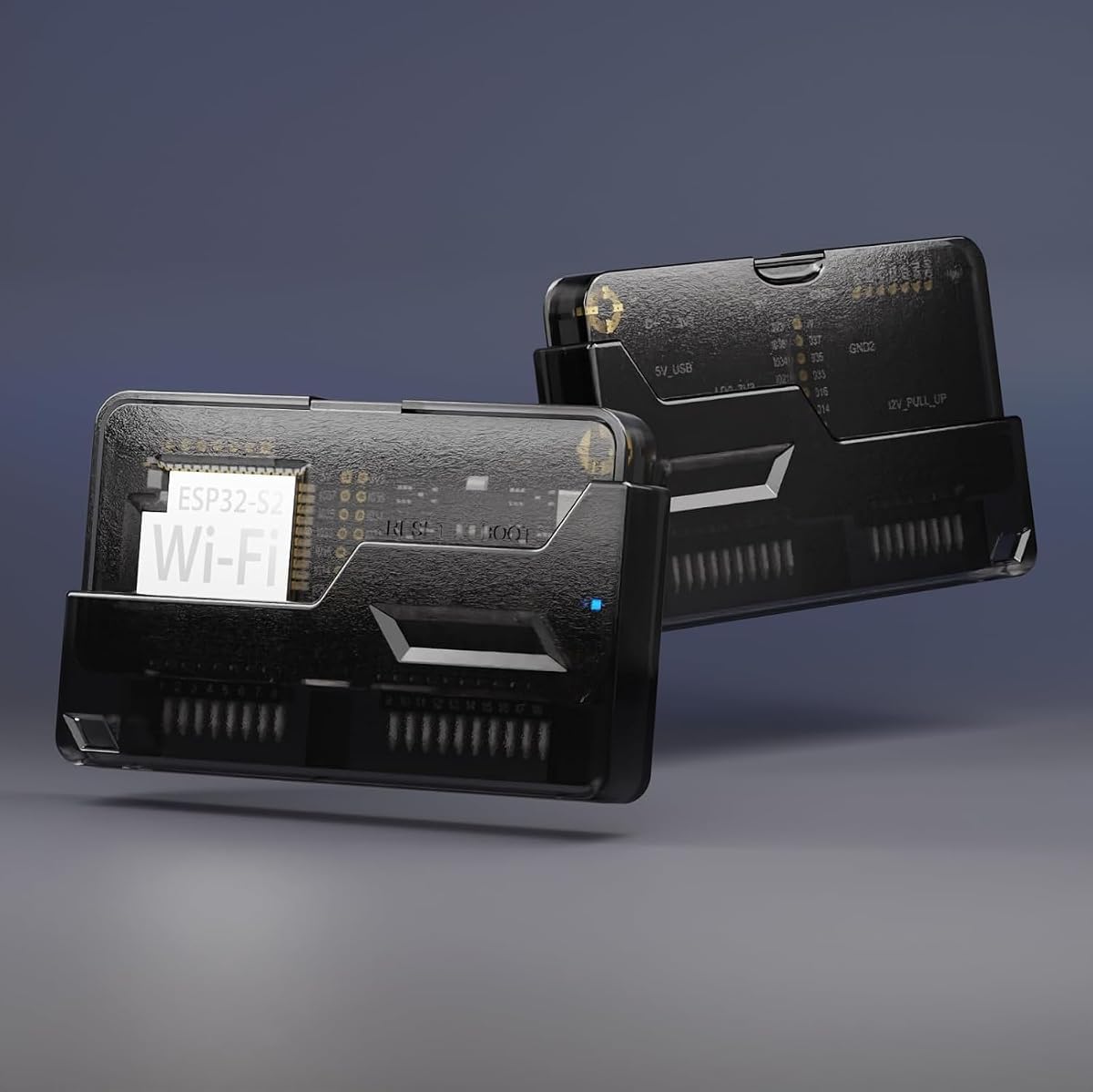
Wi-Fi Developer Board for Flipper Zero
4.8Editor score
Translucent black protective case
Easy snap-fit assembly
Expands Wi-Fi capabilities
This guide compares the top ten Flipper Zero accessories including Wi-Fi boards, cases, antennas, and screen protectors to help you choose the right gear.
Flipper Zero has become a favorite tool for security enthusiasts and developers. Adding the right accessories can unlock new capabilities and protect your device. Choosing wisely ensures you get the most out of this versatile gadget.
We evaluated ten top-rated products based on features, protection, and value. Our comparison covers Wi-Fi expansion boards, protective cases, antennas, and screen guards. Each item was selected for its ability to enhance the Flipper Zero experience.
Every pick highlights key specs and real-world performance insights. Keep in mind that prices fluctuate often on Amazon. Check current listings before buying to ensure you get the best deal available today.
4.8Editor score

4.6Editor score

4.3Editor score
Here is a side-by-side look at all ten selected accessories. This table helps you quickly compare key specifications and features to find the perfect match for your setup.



This external module stands out as the most complete expansion option for your Flipper Zero. With a 4.6 star rating, it delivers integrated Wi-Fi, 433MHz RF, and GPS capabilities along with an OLED screen.
We may earn a commission when you buy through this link, at no additional cost to you.
The kit includes everything you need from the board itself to a hard carry case and silicone protection. It is designed for developers who want full connectivity and portability in one package.
While it costs more than basic boards, the included accessories and OLED screen justify the investment for serious users. The setup is straightforward via USB-C.
Buy this if you want maximum functionality without buying parts separately. It is ideal for those who value convenience and comprehensive features in their Flipper Zero ecosystem.
The integrated Wi-Fi and GPS allow you to connect and track locations without extra modules.
You get a hard case, soft pouch, and silicone cover to keep your device safe everywhere.
We may earn a commission when you buy through this link, at no additional cost to you.
This kit offers an excellent entry point for adding Wi-Fi to your Flipper Zero. Rated 4.2 stars, it combines the ESP32 board with essential protective gear in one bundle.
We may earn a commission when you buy through this link, at no additional cost to you.
You receive a protective case for the board, a silicone cover for the device, and screen protectors. The TPU protector and EVA bag ensure your device stays safe during transport.
Some users may find the case design basic compared to premium options. However, the snap-fit design makes assembly easy without tools or screws.
Choose this if you need a ready-to-use solution at a lower cost. It is perfect for beginners who want wireless capabilities and protection without extra purchases.
The precise snap-fit design allows you to assemble the board case quickly without any tools.
From screen protectors to silicone covers, this kit covers all major protection needs.
We may earn a commission when you buy through this link, at no additional cost to you.
Protecting your Flipper Zero display is essential for longevity. This 9H tempered glass screen protector has a 4.4 star rating and offers reliable defense against scratches.
We may earn a commission when you buy through this link, at no additional cost to you.
At 0.33 mm thick, it maintains the original look and feel of the display. The oleophobic coating repels fingerprints, keeping the screen clean for better readability.
Installation is smooth thanks to the self-adhesive silicone layer and included cleaning accessories. It fits perfectly without covering any buttons or ports.
Get this if you want affordable and reliable screen protection. The 3-pack ensures you have spares on hand for future replacements or sharing with friends.
The ultra-thin glass preserves the sharp contrast and readability of the Flipper Zero display.
With three protectors included, you can keep one on and spare others in a drawer.
We may earn a commission when you buy through this link, at no additional cost to you.
This Wi-Fi dev board boasts a high 4.8 star rating for users focusing on connectivity. It includes a translucent black case that highlights the internal components stylishly.
We may earn a commission when you buy through this link, at no additional cost to you.
The board allows you to experiment with ESP32 firmware or custom Wi-Fi projects. Accessing GPIO pins becomes easy for connecting additional modules to the ESP32-S2.
While it does not come with extra bags or covers like other kits, the case set is robust. The snap-fit design ensures it stays secure during travel.
Select this if you want a clean and efficient way to add Wi-Fi. It is great for tinkerers who value a high-rated product with clear aesthetic appeal.
The translucent black case lets you see the board inside while protecting it from dust.
GPIO pins are exposed and accessible for advanced users building custom projects.
We may earn a commission when you buy through this link, at no additional cost to you.
This accessory set is ideal for those wanting full protection in one purchase. With a 4.7 star rating, it includes a silicone case, screen protectors, and an EVA bag.
We may earn a commission when you buy through this link, at no additional cost to you.
The 360-degree silicone cover protects every corner of the device including the iButton area. You also get three screen protectors to keep the display safe.
Additional items like a hand strap and carabiner make it easy to carry the Flipper Zero securely. The precise cutouts allow easy access to buttons and ports.
Choose this if you want maximum protection and convenience. It is perfect for daily users who need a complete kit without buying items separately.
Everything from screen guards to carrying bags is included for full readiness.
The hand strap and carabiner let you attach the device to your bag or belt easily.
We may earn a commission when you buy through this link, at no additional cost to you.
This soft silicone case offers reliable protection without adding bulk. Rated 4.7 stars, it fits snugly and includes a metal carabiner for easy attachment to bags.
We may earn a commission when you buy through this link, at no additional cost to you.
The case provides 360-degree coverage to guard against scratches and shocks. Its thickness is upgraded to ensure durability while maintaining a slim profile.
Precise cutouts ensure you can access all ports and buttons without removing the case. This convenience makes daily use smooth and hassle-free.
Buy this if you prefer a simple yet effective protective solution. It is excellent for users who want a clip-on option for hands-free carrying.
The metal carabiner allows you to clip the Flipper Zero to your belt or backpack.
High-quality silicone ensures the case resists wear and tear over time.
We may earn a commission when you buy through this link, at no additional cost to you.
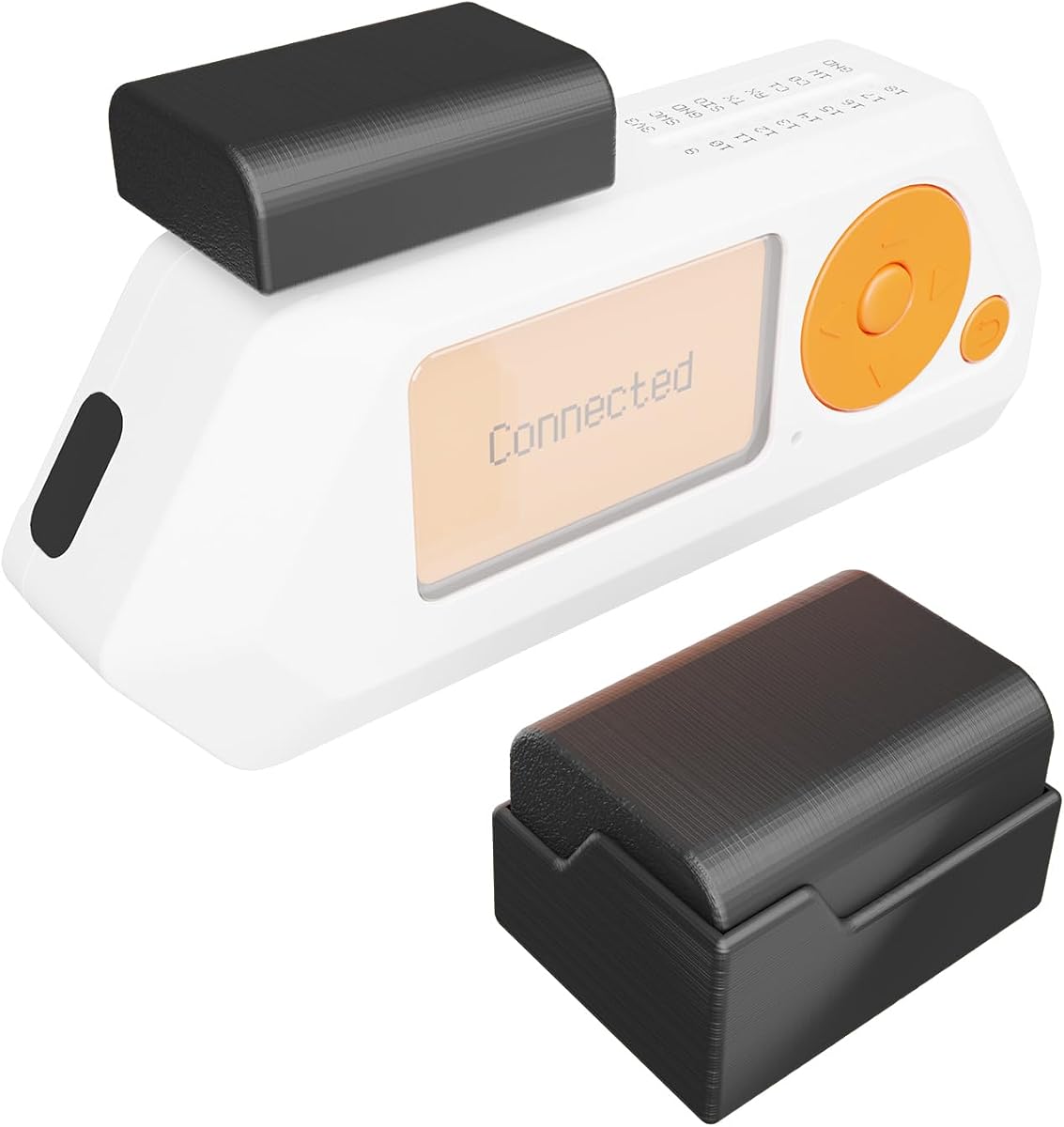
This antenna extends the range of your Flipper Zero SubGhz capabilities. With a 3.6 star rating, it offers tested transmission ranges of over 2000 feet.
We may earn a commission when you buy through this link, at no additional cost to you.
It includes a portable stand to cover the transceiver and protect pins from bending. The well-structured design ensures durability and better grip during use.
Although rated lower than other items, it serves a specific purpose for RF testing. The 12DB omni antenna is low-power and designed for wireless applications.
Choose this if you need longer range for SubGhz signals. It is best for advanced users who require extended reach in their projects.
Tested transmission ranges of over 2000 feet make this antenna highly effective.
The portable stand protects pins from bending and helps store the antenna safely.
We may earn a commission when you buy through this link, at no additional cost to you.
This version features a hidden antenna for a more compact look. Rated 4.1 stars, it is designed for low-power applications with a smaller footprint.
We may earn a commission when you buy through this link, at no additional cost to you.
The package includes a soft silicone case and EVA carrying case for full protection. The stand helps protect pins and store the antenna securely.
While the range is shorter at 450+ feet, it suffices for many tasks. The hidden design makes it less obtrusive during use.
Select this if you prefer a discreet antenna setup. It is suitable for users who want RF capabilities without the larger external hardware.
The hidden antenna version keeps your setup sleek and low-profile during operation.
A soft silicone case and EVA bag ensure your device and antenna stay safe.
We may earn a commission when you buy through this link, at no additional cost to you.
This hard case offers a unique transparent look to customize your Flipper Zero. With a 3.9 star rating, it allows you to see the internal design clearly.
We may earn a commission when you buy through this link, at no additional cost to you.
Made from premium quality materials, it fits well and looks cool. It is designed to be easy to move your device into the case without hassle.
While it lacks the softness of silicone, it provides a rigid shell. The transparent feature makes your device stand out in a crowd.
Buy this if you want a cool and unique modification for your device. It is ideal for users who prioritize style and visibility of internals.
Move away from standard white cases with this cool transparent design.
The hard shell provides durable protection against impacts and scratches.
We may earn a commission when you buy through this link, at no additional cost to you.
This receiver adds advanced location tracking to your Flipper Zero. With a 4.3 star rating, it supports GPS, BeiDou, GLONASS, and QZSS systems for global coverage.
We may earn a commission when you buy through this link, at no additional cost to you.
A built-in low-noise amplifier improves reception sensitivity. The active antenna ensures strong signals even in challenging environments.
It supports standard NMEA protocols and is easy to setup via plug-and-play. This module is perfect for geolocation projects and outdoor experiments.
Get this if you need precise and reliable GPS data. It is best for developers who want multi-system support and strong signal performance.
Support for multiple GNSS systems ensures accurate tracking anywhere in the world.
The built-in amplifier and active antenna work together to boost signal strength.
We may earn a commission when you buy through this link, at no additional cost to you.
Choosing the right accessories depends on your needs and budget. Here are key factors to consider when shopping for your Flipper Zero.
Decide whether you need Wi-Fi, GPS, or enhanced RF capabilities. If you want to connect to networks, a Wi-Fi board is essential. For location tracking, look for a GNSS module.
Select accessories that align with your specific projects to avoid unnecessary costs.
Determine how much protection your device requires. Silicone cases offer shock absorption and grip. Hard cases provide structural rigidity against impacts.
Combine screen protectors with a case for comprehensive device safety.
Consider if you need to carry the device daily. Accessories with straps or carabiners improve portability. Carrying cases keep everything organized in a bag.
Choose lighter options if you plan to travel frequently with your device.
Look for plug-and-play modules that do not require complex setup. Boards that fit easily into existing interfaces save time and effort.
Prioritize products with clear instructions and intuitive designs.
Ensure the accessory is designed for the Flipper Zero model you own. Check for mentions of GPIO pin compatibility and firmware support.
Avoid products that require custom firmware unless you are comfortable with it.
Compare prices to find the best value for your money. Some kits bundle items to save costs while others sell parts separately.
Allocate funds wisely to cover essentials like protection before advanced features.
Check materials used for cases and mounts. High-quality silicone or durable plastics ensure longevity.
Avoid cheap materials that may break or discolor over time.
Read feedback from other buyers to gauge real-world performance. Look for comments on build quality and support.
High ratings often indicate reliable products worth investing in.
When installing a new accessory like a Wi-Fi board, ensure the device is powered off. Align the pins carefully and snap the case into place securely to avoid damage.
Clean your screen protector and silicone cases regularly with a soft cloth. Avoid harsh chemicals that might degrade the material or adhesive.
Store your carrying cases in a dry place to prevent moisture buildup. Regularly check the carabiners and straps for signs of wear.
Many kits include cases designed specifically for the Wi-Fi boards. You can install the board into the case and then attach it to your Flipper Zero without removing the device protection.
Using third-party accessories may void the warranty depending on the manufacturer policy. Always check the terms of your device warranty before modifying the hardware.
Check if the module supports the satellite systems you need. GPS is standard but adding GLONASS or BeiDou can improve accuracy in different regions.
Most screen protectors include cleaning tools and alignment guides. Apply slowly and press out air bubbles from the center to ensure a smooth finish.
Some hard cases are universal while others are specific to the device. Ensure the case has cutouts for the board and ports to function properly.
Using a carrying bag or a case with a strap is ideal. A carabiner attachment allows you to clip it to your bag for hands-free access.
Most modules work with standard firmware but some may require custom versions. Check the product description for firmware requirements before purchasing.
High-rated products are built for durability but handle them with care. Avoid dropping the device or exposing it to extreme temperatures.
We explored ten top accessories ranging from Wi-Fi boards to protective cases. Each product offers unique benefits to enhance your Flipper Zero setup.
Prioritize your main needs whether it is connectivity or protection. Choosing the right combination ensures your device is ready for any task.
Remember to check current prices and reviews before buying. Prices can change and newer models may become available over time.