
Nulea M501 Wireless Trackball Mouse Ergonomic Thumb Control,4 DPI Levels
4.4Editor score
Rechargeable battery included
Connects to three devices
Smooth thumb control navigation
Discover the top ergonomic trackball mice for comfort and precision. This guide compares ten leading models to help you find the best fit for your workflow and
Finding the right ergonomic trackball mouse can transform your daily computing experience. These devices reduce wrist movement and promote better posture during long work sessions. Choosing a model with proper thumb control and adjustability ensures lasting comfort for any user.
We evaluated ten leading models based on design, connectivity, and user feedback. Our analysis focuses on ergonomic angles, battery life, and precision tracking capabilities. Each product offers unique features tailored to different hand sizes and workspace needs.
Each pick highlights specific strengths like wireless freedom or advanced customization. You will see how each model addresses common pain points like strain and fatigue. Prices may fluctuate so check current listings before making your final selection today.
4.4Editor score
4.5Editor score

4.4Editor score
This side-by-side comparison highlights key specifications across all ten models. You will see differences in tilt angles, connectivity options, and battery types. Use this table to quickly identify which features matter most for your specific setup and needs.




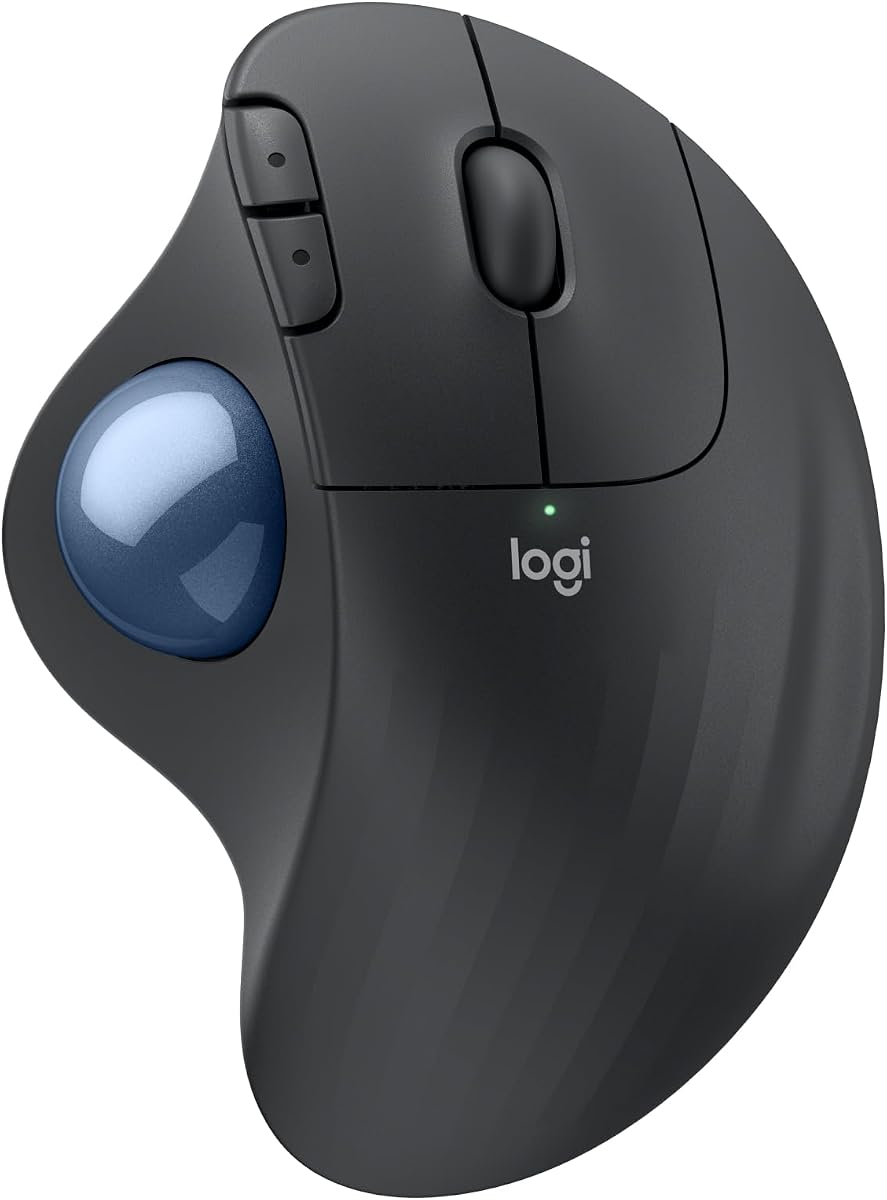
The Logitech Ergo M575S stands out as a top contender for ergonomic comfort. With a 4.5 star rating it offers reliable performance for daily tasks. Its sculpted design ensures your hand stays relaxed during extended use sessions.
We may earn a commission when you buy through this link, at no additional cost to you.
This model features quiet clicks that minimize disruption in shared environments. The thumb control allows precise cursor movement without shifting your hand position. You can connect via Bluetooth or the included USB receiver for flexibility.
While it uses an AA battery it lasts up to 18 months on a single charge. The recycled plastic construction aligns with modern sustainability goals. However the lack of programmable buttons might limit advanced users.
Anyone seeking a balance of comfort and simplicity should consider this model. It is ideal for office workers who need reliable tracking without wrist strain. The ergonomic certification adds credibility to its comfort claims.
Logitech reports 25 percent less muscle strain in the forearm. This makes it suitable for long workdays without fatigue.
The trackball stays stationary so you save desk space. It works well on any surface including couches or beds.
We may earn a commission when you buy through this link, at no additional cost to you.
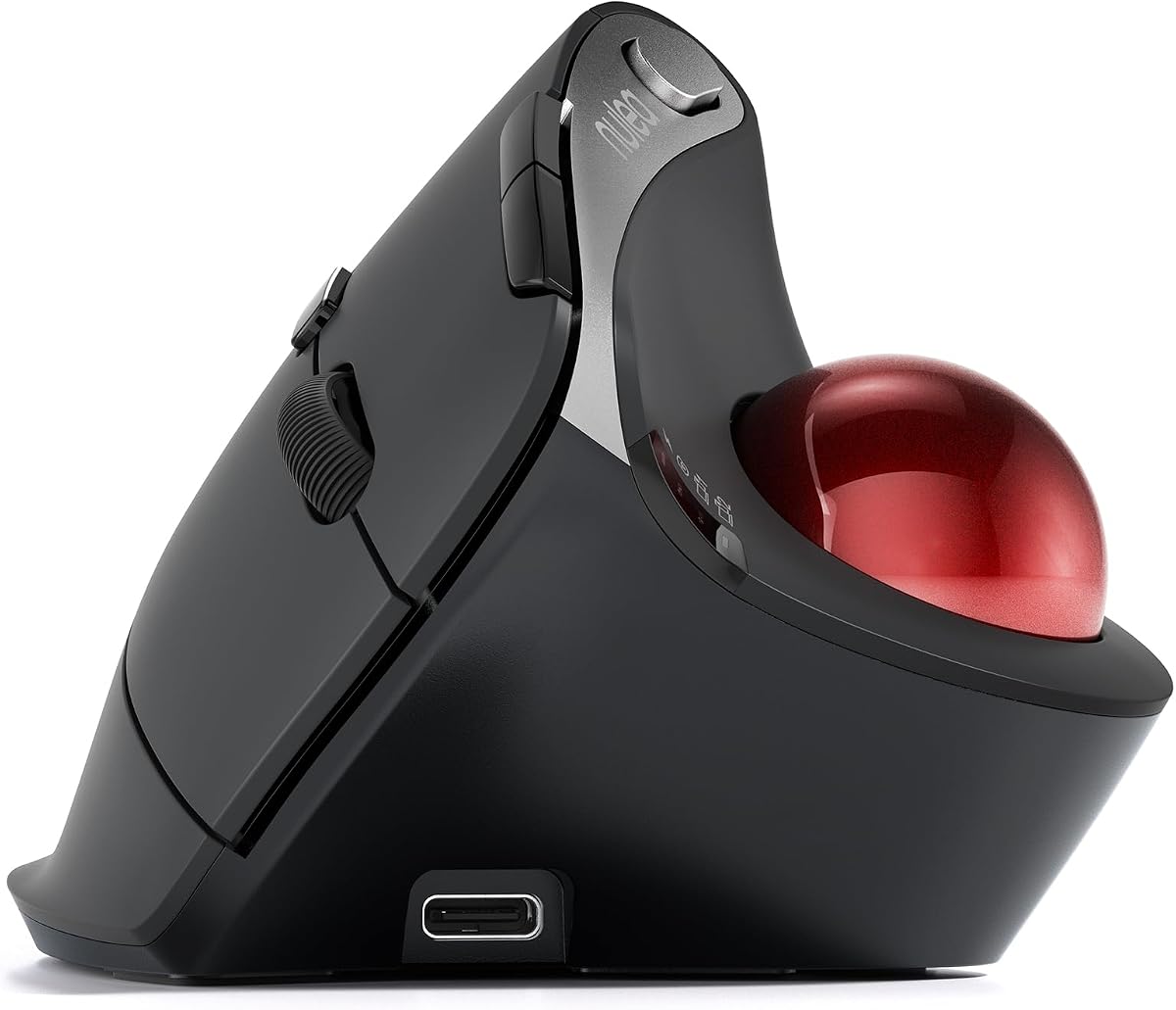
The Nulea M501 offers an affordable entry into ergonomic trackball mice. It holds a 4.4 star rating and provides solid tracking capabilities. Its rechargeable battery eliminates the need for disposable cells.
We may earn a commission when you buy through this link, at no additional cost to you.
You can connect to three devices and switch between them easily. The thumb control design helps reduce wrist movement during navigation. DPI adjustments allow you to tailor speed for different tasks.
The lack of programmable buttons is a trade-off for the price. It lacks a tilt angle found in higher end models. Despite this it delivers excellent value for basic productivity needs.
This model fits well for students or home users on a budget. It is also great as a secondary mouse for travel. The smooth operation ensures comfort even during short work sessions.
Connectivity options include Bluetooth and a USB dongle. Switching is simple with a button on the bottom.
Avoid buying AA batteries by using the built-in cell. Charge it via USB port for long-lasting use.
We may earn a commission when you buy through this link, at no additional cost to you.
This black variant of the M575S boasts a 4.6 star rating. It focuses on improved forearm posture to reduce strain. The wireless design ensures a clutter-free desk environment for users.
We may earn a commission when you buy through this link, at no additional cost to you.
The thumb control allows you to move the cursor effortlessly. It supports both Bluetooth and USB receiver connections seamlessly. You can eject the ball to clean it easily when needed.
While it lacks a tilt angle the curve still aids comfort. The battery life remains consistent with other models in this line. It is a reliable choice for steady daily computer use.
Ideal for those who prefer a classic trackball feel. It works well for office environments requiring dependable hardware. The high rating suggests strong satisfaction among existing users.
The shape realigns your forearm for better posture. This helps maintain comfort throughout the day.
Trackballs collect dust over time. This model lets you eject the ball for a quick clean.
We may earn a commission when you buy through this link, at no additional cost to you.
The MX Ergo S offers premium features for power users. Its 4.4 star rating reflects strong performance across tasks. The tilt angle allows for natural hand positioning during work.
We may earn a commission when you buy through this link, at no additional cost to you.
You get six customizable buttons to streamline your workflow. Quick USB-C charging provides hours of use from a minute charge. The quiet clicks reduce distraction in shared spaces.
The cost is higher than standard models. You also need a specific USB-C cable for charging. These drawbacks are minor given the advanced functionality offered.
Perfect for professionals needing customization and ergonomic support. It pairs well with other Logitech gear for a complete setup. The tilt feature is unique to this tier of device.
Switch between speed and high-precision tracking easily. This helps when drawing or editing files.
Plastic parts are made from recycled materials. It reduces environmental impact without sacrificing quality.
We may earn a commission when you buy through this link, at no additional cost to you.
This TECKNET model features a 16 degree vertical angle. It aims to reduce strain by 50 percent in the forearm. A 4.5 star rating indicates users appreciate the ergonomic design.
We may earn a commission when you buy through this link, at no additional cost to you.
Silent buttons make it suitable for quiet environments. You can connect three devices and switch quickly. The battery life is robust with a single full charge.
It is designed for medium to large hand sizes. New users may need a week to adapt to the angle. The large footprint might not fit small desks.
Great for users transitioning from vertical mice to trackballs. The silent feature is ideal for shared workspaces. It offers good value for those needing a tilt angle.
The vertical angle keeps your palm in a natural position. This reduces strain over time.
Just 15 minutes of charge powers a full day. This ensures long lasting use without interruptions.
We may earn a commission when you buy through this link, at no additional cost to you.
The Nulea M506 holds a strong 4.7 star rating. Its 54 degree vertical design keeps wrists in natural positions. The contoured shell provides a steady grip for precise movement.
We may earn a commission when you buy through this link, at no additional cost to you.
All essential functions are within reach of your fingers. You can detach the trackball for easy cleaning without tools. The battery lasts up to 21 days on a charge.
Some users find the tilt angle takes time to adjust. The buttons are not programmable which limits custom setups. However the comfort benefits often outweigh this limitation.
Ideal for users seeking significant vertical support. It fits well for office work and creative tasks. The cleaning feature ensures long-term performance stability.
Navigation and scroll keys are easy to reach. This maintains workflow without breaking focus.
Remove the ball to clear dust. It keeps cursor control precise and smooth.
We may earn a commission when you buy through this link, at no additional cost to you.
This model features a 65 degree ergonomic angle for comfort. The infinite scroll wheel switches modes based on speed. Users rate it 4.3 stars for its daily utility.
We may earn a commission when you buy through this link, at no additional cost to you.
Silent operation is perfect for shared spaces. You can pair with up to three devices easily. The shape fits your palm seamlessly for effortless control.
The scroll wheel is a standout feature for long documents. However tracking lacks the precision of premium models. This makes it better for browsing than detailed work.
Good for casual users needing a vertical trackball. The silence adds value for noise sensitive environments. It offers a balance of features and affordability.
Gentle spin navigates long pages easily. It switches modes automatically based on speed.
From trackball to buttons all clicks are noise-free. Ideal for focus or late work.
We may earn a commission when you buy through this link, at no additional cost to you.
This Nulea model includes a 21.7 degree tilt stand. It elevates the mouse for a natural wrist position. Users appreciate the silent operation in quiet settings.
We may earn a commission when you buy through this link, at no additional cost to you.
Six buttons allow for back and forward navigation. You can adjust DPI for different tasks. The design fits your palm for a comfortable grip.
Buttons are not programmable which limits workflow customization. The unit is lightweight which may suit some users. However it lacks advanced tracking features.
Best for those wanting a tilt without the premium price. It suits standard office tasks well. The silent clicks add convenience for shared spaces.
The stand elevates the mouse for natural wrists. This improves comfort significantly over flat mice.
Back and forward buttons enhance browsing speed. It helps with web navigation easily.
We may earn a commission when you buy through this link, at no additional cost to you.
This business variant is ideal for enterprise deployments. It supports Logitech Sync for remote management. The 4.4 star rating confirms its reliability for work.
We may earn a commission when you buy through this link, at no additional cost to you.
The ergonomic shape reduces muscle activity for comfort. Smooth thumb control offers precision on any surface. You get 18 months of use from a single battery.
The focus on enterprise needs may limit home users. It lacks tilt features found in other models. Still it provides a stable and dependable experience.
Perfect for IT managers needing scalable solutions. It ensures comfort across many users. The remote monitoring adds significant value for large teams.
Logitech Sync allows remote monitoring and setup. This simplifies IT management significantly.
Adjust cursor speed with Logi Tune. This ensures accuracy for detailed work.
We may earn a commission when you buy through this link, at no additional cost to you.
This advanced version offers six programmable buttons for workflow. It holds a 4.5 star rating for performance. The USB-C rechargeable design eliminates disposable batteries.
We may earn a commission when you buy through this link, at no additional cost to you.
An encrypted dongle adds security for sensitive data. The tilt angle improves posture by reducing muscle strain. You get 120 days of use on a full charge.
The cost is a consideration for budget users. Small hands may find the grip too large. But the features justify the investment for professionals.
Ideal for tech enthusiasts and advanced users. It suits workflows needing custom macros. The secure connection ensures data privacy while working.
Encrypted dongles provide secure wireless connection. It protects against unauthorized access.
Six buttons let you map shortcuts easily. This increases daily efficiency significantly.
We may earn a commission when you buy through this link, at no additional cost to you.
Selecting the right ergonomic trackball mouse involves several factors. This section covers key aspects to consider before making your purchase.
The shape and tilt angle determine how well the mouse fits your hand. A vertical or tilted design helps reduce strain on the wrist and forearm. Look for models with adjustable angles if possible.
Prioritize a design that keeps your hand in a neutral position. This minimizes discomfort during long work sessions.
Choose between Bluetooth or USB receiver connectivity. Bluetooth saves a USB port while a receiver ensures stable connection. Some models support multi-device switching for added flexibility.
Ensure the connection type matches your available ports. Multiple device support is valuable for hybrid work setups.
Battery life varies significantly between models. Rechargeable options reduce waste while AA batteries offer easy replacement. Check how long a charge or battery lasts under typical use.
Consider your willingness to recharge versus replace. Long battery life ensures uninterrupted work without frequent interruptions.
Programmable buttons allow you to map shortcuts for tasks. This boosts productivity if you use specific apps regularly. Non-programmable models may limit workflow customization.
Check if software support is available for your OS. Customization helps automate repetitive actions efficiently.
Trackballs come in different sizes to suit hand dimensions. A larger ball offers stability while a smaller one may be more precise. Ensure it is easy to eject for cleaning.
Look for models with smooth rolling mechanisms. A quality trackball improves cursor accuracy significantly.
Silent clicks are important in shared environments. Noise can distract colleagues during calls or meetings. Many ergonomic models now offer quiet technologies.
If you work in a library or office prioritize silent options. This maintains focus without disturbing others.
DPI levels determine cursor speed and precision. Adjustable DPI helps switch between detailed work and navigation. Look for multiple settings to tailor performance.
Higher DPI is useful for larger screens. Ensure the trackball allows smooth movement without lag.
Materials affect durability and sustainability. Recycled plastic is an eco-friendly choice that many brands now use. A solid build ensures longevity under daily use.
Check for rubber grips that prevent slipping. Quality materials enhance comfort and device life.
Place the mouse on a flat surface and adjust your hand to the angle. Let your thumb move the ball naturally without gripping too tightly.
Eject the trackball occasionally to clean dust from the housing. Use a soft cloth to wipe the surface and prevent debris buildup.
Keep your firmware updated via manufacturer software for best performance. This ensures connectivity issues are resolved promptly and efficiently.
An ergonomic trackball mouse allows you to move the cursor with a ball using your thumb or fingers. It keeps your hand stationary to reduce wrist strain during computer use.
Yes, trackball mice can help reduce pressure on the carpal tunnel. They allow cursor movement without sliding the wrist across a desk surface.
Most basic functions work without drivers. However software is often needed for programmable buttons and customization options.
Battery life varies by model. Rechargeable units may last weeks while AA battery models can last up to 18 months on a single cell.
Yes trackball mice work on any surface since they do not move. You can use them on tables beds or even on your lap.
Vertical trackballs include a tilt angle to align your wrist naturally. Standard models are flatter but may require more adjustment for comfort.
The Logitech Ergo M575S and Nulea M501 stand out for comfort and value. The MX Ergo S leads for advanced features and customization.
Consider your hand size and workspace when selecting a model. Prioritize tilt and silent options if you share your environment often.
Prices can change frequently so verify the current listing before buying. Check for deals that match your budget and feature needs today.