
Logitech G305 Lightspeed Wireless Gaming Mouse – Black
4.6Editor score
Ultra-fast 1 ms response time
250 hours continuous gameplay
Compact portable design
This guide compares ten top lightweight mouse models for gaming and productivity, focusing on performance, battery life, and ergonomics to help you choose the
Finding the right lightweight mouse can transform your computing experience by reducing fatigue and improving precision. Whether you game competitively or work long hours, a streamlined design helps you stay focused and comfortable throughout the day.
We evaluated ten leading models based on sensor accuracy, wireless latency, build quality, and ergonomic design. Our analysis covers options ranging from budget-friendly picks to premium esports gear to ensure you find the best fit for your needs.
Each selection highlights key strengths, trade-offs, and ideal use cases to simplify your decision-making process. Please note that availability and costs fluctuate frequently, so verify current details before purchasing your next peripheral.
4.6Editor score

4.5Editor score

4.6Editor score
The following table provides a side-by-side overview of each model's core specifications and unique features to help you quickly identify which device aligns with your performance requirements and budget constraints.


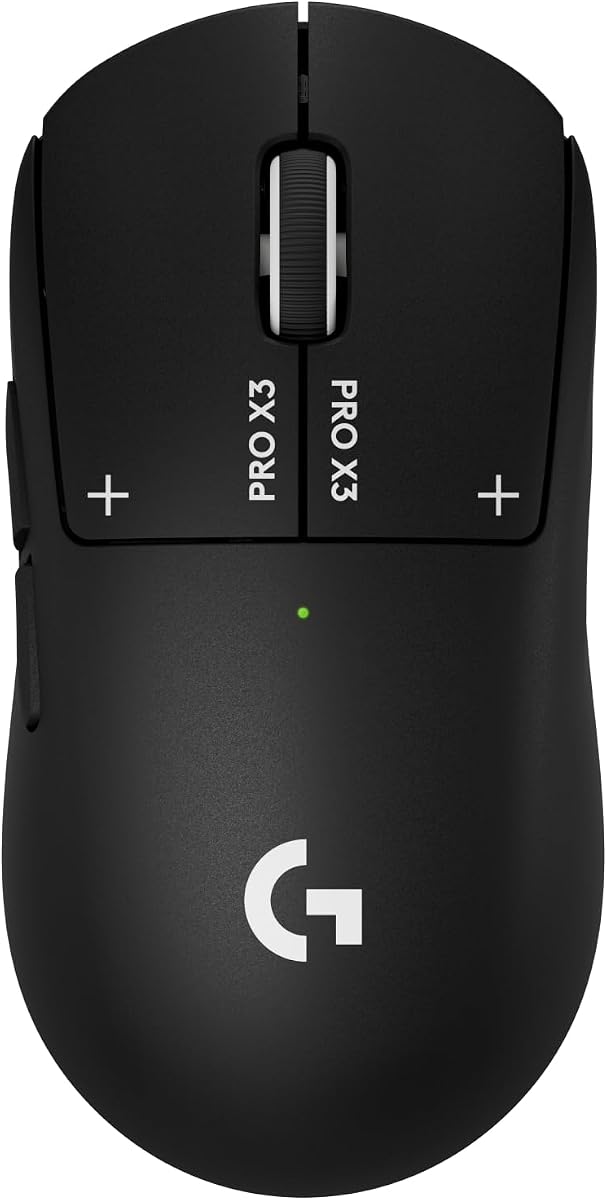
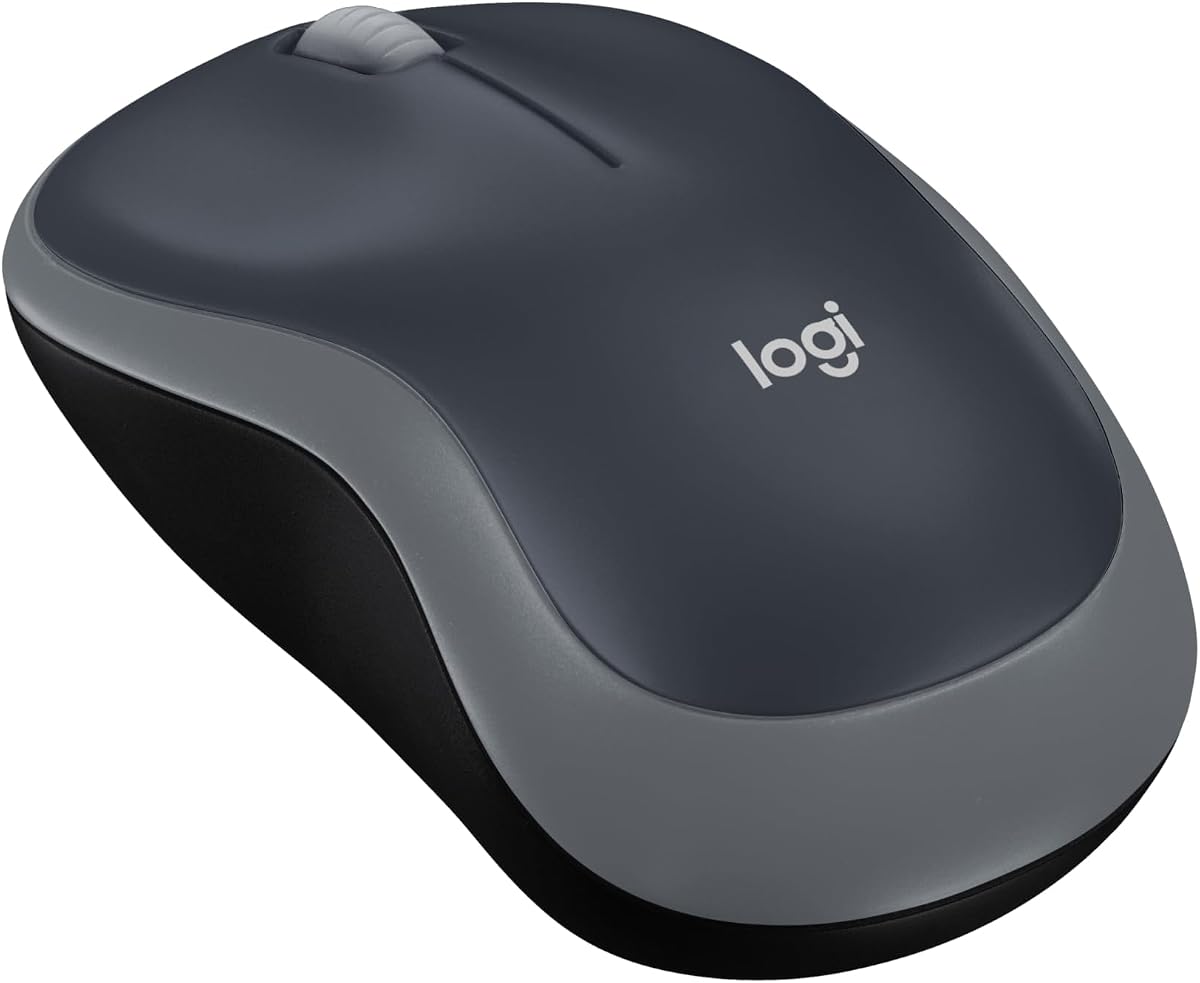


The Logitech G305 stands out as a top-tier lightweight option that balances performance and portability effectively. With a strong user rating, it proves reliable for both casual and competitive gaming scenarios where speed matters.
We may earn a commission when you buy through this link, at no additional cost to you.
Its HERO optical sensor delivers incredible precision while consuming minimal power for up to 250 hours of continuous gameplay. The LIGHTSPEED wireless technology ensures lag-free interaction with a 1 ms report rate that rivals wired alternatives.
While it uses a single AA battery instead of a rechargeable pack, the extended runtime reduces maintenance needs significantly. The compact design with built-in nano receiver storage makes it ideal for travelers and laptop users.
Gamers seeking a high-performance wireless mouse without premium pricing should strongly consider this model. Its combination of efficiency, durability, and maneuverability makes it a smart investment for daily use or travel.
The efficient battery usage extends playtime significantly compared to standard wireless mice, reducing interruptions during long sessions.
LIGHTSPEED technology provides consistent connectivity with minimal latency, ensuring your movements translate instantly on screen.
We may earn a commission when you buy through this link, at no additional cost to you.
This white variant offers the same robust engineering as its black counterpart, appealing to users who prefer a lighter aesthetic for their setup. It maintains the high standards of precision and battery life that define the G305 series.
We may earn a commission when you buy through this link, at no additional cost to you.
The next-gen HERO sensor ensures unrivaled gaming performance with accuracy that supports fast-paced action games. Its lightweight mechanical design maximizes maneuverability without sacrificing durability or comfort during extended use.
While the white finish may show dust more easily than darker options, it integrates seamlessly into bright or minimalistic desk environments. The classic shape fits most hand sizes comfortably, making it versatile for various users.
If you value a clean look alongside proven performance, this model delivers excellent value. It remains a strong contender for those needing a reliable wireless mouse that fits both travel and desktop needs.
The white finish provides a modern look that complements lighter hardware setups without compromising on functionality.
Classic ergonomic contours ensure comfort over hours of use while the robust build withstands daily wear and tear.
We may earn a commission when you buy through this link, at no additional cost to you.
The Logitech G PRO X Superlight 2 represents the pinnacle of lightweight gaming peripherals with championship-winning performance built in. It features an advanced sensor and ultra-low weight for effortless control during intense competitive matches.
We may earn a commission when you buy through this link, at no additional cost to you.
With the HERO 2 optical sensor, tracking accuracy reaches over 888 IPS and up to 44000 DPI without smoothing or acceleration. The lightweight design ensures smooth glides thanks to Zero-Additive PTFE mouse feet that connect seamlessly to your game.
Though the cost is higher than many alternatives, the engineering supports pro-level precision and reliability with tactile clicks. USB-C charging and POWERPLAY compatibility add convenience for users who demand uninterrupted focus during long sessions.
Serious gamers looking for the best possible control and minimal resistance will find this mouse unmatched. Its combination of speed, accuracy, and weight makes it a top choice for esports enthusiasts and professionals.
The HERO 2 sensor delivers flawless accuracy even at extreme speeds, ensuring your aim stays true during critical moments.
Zero-Additive PTFE feet allow for smooth, frictionless movement across surfaces enhancing the overall feel of the mouse.
We may earn a commission when you buy through this link, at no additional cost to you.
Designed alongside top esports athletes, the G PRO X2 SUPERSTRIKE delivers industry-leading speed and fully customizable clicks for peak performance. It introduces a Haptic Inductive Trigger System that provides real-time feedback for an immersive experience.
We may earn a commission when you buy through this link, at no additional cost to you.
The HERO 2 sensor ensures pinpoint accuracy with tracking over 888 IPS and up to 44000 DPI for consistent results. Its ultra-durable build features a 0.7 mm thin-wall case and extra-large gliding feet for effortless movement during any play style.
Advanced customization like 10-level actuation points and 5-level rapid trigger reset requires Logitech G HUB Software but unlocks new control options. The 60 to 90 hour battery life supports uninterrupted play with LIGHTSPEED Wireless technology.
Competitive gamers seeking the fastest response and deepest customization should consider this innovative model. While the price reflects its premium tech, it offers unmatched speed and precision for those who prioritize winning performance.
The Haptic Inductive Trigger System offers tactile sensations that enhance immersion by providing real-time game feedback.
Thin-wall construction keeps weight low while extra-large feet ensure smooth glides across any surface for marathon sessions.
We may earn a commission when you buy through this link, at no additional cost to you.
The Redragon M612 offers a reliable wired alternative with customizable tactical keybinds and a solid ergonomic design that reduces fatigue. It features a streamlined claw-grip shape that supports comfortable handling during long gaming sessions.
We may earn a commission when you buy through this link, at no additional cost to you.
With five redefinable DPI levels and up to 8000 DPI sensitivity, users can adjust precision easily to match different game needs. The skin-friendly frosted coating and rubber textured sides provide strong friction and a fingerprint-free tactile experience.
Dynamic RGB backlit modes add visual flair to your gaming space without increasing cost or complexity. While it lacks wireless freedom, the direct cable ensures zero latency which benefits competitive players focused on speed.
Gamers needing a lightweight feel on a strict budget will appreciate this model's balance of features and comfort. It serves well as a secondary mouse or primary input for those who prefer wired stability over portability.
The claw-grip design and textured sides work together to reduce hand strain and improve control during intense gameplay.
Multiple programmable buttons allow for quick access to macros or shortcuts enhancing efficiency across various game genres.
We may earn a commission when you buy through this link, at no additional cost to you.
The Logitech G502 Hero combines a next-gen HERO sensor with an adjustable weight system that lets you match your personal playing style precisely. It offers fully customizable control over gameplay with 11 programmable buttons for complex commands.
We may earn a commission when you buy through this link, at no additional cost to you.
Mechanical switch button tensioning uses metal springs and pivot hinges for a crisp clean click feel that delivers rapid feedback. The dual-mode hyper-fast scroll wheel provides quick navigation or pixel-perfect stopping depending on your current task needs.
Although it is heavier than pure lightweight options, the ability to add or remove weights creates a personalized balance that improves accuracy. LIGHTSYNC technology allows RGB lighting to synchronize with gaming events for a more immersive visual experience.
Users who prefer a wired mouse with extensive customization and a tactile click should consider this model. Its robust design and flexible weight configuration make it a versatile choice for diverse gaming and work environments.
Adjustable weights allow you to fine-tune the balance and heft of the mouse to suit your specific grip and control style.
Dual mode scrolling supports both fast scrolling through long documents and precise stopping for detailed pixel-level navigation.
We may earn a commission when you buy through this link, at no additional cost to you.
Designed alongside esports athletes, the G PRO X3 SUPERSTRIKE delivers the fastest customizable click with an electromagnetic field system replacing standard switches. It offers a highly responsive tournament-grade connection for PC gaming setups requiring zero latency during matches.
We may earn a commission when you buy through this link, at no additional cost to you.
The HERO 2 sensor tracks over 930 IPS and up to 48000 DPI ensuring exact precision needed for high-stakes competitions. Enjoy up to 135 hours of battery life on a single charge that easily repowers via USB-C or syncs with POWERPLAY mouse pad.
Built with a 0.7 mm thin-wall case and extra-large UHMWPE feet this ultra-durable lightweight gaming mouse ensures smooth movement during marathon sessions. Advanced features require Logitech G HUB Software to unlock full potential for competitive environments.
Competitive players needing a durable wireless mouse with long endurance will find this model suitable. Its combination of speed, precision, and battery capacity makes it a strong investment for serious gamers focusing on performance.
The electromagnetic field replaces standard switches to deliver consistent actuation and reset points for advanced customization options.
Up to 135 hours of battery life on a single charge supports extended play without needing frequent recharging cycles.
We may earn a commission when you buy through this link, at no additional cost to you.
The Logitech M185 is a compact ambidextrous wireless mouse designed for everyday productivity with reliable connectivity across multiple operating systems. It feels great in either right or left hand and is far superior to a touchpad for general office work.
We may earn a commission when you buy through this link, at no additional cost to you.
With up to 1 year of battery life thanks to a smart sleep mode function it allows you to focus on work without changing batteries. The tiny nano USB receiver provides a strong reliable connection to your wireless computer mouse up to 33 feet away.
Its small and portable size makes it suitable for tight workspaces busy desktops or laptop travelers who need smooth cursor control. Certified post-consumer recycled plastic materials support sustainability efforts while maintaining Logitech reliability standards.
Anyone needing a simple lightweight mouse for daily tasks without gaming features will find this ideal. It balances comfort, durability, and efficiency perfectly for students, professionals, or anyone working remotely on various devices.
Smart sleep mode and energy efficiency allow the mouse to operate for up to a full year on a single included AA battery.
The contoured shape fits comfortably in both left and right hands making it accessible for all users without ergonomic bias.
We may earn a commission when you buy through this link, at no additional cost to you.
The M330 Silent Plus uses SilentTouch Technology to reduce over 90 percent of clicking sounds ensuring top performance in quiet working environments. Its naturally shaped contoured plastic grips are built for long-lasting comfort and functionality for right-handed users.
We may earn a commission when you buy through this link, at no additional cost to you.
With a 18-month battery life and power saving auto-sleep mode it allows you to focus on your work without the hassle of changing batteries. Advanced optical tracking provides high-performance precision and smart cursor control on most surfaces with a 33 ft wireless range.
Though limited to right-handed use, its full-size design accommodates larger hands better than compact options while remaining lightweight and portable. Plug and Play simplicity means you can connect the USB-A receiver to most operating systems without software installation.
Professionals in open offices or shared spaces will appreciate the quiet clicks and reliable performance. It balances ergonomics with silence making it an excellent choice for daily work and collaborative environments where noise reduction is valued.
SilentTouch Technology minimizes noise significantly so you can click repeatedly without disturbing colleagues or family members.
An 18-month battery lifespan with auto-sleep ensures minimal maintenance and uninterrupted productivity during long work periods.
We may earn a commission when you buy through this link, at no additional cost to you.
The Logitech MX Master 4 features a Haptic Sense Panel for customizable feedback on specific actions and shortcuts enhancing productivity on this wireless Bluetooth mouse. Its ergonomic design keeps you in flow with a natural tilt and intuitive buttons to reduce hand stress.
We may earn a commission when you buy through this link, at no additional cost to you.
The MagSpeed scroll wheel lets you scroll 1,000 lines per second and stop on a pixel making it the fastest quietest and most precise experience available. Actions Ring allows dynamic overlay adaptation to each app placing most used filters at your cursor.
While the size may not suit smaller hands or strictly lightweight needs, the comfort and power make it ideal for intensive daily tasks. Enhanced connectivity via USB-C dongle or Bluetooth ensures reliable performance across multiple devices seamlessly.
Professionals and creators requiring precision, comfort, and advanced shortcuts will benefit most from this model. Its blend of ergonomic engineering and smart features supports complex workflows effectively across various applications.
Customizable haptic feedback enhances interaction by providing tactile confirmation on specific actions and notifications.
The MagSpeed scroll wheel offers both fast scrolling and pixel-perfect stopping, adapting to different content types seamlessly.
We may earn a commission when you buy through this link, at no additional cost to you.
Selecting the right lightweight mouse involves considering several technical and ergonomic factors to ensure it meets your specific use case and comfort needs.
The sensor determines how accurately your movements translate on screen. Look for optical sensors with high DPI settings and zero smoothing for consistent tracking across various surfaces.
Choose a sensor that matches your activity level to avoid lag or drift during fast-paced tasks.
Wireless mice offer freedom of movement and clean setups but require battery management. Modern wireless options often match wired speed with low latency technologies.
Wired models provide constant power and zero latency which may suit competitive gaming where reliability is critical.
Lightweight mice reduce hand fatigue but feel different than traditional heavier options. Consider how the weight affects your grip and control style.
Check if the mouse includes adjustable weights to tailor the balance to your personal preference.
Battery-powered mice should offer long runtimes to minimize interruptions. Rechargeable units provide convenience while single AA models may last longer on a single charge.
Look for sleep modes or power-saving features that extend usage between charges or replacements.
Comfortable shapes reduce strain during long sessions. Consider your hand size and grip style when selecting a contoured or ambidextrous design.
Ensure the mouse feels natural in your hand to prevent discomfort or repetitive strain over time.
Additional buttons allow for custom commands or macros that improve efficiency. Check if software supports remapping these keys easily.
More buttons are useful for complex workflows but may clutter a minimalist setup.
Durable construction ensures the mouse withstands regular use. Thin-wall cases can reduce weight without sacrificing resilience.
High-quality materials improve longevity and feel which is essential for daily drivers.
Wireless range matters if you move away from your PC. Strong connections prevent dropouts during use.
Look for advanced radio chips or Bluetooth options that ensure stable links across different environments.
To get the most out of your new lightweight mouse, keep the surface clean and free of dust. Wipe the feet regularly with a soft cloth to maintain smooth gliding across your desk or mousepad.
For wireless models, ensure the connection receiver is plugged into a USB port close to the mouse to reduce interference. Update the firmware and install manufacturer software to access full customization options.
Store the mouse in a protective case when traveling to avoid scratches or accidental button presses. Charge or replace batteries before they run low to prevent unexpected interruptions during work or gaming.
Yes, lightweight mice reduce fatigue and allow faster movements which can enhance competitive performance. Their lower weight helps with precise aim and quick reactions during intense gameplay sessions.
Modern wireless mice use low-latency technologies that match wired performance. Look for models with 1 ms response times or higher polling rates to ensure lag-free interaction during tasks.
Battery life varies by model and usage but many last hundreds of hours on a single charge. Rechargeable units may offer weeks of use while AA battery models can last months depending on settings.
DPI depends on personal preference and screen resolution. Start with 800 to 1600 DPI and adjust based on cursor speed comfort during daily work or gaming activities.
Yes, many lightweight models use high-strength materials and thin-wall designs to remain robust. Proper care and avoiding drops will extend their lifespan significantly.
Most wireless mice work with both Windows and Mac systems out of the box. Some advanced features may require manufacturer software which is available for macOS users.
Ideal weight varies by grip preference but many gamers prefer under 80 grams. A lighter mouse reduces arm strain while still feeling stable for accurate control.
Use a small brush or soft air blower to remove dust from the sensor lens. Avoid harsh chemicals that could damage the internal components or surface finish.
We explored ten top models including budget-friendly options and premium esports gear to cover diverse needs. Each pick balances speed, comfort, and durability to help you find the right fit for your setup.
Prioritize factors like sensor accuracy and weight based on how you use your computer daily. Comfort and battery life are equally important for ensuring consistent performance over time.
Check current availability and details before purchasing since options evolve frequently. Our guide serves as a reliable reference to simplify your choice and support informed decisions.