
SteelSeries Nimbus+
4.0Editor score
Apple licensed wireless
50 plus hours battery
Tactile D-Pad buttons
This expert guide compares the top ten gaming controller for Apple TV options available in October 2026 to help you find the perfect wireless gamepad for your
Finding the right gaming controller for Apple TV can transform your living room into a true gaming hub. With so many wireless options available, choosing one that pairs seamlessly with tvOS is essential for a smooth experience.
We have analyzed ten top-rated controllers based on compatibility, battery life, ergonomics, and advanced features. Each product was evaluated for its ability to handle both casual games and complex titles on your Apple TV.
Every pick in this list highlights key strengths and potential trade-offs to help you decide. Keep in mind that prices and availability can change, so check current listings before making your final purchase today.
4.0Editor score

4.7Editor score

4.4Editor score
This side-by-side comparison highlights the key specifications and strengths of each controller to help you quickly identify the best fit for your gaming needs and preferences.

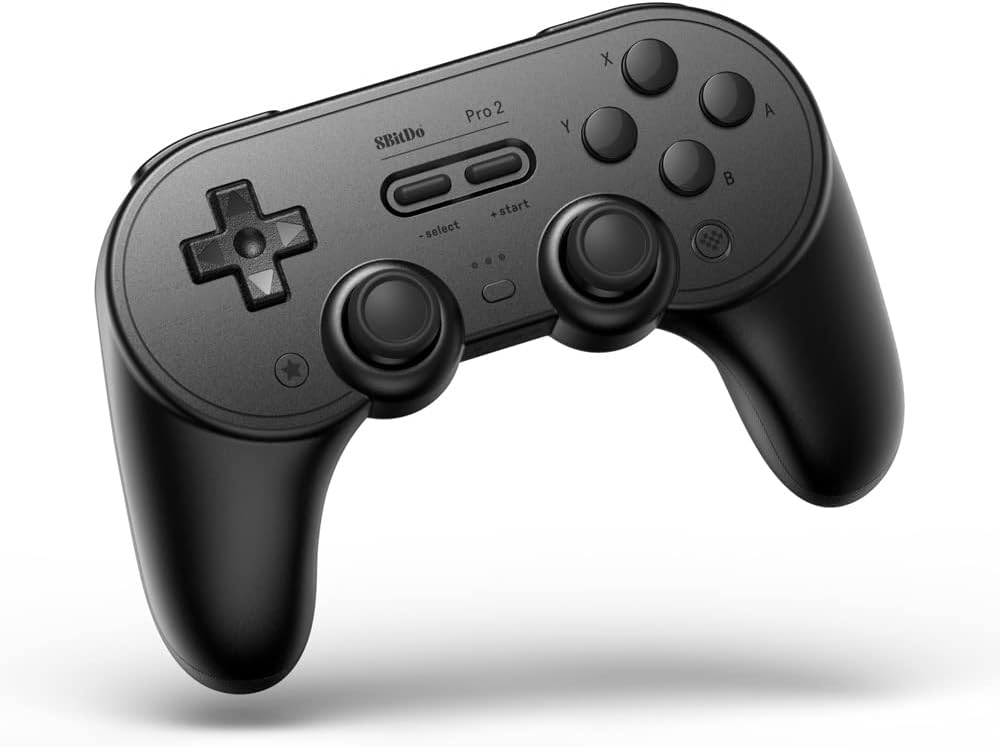


The 8Bitdo SN30 Pro stands out as the top choice for Apple TV users seeking a blend of modern performance and classic aesthetics. With an impressive 4.7 rating, it delivers reliable wireless connectivity and features explicitly designed for Apple ecosystems.
We may earn a commission when you buy through this link, at no additional cost to you.
Its Hall Effect joysticks provide superior precision and longevity compared to traditional magnetic sensors, ensuring smooth movement during gameplay. The controller also includes motion controls, rumble vibration, and a proper D-pad, making it versatile for various genres.
While it offers a premium experience, the retro design might feel too small for users with larger hands. Additionally, the price point is higher than budget alternatives, but the build quality and official support justify the cost for serious gamers.
If you want a controller that feels great and works flawlessly with Apple TV games, this is the best overall pick. Its combination of durability, features, and compatibility makes it a standout option for any gaming setup.
This controller is officially supported for Apple TV, ensuring seamless pairing and full feature access without compatibility issues.
Hall Effect joysticks use magnetic fields to detect movement, reducing drift and improving accuracy over time.
We may earn a commission when you buy through this link, at no additional cost to you.
The SteelSeries Nimbus+ is a premium option tailored for Apple users, boasting an official Apple license that ensures flawless integration with tvOS. Its standout feature is the rechargeable battery offering over 50 hours of playtime, ideal for long sessions.
We may earn a commission when you buy through this link, at no additional cost to you.
Beyond battery life, the controller features tactile D-Pad buttons and clickable L3/R3 joysticks, expanding input possibilities across different game types. These physical upgrades enhance precision and allow for more complex gaming interactions without extra accessories.
However, optimizing compatibility requires downloading the SteelSeries Engine to update firmware, which adds a step for setup. Also, its design prioritizes mobile use, which might feel different from traditional console controllers for some players.
For those wanting a trusted brand and maximum battery life on Apple TV, the Nimbus+ is worth the investment. Its official licensing and refined controls make it a top-tier choice for premium gaming experiences.
With over 50 hours on a single charge, you rarely need to recharge even with heavy daily use.
L3 and R3 click functionality adds extra inputs for actions like sprinting or aiming down sights.
We may earn a commission when you buy through this link, at no additional cost to you.
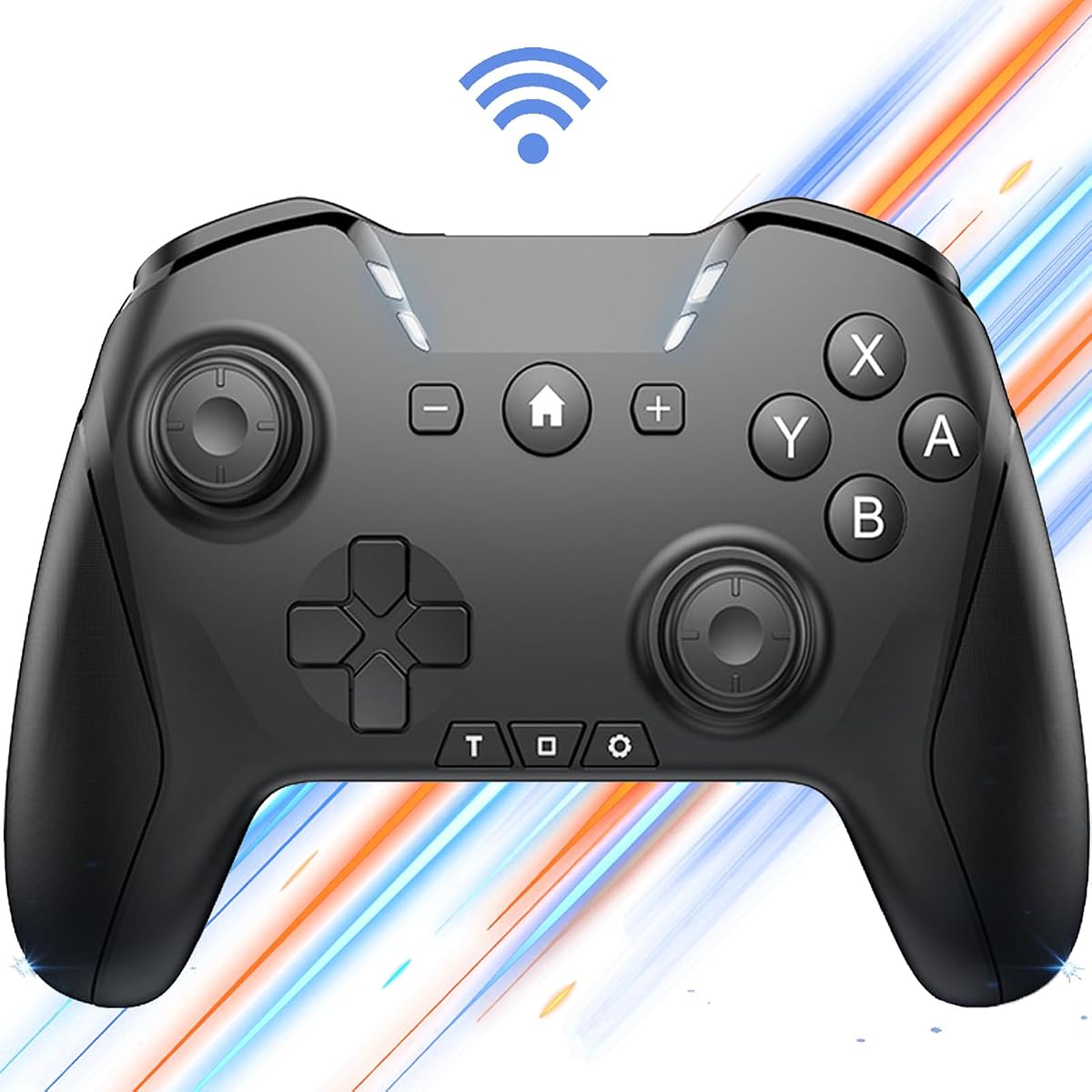
The VOYEE Switch Controller offers exceptional value for budget-conscious gamers looking for features usually found in higher-priced models. With a 4.4 rating, it includes RGB lighting, programmable buttons, and a comfortable design suitable for extended play.
We may earn a commission when you buy through this link, at no additional cost to you.
Its M1 and M2 keys allow you to map complex sequences to single presses, while the three adjustable turbo speeds help with repetitive actions. The 4-level vibration system provides immersive feedback that adapts to different in-game events effectively.
However, PC support works only via wired connection, which limits wireless flexibility on that platform. Additionally, using RGB modes frequently may reduce the battery life slightly below the maximum 15-hour runtime.
If you prioritize cost-effective features like RGB and macros without sacrificing core functionality, this controller is an excellent choice. It brings advanced gaming capabilities to Apple TV users at a very accessible price.
Use M1 and M2 keys to simplify complex moves into single button presses for easier gameplay.
Choose from solid, breathing, strobe, or off modes to match your setup style and mood.
We may earn a commission when you buy through this link, at no additional cost to you.
This Bluetooth controller stands out for its extensive feature set, including wake-up functionality, macro programming, and button interchange options. It supports Apple Arcade MFi games seamlessly, making it versatile across multiple platforms including Apple TV.
We may earn a commission when you buy through this link, at no additional cost to you.
The macro system allows you to record loop operations up to 30 seconds, perfect for grinding or repetitive tasks. Additionally, the ability to swap functions between the D-Pad and joy-stick provides flexibility for different control preferences.
However, programming macros and customizations can feel complex compared to simpler controllers. Users may need to consult the manual thoroughly to maximize the controller’s potential and avoid setup confusion initially.
For gamers who want deep customization like macros and button swapping, this controller offers advanced tools at a reasonable cost. Its broad compatibility ensures it works well with Apple TV and other devices in your ecosystem.
Record custom button loops to automate actions and save time during repetitive gameplay segments.
The large 650mAh battery supports 15 hours of play and allows usage while charging via Type-C.
We may earn a commission when you buy through this link, at no additional cost to you.
The SteelSeries Nimbus+ Renewed offers an affordable entry into premium Apple gaming with professional inspection to ensure quality. It works with Apple TV and supports wireless gameplay, delivering responsive controls at a fraction of the new price.
We may earn a commission when you buy through this link, at no additional cost to you.
While the battery life and condition vary with renewed units, Amazon's certification process checks for functionality and cleanliness. This makes it a viable choice for those wanting trusted brand quality without the full retail cost.
However, being renewed means physical wear or reduced battery efficiency is possible compared to new units. You should verify the specific condition details and warranty terms before purchase to manage expectations correctly.
If you are comfortable with renewed goods, this controller provides reliable Apple TV performance and a comfortable form factor. It balances cost savings with brand reputation for casual gamers needing a solid wireless pad.
Professionally inspected and tested to meet Amazon Renewed standards for reliable performance and appearance.
Connect via wireless Bluetooth for cable-free gaming on Apple TV, iPhone, and other supported devices.
We may earn a commission when you buy through this link, at no additional cost to you.
The 8BitDo Pro 2 is a highly capable controller with dedicated back buttons and robust profile switching options. It officially supports Apple TV, ensuring smooth operation and feature access for a wide range of games.
We may earn a commission when you buy through this link, at no additional cost to you.
With a 20-hour rechargeable battery and enhanced grip design, it suits long gaming sessions comfortably. The custom profile switching allows you to store different settings for different games, adding significant flexibility.
While the back buttons are useful for extra inputs, they may require adjustment to feel natural. Initial software setup for optimal profile configuration adds a small learning curve for first-time users.
For users who game across multiple platforms, this controller provides a unified solution with excellent Apple TV support. Its build quality and battery performance make it a strong contender for dedicated gamers.
Add mapped inputs to the back for easier access without taking thumbs off the joysticks.
Switch between saved configurations instantly to adapt controls for different game genres.
We may earn a commission when you buy through this link, at no additional cost to you.
The original SteelSeries Nimbus remains a dependable choice for Apple TV gaming with consistent wireless connectivity and responsive controls. As an Apple licensed device, it pairs effortlessly with tvOS and supports all major gaming apps.
We may earn a commission when you buy through this link, at no additional cost to you.
Its rechargeable battery delivers extended sessions without constant recharging, and the ergonomic design ensures comfort during play. The tactile buttons provide clear feedback, which is essential for precise game interactions.
However, it lacks newer features like clickable joysticks or advanced software customization found in the updated Nimbus+. For users who prefer simplicity over extra features, this older model still performs well.
This controller is ideal for those who want a straightforward, reliable experience on Apple TV. Its proven track record and Apple licensing make it a safe choice for consistent performance.
Apple licensing ensures quick setup and stable connection with Apple TV and iOS devices.
A comfortable shape reduces hand fatigue during long gaming sessions on the couch.
We may earn a commission when you buy through this link, at no additional cost to you.
The AceGamer Aurora II introduces advanced Hall Effect joysticks to reduce drift and improve control precision on Apple TV. With a 1000mAh battery and customizable back keys, it offers features typically found in high-end controllers.
We may earn a commission when you buy through this link, at no additional cost to you.
Its 2.4G wireless option ensures low latency, while the large battery supports extended play sessions. The back keys allow for quick macro access, enhancing gameplay efficiency in supported titles.
However, pairing for 2.4G or Bluetooth requires specific steps, and iOS support may be less seamless than licensed controllers. Users should check compatibility notes before purchasing to ensure full feature access.
For tech-savvy gamers wanting advanced inputs and battery life, this controller delivers significant value. Its Hall Effect sticks and extra buttons make it a compelling option for competitive play.
Magnetic sensors detect movement more accurately, reducing stick drift over time.
The 1000mAh battery provides more playtime than standard controllers for long sessions.
We may earn a commission when you buy through this link, at no additional cost to you.
The Official Luna Wireless Controller is built for cloud gaming with Wi-Fi support that connects directly to game servers for low latency. It also works via Bluetooth with Apple TV, making it versatile for other games too.
We may earn a commission when you buy through this link, at no additional cost to you.
A standout feature is seamless screen switching, letting you pause a game on one device and resume on another. This flexibility makes it excellent for users who switch between devices often.
However, its Cloud Direct Wi-Fi mode is designed for Luna, and using it on Apple TV may require Bluetooth to avoid conflicts. This limits some of its unique advantages when used outside the cloud ecosystem.
For Luna subscribers and cloud gamers, this controller offers unmatched performance and features. Its ability to switch across devices makes it a modern choice for flexible gaming experiences.
Connect via Wi-Fi to game servers directly for faster response than standard Bluetooth.
Pause on one screen and resume gameplay instantly on another device.
We may earn a commission when you buy through this link, at no additional cost to you.
The GMBACK Switch 2 Controller focuses on automation with loop macros that can record button sequences for repetitive actions. It supports Apple devices including Apple TV, ensuring compatibility for casual and complex games alike.
We may earn a commission when you buy through this link, at no additional cost to you.
With a 15 to 20-hour battery life and home wake-up functionality, it is practical for long sessions. The remappable ABXY buttons add flexibility, allowing you to reassign controls to suit your style.
However, the macro function is limited to 30 seconds, which might not cover longer grinding sessions. Users focused purely on automation may find more advanced options elsewhere.
For those seeking an affordable controller with macros and wake-up convenience, this model is a solid pick. Its compatibility and battery life make it a useful addition to your Apple TV gaming setup.
Record sequences to automate repetitive tasks like grinding for items or resources.
Reassign buttons like ABXY to preferred positions for better reach and efficiency.
We may earn a commission when you buy through this link, at no additional cost to you.
Choosing the right controller involves considering compatibility, features, and design preferences to match your specific gaming needs on Apple TV.
Ensure the controller explicitly supports Apple TV and tvOS to avoid connection issues. Look for models with Bluetooth or Apple licensing for seamless integration and access to all features without extra apps.
Battery duration varies from ten to over fifty hours on a single charge. Consider your typical session lengths and whether you prefer frequent quick charges or rare long-duration recharges.
The controller should fit your hand size comfortably for extended play without strain. Look for textured grips, offset thumbsticks, and balanced weight distributions to reduce fatigue during long gaming sessions.
Advanced users may want programmable buttons, turbo modes, or macros to simplify complex actions. Check if the controller supports remapping and if customization software is available for your devices.
Durable materials like Hall Effect joysticks and robust plastic housings extend controller lifespan. Investing in quality components reduces the risk of drift or button failure over time.
Gyro sensors and vibration motors enhance immersion by responding to in-game events. Ensure the controller offers adjustable feedback levels and motion support for games that utilize these features effectively.
Bluetooth is standard for Apple TV, but some controllers also offer 2.4G wireless for lower latency. Verify which connection types are supported and if a receiver is required for optimal performance.
Prices range widely depending on brand and features. Decide if premium features like official licensing or Hall Effect sticks justify higher costs for your specific gaming habits and preferences.
To pair your controller, ensure Bluetooth is enabled on your Apple TV and follow the manufacturer instructions to enter pairing mode. Once connected, test basic controls in system menus to confirm responsiveness before launching games.
Keep your controller firmware updated through official apps to maintain compatibility and feature support. Charge it regularly using the provided Type-C cable to prevent battery degradation during idle periods.
Clean buttons and joysticks gently with a dry cloth to avoid dust buildup. Store in a cool dry place away from direct sunlight to protect the casing and extend its overall lifespan significantly.
The 8Bitdo SN30 Pro stands out as the top choice due to its official Apple TV support and Hall Effect joysticks. It combines precision with a retro design that fits well for various game types.
Most Bluetooth controllers work, but those with official Apple licensing offer better feature support. Non-licensed controllers may have limited functionality depending on game compatibility with tvOS.
Battery life varies from ten to fifty plus hours depending on the model. The SteelSeries Nimbus+ offers the longest duration while budget models typically provide ten to twenty hours per charge.
Many models including 8Bitdo and SteelSeries support gyro motion controls for games that require it. Check product details to confirm motion support before purchasing for specific game titles.
Macros allow you to record sequences of button presses and replay them with a single press. This feature helps automate repetitive tasks in games and improves efficiency for grinding sessions.
Yes, models like the 8BitDo Pro 2 and AceGamer Aurora II include back buttons for extra inputs. These add flexibility without moving thumbs from the joysticks during gameplay.
Whether you choose the premium SteelSeries Nimbus+ or the budget-friendly VOYEE Switch Controller, each option offers unique strengths for Apple TV gaming. The 8Bitdo SN30 Pro remains our top pick for its reliable performance and official support.
Prioritize features that match your play style such as battery life, motion controls, or programmable buttons. The right controller enhances immersion and ensures comfort during long gaming sessions at home.
Prices and availability can change over time so verify current listings before making a purchase. Check the product links and reviews frequently to ensure you get the best deal and latest model available.