
Wireless Caregiver Pager, 1 Call Button + 1 Receiver for Elderly at Home
4.7Editor score
1500ft range
58 ringtones
IP55 waterproof
Finding the right gadgets for elderly parents is essential for maintaining their safety and independence at home. These devices range from emergency call systems to memory aids that simplify daily routines and provide peace of mind for caregivers.
We evaluated ten highly rated products based on ease of use, reliability, range, and specific features designed for seniors. Our selection includes wireless pagers, digital calendars, and video cameras that connect families without requiring complex technology.
Each pick highlights key benefits and practical considerations to help you match a device to your parent's unique needs. Please note that product availability and pricing may change, so check the latest details before purchasing.
4.7Editor score

4.8Editor score

4.4Editor score
As an Amazon Associate we earn from qualifying purchases.
This table provides a quick side-by-side comparison of the top ten gadgets selected for seniors. It highlights key specifications such as range, alert types, and display features to help you narrow down your choices based on specific needs.


This WiFi-enabled caregiver pager stands out as a top choice for modern home care. With a high rating of 4.8 stars, it offers reliable instant alerts to family phones without requiring a subscription fee. The system includes a waterproof call button and a watch button for versatile use.
We may earn a commission when you buy through this link, at no additional cost to you.
The device excels in connectivity and range, penetrating walls easily to reach up to 656 feet indoors. Caregivers receive notifications through a dedicated app which allows sharing alerts with multiple family members globally. This multi-channel approach ensures help is never missed even if someone is away from home.
While the system is robust, it relies on a stable 2.4GHz Wi-Fi network which might limit compatibility in some homes. Additionally, advanced notification features like SMS and phone calls require a separate subscription. However, the core functionality remains free and effective for most users.
Anyone seeking a balance between technology and simplicity will find this pager ideal. It is perfect for seniors living independently who need a reliable way to summon help quickly. We recommend it as a primary safety device for any household with elderly members.
The watch button adds significant value by allowing seniors to carry the alert device on their wrist. This feature ensures help is accessible even when moving around the house or during short walks outside within the signal range.
The app sends immediate notifications to your phone ensuring you are always aware when help is needed.
You can choose to share alerts with multiple family members so someone is always available to respond.
We may earn a commission when you buy through this link, at no additional cost to you.
This wireless pager offers exceptional value for families looking for a reliable alert system without high costs. Rated 4.7 stars, it provides an impressive 1500-foot transmission range that covers large homes and even outdoor areas. The system includes a call button and a receiver with plenty of features.
We may earn a commission when you buy through this link, at no additional cost to you.
The standout feature is its extensive range and expandability, allowing up to thirty call buttons and multiple receivers. This flexibility makes it suitable for larger properties or care facilities where multiple rooms need monitoring. The IP55 waterproof and dustproof design ensures durability in various environments.
On the downside, the receiver must be plugged into an electrical outlet which limits where it can be placed. There is no smart app integration so alerts are limited to the receiver sound. Despite these limits, it remains a solid choice for basic home monitoring.
We recommend this pager for users who need a simple plug-and-play solution with maximum range. It is ideal for seniors who want a straightforward button press to get help without dealing with complex apps or subscriptions.
The built-in alarm with five adjustable volume levels ensures that alerts are heard even in noisy environments. This loudness capability provides peace of mind knowing that a signal will not go unnoticed by caregivers.
You can add up to 30 call buttons to monitor multiple rooms or family members easily.
The IP55 rating means the button can handle dust and splashes without damage.
We may earn a commission when you buy through this link, at no additional cost to you.
This monitoring camera offers a unique blend of video calling and safety features designed specifically for seniors. With a 4.4 rating, it allows family members to see their loved ones through a dedicated screen without needing a smartphone. The device also detects sounds like falls to alert caregivers instantly.
We may earn a commission when you buy through this link, at no additional cost to you.
The camera stands out with its one-touch calling system which rings all family phones simultaneously. This ensures that urgent calls are never missed and connects the senior to the first available family member. The physical privacy mode rotates the lens mechanically to protect dignity when not in use.
While the feature set is rich, the camera requires a constant power source which means it cannot be moved easily without outlets. The screen is functional but modest in size compared to tablets. However, the lack of subscriptions makes it a cost-effective long term investment.
This device is perfect for families wanting to maintain visual contact and monitor safety simultaneously. It bridges the gap between a traditional security camera and a communication tool. We suggest it for seniors who value face-to-face interaction and fall detection.
The ability to display family photos on standby mode adds a personal touch that can reduce loneliness. This feature turns the device into a digital frame when not actively in use providing comfort and connection.
The screen shows you clearly so seniors do not need to struggle with complex phone apps.
You can rotate the lens physically to ensure the camera is not recording when you want privacy.
We may earn a commission when you buy through this link, at no additional cost to you.
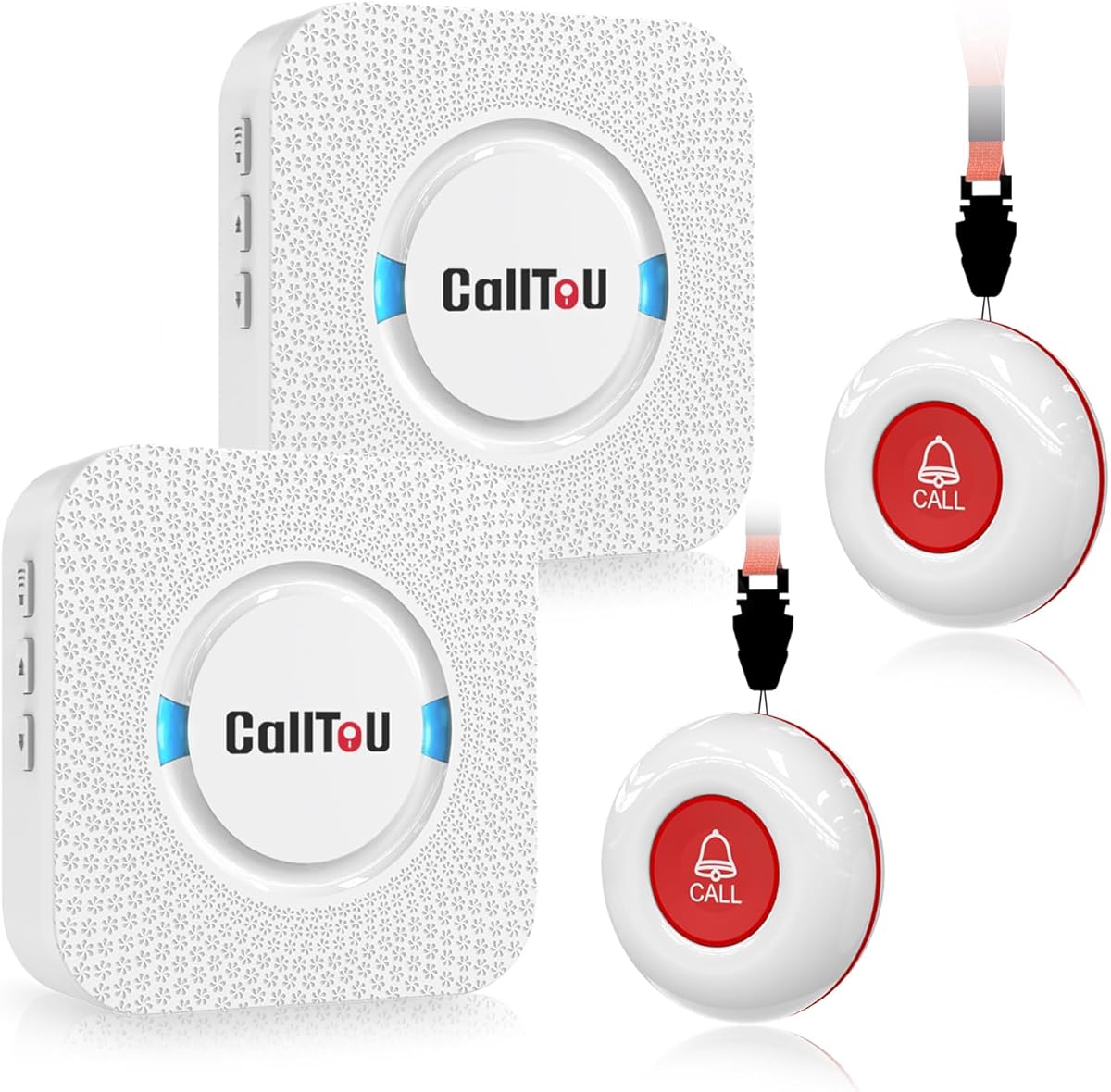
This pager system includes two receivers making it convenient for caregivers to keep alerts handy in different locations. Rated 4.6 stars, it offers a practical setup with two call buttons and receivers for home use. The waterproof design allows for use in bathrooms or outdoor areas without worry.
We may earn a commission when you buy through this link, at no additional cost to you.
Key features include adjustable volume levels reaching up to 110 decibels ensuring alerts are heard clearly. The receivers can be moved around the house while the call buttons offer flexible mounting options like neck straps or wall brackets. This versatility supports various care scenarios.
A limitation is the 500-foot range which might be restrictive for very large properties compared to other models. The receiver requires a power outlet which limits its portability to some degree. However, the included accessories make it a good value for immediate use.
We suggest this system for small to medium homes where caregivers move frequently between rooms. It provides a straightforward solution for emergency calling without complex setup. Ideal for families needing multiple listening points in the house.
The inclusion of two call buttons allows placement in both the bedroom and bathroom for comprehensive coverage. This dual placement ensures help is always within reach regardless of where the senior is located at home.
Having two receivers allows caregivers to stay mobile while still hearing emergency calls.
Buttons can be worn as necklaces or mounted on walls to fit specific needs.
We may earn a commission when you buy through this link, at no additional cost to you.
This pager system is designed with comfort and range in mind offering a wristband for easy carrying. Rated 4.5 stars, it supports a 1000-foot range in open air making it suitable for larger living spaces. The call button is splash proof for use in bathrooms without full submersion.
We may earn a commission when you buy through this link, at no additional cost to you.
One unique feature is the silent mode with LED flash which alerts caregivers without noise. This is useful for light sleepers or when quiet is needed during rest hours. The system also includes a wall bracket for fixed placement near beds or doors.
While the range is excellent the button is not fully waterproof so it should be removed before bathing. The receiver requires a power outlet which restricts where it can be placed. Despite this it remains a strong contender for home safety.
We recommend this option for families who prefer a wearable alert device that is comfortable to use. The wristband design ensures seniors can carry it without it getting lost in a pocket. Good for active seniors needing constant access to help.
The five volume levels accommodate different hearing sensitivities ensuring everyone can hear the alert. This adjustability makes the system accessible for a wider range of users in the household.
The wristband allows seniors to keep the button attached to them easily throughout the day.
Silent flashing lights ensure alerts are noticed without disturbing sleep or rest.
We may earn a commission when you buy through this link, at no additional cost to you.
This digital clock is specifically designed to help seniors with memory loss understand the day and time. Rated 4.6 stars, it features a large 7 inch screen that spells out times like MORNING or NIGHT to avoid confusion. The interface is simple and intuitive for those with cognitive challenges.
We may earn a commission when you buy through this link, at no additional cost to you.
Key features include auto night dimming which adjusts brightness automatically to reduce glare. The clock supports eight languages and offers multiple alarm modes for medications or appointments. The display avoids abbreviations to ensure clarity for all users regardless of tech skills.
The device requires constant power and does not have a battery backup so settings may reset during outages. While this is a minor inconvenience the clarity provided is worth it for dementia care. We suggest pairing it with a surge protector for stability.
We recommend this clock for seniors who struggle with traditional time telling due to aging or dementia. It provides a clear reference point for daily routines. Ideal for placing in a bedroom or living room for constant visibility.
The large font and high contrast design make it easy to read from a distance. This visibility ensures that the time and date are always accessible even if eyesight is declining.
Words like MORNING and NIGHT help seniors orient themselves without interpreting numbers.
Tags for medicine and meals help keep daily schedules organized and consistent.
We may earn a commission when you buy through this link, at no additional cost to you.
This clock combines a large display with voice announcement capabilities for enhanced accessibility. Rated 4.7 stars, it speaks the time when activated which helps seniors with poor vision. The interface is designed for simple one-click operation to avoid confusion during setup.
We may earn a commission when you buy through this link, at no additional cost to you.
It supports multiple alarms to help manage medication schedules and daily events. The voice feature allows users to hear the time without looking at the screen. This is particularly helpful during nighttime checks or for those with significant vision impairment.
The device relies on a power adapter and does not include a long term battery backup. Users must ensure a reliable outlet is nearby for continuous operation. While this limits placement it ensures the device functions without interruption.
We suggest this clock for seniors who need auditory cues to supplement visual information. It serves well as a bedside companion to help with orientation. The voice feature is a significant advantage over standard digital clocks.
The automatic daylight saving time adjustment removes the hassle of manual changes. This convenience ensures the clock stays accurate without user intervention which is beneficial for seniors.
Simply pressing a button announces the time aloud helping those with limited sight.
One click operation makes it easy to start using without reading complex manuals.
We may earn a commission when you buy through this link, at no additional cost to you.
This system connects caregivers via Wi-Fi and allows customizable alerts for quick response. Rated 4.3 stars, it includes both a button and a wrist option for flexibility. The app lets family members customize ringtone and volume to ensure alerts are distinct and clear.
We may earn a commission when you buy through this link, at no additional cost to you.
Shared notifications mean multiple people can receive alerts ensuring coverage. The app interface is straightforward allowing caregivers to manage settings easily from their phones. This connectivity bridges the gap between physical presence and remote monitoring.
The receiver requires an outlet which limits where it can be placed effectively in a home. App features are basic compared to full health monitoring systems. However, for simple alert needs it performs reliably.
We recommend this for families who want app-based alerts without monthly subscriptions. The wristband ensures seniors can carry the alert device easily. It suits those who need to be reachable without a cellular connection.
The lifetime service support offers reassurance for long term use and maintenance. This commitment adds value to the purchase by providing help when needed.
Choose from 20 ringtones to make alerts distinct and recognizable by sound.
Family members can share alerts so no one misses a call for help.
We may earn a commission when you buy through this link, at no additional cost to you.
This clock goes beyond timekeeping by offering photo playback and extensive alarm options. Rated 4.4 stars, it features a 7 inch display that can show family photos when not displaying the time. This dual function adds emotional value to the device for lonely seniors.
We may earn a commission when you buy through this link, at no additional cost to you.
The clock supports up to 20 alarms and reminders helping with medication and daily tasks. Custom themes allow users to change colors to suit their vision needs or room decor. The interface is designed to be clear with large fonts and icons.
Photo playback requires inserting an SD card or USB drive which is not included. The battery backup only holds settings during power outages rather than powering the device. These minor limitations do not detract from its overall utility.
We recommend this clock for seniors who appreciate personalization and visual comfort. It serves as both a utility tool and a memory keeper. Ideal for living rooms or bedrooms to keep family close.
The high contrast options ensure readability even for those with color blindness. This inclusivity makes the device suitable for a wide range of visual needs.
Displaying family photos provides emotional support and reduces feelings of isolation.
Change colors and themes to match preferences or improve visibility.
We may earn a commission when you buy through this link, at no additional cost to you.
This compact pager system offers portability for caregivers moving around the house. Rated 4.6 stars, it includes two call buttons and a receiver that can be clipped to a belt. The portable design ensures alerts are heard even when walking between rooms or in a kitchen.
We may earn a commission when you buy through this link, at no additional cost to you.
The receiver can switch between a ding-dong chime and a continuous alarm siren for different urgency levels. This flexibility helps in various scenarios where a loud alert is required. The buttons are easy to mount on walls or wear as pendants.
The 500-foot range is suitable for most standard homes but might limit use in large properties. The ringtones are basic but functional for most users. Despite these limitations it remains a dependable emergency tool.
We suggest this pager for households where caregivers are often on the move. The belt clip feature makes it easy to keep the receiver close at all times. It is a practical choice for daily care routines.
The SOS button on each pager provides an immediate link to help for the senior. This direct access to caregivers enhances safety and response time during emergencies.
The receiver can be clipped to a belt ensuring caregivers stay mobile and connected.
Choose between a chime and siren based on the urgency of the situation.
We may earn a commission when you buy through this link, at no additional cost to you.
Selecting the right gadgets for elderly parents depends on their specific needs and living environment. This guide outlines key factors to consider to ensure safety and ease of use.
Wireless devices need to cover the entire home to be effective. Check the range specifications to ensure alerts reach caregivers in all areas. For larger homes consider systems with expandable capabilities.
Choose a device with range that exceeds the size of your home.
Seniors often struggle with complex technology so simple interfaces are vital. Look for devices with large buttons and clear instructions. Avoid systems requiring multiple steps to activate.
Prioritize one-touch activation for emergency buttons.
Different alerts serve different needs. Loud alarms work for hearing caregivers while silent lights suit light sleepers. Some systems offer app notifications for remote monitoring.
Select alerts that match the hearing and sleep habits of caregivers.
Some caregivers move frequently around the home so portable receivers are beneficial. Belt clips or wearable buttons ensure help is always accessible. For seniors who are active, wristbands or neck pendants are ideal.
Ensure the receiver can be carried or worn easily.
Check whether devices require constant power or have battery backups. Wired receivers might limit placement but offer reliability. Battery operated units provide flexibility but need regular charging or replacement.
Balance convenience with reliability based on your home's electrical setup.
Some advanced monitoring systems require monthly fees for cellular or app features. Standard pagers usually avoid these costs. Evaluate long term value before choosing a subscription model.
Opt for no monthly fee options if possible to save costs.
Devices used in bathrooms or outdoors should be waterproof or splash resistant. Look for IP ratings to confirm durability against moisture. Dustproof designs also extend the life of electronic components.
Choose water resistant models for bathrooms or outdoor use.
For clocks and screens, large fonts and high contrast are essential for aging eyes. Features like voice announcements add accessibility for those with vision issues. Ensure the display is readable from a distance.
Select devices with large bold text and bright displays.
Set up the receiver and buttons in locations accessible to seniors and caregivers. Test the system regularly by pressing buttons to ensure signals are received properly. Adjust volume levels to a comfortable yet audible setting.
Keep devices clean and free from dust to maintain performance. For waterproof units wipe them dry if wet to prevent long term damage. Ensure batteries are charged or replaced according to the manufacturer schedule.
Review settings periodically to ensure alarms are set correctly for medications or appointments. Update shared contacts in app based devices to reflect any changes in family availability. Encourage seniors to keep wearable buttons on their person at all times.
Most wireless pagers and clocks do not require monthly fees as they use local signals. Some Wi-Fi models may offer optional features for a fee but basic alerts remain free. Always check the product details for any required subscriptions.
Range varies by model from 500 feet to over 1500 feet in open areas. Walls and floors can reduce signal strength so consider your home layout. Larger homes may benefit from expandable systems.
Wi-Fi enabled pagers can send notifications directly to smartphone apps. This allows remote monitoring and alerts even when outside the home. Standard pagers use sound and light only on the receiver.
Many buttons are waterproof or splash proof making them safe for bathrooms. However receivers usually need to be kept dry and plugged into outlets nearby. Check specific IP ratings before installation in wet areas.
Most digital clocks require a power outlet to operate. Some have battery backups to store settings but may not display time during outages. Ensure you have backup lighting or alternative clocks.
Wipe buttons with a soft dry cloth to remove dust and dirt. For waterproof models use a damp cloth if needed but avoid submerging them unless specified. Keep openings free of debris to ensure button responsiveness.
Advanced systems allow sharing alerts with multiple family members via app. This ensures someone is always available to respond to calls for help. Standard pagers rely on physical proximity to the receiver.
We reviewed ten top options including pagers clocks and cameras designed to support elderly parents. Each device offers unique benefits ranging from simple emergency alerts to visual monitoring tools. The top picks balance reliability with ease of use.
Prioritize ease of use and range when selecting a device to ensure it meets daily needs. Features like waterproofing and voice announcements add significant value for specific situations. Match the gadget to the senior's physical and cognitive requirements.
Always verify current availability and details before purchasing as product offerings may change. Checking the latest information ensures you make the best choice for your family. Your peace of mind is worth the effort to find the perfect fit.