
Thermal Shipping Label Printer 4×6 Bluetooth Label Maker for Small Business
4.4Editor score
Direct thermal printing no ink needed
Bluetooth and USB dual connectivity
Includes starter labels in package
This guide compares the top ten best Fedex label printer options for small business shipping needs. We evaluate speed, compatibility, connectivity, and
Choosing the right Fedex label printer is crucial for efficient shipping operations. You need a device that prints clear barcodes, integrates smoothly with your platforms, and handles high volumes without jamming or fading text.
We compared ten top-rated thermal printers based on real user feedback and technical specs. Our analysis covers connectivity options, print quality, software compatibility, and durability to help you find the perfect match for your workflow.
Each pick below highlights specific strengths like budget-friendliness or commercial durability. Please note that prices and availability change frequently, so check current listings before purchasing to ensure you get the best deal available today.
4.4Editor score
4.6Editor score

4.7Editor score
The following table provides a side-by-side comparison of all ten selected printers. It highlights key specifications like connectivity, print speed, and compatibility to help you quickly identify the best option for your specific shipping requirements.







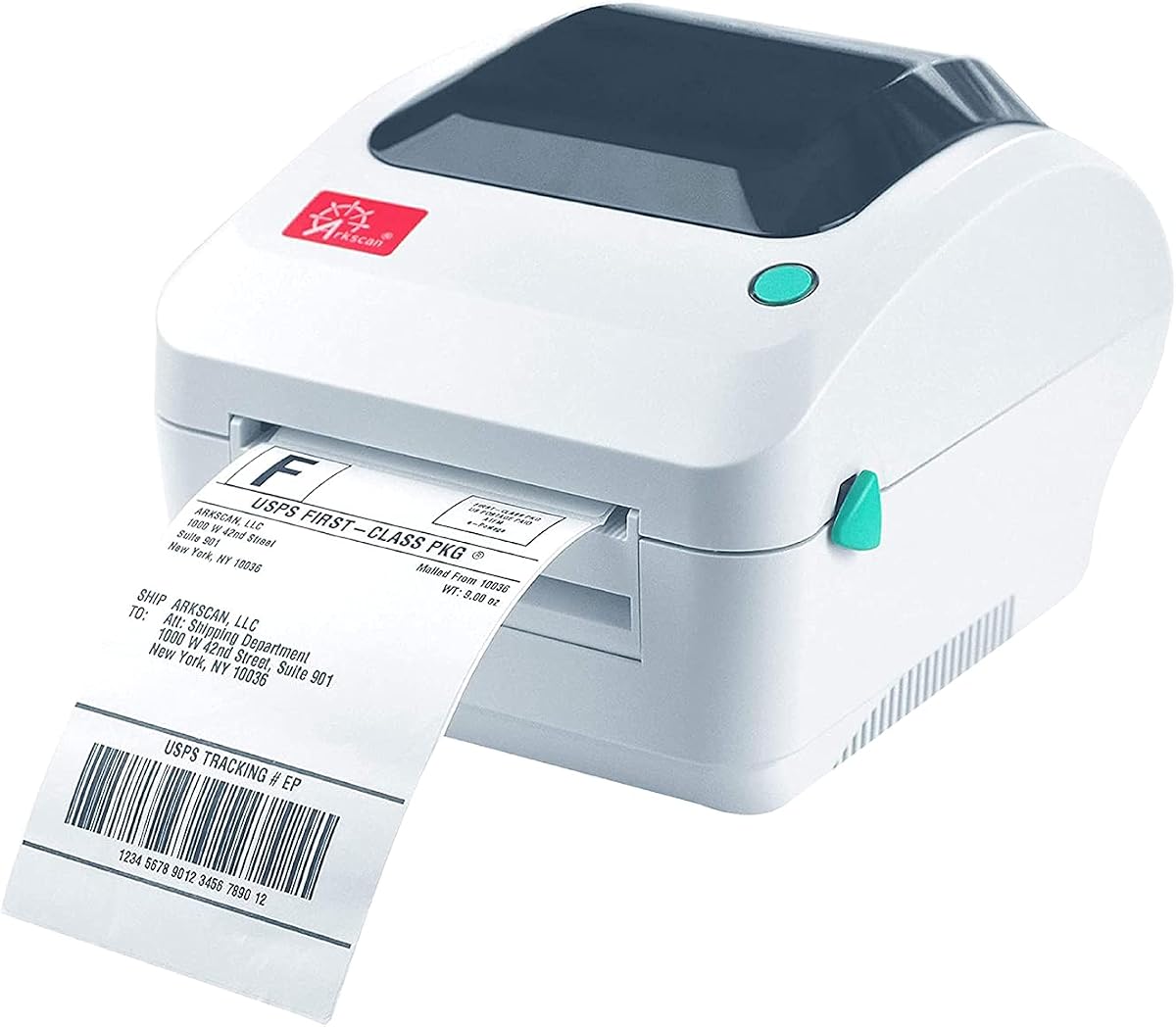
The Arkscan 2054A stands out as a top choice for businesses needing reliable Fedex label printer capabilities. With a high rating from users, it delivers consistent performance for shipping needs. Its standout quality is the extensive compatibility with nearly every major shipping platform available today.
We may earn a commission when you buy through this link, at no additional cost to you.
This printer supports speeds up to five inches per second, ensuring you keep up with high order volumes. It works seamlessly with FedEx Ship Manager and website tools alongside Amazon, eBay, and Shopify. The included BarTender UltraLite software adds value by allowing custom label design without extra costs.
While it lacks Bluetooth connectivity, the USB connection is stable for desktop use. Some users may find the setup requires careful driver installation on different operating systems. However, the US-based tech support team helps resolve these issues quickly so you can return to shipping.
Businesses looking for a robust solution for high-volume shipping should consider this model. It balances speed, compatibility, and support effectively. We recommend it for those who prioritize reliability and platform integration over wireless convenience.
It integrates with Amazon eBay Etsy Shopify FedEx USPS UPS and many others ensuring smooth workflow.
The included BarTender UltraLite software allows creating custom product and warehouse labels easily.
We may earn a commission when you buy through this link, at no additional cost to you.
This model offers an affordable entry point for small businesses needing a reliable Fedex label printer. It uses direct thermal technology to print sharp 203 DPI images without ink. Users appreciate its dual connectivity options allowing flexible setup in various work environments.
We may earn a commission when you buy through this link, at no additional cost to you.
It connects via Bluetooth to mobile devices or USB to computers. The FlashLabel Pro app provides templates and editing tools for custom labels. It works seamlessly with major platforms like Amazon Shopify and FedEx ensuring smooth label generation and printing.
Some users note that Bluetooth pairing requires using the specific app which can be limiting. Also customization options are basic compared to more expensive models. However for simple shipping needs this printer delivers value without breaking the budget.
New sellers or home-based shippers will find this printer suitable for daily tasks. It reduces upfront costs while maintaining quality output. We recommend it for those prioritizing cost efficiency and ease of use.
The package includes everything you need to start printing labels right out of the box.
Connect wirelessly via Bluetooth or use USB cable for a stable office workflow.
We may earn a commission when you buy through this link, at no additional cost to you.
The Zebra ZP450 is a premium choice designed for heavy-duty environments requiring consistent Fedex label printer performance. With a high user rating, it is known for reliability and speed. Its standout feature is the robust construction built to withstand daily commercial use.
We may earn a commission when you buy through this link, at no additional cost to you.
It supports USB serial and parallel connectivity for integration into various systems. The direct thermal technology ensures crisp labels without ink or toner costs. It handles a variety of label types including those for FedEx and UPS efficiently.
The main drawback is the higher price compared to consumer-grade models. Also it lacks wireless connectivity which may limit flexibility in mobile setups. However for businesses needing durability and speed these trade-offs are often acceptable for operational efficiency.
Warehouses and high-volume shippers should consider this model for its longevity. It minimizes downtime and ensures consistent label quality. We recommend it for professional settings where reliability is critical.
Double-walled construction ensures the printer withstands the demands of busy work environments.
Direct thermal technology eliminates ink costs and reduces operational expenses significantly.
We may earn a commission when you buy through this link, at no additional cost to you.
This Westinghouse model offers commercial-grade performance for businesses needing a reliable Fedex label printer. It optimizes for high-speed printing up to six inches per second with sharp 203 DPI resolution. Its standout quality is the direct thermal efficiency without ink.
We may earn a commission when you buy through this link, at no additional cost to you.
It connects via USB or Ethernet for versatile integration into office networks. The printer supports ZPL software for advanced label management. It is compatible with major platforms like Amazon Shopify and FedEx for seamless label generation.
Setup requires careful driver installation especially for Ethernet connectivity. Bluetooth users will need to use wired connections as it is not Bluetooth-capable. However the fast speed and commercial build quality justify these limitations for professional environments.
Small businesses needing a stable desktop solution should find this printer effective. It handles daily volumes well with consistent output. We recommend it for those prioritizing speed and network integration.
Ethernet capability allows seamless integration into office router environments for shared printing.
Print up to six inches per second keeping up with high shipping volumes efficiently.
We may earn a commission when you buy through this link, at no additional cost to you.
The JADENS Bluetooth printer is designed for wireless convenience and reliability in Fedex label printing. Equipped with a high-tech Japanese print head it delivers clear 203 DPI text. Its standout quality is the combination of wireless and wired options.
We may earn a commission when you buy through this link, at no additional cost to you.
It supports Bluetooth printing on computers and USB across all systems. Mobile users need the Jadens printer app for label creation. It integrates with major platforms like ShipStation eBay and Amazon for easy shipping workflows.
Mobile Bluetooth is limited compared to computer connectivity which may require using a USB cable for phones. The setup is quick with provided tools on a USB drive. However the performance remains consistent and reliable for daily tasks.
Businesses needing flexible connectivity will appreciate this printer's versatility. It balances ease of use with professional output quality. We recommend it for those prioritizing wireless workflow.
Japanese high tech thermal print head ensures clear and sharp label text.
Print wirelessly from computers via Bluetooth or use USB for stable connections.
We may earn a commission when you buy through this link, at no additional cost to you.
This KNAON model offers portable design for users needing a compact Fedex label printer. It enables wireless printing via Bluetooth with the FlashLabel Pro app. Its standout quality is the vast selection of DIY templates and icons for custom labels.
We may earn a commission when you buy through this link, at no additional cost to you.
It works with major platforms and mobile devices. Users can save logistics labels as PDFs to import into the app for printing. It connects via USB for stable setups and includes drivers on a built-in drive for easy installation.
The label width is limited to 4.2 inches which may not suit all needs. Also mobile users must use the app instead of direct Bluetooth pairing. However the portability and design variety make it unique for small sellers.
Individuals needing a portable solution for varied labels will find this printer ideal. It balances convenience with functionality. We recommend it for those prioritizing portability and custom design options.
Its perfect size makes it simple to store anywhere and transport easily.
Offers thousands of templates and icons for creative label customization.
We may earn a commission when you buy through this link, at no additional cost to you.
The Rollo USB printer is a top choice for high-speed Fedex label printing. It delivers one label per second with clear 203 DPI quality. Its standout feature is the complimentary Rollo Ship app providing exclusive shipping rates.
We may earn a commission when you buy through this link, at no additional cost to you.
It supports Windows and Mac systems with easy setup. The printer works with all major shipping platforms including FedEx and Shopify. It handles various label types from shipping to custom stickers effectively.
Lack of wireless connectivity limits flexibility for mobile setups. However the desktop reliability and speed are excellent for office environments. The included shipping app adds value by reducing shipping costs without third-party fees.
Small businesses needing high-volume output will benefit from this printer. It offers speed and savings in one package. We recommend it for those prioritizing speed and shipping cost savings.
Rollo Ship provides streamlined shipping with exclusive rates and platform integration.
Print up to one label per second keeping operations running smoothly.
We may earn a commission when you buy through this link, at no additional cost to you.
The Nelko Bluetooth printer offers a convenient solution for home-based Fedex label printing. It supports wireless printing with the Nelko app for mobile devices. Its standout quality is the cost-effective thermal technology requiring no ink.
We may earn a commission when you buy through this link, at no additional cost to you.
It works with major platforms including Amazon eBay and Etsy. Mac users need to use specific app versions for Bluetooth while Windows allows direct connection. The compact design saves desk space while maintaining professional output quality.
Mobile users need to save labels as PDFs for import which adds a step. Mac M1 M2 users require specific app installation. However the ease of use and compact size make it ideal for small setups.
Home sellers needing a reliable desktop option will find this printer suitable. It balances ease of use with efficiency. We recommend it for those prioritizing compact design and simplicity.
Much smaller than traditional printers and requires minimal space.
Download the app to print via Bluetooth easily on mobile devices.
We may earn a commission when you buy through this link, at no additional cost to you.
This Westinghouse USB printer delivers high quality for a reasonable price as a Fedex label printer. It features six inches per second speed with sharp 203 DPI output. Its standout quality is the reliable commercial grade performance for daily use.
We may earn a commission when you buy through this link, at no additional cost to you.
It supports various label sizes and is compatible with major shipping platforms. The direct thermal technology ensures clear labels without ink. It includes sample labels and a guide to help you start quickly.
Lack of Bluetooth limits wireless options but USB is stable. Setup requires print tests to ensure visibility which is standard for thermal printers. However the consistent output and quality make it a solid choice.
Businesses needing reliable and fast printing will appreciate this model. It balances performance with affordability. We recommend it for those prioritizing quality and consistency.
Print up to sixty labels per minute for efficient processing.
Optimized performance ensures reliable printing with razor-sharp quality.
We may earn a commission when you buy through this link, at no additional cost to you.
The D450BT offers a unique built-in bin for labels as a Fedex label printer. It saves desk space while holding up to 250 labels internally. Its standout quality is the compact footprint combining functionality with space-saving design.
We may earn a commission when you buy through this link, at no additional cost to you.
It supports wireless printing and major platforms including FedEx and Shopify. The auto-alignment feature helps stop paper waste during operation. It connects via USB for stable setups and pairs easily with mobile devices.
The compact design is great for small offices but limits paper capacity. Also Bluetooth pairing requires the app which is standard. However the space-saving design and cost-effective operation make it a unique choice.
Sellers with limited desk space will find this printer ideal. It keeps tasks organized and clutter-free. We recommend it for those prioritizing space efficiency and organization.
Uses half the space vs. other thermal shipping label printer.
Built-in compartment holds internal roll paper saving extra holder costs.
We may earn a commission when you buy through this link, at no additional cost to you.
Selecting the right Fedex label printer requires evaluating several factors. Below are key considerations to help you find a device that meets your shipping volume and platform needs.
Connectivity determines how you interact with the printer. Bluetooth offers wireless freedom for mobile devices but often requires a specific app. USB ensures stable desktop connections. Choose what fits your workflow.
Evaluate if you need wireless flexibility or prefer the reliability of wired connections.
Speed impacts how quickly you process orders. Look for 150mm/s or faster. Quality should be at least 203 DPI for clear barcodes and text that scan reliably without errors.
Ensure the printer balances speed and resolution to meet your volume requirements.
The printer must integrate with your e-commerce platforms and shipping carriers. Check if it supports FedEx, Amazon, and Shopify. Seamless integration reduces manual data entry and errors.
Verify the device works with your specific shipping software.
Support for roll and fanfold labels increases flexibility. Ensure the printer accepts 4×6 inches and other sizes you may need. Consistent media support avoids jams and waste.
Confirm the printer handles your preferred label type.
Durability is vital for high-volume use. Look for reinforced coatings or commercial-grade construction. A sturdy device minimizes downtime and extends lifespan.
Prioritize devices built for daily operations.
Easy setup and intuitive software are crucial. Check if drivers and apps are provided for your OS. Good support ensures quick resolution of technical issues.
Choose models with comprehensive software support.
Thermal printers eliminate ink costs but require labels. Compare initial price with ongoing label costs. Some include starter supplies which adds value.
Evaluate total cost of ownership before buying.
Reliable support helps resolve technical issues quickly. Look for US-based phone or live chat options. Good support ensures minimal disruption to shipping operations.
Check for accessible technical support channels.
To start using your Fedex label printer, unpack the device and connect it to a power source. Ensure the thermal labels are loaded correctly inside the roll holder or fanfold tray. Press the feed button to calibrate the size automatically.
Install the necessary drivers on your computer or download the mobile app for wireless setups. Pair the device via Bluetooth or connect using a USB cable. Verify the connection by printing a test label to check alignment and clarity.
Regular maintenance ensures consistent performance. Keep the printer away from dust and heat. Use the cleaning stick to wipe the printhead gently every month. Store labels in a cool dry place to prevent fading before use.
No, most Fedex label printers use direct thermal technology which applies heat directly to the label. This eliminates the need for ink cartridges or toner, reducing ongoing costs and maintenance.
Yes, many modern printers support Bluetooth wireless printing. You may need to use a specific mobile app to send labels from your phone or tablet to the printer.
The standard label size for FedEx shipping is 4×6 inches. Ensure the printer supports this size for compatibility with standard shipping platforms and requirements.
Thermal labels are designed to be durable but may fade over time when exposed to heat or sunlight. For important documents, consider using direct thermal over thermal transfer options.
Most recommended printers are compatible with Shopify and other major e-commerce platforms. Check product listings to confirm seamless integration with your specific store setup.
Download the official drivers from the manufacturer's website. Connect the printer via USB and follow the on-screen installation steps. Restart your computer after installation to ensure recognition.
Print speeds vary by model. Standard printers can reach up to 150mm/s or six inches per second, allowing you to print hundreds of labels per hour efficiently.
Yes, most modern Fedex label printers offer Mac compatibility via USB or Bluetooth. Ensure the specific model supports your macOS version for seamless operation.
We reviewed ten top-rated printers to find the best options for FedEx shipping. The Arkscan 2054A stood out for versatility while the Thermal Printer 4×6 offered budget-friendly value. High-end models like the ZP450 ensured commercial durability.
Prioritize speed and compatibility when making your choice. A device that integrates well with your platforms saves time and reduces errors. Consider your daily volume to decide between desktop or portable options.
Prices and availability change frequently, so check current listings before purchasing. Ensure you have all necessary accessories like labels and cables ready. This guide provides a solid starting point for selecting the right tool.