
Bewinner External Optical Drive Enclosure
4.4Editor score
Portable design with woven cable
Supports 9.5mm ultra thin drives
Plug and play with USB Type C
Finding the right external optical drive enclosure can breathe new life into spare internal drives. Whether you need to read discs on a modern laptop or backup data from older media, a reliable enclosure ensures stable connectivity and protection for your hardware.
We evaluated ten top-rated models based on compatibility with SATA interfaces, USB transfer speeds, build materials, and user feedback. Our analysis covers both slim laptop drives and full-size desktop units to help you find the perfect match for your specific drive type.
Each pick highlights key strengths like hot-swappable design, aluminum cooling, or portability. Prices fluctuate often so verify current listings before purchasing to ensure you get the best value for your needs and existing hardware configuration.
4.4Editor score
4.6Editor score

4.6Editor score
As an Amazon Associate we earn from qualifying purchases.
The following table provides a side-by-side comparison of all ten selected enclosures highlighting their primary interface types supported drive thicknesses and notable design features to help you make an informed choice quickly.


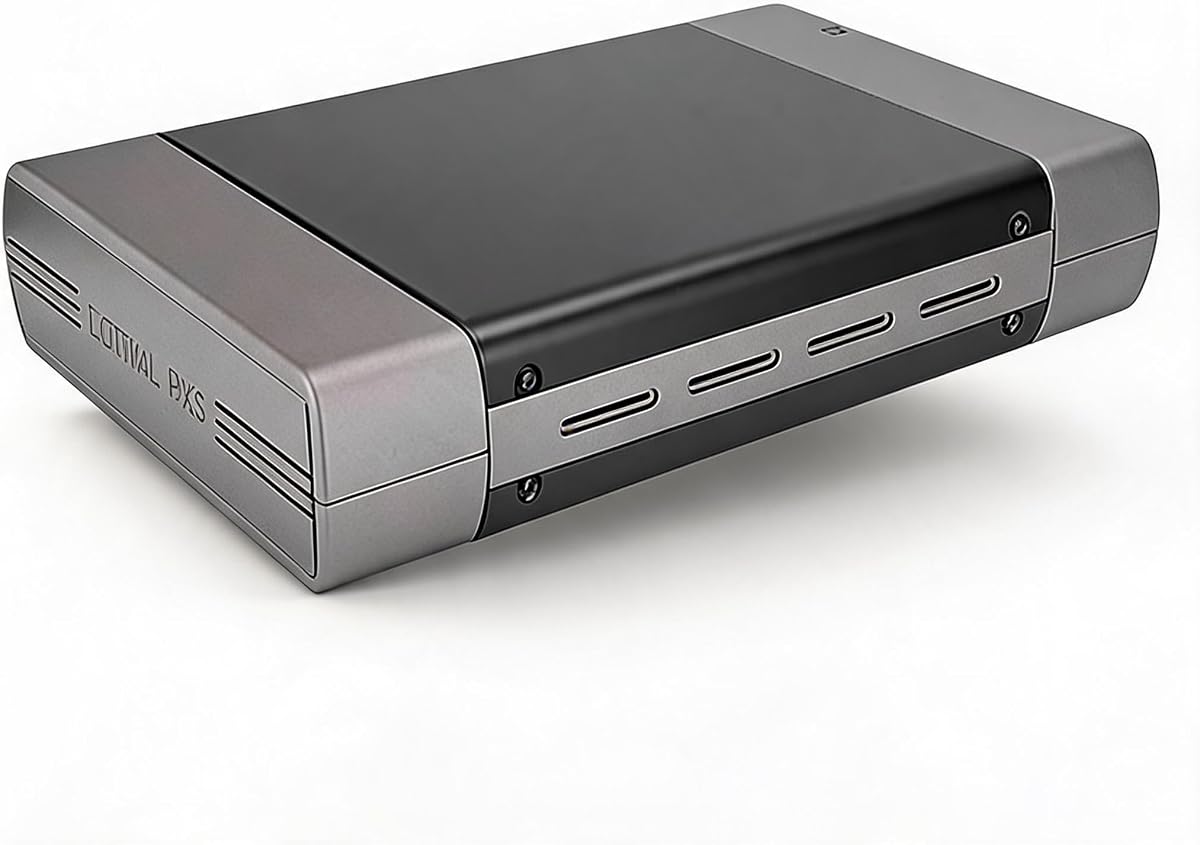


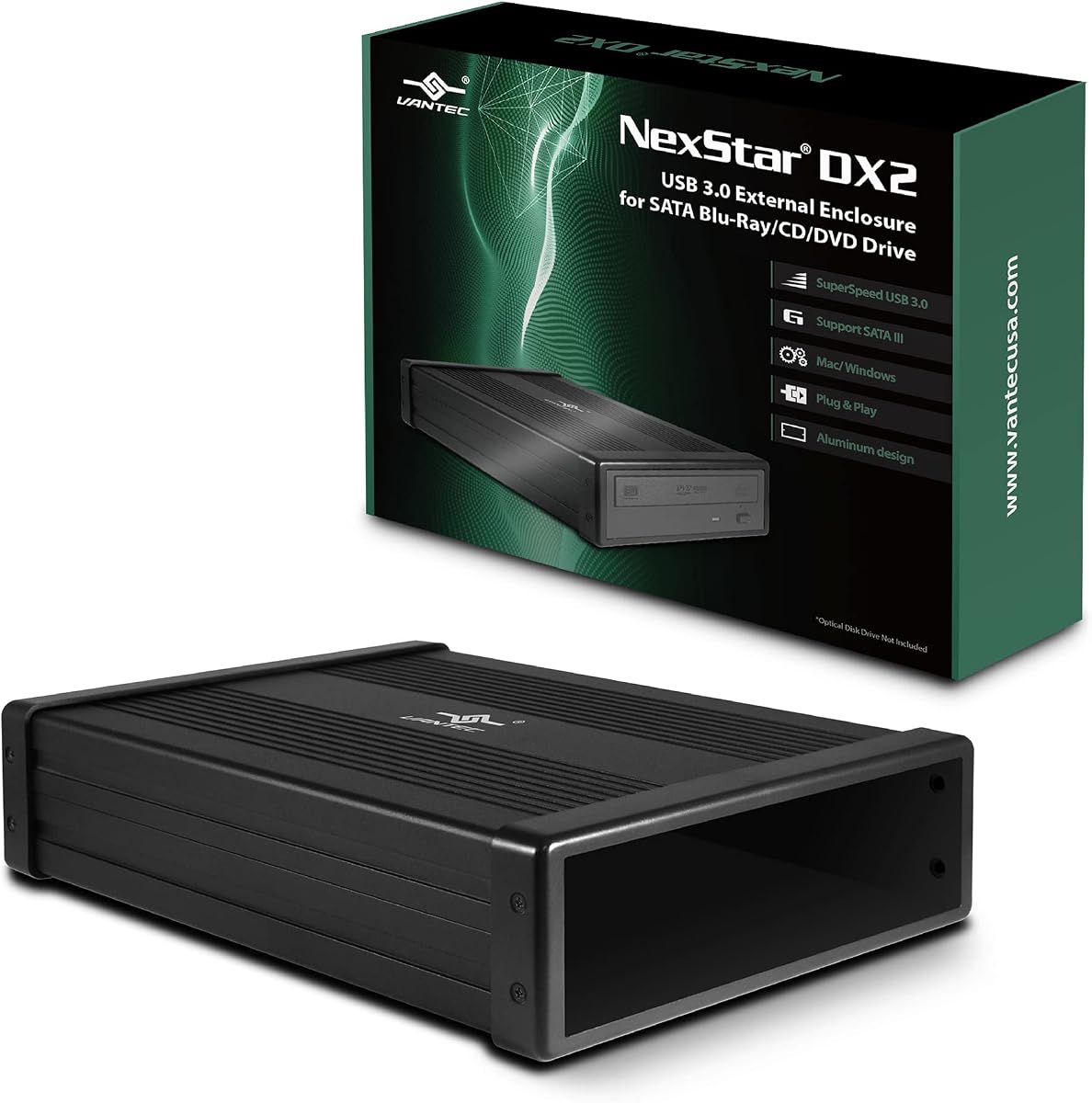
The NexStar DX2 stands out as a top choice for those needing a versatile 5.25 inch enclosure. It holds a strong 4.6 star rating from users who praise its ability to fit drives of varying depths without issues.
We may earn a commission when you buy through this link, at no additional cost to you.
Its standout quality is the universal depth fitment which accommodates optical drives up to 185mm. This flexibility ensures that older or thicker drives can be used without needing a specific model match.
While the need for an external power adapter adds a slight cable management consideration the stability it provides is worth it. The aluminum casing also helps reduce vibration and heat during extended burning sessions.
This enclosure is ideal for home offices or workstations with spare internal drives. Its robust build and compatibility make it a reliable long-term solution for accessing Blu Ray and DVD media.
The flexible internal SATA cable and adjustable depth fit mean you can use almost any 5.25 inch SATA drive without compatibility concerns.
The aluminum alloy casing not only looks professional but actively reduces noise and heat ensuring smoother operation over time.
We may earn a commission when you buy through this link, at no additional cost to you.
This enclosure offers a practical solution for converting 5.25 inch drives with a modern USB 3.0 interface. Users appreciate the dual cable support which works seamlessly with older desktops and newer laptops.
We may earn a commission when you buy through this link, at no additional cost to you.
The aluminum casing effectively manages heat which is crucial for optical drives that run hot during write operations. Its compact design fits well on desks without taking up excessive space.
One minor drawback is that the installation process might need a quick video reference to align screw holes correctly. However once set up it performs reliably for reading and writing data.
This is a solid pick for budget conscious buyers who still want premium features like hot swapping and metal construction. It bridges the gap between functionality and affordability effectively.
Having both Type A and Type C ports ensures you can connect to any computer without needing extra dongles or adapters.
The aluminum build helps dissipate heat efficiently preventing overheating issues during long burns or reads.
We may earn a commission when you buy through this link, at no additional cost to you.
The Zunate enclosure is designed specifically for 9mm serial ATA drives commonly removed from laptops. Its slim profile makes it easy to carry in a laptop bag for travel or office use.
We may earn a commission when you buy through this link, at no additional cost to you.
It supports high speed data transfer via USB 3.0 ensuring smooth performance when accessing media or backups. The woven cable adds durability against tangles and wear during transit.
Users value the fact that it does not require an external power adapter which simplifies setup significantly. The eject key is a thoughtful addition that prevents discs from getting stuck inside.
For anyone looking to repurpose a laptop drive into an external unit this model is a strong contender. It balances portability with reliable performance for everyday use.
The compact size and foldable cable make it easy to store without cluttering your workspace or bag.
Running off USB power alone means fewer cables to manage and faster setup times on the go.
We may earn a commission when you buy through this link, at no additional cost to you.
The JOTEC enclosure offers a sturdy aluminum build that effectively protects your optical drive while running cool. Its dual cable inclusion makes it versatile for different computer ports.
We may earn a commission when you buy through this link, at no additional cost to you.
The non-slip feet ensure the unit stays put during use which is helpful when inserting or ejecting discs. The ventilation design also aids in keeping the drive cool during operations.
Power saving sleep mode is a nice touch that extends the life of the drive by reducing unnecessary activity. It is compatible with most major operating systems without driver installation.
This model is suitable for users prioritizing build quality and stability. It performs well for both reading and burning tasks with consistent speeds.
Receiving both USB 3.0 and Type C cables in the box adds immediate value and convenience.
The non-slip feet and vented design ensure the unit remains stable and cool during prolonged use.
We may earn a commission when you buy through this link, at no additional cost to you.
This model distinguishes itself by supporting both 12.7mm and 9.5mm drives which is a rarity in many enclosures. It uses a standard USB interface that works across many systems.
We may earn a commission when you buy through this link, at no additional cost to you.
The chipset included helps optimize power usage and reduces heat generation. This makes it a reliable choice for frequent use without overheating issues during standard tasks.
While the build materials are more basic than aluminum models it serves its purpose well for occasional use. The compatibility with multiple operating systems adds to its convenience.
It is a good option if you have a mix of drive sizes and need one enclosure for all. The flexible fitment makes it a practical tool for various setups.
Supporting both standard and slim drive thicknesses allows you to use a wider range of existing hardware.
Compatibility with older USB 2.0 ports ensures you can use this even on older machines.
We may earn a commission when you buy through this link, at no additional cost to you.
The Vantec NexStar is a premium option that supports SATA III speeds for faster data transfers. It is optimized for UASP which reduces latency during large file reads.
We may earn a commission when you buy through this link, at no additional cost to you.
Its anti-slip mat is a practical addition that keeps the drive stable during operation. The compact design makes it easy to carry without adding bulk to your setup.
Some users note that higher power optical drives might need a stronger adapter than included. However this is rare and most standard drives work perfectly out of the box.
This model is ideal for those needing maximum performance from their optical drives. It is robust and reliable for demanding tasks like frequent backups or media streaming.
Supporting UASP technology ensures that you get the fastest possible speeds from your SATA drive.
The anti-slip mat prevents the drive from sliding around which can help prevent connection issues.
We may earn a commission when you buy through this link, at no additional cost to you.
This enclosure is designed for standard 5.25 inch drives offering a straightforward way to connect them externally. The included power adapter ensures stable performance for reading and writing.
We may earn a commission when you buy through this link, at no additional cost to you.
The aluminum housing protects the drive from bumps and scratches which is helpful in busy environments. Setup is simple requiring no technical skills to get started.
While USB 2.0 speeds are slower than newer standards they are sufficient for basic media playback. This model is a budget friendly choice for occasional use without high bandwidth needs.
It is a solid pick for those who already have compatible drives and just need a connection box. The simplicity of the design ensures it will work reliably for years.
The included AC adapter ensures your drive always gets enough power for smooth operations.
The aluminum casing shields your drive from physical damage during regular use or storage.
We may earn a commission when you buy through this link, at no additional cost to you.
The Bewinner enclosure offers an excellent entry point for those needing to convert a slim laptop drive. Its detachable design makes it easy to install without tools.
We may earn a commission when you buy through this link, at no additional cost to you.
The woven cable adds a touch of durability and resists tangling during travel. Users appreciate the consistent data speeds which allow for quick access to discs.
While the build is not as heavy duty as aluminum models it is durable enough for regular use. The eject key ensures discs are always released safely and quickly.
This is the best pick for budget shoppers who need reliable functionality. It balances cost and performance well for students or occasional users.
The slim profile and detachable nature mean you can take this unit anywhere you go.
The eject key and plug play design ensure you can start using your drive instantly.
We may earn a commission when you buy through this link, at no additional cost to you.
This enclosure is built for 9mm slim drives and fits perfectly into a laptop bag. The foldable cable keeps your workspace tidy and reduces cable clutter during use.
We may earn a commission when you buy through this link, at no additional cost to you.
The strong anti interference capabilities ensure data transfer remains stable even in environments with electrical noise. This is crucial for preventing read errors during critical operations.
Installation is straightforward with a simple front panel swap that secures your drive. It supports a wide range of operating systems making it easy to plug in anywhere.
It is a practical choice for professionals who travel often. The compact size ensures it does not add weight to your carry on luggage.
The foldable cable design ensures you can store the drive easily without worrying about loose wires.
Built-in anti interference features keep data transfer reliable even in challenging environments.
We may earn a commission when you buy through this link, at no additional cost to you.
The simplicity of this model makes it a favorite for those who want a no-fuss solution. Tool-free installation allows you to swap drives in seconds without tools.
We may earn a commission when you buy through this link, at no additional cost to you.
The fold-away cable keeps the unit compact and easy to store when not in use. This helps maintain a clean workspace and reduces wear on the cable connector.
The ABS finish resists scratches well ensuring the unit looks clean over time. It provides stable speeds for most common optical tasks like reading and burning.
This is a reliable everyday choice for casual users. It offers good value and functionality for those who need quick access to optical media.
The tool-free design means anyone can set up the drive without needing special skills or tools.
The fold-away cable keeps everything organized and prevents tangling when carrying the unit.
We may earn a commission when you buy through this link, at no additional cost to you.
Selecting the right enclosure requires understanding your drive type, interface needs, and build expectations. This guide outlines the essential factors to consider.
Optical drives come in various thicknesses such as 9mm, 9.5mm, and 12.7mm. It is crucial to measure your drive before purchasing an enclosure to ensure a snug fit. Most slim enclosures support laptop drives up to 12.7mm while desktop units accommodate 5.25 inch drives.
Always check the product specifications for supported thicknesses to avoid purchasing an incompatible unit.
Modern enclosures typically support USB 3.0 which offers speeds up to 5Gbps. This ensures fast data transfer and smooth reading of high capacity media. Some models also include USB-C ports for newer laptops without traditional USB-A ports.
Look for dual port options if you need to connect to both old and new computers regularly.
Slim drives usually draw enough power directly from the USB port. Desktop drives often require an external AC adapter to function correctly. Verify whether an adapter is included to prevent unexpected extra costs.
If your drive is power hungry an external adapter is often necessary for stable performance.
Aluminum enclosures dissipate heat better and feel more durable than plastic ones. This is particularly important if you plan on burning discs frequently which generates significant heat. Plastic models are lighter but may feel less sturdy over time.
Prioritize aluminum build if you expect to use the drive often or in hot environments.
Many modern enclosures feature foldable or woven cables to improve portability. A detachable cable allows you to pack the drive more compactly for travel. Woven cables also reduce the risk of fraying or tangling.
Choose a model with a storage solution for cables to keep your workspace tidy.
Most enclosures are plug and play compatible with Windows, macOS, and Linux. However it is wise to check specific system requirements for older versions. Avoid models that require manual driver installation unless you prefer that level of control.
Ensure the enclosure supports your current operating system to avoid setup complications.
Hot swappable enclosures allow you to connect or disconnect the drive without rebooting. This adds convenience for users who switch drives frequently or share hardware. It is a standard feature in most USB 3.0 models today.
Look for hot swap support if you need flexibility in managing multiple drives.
Features like eject keys, non-slip feet, and anti-interference cables add value to the unit. An eject key prevents discs from getting stuck while non-slip feet keep the drive secure. These small additions significantly improve usability.
Consider these extras as they can make daily use much more comfortable and efficient.
To use your enclosure connect it to your computer via USB before inserting a disc. If it requires external power plug that in first to ensure the drive spins correctly.
Keep the enclosure in a dry and dust free environment to prevent internal damage. Avoid placing heavy objects on top of the plastic or aluminum casing to prevent crushing.
Regularly clean the exterior with a soft dry cloth to maintain its appearance. Do not use liquid cleaners directly on the cable ports to avoid corrosion.
Not all enclosures require an external power adapter. Slim drives often get enough power directly from a USB 3.0 port. However desktop size drives usually need an external adapter for stable operation during burning.
Yes but you must choose an enclosure specifically designed for 5.25 inch drives. Standard slim enclosures for laptop drives will not fit desktop units due to size differences.
Most modern enclosures are plug and play on both Mac and Windows systems. Just ensure the model explicitly states compatibility with your operating system version to avoid issues.
USB 3.0 offers significantly faster data transfer speeds up to 5Gbps. This makes reading and writing large files much quicker compared to the slower USB 2.0 standard.
Yes you can burn DVDs provided the internal drive itself supports writing and the enclosure connects properly. Most SATA optical drives support burning with the right software installed.
Typically you slide the drive into the enclosure and secure it with the provided screws or panel. Always refer to the specific manual for your enclosure to ensure proper alignment.
Loud noises might indicate the drive is unbalanced or the enclosure casing is loose. Ensure the drive is firmly secured and the enclosure is on a flat stable surface.
Many newer models include a USB-C cable but not all. Always check the product listing to confirm if the cable is included before purchasing to avoid additional cost.
Choosing the right external optical drive enclosure depends heavily on your specific drive size and usage needs. Whether you need the robust build of the NexStar DX2 for desktop drives or the portability of the Bewinner for slim laptops there is a model here for you.
Prioritize compatibility with your drive thickness and interface type to ensure smooth operation. A model that fits perfectly and supports your power requirements will offer the best performance and longevity over time.
Prices and availability change frequently so check current listings before making your final purchase. With the right enclosure you can extend the life of your optical hardware and keep your media accessible for years.