
Sonnet Breakaway Box 850 T5
4.5Editor score
850W PSU included
Triple wide GPU support
Integrated Thunderbolt dock
This guide compares the top ten Egpu Enclosures for Thunderbolt and USB4 laptops, focusing on performance, compatibility, and power delivery for gaming and
External GPU enclosures transform thin laptops into powerful desktops. The best models support high-speed Thunderbolt 5 and USB4 connections while fitting modern graphics cards securely.
We evaluated ten top-rated options based on power delivery, cooling efficiency, and real-world performance. Our selection includes premium docks and compact units for various budgets.
Each pick highlights unique strengths like AI optimization or portable design. Prices and availability change frequently, so verify current details before purchasing your ideal enclosure.
4.5Editor score

4.0Editor score

3.8Editor score
We compare all ten models side by side to highlight key differences in bandwidth, power supply options, and physical dimensions.


The Razer Core X V2 leads our list as the top choice for high-end users. It supports Thunderbolt 5 connections for up to 80 Gbps bandwidth ensuring minimal latency during intense gaming or rendering sessions.
We may earn a commission when you buy through this link, at no additional cost to you.
Its design accommodates GPUs up to 4 slots wide giving you flexibility to choose top-tier cards without physical constraints. The included thumbscrews make swapping graphics cards easy without needing tools.
While it lacks an integrated power supply requiring you to provide your own ATX unit this allows for future-proofing and customization. The built-in fan ensures the chassis stays cool even under heavy loads.
Buy this enclosure if you need maximum bandwidth and physical space for your GPU. It is the ideal companion for content creators and gamers seeking desktop-level performance on Windows laptops.
The 80 Gbps bandwidth significantly outperforms older Thunderbolt 3 models reducing bottlenecks for modern GPU architectures.
Using a standard ATX power supply means you can upgrade to higher wattage units as future GPUs demand more power.
We may earn a commission when you buy through this link, at no additional cost to you.
The Sonnet Breakaway Box 850 T5 sets a high standard for premium enclosures. It comes with an 850W power supply pre-installed eliminating the need for separate purchases and ensuring reliable power delivery.
We may earn a commission when you buy through this link, at no additional cost to you.
Beyond just housing a GPU it functions as a dock with USB ports and Gigabit Ethernet making it a central hub for your workspace. The cooling fan is variable speed and responds to thermal demands.
While expensive this unit offers exceptional value for professionals who need stable performance and connectivity without extra peripherals. It handles triple wide GPUs comfortably ensuring no fit issues with large cards.
Invest in this enclosure if you want a complete solution out of the box. It is perfect for stationary desktop replacements that need both graphics power and peripheral connectivity.
Three USB Type A ports and one Ethernet port allow you to connect peripherals directly to the enclosure.
The 850W PSU is ready for the most power hungry GPUs currently available on the market without upgrades.
We may earn a commission when you buy through this link, at no additional cost to you.
The ANQ-L336 Mini offers an accessible entry point into the world of external graphics. It is designed to work with a variety of power supplies including compact SFX units which keeps the overall footprint small.
We may earn a commission when you buy through this link, at no additional cost to you.
Its compatibility extends to handheld gaming devices like the ROG Ally X allowing for significant performance boosts on the go. The 85W PD pass-through ensures your device stays charged while gaming.
While it does not match the raw speed of Thunderbolt 5 models it remains a solid option for casual gaming or light creative work. The build quality is decent for the price point.
Choose this enclosure if budget is your primary concern and you need portability. It is a great starter eGPU solution for those testing the waters of external graphics.
Optimized for devices like ROG Ally X and MSI Claw 8 enhancing their gaming capabilities instantly.
Supports ATX SFX FLEX and DC supplies allowing you to use what you have or upgrade as needed.
We may earn a commission when you buy through this link, at no additional cost to you.
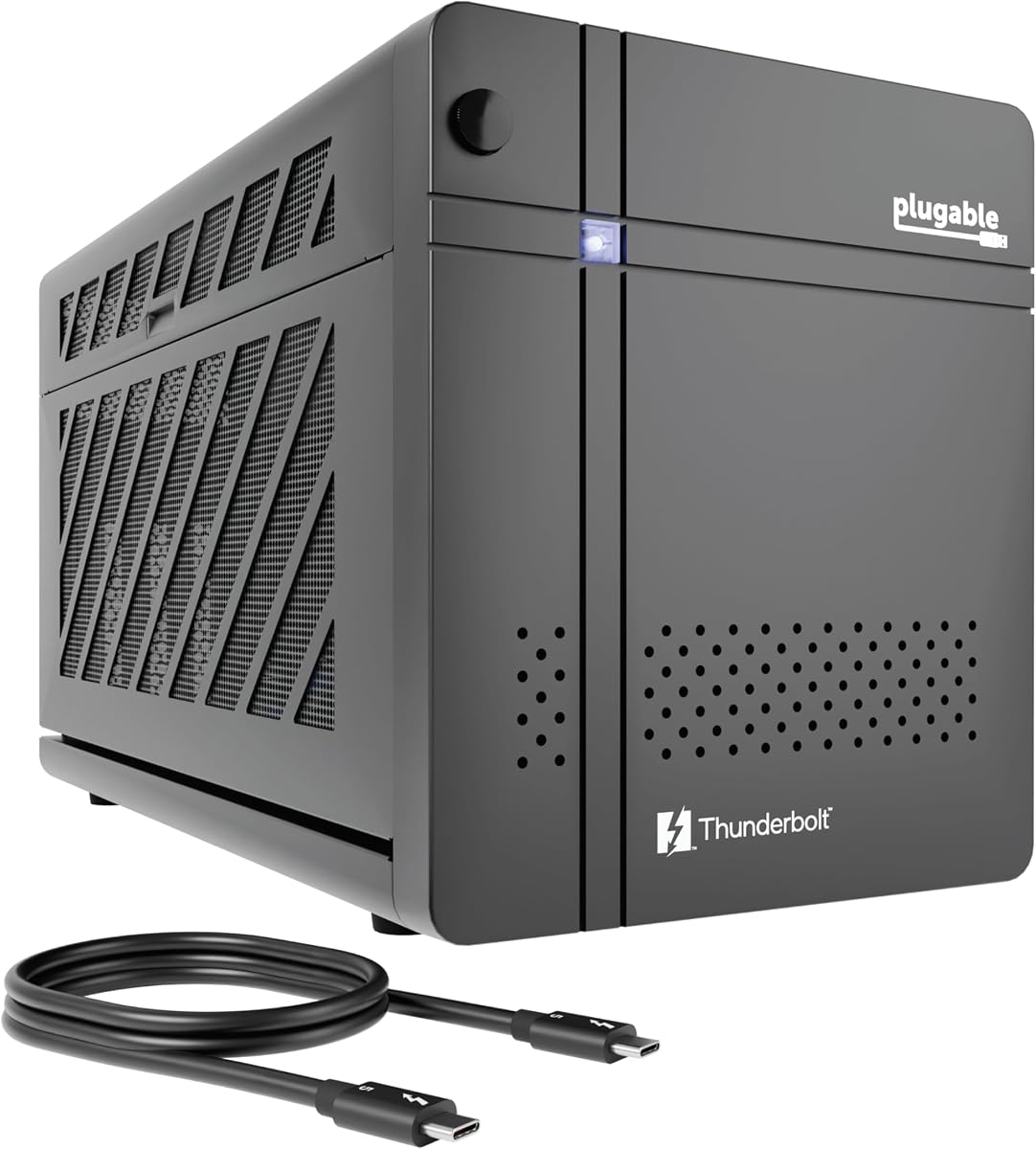
The Plugable TBT5-AI is specifically tailored for users running local AI models and private data tasks. It emphasizes security by allowing models to run offline ensuring your prompts and data never leave your local environment.
We may earn a commission when you buy through this link, at no additional cost to you.
It features an 850W PSU and 80Gbps Thunderbolt 5 speeds providing the stability needed for heavy computational tasks. The design includes essential ports like Ethernet for secure network connectivity.
Although specialized its robust build quality makes it suitable for general high-performance tasks too. The lifetime support from the North American team adds significant value for enterprise or professional use.
Select this enclosure if privacy and local AI processing are your main goals. It offers a secure high-performance platform for developers and researchers alike.
Designed to run LLMs locally with no cloud dependency ensuring your data remains secure and private.
TAA compliant design meets strict regulatory standards for government and enterprise IT deployments.
We may earn a commission when you buy through this link, at no additional cost to you.
This complete kit offers everything you need to get started without buying extra power supplies. It includes a 240W power supply and cables making it truly plug-and-play for many users.
We may earn a commission when you buy through this link, at no additional cost to you.
The inclusion of a carrying case highlights its portability allowing you to transport the setup easily. It supports standard Thunderbolt 4 and USB4 connections ensuring broad compatibility with modern laptops.
While the power supply limits it to mid-range GPUs the compact design fits well in tight spaces. It is an excellent choice for students or professionals who travel frequently.
Buy this if you want convenience and portability in one package. It removes the hassle of sourcing separate components for your eGPU setup.
Includes power supply and cables so you can start using it immediately after unboxing.
Lightweight aluminum shell combined with a case makes it easy to carry to different locations.
We may earn a commission when you buy through this link, at no additional cost to you.
The VK-Y900 is built for users with limited desk space who still need robust power support. It uses an external ATX power supply keeping the box itself very small and lightweight.
We may earn a commission when you buy through this link, at no additional cost to you.
Features like dual Thunderbolt ports allow daisy chaining other devices without cluttering your laptop. The controller chip is officially certified ensuring stable data transfer without dropped frames.
The trade-off for its size is airflow management requiring careful placement to prevent overheating. It is best suited for quieter environments where noise is not a primary concern.
Choose this model if space is your biggest constraint. It delivers strong performance in a tiny package that fits almost anywhere.
One port for your laptop and one for downstream peripherals like monitors or other devices.
Designed to support upcoming GPU series ensuring longevity for your investment.
We may earn a commission when you buy through this link, at no additional cost to you.
This model remains a reliable option for those using Thunderbolt 3 devices or Macs that are not Apple Silicon based. The 750W power supply is sufficient for most mid-to-high end GPUs available today.
We may earn a commission when you buy through this link, at no additional cost to you.
It includes a Gigabit Ethernet port and USB ports making it a practical hub for your desk. Sonnet is known for robust build quality and driver stability which is crucial for professional work.
However the Thunderbolt 3 bandwidth limitation is a noticeable downside for cutting-edge GPUs. It is a solid choice for existing Thunderbolt 3 users or Mac users needing expansion.
Consider this if you have legacy hardware or need Mac support without M1/M2 compatibility. It offers reliability and solid connectivity for older systems.
Supports Intel based Macs providing an expansion path for older Mac users with Thunderbolt 3.
Multiple USB ports and Ethernet allow you to connect multiple devices directly to the enclosure.
We may earn a commission when you buy through this link, at no additional cost to you.
This compact enclosure is ideal for users who want a discreet solution for their Mini PC or NUC setup. It supports standard DC power supplies allowing you to match power needs precisely.
We may earn a commission when you buy through this link, at no additional cost to you.
The minimalist design means fewer features but also a smaller footprint. You get a reliable housing for your GPU with standard TB3 or USB4 connectivity without unnecessary bulk.
Keep in mind that it does not include a cable or power supply so you will need to source these separately. It is a budget-friendly option for those willing to assemble the parts.
Choose this if you need the smallest possible footprint and already have a power supply on hand. It is great for NUC users needing extra graphics power.
Designed to minimize desk space usage while still supporting standard GPU dimensions.
Perfect for users who want to customize their power setup rather than buying pre-installed units.
We may earn a commission when you buy through this link, at no additional cost to you.
The MINISFORUM DEG2 offers a unique dual-mode interface supporting both USB4 V2 and OCuLink for extreme performance. This flexibility allows you to switch between general connectivity and raw speed modes easily.
We may earn a commission when you buy through this link, at no additional cost to you.
An integrated M.2 NVMe slot is a standout feature allowing you to store large project files or AI models directly on the dock. This reduces reliance on cloud storage and keeps your workspace synchronized.
While it requires external power supplies its signal booster ensures stable connections even at high bandwidth. It is an excellent choice for advanced users who value speed and storage integration.
Select this dock if you need the fastest possible data transfer rates. It bridges the gap between standard docking and raw performance requirements.
Switch between Thunderbolt 5 for general use and OCuLink for pure performance tasks instantly.
M.2 NVMe slot allows you to save and run applications directly from the docking station.
We may earn a commission when you buy through this link, at no additional cost to you.
This model mirrors the features of the budget kit with a strong focus on value and complete readiness. It includes a 240W power supply and cables ensuring you can start using it immediately.
We may earn a commission when you buy through this link, at no additional cost to you.
The high user rating suggests reliable performance for standard tasks and gaming. The aluminum shell is durable yet lightweight making it easy to handle and transport.
It is designed for users who want a hassle-free setup without dealing with compatibility issues. While not suitable for top-tier GPUs it handles mid-range cards efficiently.
Buy this if you need a reliable bundle at a fair price. It removes the guesswork from setting up your external graphics solution.
Everything needed for a basic setup is included so you do not need to buy extra accessories.
Robust aluminum construction protects your GPU from bumps during transit.
We may earn a commission when you buy through this link, at no additional cost to you.
Selecting the right enclosure requires understanding your laptop compatibility and power needs.
The connection type determines how much speed you get from your GPU. Thunderbolt 5 offers 80 Gbps while older Thunderbolt 3 limits you to 40 Gbps. Ensure your laptop has the matching port to avoid bottlenecks.
Choose the highest bandwidth your laptop supports for the best gaming or rendering performance.
Enclosures come with built-in PSUs or require you to use your own. Integrated units offer convenience while modular designs allow for higher wattage upgrades. Check the GPU power needs before buying.
Decide if you want an all-in-one solution or are willing to add a separate power supply.
Graphics cards vary significantly in size. Ensure the enclosure supports the length and width of your GPU. Some units fit up to 4 slots while others are compact and limited.
Measure your GPU carefully to guarantee it fits inside the chosen chassis.
Most enclosures work with Windows and Linux but Apple Silicon Macs have restrictions. Always verify macOS support if you use a Macbook. Some models are Windows specific.
Confirm compatibility with your specific laptop operating system before purchasing.
Active cooling fans keep the GPU and power supply cool during long sessions. Look for variable speed fans that adjust based on heat. Larger cases often have better airflow.
Check fan noise levels to ensure they do not disturb your workspace environment.
Many modern enclosures include extra USB or Ethernet ports. These can act as a hub reducing clutter on your laptop. Check if you need extra connectivity for peripherals.
Prioritize docks that offer ports you will actually use regularly.
If you plan to move your setup often look for lightweight aluminum shells and included cases. Some models are designed for handhelds or travel use. Size and weight matter for mobility.
Choose a compact build if you frequently move between locations or home.
Technology evolves quickly so buying a model with higher specs now can save money later. Support for Thunderbolt 5 ensures longevity. Consider future GPU power needs.
Invest in features that extend the life of your enclosure beyond current needs.
Connect your enclosure using a high-quality Thunderbolt or USB4 cable to ensure stable data transfer. Secure both ends tightly to prevent connection drops during use.
Keep the enclosure in a well-ventilated area. Avoid covering the vents and ensure there is space around the chassis for air to circulate freely.
Update your graphics drivers regularly after connecting the eGPU. This ensures compatibility and optimal performance for your specific graphics card.
No only laptops with Thunderbolt 3 4 or 5 or USB4 ports support eGPUs. Check your laptop specifications to confirm it has a compatible port before purchasing an enclosure.
Enclosures with built-in PSUs usually include the needed power supply. Modular ones require you to buy an ATX PSU separately. Ensure the wattage matches your GPU requirements.
Support varies by model and Mac generation. Most enclosures work with Intel Macs with Thunderbolt 3 but Apple Silicon Macs have limited or no support. Always check manufacturer guidelines.
Check the enclosure's maximum GPU dimensions for length height and width. Measure your GPU against these numbers to ensure it fits physically without obstruction.
Thunderbolt 5 provides up to 80 Gbps bandwidth doubling the speed of Thunderbolt 4. It is ideal for high performance tasks where bandwidth is a bottleneck.
Common causes include loose cables outdated drivers or missing USB4 protocol support. Reconnect the cable and update your system drivers to resolve detection issues.
We reviewed ten top models ranging from the versatile Razer Core X V2 to the portable ANQ-L336 Mini. Each offers unique strengths for different workflows and budgets.
Focus on bandwidth and power supply needs when choosing your unit. Prioritize compatibility with your laptop OS to avoid frustration after purchase.
Prices and availability change frequently so check current stock and deals before buying. Our guide helps you find the perfect balance of performance and value.