
Antool Wired Earbuds
4.3Editor score
3.5mm plug for laptops
Noise filtering microphone
Lightweight comfortable fit
Compare the top 10 earbuds for laptop conference calls based on call clarity, noise cancellation, battery life, and comfort for professional work environments.
Finding the right earbuds for laptop conference calls is essential for professionals who work remotely or attend frequent meetings. Clear audio and reliable connectivity ensure you stay focused and heard during critical discussions without technical distractions.
We evaluated ten top-rated wireless and wired options focusing on microphone quality, noise cancellation, battery endurance, and ergonomic comfort. Our analysis prioritizes models that deliver consistent performance during long workdays and varied listening environments.
Each pick highlights specific strengths like AI noise reduction or multipoint connectivity to help you choose the best fit for your setup. Please note that product availability and pricing may change over time so verify details before purchasing.
4.3Editor score

4.9Editor score
4.0Editor score
This side-by-side comparison outlines key specifications and features for each model to help you quickly identify the best fit for your laptop conference call needs.




The XIAOWTEK Wireless Earbuds stand out as the top choice for professionals seeking reliable performance without breaking the bank. With a high user rating and robust feature set including Bluetooth 5.4 they deliver stable connections essential for uninterrupted meetings.
We may earn a commission when you buy through this link, at no additional cost to you.
Their four microphone setup with ENC noise cancelling technology ensures your voice is transmitted clearly even in moderately noisy environments. The 50 hour total playtime means you can go several days between charges while the IPX7 waterproof rating adds durability for daily use.
While they lack active noise cancelling which might be preferred in extremely loud offices the passive isolation is sufficient for most indoor workspaces. The simple tap controls and wide compatibility make them an easy plug-and-play solution for laptops and phones alike.
If you need consistent call quality and long battery life for remote work these earbuds are highly recommended. They balance affordability with professional-grade audio clarity making them ideal for frequent conference attendees who value reliability above all.
The four built-in mics work together to filter background noise so colleagues hear only your voice during critical discussions.
With up to 50 hours of total playtime you can charge weekly instead of daily and never worry about battery drain during meetings.
We may earn a commission when you buy through this link, at no additional cost to you.
These wireless earbuds leverage the latest Bluetooth 5.4 chipset to offer improved range and stability which is vital when you move around your office or home. The dual 14.2mm dynamic drivers provide rich audio that enhances both media playback and spoken clarity during calls.
We may earn a commission when you buy through this link, at no additional cost to you.
ENC call noise cancellation ensures your voice remains clear even if ambient sounds like typing or traffic are present. The LED display on the case helps you monitor battery levels at a glance while the ergonomic fit ensures comfort over long sessions.
While the 36 hour battery is solid it falls short of the 50 hour leader yet remains more than enough for most workweeks. The lack of a dedicated app means fewer customization options but core functions are handled effectively through physical controls.
For users prioritizing connection reliability and clear audio quality these earbuds represent a strong contender. They are well suited for professionals who need dependable performance without complex setup or excessive features.
Bluetooth 5.4 provides 30 percent lower power consumption and stronger signal penetration to minimize dropouts during critical meetings.
Large dynamic drivers deliver deep bass and clear highs enhancing both music enjoyment and voice call clarity equally.
We may earn a commission when you buy through this link, at no additional cost to you.
The Soundcore P30i offers a unique mix of features with active noise cancelling that adapts to your environment automatically. This is particularly useful for open offices or travel where ambient noise varies throughout the day. The 45 hour total battery life supports extended use across the workweek.
We may earn a commission when you buy through this link, at no additional cost to you.
Call quality is enhanced by four microphones and an AI algorithm that isolates your voice effectively. The case design allows it to double as a phone stand which can be handy if you need to reference documents or video during meetings.
While ANC significantly improves focus it does reduce playtime to roughly 25 hours with features enabled. The soundcore app provides valuable control over EQ and settings but may add complexity for users seeking simplicity.
If you need active noise isolation to maintain concentration during calls the P30i is an excellent choice. Its balance of performance and app support makes it ideal for tech savvy professionals who want tailored audio experiences.
The system automatically detects external sound and adjusts ANC levels to optimize clarity without needing manual intervention.
Switch to transparency mode to hear your surroundings when needed or keep ANC on for deep focus during busy periods.
We may earn a commission when you buy through this link, at no additional cost to you.
For users who prioritize simplicity and reliability these wired earbuds eliminate battery concerns entirely. The 3.5mm connection ensures zero audio lag which can be critical for real-time meetings where timing matters. Panasonic's reputation for sound quality shines through balanced audio and clear highs.
We may earn a commission when you buy through this link, at no additional cost to you.
The ergonomic design with multiple tip sizes ensures a secure fit that reduces noise leakage and improves call clarity. A built-in call controller allows easy management of calls and playback without needing to touch your device during meetings.
The main drawback is the physical cable which restricts movement compared to wireless options and requires a compatible port. However for desktop use or laptops with standard jacks this model offers consistent performance without connectivity glitches.
Ideal for those who prefer plug-and-play reliability without charging or pairing steps these earbuds deliver professional audio quality. They are a dependable backup or primary solution for stationary work environments where cables are not an issue.
Wired connection ensures your voice and incoming audio sync perfectly which is crucial for fluid conversation in conferences.
Ergonomic design with three tip sizes provides a custom seal that stays comfortable for hours and blocks external noise passively.
We may earn a commission when you buy through this link, at no additional cost to you.
These wired earbuds offer exceptional value with a lightweight design that minimizes ear fatigue during long conference sessions. The microphone filters noise effectively ensuring your voice comes through clearly even in busy environments. The included 2 pack is perfect for having backups ready.
We may earn a commission when you buy through this link, at no additional cost to you.
Plug-and-play functionality means no pairing or charging is required. The 3.5mm plug is gold plated for durability and rust resistance while the TPE cable resists tangling and damage over time. This makes them ideal for daily office use.
While they lack wireless convenience their reliability and low cost make them a practical choice for budget conscious users. The remote control adds functionality for managing calls and volume without interrupting your workflow.
If you want affordable reliable audio for calls without battery maintenance these earbuds deliver. Their simple durable design ensures consistent performance for remote workers who prioritize value and clarity.
Weighing only 3 grams each the earbuds reduce strain during extended wear so you stay comfortable through back-to-back meetings.
The built-in mic actively filters out ambient sounds so colleagues hear your voice clearly without background interference.
We may earn a commission when you buy through this link, at no additional cost to you.
The JLab Work Buds are designed specifically for business use with a detachable boom mic that prioritizes call clarity. This feature ensures your voice is captured close to the mouth reducing background noise significantly. With over 55 hours of total playtime you rarely need to recharge.
We may earn a commission when you buy through this link, at no additional cost to you.
Bluetooth multipoint allows seamless switching between your laptop and phone so you never miss a call or meeting. The dedicated USB-C dock keeps the earbuds and mic organized while charging both efficiently for desk or travel use.
While some users find the design heavier than standard earbuds the professional features justify the extra bulk. The mute LED indicator and controls provide essential tools for managing conversation flow during virtual meetings.
For professionals who prioritize voice quality above all this headset offers unmatched call performance in a wireless form. Its robust feature set makes it ideal for frequent conference users who need reliability and clear audio daily.
The boom mic places the mic closer to your mouth ensuring clear voice transmission and maximum noise cancellation during calls.
Multipoint connectivity lets you stay connected to two devices at once so you can switch calls without manual re-pairing.
We may earn a commission when you buy through this link, at no additional cost to you.
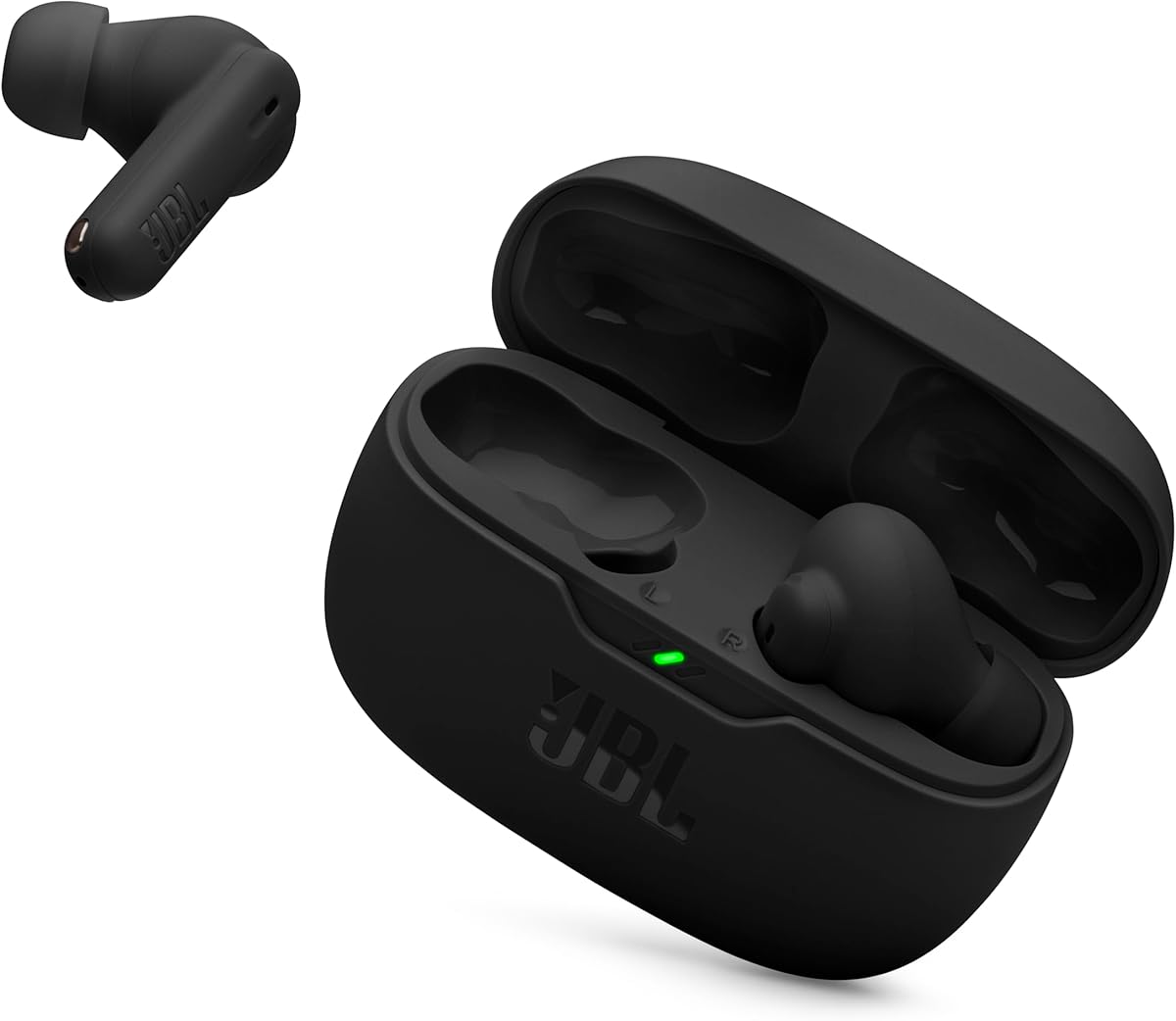
The JBL Vibe Beam 2 delivers reliable performance with active noise cancelling and strong bass that enhances media consumption. Four microphones ensure your voice comes through clearly during calls even in noisy surroundings. The 40 hour battery life supports full workweeks without interruption.
We may earn a commission when you buy through this link, at no additional cost to you.
Smart Ambient mode allows you to hear important announcements while wearing the earbuds which is helpful in dynamic office settings. The JBL app lets you customize EQ and settings though the lack of multipoint means only one device connects at once.
While not the most feature-rich option it offers consistent build quality and sound that matches its reputation. The USB-C fast charging adds convenience ensuring quick top ups during busy schedules.
If you trust brand reliability and want a balanced pair for work and leisure these earbuds are solid. They perform well in meetings and provide an engaging audio experience for music or podcasts between calls.
ANC filters out distracting noise allowing you to focus fully on meetings or enjoy media without external interruptions.
Dynamic drivers deliver rich bass and clear highs enhancing both voice clarity and entertainment quality during breaks.
We may earn a commission when you buy through this link, at no additional cost to you.
These earbuds are engineered specifically for business environments with an AI-based noise cancelling mic that intelligently filters background noise. Adaptive ANC lets you switch between deep focus and awareness modes easily using pinch controls. This ensures clear communication and optimal listening in varied workspaces.
We may earn a commission when you buy through this link, at no additional cost to you.
The touch controls simplify managing calls and music without needing a smartphone. While they carry a higher price the specialized features justify the cost for professionals who need dependable audio tools daily.
While the app offers limited customization the core performance focuses on call clarity and comfort. The Bluetooth 5.3 connection provides stable connectivity suitable for office environments.
Ideal for corporate users seeking tailored call quality these earbuds perform well in professional settings. Their intelligent audio processing ensures your voice is heard clearly while keeping you connected and focused.
The microphone recognizes your voice and filters background noise to deliver best-in-class call quality in noisy environments.
Switch between deep focus and enhanced transparency modes easily with a simple pinch to control awareness levels.
We may earn a commission when you buy through this link, at no additional cost to you.
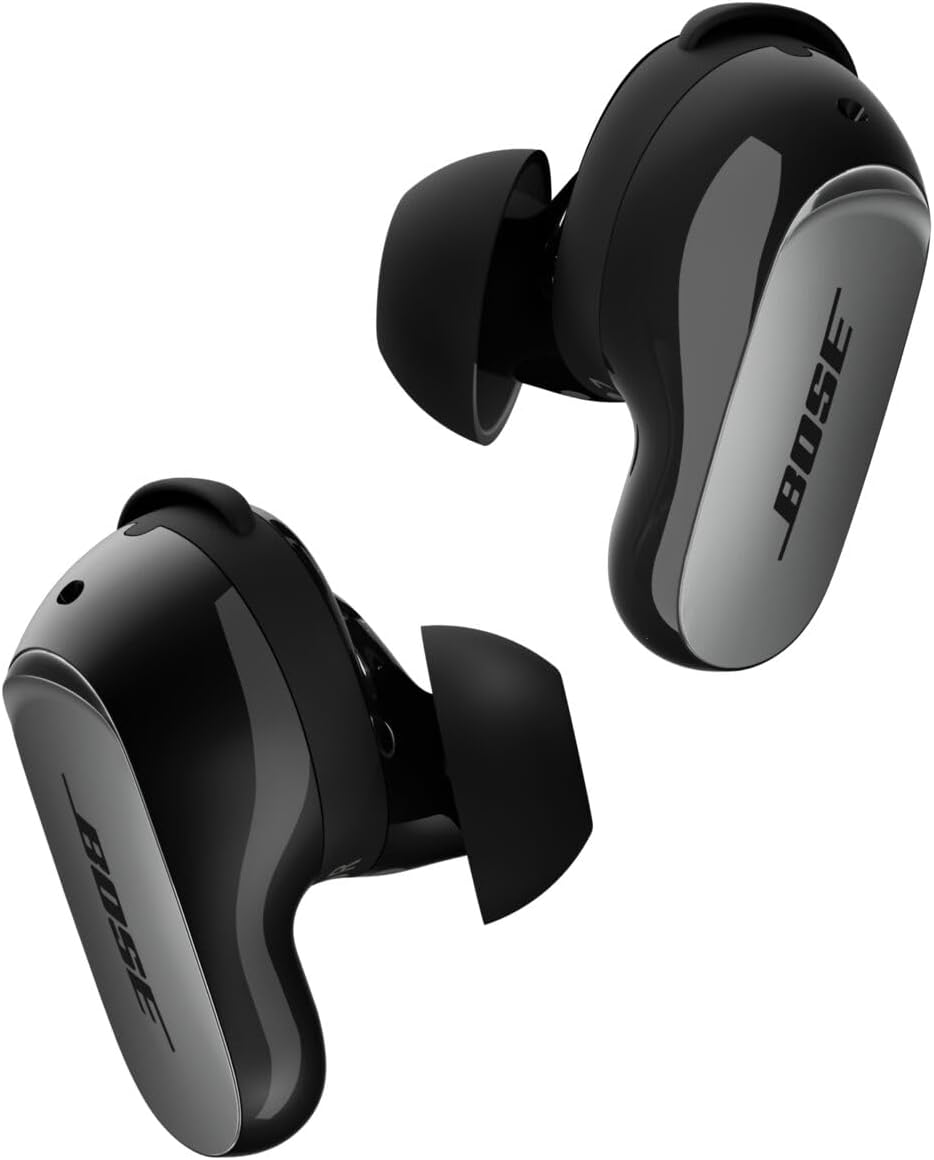
Bose leads in noise cancellation with ActiveSense technology that smooths spikes in surrounding sound for distraction free listening. SpeechClarity technology ensures your voice is heard clearly while wind and background noise are filtered out. Multipoint connectivity supports seamless switching between devices.
We may earn a commission when you buy through this link, at no additional cost to you.
CustomTune technology personalizes sound to your ear shape optimizing noise cancellation and audio balance for comfort and clarity. Immersive Audio adds depth to calls and media though this consumes battery faster. The case supports wireless charging for added convenience.
While the six hour battery is shorter than competitors the overall performance justifies the cost for premium users. The secure fit and stability bands ensure comfort during long sessions while the app provides robust control.
If you demand the best noise cancellation and call quality these earbuds are unmatched. They are ideal for professionals who work in noisy environments and prioritize premium audio experiences above all else.
ActiveSense technology adapts to noise changes instantly so you stay focused without distractions during critical conversations.
SpeechClarity tech uses advanced mics to reject noise and wind ensuring your voice is heard loud and clear by colleagues.
We may earn a commission when you buy through this link, at no additional cost to you.
The Liberty 5 Pro Max offers unique AI capabilities that record and transcribe in-person meetings through the case microphone. This feature helps automate note taking though online calls remain unaffected. Call quality is rated highly with ten sensors ensuring crystal clear voice capture in noisy conditions.
We may earn a commission when you buy through this link, at no additional cost to you.
A large AMOLED display on the case allows quick access to settings and AI tools without using your phone. Privacy is ensured through local encryption and compliance standards which is vital for business users handling confidential data.
While the AI transcription requires a subscription for extended use the base hardware delivers top tier audio performance. Battery life supports a full workday while the ANC adapts effectively to different environments.
For professionals who value productivity tools alongside audio quality this model offers innovative integration. It suits users who want to automate notes and maintain secure communication during in-person meetings.
The case microphone records and transcribes in-person meetings generating summaries with action items to streamline your workflow.
Ten sensors and AI chip ensure your voice is heard clearly even in extremely noisy environments like busy offices.
We may earn a commission when you buy through this link, at no additional cost to you.
Selecting the right earbuds requires balancing audio quality battery life and connectivity features that support your specific work environment.
For conference calls the microphone must isolate your voice from background noise. Look for models with ENC or AI-based noise cancelling mics to ensure colleagues hear you clearly.
Prioritize earbuds with multiple mics and beamforming technology to maximize speech clarity in noisy environments.
Long meetings require extended battery life. Aim for at least six hours per charge and a total playtime of thirty hours or more when including the case.
Fast charging capabilities like 15 minutes for two hours playtime add convenience for busy schedules.
Bluetooth 5.3 or 5.4 provides stable low latency connections essential for real-time conversations. Multipoint connectivity allows switching between devices without re-pairing.
Ensure compatibility with your laptop and devices to avoid connection drops during meetings.
Ergonomic designs with multiple ear tip sizes prevent fatigue during long sessions. In-ear models with secure seals improve passive noise isolation.
Test the fit to ensure earbuds stay comfortable over hours of use without causing discomfort.
Active noise cancelling reduces ambient noise significantly but consumes more battery. Passive isolation relies on physical fit and is better for battery longevity.
Choose ANC if you work in noisy offices or travel frequently where quiet focus is essential.
Look for touch controls mute indicators or boom mics that simplify handling calls without accessing your device. Some models include physical mute buttons for quick silencing.
Prioritize features that reduce interruptions during meetings to maintain professional engagement.
Water resistance ratings like IPX4 or higher protect against sweat and spills. Durable materials ensure long-term reliability for daily use.
Check warranty terms and build materials to ensure the product withstands regular wear and tear.
A companion app can customize EQ settings and update firmware. However basic models without apps may offer greater simplicity and reliability.
Evaluate if app features add value for your workflow or if hardware controls are sufficient.
Pair your earbuds with your laptop through Bluetooth settings and enable microphone access. Test audio input and output levels before important meetings to ensure clear sound.
Clean ear tips regularly to maintain hygiene and seal. Store earbuds in a dry place to prevent moisture damage and ensure stable connectivity.
Use touch controls or physical buttons to mute during calls when not speaking. Keep the charging case clean and ensure contacts are free of debris for efficient power delivery.
Wireless models offer mobility and convenience without cables which is ideal for active workspaces. However wired options eliminate battery concerns and ensure zero latency for perfect sync.
Yes you can use a Bluetooth adapter to enable wireless connections on older laptops. Alternatively wired earbuds with a 3.5mm plug connect directly without needing Bluetooth.
Use earbuds with noise cancelling microphones and test call quality before meetings. Avoid noisy environments and mute when not speaking to prevent background noise disruption.
Six hours per charge or more plus at least thirty total hours with the case covers most workweeks. Fast charging options provide flexibility for unexpected interruptions.
It helps if you share space or have background noise like pets or traffic. For quiet home offices passive isolation may be sufficient and save battery life.
Some premium models include encryption and secure data handling. Always check privacy policies and features if you handle sensitive client information during meetings.
Update Bluetooth drivers and earbuds firmware. Avoid physical obstructions between devices and use earbuds with stable Bluetooth 5.3 or newer for better range.
Multipoint Bluetooth technology allows connection to multiple devices at once. This ensures you can switch between phone and laptop without manual reconnection.
Our top picks include the XIAOWTEK Wireless Earbuds for best overall value and the Bose QuietComfort Ultra for premium performance. Each model offers unique strengths tailored to professional needs.
Prioritize microphone quality and battery life to ensure reliable communication and comfort during long meetings. Features like multipoint connectivity and active noise cancelling can enhance productivity further.
Always check current availability and verify specs before purchasing since models may evolve. Investing in quality earbuds pays dividends in clearer calls and less daily frustration.