
Scan Translator Pen
4.0Editor score
142 online languages
10 offline modes
Bluetooth headphone support
Finding the right reading pen for dyslexia can transform how students and adults approach text. These devices scan printed words and read them aloud, reducing barriers to comprehension and confidence in daily learning.
We evaluated ten top-rated scanning pens based on translation accuracy, text-to-speech quality, battery life, and ease of use. Each model offers unique features tailored to language learners, students, and professionals needing assistive support.
Every pick highlights key strengths, limitations, and ideal use cases. While prices fluctuate, these selections represent the most reliable options available today. Always check current listings before purchasing to ensure you get the best value for your needs.
4.0Editor score

4.0Editor score
3.9Editor score
As an Amazon Associate we earn from qualifying purchases.
This side-by-side comparison highlights key specifications across all ten reviewed models to help you identify the best fit for your learning or professional needs.

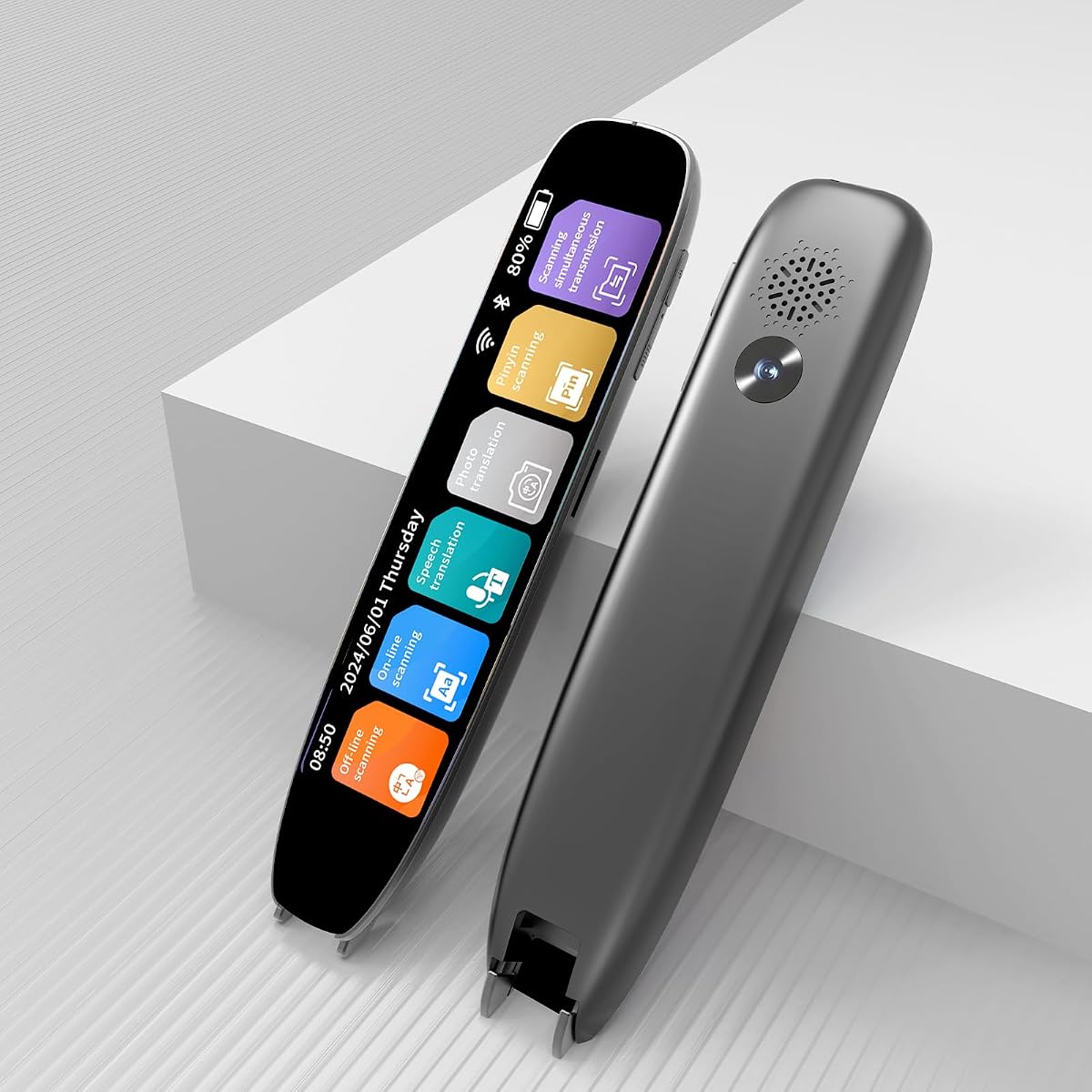
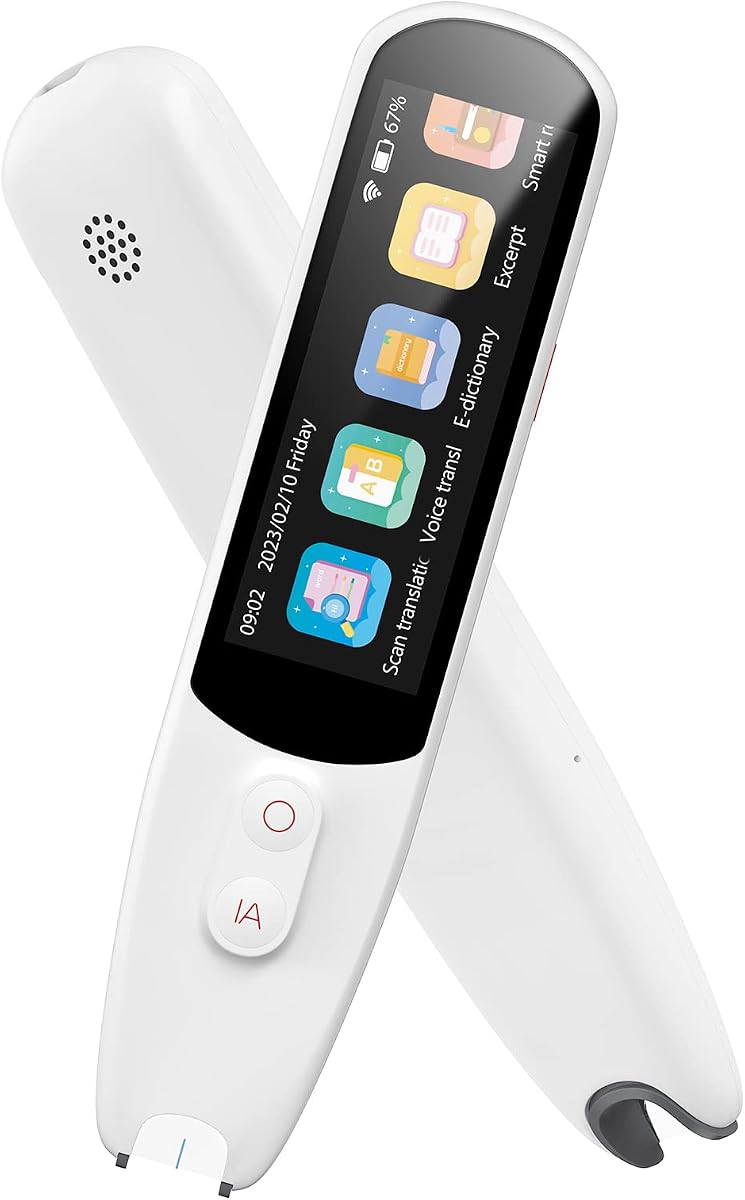


The Scanmarker Pal stands out as a versatile tool for dyslexia support. It reads text aloud instantly with highlighting on the screen. With a 4.0 rating, it balances power and portability.
We may earn a commission when you buy through this link, at no additional cost to you.
It supports over 100 languages for translation and reading. The text-to-speech feature helps auditory learners grasp content faster. Offline support for major languages makes it reliable without internet.
The screen is compact which limits detailed viewing. Some users may prefer larger displays for extended study. However, the lightweight build makes it easy to carry anywhere.
Buy this if you need reliable reading support across languages. It suits students and travelers needing quick translation and text-to-speech. The balance of features makes it a top pick for 2026.
With 100+ languages supported, the pen bridges communication gaps for travelers and learners alike.
Instant text-to-speech ensures clear pronunciation and comprehension for users with reading challenges.
We may earn a commission when you buy through this link, at no additional cost to you.
The VORMOR pen earns a 5.0 rating for its impressive screen and language support. It features a 3.5 touch display for clear text viewing. This makes it ideal for users who need visual clarity.
We may earn a commission when you buy through this link, at no additional cost to you.
Its OCR scanning handles various surfaces like wood or labels. The integrated Collins dictionary adds value for vocabulary building. Voice recording helps capture lectures or meetings accurately.
The device is slightly heavier due to the screen. Menu navigation can be tricky for first-time users. These are minor trade-offs given its robust feature set.
Choose this if you prioritize screen size and language depth. It fits professionals and students needing comprehensive tools. The high rating reflects consistent performance across tasks.
A 3.5 touch screen offers large text display for easier reading and scanning accuracy.
Collins Dictionary support provides authoritative definitions to boost vocabulary skills during study.
We may earn a commission when you buy through this link, at no additional cost to you.
This Scan Translator Pen offers strong features at a budget-friendly cost. With 142 online languages, it covers most global needs. It scores 4.0 for balancing price and performance effectively.
We may earn a commission when you buy through this link, at no additional cost to you.
Offline translation for 10 major languages ensures use without internet. Bluetooth connectivity allows private listening through headphones. The portable design fits easily in pockets or bags.
It lacks advanced AI tools like homework checking. The interface is straightforward which limits customization. These limitations are acceptable given the low cost and solid core functions.
Buy this for cost-effective support in classrooms or travel. It suits beginners or those needing basic text-to-speech. The value proposition makes it a top budget choice for 2026.
Ten offline languages ensure translation works anywhere without relying on internet connectivity.
Bluetooth headphone support creates an immersive audio experience for focused study sessions.
We may earn a commission when you buy through this link, at no additional cost to you.
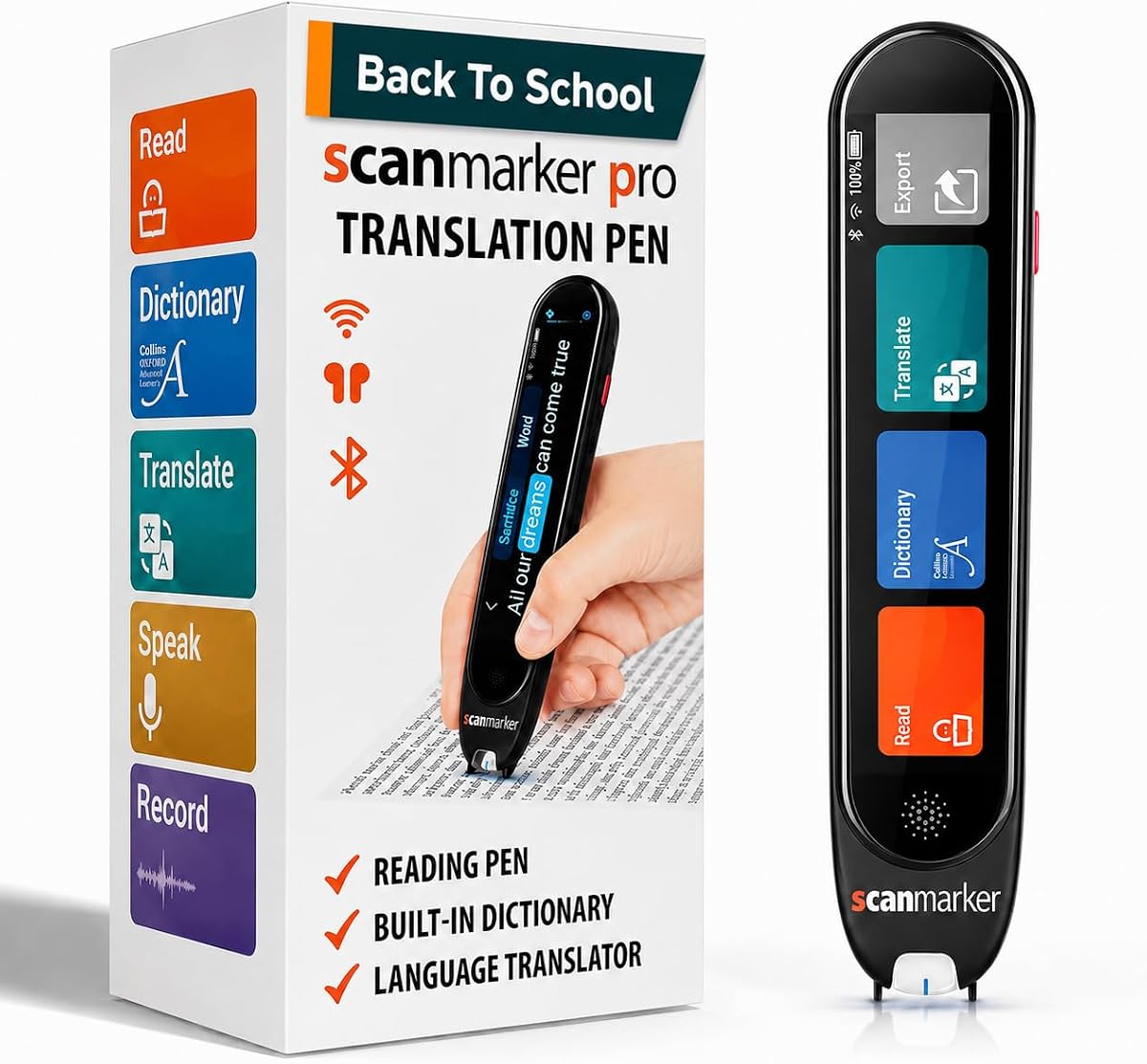
The Scanmarker Pro earns premium status with a built-in dictionary and note-taking. It scores 3.9 for reliability and comprehensive language support. Ideal for users needing offline independence.
We may earn a commission when you buy through this link, at no additional cost to you.
It scans and reads text while highlighting words on screen. The English dictionary aids vocabulary learning. Smart note-taking lets you save memos directly on the device.
Cost is high compared to other models. Data transfer relies on manual export rather than cloud sync. These are acceptable trade-offs for the standalone convenience offered.
Choose this for professional or serious student use. It suits those who value self-contained tools. The warranty and support make it a robust investment.
A built-in English dictionary provides instant definitions without needing external apps or internet.
Smart note-taking captures memos directly on the pen for organized data collection.
We may earn a commission when you buy through this link, at no additional cost to you.
This model offers 142 languages and text extraction for notes. It scores 3.8 for its practical mix of translation and reading tools. Great for students needing to sync files to phones.
We may earn a commission when you buy through this link, at no additional cost to you.
Voice recording captures classroom content efficiently. The extraction function lets you copy key text quickly. Bluetooth headphones enable private playback of scanned text.
Battery life is average compared to premium models. The screen remains small which limits visibility. These are minor issues for the price point and utility.
Buy this for daily study or work tasks. It suits users needing quick note extraction and audio support. The feature set provides strong value for learning.
Capture memos directly on the pen to organize data without extra devices.
Built-in voice recorder ensures lectures and meetings are saved for review.
We may earn a commission when you buy through this link, at no additional cost to you.
SVANTTO offers 102 languages with adjustable reading speeds for TTS. It scores 3.7 for audio flexibility and noise reduction tech. Useful for learners needing customized playback rates.
We may earn a commission when you buy through this link, at no additional cost to you.
The adjustable speed helps match reading pace to comprehension. Noise reduction improves recording clarity in busy rooms. Offline support ensures reliable use during travel.
Language count is lower than other models. The dictionary is basic without advanced vocabulary tools. These are acceptable for users focused on audio customization.
Choose this if you need flexible audio control. It suits developing readers needing slower playback. The recording features add value for note-taking.
Adjustable reading speeds let users control playback to match their learning pace.
Smart noise reduction captures clear audio for reliable review of lectures.
We may earn a commission when you buy through this link, at no additional cost to you.
This pen integrates AI tools like homework checking and dictionaries. It scores 3.9 for innovation and learning support. Great for students needing help beyond just reading aloud.
We may earn a commission when you buy through this link, at no additional cost to you.
Six reading levels adapt to different skill stages. The 16GB storage holds many scanned documents. Sync to phone or computer without extra software.
Setup can be complex for non-tech users. Battery life is shorter due to AI processing. These are trade-offs for the advanced assistance offered.
Buy this for tech-savvy students needing academic help. It suits users wanting interactive learning tools. The AI features set it apart from standard pens.
Built-in AI checks homework and solves problems to aid academic progress.
Six reading levels allow the pen to grow with the user's skills.
We may earn a commission when you buy through this link, at no additional cost to you.
The Translation Pen covers 142 languages and text excerpt features. It scores 3.8 for practical utility in work and learning. Ideal for business travelers needing quick translation.
We may earn a commission when you buy through this link, at no additional cost to you.
Text excerpt captures key info from documents fast. Photo translation handles menus or signs easily. Bluetooth and offline modes enhance versatility.
The screen is small making reading text difficult. Interface lacks advanced customization. These are minor issues given the functional breadth.
Choose this for quick extraction and translation. It suits professionals needing rapid text access. The balance of features supports on-the-go needs.
Text excerpt function captures essential details from documents rapidly.
Photo translation instantly converts signs and menus into understandable text.
We may earn a commission when you buy through this link, at no additional cost to you.
This model earns a 5.0 rating for camera precision and language depth. It features a 5MP HD camera for complex layouts. Great for users needing to scan non-standard text.
We may earn a commission when you buy through this link, at no additional cost to you.
Sync editable files directly to mobile phones for quick notes. Text excerpt works in 52 languages efficiently. The camera handles tricky scenarios better than flat scanners.
Battery and charging are more expensive than others. The unit is bulkier due to camera hardware. These are acceptable for the image quality advantage.
Buy this if you scan images or complex text often. It suits users needing high-resolution capture. The high rating reflects strong performance in real-world use.
A 5MP HD camera decodes images and non-standard layouts with high accuracy.
Sync scanned files directly to your phone for instant note management.
We may earn a commission when you buy through this link, at no additional cost to you.
This Scan Translation Pen highlights ergonomics with left/right mode. It scores 3.8 for comfort and language versatility. Ideal for left-handed users needing fatigue-free scanning.
We may earn a commission when you buy through this link, at no additional cost to you.
At 70g it is very lightweight for travel. Photo translation and recording add daily utility. Bluetooth headphones support private listening anywhere.
Screen remains small and lacks cloud integration. Sync requires USB manual transfer. These are minor constraints for the ergonomic benefits.
Buy this for comfort and accessibility. It suits left-handed users and travelers. The ergonomic design supports long study sessions.
Left/right hand mode adapts to user habits for fatigue-free scanning.
At 70g it fits easily in pockets for daily or travel use.
We may earn a commission when you buy through this link, at no additional cost to you.
Selecting the right reading pen requires balancing features with your specific learning or professional needs. Consider these factors to find the most effective tool.
Ensure the pen supports the languages you need for study or travel. Models offering 100+ languages provide flexibility for global learners. Offline modes for key languages are vital for areas with poor connectivity.
Prioritize broad online coverage paired with essential offline options.
Clear audio playback is essential for users with dyslexia. Look for adjustable reading speeds and native accents to match your preference. Bluetooth support allows private listening through headphones for focus.
Choose pens with customizable TTS settings for optimal learning.
Larger screens improve visibility of scanned text. A display around 3.5 inches offers better reading comfort. Compact screens save weight but may strain eyes over time.
Balance portability with display size based on usage duration.
High-precision OCR ensures reliable scanning of printed text. Some models handle complex layouts or non-standard fonts. This is critical for accurate transcription and translation.
Check user reviews for OCR performance on varied materials.
Internal storage and syncing capabilities manage your notes. USB or Bluetooth transfer to computers and phones helps organize data. More storage is useful for heavy document users.
Opt for models with easy file export options for workflow.
Long battery life supports all-day use without recharging. Some pens last several hours on a single charge. Consider charging speed and cable availability.
Prioritize pens with robust battery performance for travel.
Additional tools like voice recording or dictionaries add value. AI features can help with homework or vocabulary. Match these to your daily tasks.
Focus on features that directly solve your learning challenges.
Reliable customer support and warranties protect your investment. A one-year warranty covers defects or malfunctions. Check return policies for peace of mind.
Select brands with strong service reputations for longevity.
To use the pen, hold it 1-2 cm above the text and slide steadily along the line. Ensure the text is flat and well-lit for accurate scanning. Press the reading button to hear text-to-speech aloud.
For charging, use the included USB cable and allow full charge before first use. Keep the scanner lens clean by wiping with a soft dry cloth. Store the pen in a protective case when not in use.
Sync data regularly to your computer or phone via USB or Bluetooth. Update firmware through the manufacturer app if supported. Avoid exposing the device to extreme heat or moisture.
Yes, most models include text-to-speech technology that reads scanned text aloud. This helps auditory learners understand content without decoding printed words. It is a core function of dyslexia reading pens.
Many pens offer offline modes for select languages like English or Spanish. However, full translation requires internet. Check specs for offline language count to plan usage during travel.
Yes, pens store text in internal memory. You can transfer files via USB or Bluetooth to your computer. This allows for note-taking and review.
Yes, most designs are child-friendly with simple interfaces. Some models include reading levels or educational tools. They help students build reading confidence early.
They work well on books, documents, and labels. Some high-end models scan non-standard layouts or images. Avoid glossy paper which might cause glare for scanners.
Use a soft, dry cloth to wipe the lens gently. Avoid chemical cleaners which may damage optics. Dust can be removed with a soft brush.
Many models include built-in voice recorders for meetings or lectures. This helps capture audio alongside text. Check specs to confirm recording features.
Battery life varies from 4 to 10 hours per charge. Usage affects drain such as translation or recording. Recharge fully before critical trips.
The top picks like Scanmarker Pal, VORMOR, and the budget Scan Translator Pen offer balanced features. Each caters to different priorities including screen size, language count, or price.
Prioritize features you use daily such as offline modes or TTS clarity. Investing in a model matching your needs ensures better long-term value.
Prices fluctuate and models change over time. Always verify current listings and reviews before purchasing to confirm availability and performance standards.