
XPPen StarG640
4.3Editor score
Battery-free stylus included
Compact and portable design
Compatible with Windows and Mac
Digital signature pads for PC are essential tools for businesses and individuals seeking secure and efficient document signing solutions. These devices allow you to capture handwritten signatures directly into digital formats without needing physical paper. A good pad offers high sensitivity, compatibility with various software, and durability for daily use across different environments.
We evaluated ten top-rated products based on performance, features, compatibility, and user feedback. Our selection includes budget-friendly art tablets adapted for signatures and specialized enterprise hardware designed for legal and business workflows. Each product was assessed for ease of setup, signing quality, and integration capabilities with common PC applications.
Each pick below highlights specific strengths like portability, advanced biometric capture, or software bundles. You will find detailed reviews and comparisons to help you choose the right device for your needs. Please note that prices and availability may change so always verify current details before making a purchase decision.
4.3Editor score

4.2Editor score

4.0Editor score
As an Amazon Associate we earn from qualifying purchases.
Below is a detailed side-by-side comparison of all ten products we reviewed. This table helps you quickly identify key specifications and differences to find the perfect digital signature pad for your specific PC setup and workflow needs.


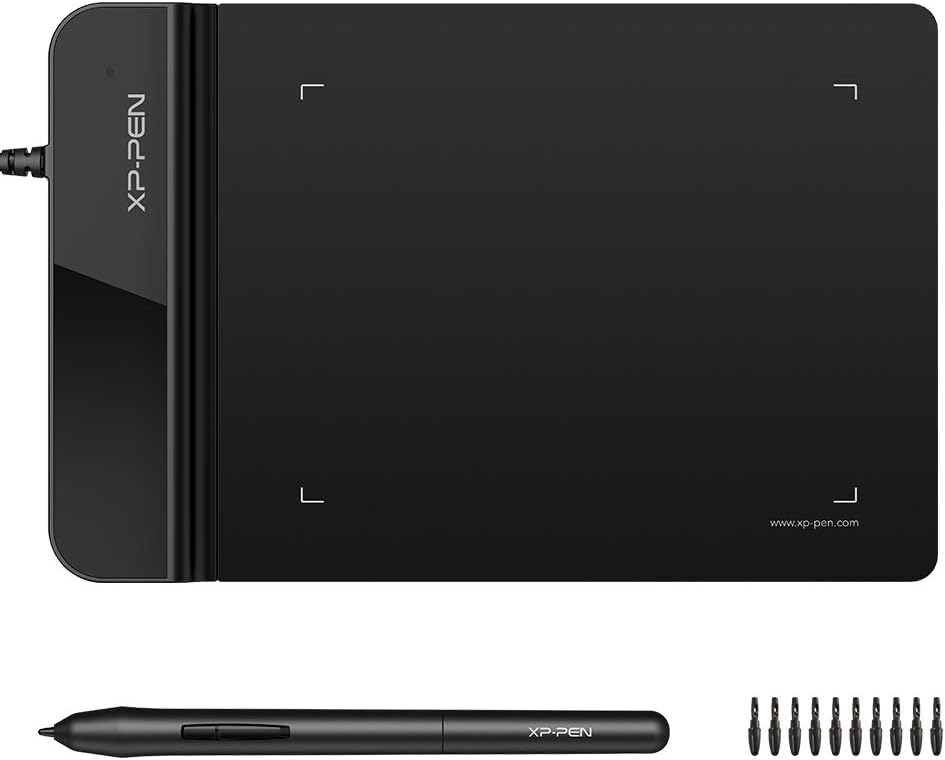



The XPPen StarG640 is a compact graphic tablet that serves as an excellent budget-friendly option for capturing digital signatures on a PC. With a rating of 4.3 stars, users appreciate its smooth performance and the included battery-free stylus. It is designed for drawing and sketching but works seamlessly for e-signatures in Office apps and online education platforms.
We may earn a commission when you buy through this link, at no additional cost to you.
Its standout quality is the battery-free PN01 stylus which allows for constant uninterrupted use without needing charging. The 6×4 inch active area provides enough space for precise signatures while keeping the device slim at only 2 mm thick. This makes it ideal for remote workers who need a portable tool to sign documents on the go.
The trade-off is the smaller active area compared to larger tablets which might feel restrictive for some users. Additionally you need to install drivers which can be tricky on Mac systems without USB-A ports. However these limitations are acceptable given the low cost and high performance for basic signing tasks.
This pad is perfect for individuals or small businesses looking for an affordable way to digitize signatures without investing in expensive hardware. Whether you are signing contracts remotely or taking notes in class the StarG640 delivers reliable performance. It is a smart choice for those prioritizing portability and cost-effectiveness.
This tablet integrates well with Zoom Microsoft Office and Google Jamboard making it perfect for teachers and remote professionals.
At only 2 mm thick it is easy to carry in a laptop bag for signing documents anywhere.
We may earn a commission when you buy through this link, at no additional cost to you.
The PenPower ePaper SignPad is a dedicated device designed to simplify the signing process on your PC. With a rating of 4.2 stars it stands out for its ability to seamlessly send handwritten signatures to your computer with just one tap. It is fully compatible with PDF Word Excel and image formats making it a versatile tool for business documents.
We may earn a commission when you buy through this link, at no additional cost to you.
Its key strength is the built-in timestamp and printed name feature which enhances credibility and traceability for legal and business use. The device also acts as a paperless office hero by allowing you to sign quotes contracts and forms without printing. Additionally it offers smart sticky notes that can be uploaded to your Outlook Calendar for organized scheduling.
While it is a powerful tool the integration with enterprise systems like ERP or CRM requires a custom SDK which is not included in the standard package. This might add complexity for larger organizations needing deep system integration. However for small to mid-sized businesses the ease of use and security features outweigh this drawback.
We recommend this pad for professionals who need a reliable and secure way to capture signatures digitally every day. Whether you are sending contracts via email or brainstorming workflows in real time it offers excellent visual collaboration. It is an efficient choice for those committed to a fully digital workflow.
Works with PDF Word Excel JPG PNG and TIFF to handle all common document types.
Sketch workflows and wireframes in real time to collaborate effectively with your team.
We may earn a commission when you buy through this link, at no additional cost to you.
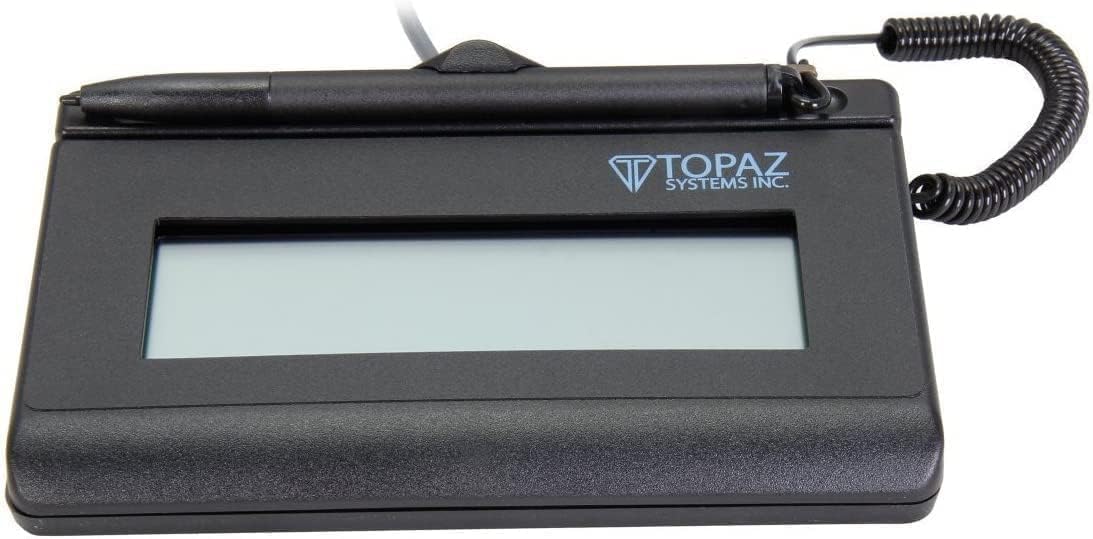
The Topaz T-LBK462 is a renewed premium signature pad designed for long life and high-quality capture. With a rating of 4.0 stars it is trusted for its rugged signing area and high-quality biometric and forensic capture capabilities. The LCD display allows for customizability making it suitable for professional business environments.
We may earn a commission when you buy through this link, at no additional cost to you.
Its standout feature is the combination of durability and advanced capture tech which ensures signatures are legally binding and secure. The small size and weight make it portable for field use while the USB interface ensures reliable connectivity. This is ideal for businesses that need frequent signing with traceability and security.
The virtual serial interface can be slightly complex to set up compared to standard USB devices. Additionally the renewed status means it is a second-hand product which may not appeal to everyone despite the savings. However these are acceptable trade-offs for the level of security and durability you get at this price point.
This pad is best for businesses that require frequent and secure document signing such as medical or legal offices. It offers a balance of portability and robust features that justify its premium positioning. Choose this if you need a reliable workhorse for daily signing operations.
Ensures secure and legally binding signatures with advanced forensic detail.
Small and lightweight yet built to withstand heavy daily use in various environments.
We may earn a commission when you buy through this link, at no additional cost to you.
The Topaz T-S460-HSB-R is a cost-efficient electronic signature capture pad that focuses on essential functionality. With a rating of 4.4 stars it is known for its high-quality capture techniques and simple USB interface. It is a non-backlit model which keeps the price down while still showing the signature on the computer screen.
We may earn a commission when you buy through this link, at no additional cost to you.
Its key strength is its reliability and affordability making it a great entry-level option for businesses new to digital signatures. The capture techniques ensure clear signatures and the compatibility with various models gives flexibility. It works well for standard office tasks without unnecessary frills.
The lack of a backlight means it may be harder to see in low-light environments. Also it lacks advanced features like LCD customizability which might limit customization needs. However for those needing a simple and functional pad this is a practical choice.
This pad is perfect for offices that need a straightforward and affordable way to capture signatures digitally. It is suitable for daily use where basic functionality is all that is required. Choose this if you value simplicity and cost savings over advanced features.
Provides essential signing functions without complex features or high costs.
Ensures clear and accurate signature capture for all document types.
We may earn a commission when you buy through this link, at no additional cost to you.
The XPPen G430S is an ultra-thin drawing tablet that can also serve as a compact solution for digital signatures. With a rating of 4.2 stars it offers 8192 levels of pressure sensitivity for fluid and precise control. Its battery-free stylus ensures uninterrupted use making it great for quick signing tasks.
We may earn a commission when you buy through this link, at no additional cost to you.
Its standout feature is the compact and portable design weighing little and measuring only 2 mm thick. This allows you to carry it easily for on-the-go signing needs. It supports both right and left-hand users and works well with Microsoft Office and remote work apps.
The small 4×3 inch active area may feel restrictive for signatures that require more space. Also Mac users with USB-C ports need an OTG adapter which adds an extra step. These are acceptable limitations if you prioritize portability and basic functionality over large signing space.
This tablet is best for individuals who need a portable and affordable tool for occasional signing and note-taking. It is a great addition to a laptop bag for remote work. Choose this if you want a versatile device that works beyond just signatures.
Holds in one hand and fits easily in any laptop case for travel.
266 RPS report rate makes lines flow smoother for precise signatures.
We may earn a commission when you buy through this link, at no additional cost to you.
The Wacom STU500 is a legacy signature pad designed for day-to-day use at public counters with a reliable capture of millions of signatures. With a rating of 3.2 stars it is known for its high-contrast reflective display and maintenance-free EMR pen. The hardened glass signing surface is extremely durable and highly resistant to scratches.
We may earn a commission when you buy through this link, at no additional cost to you.
Its key strength is the 640×480 resolution which provides sharp viewing of small text and ample space for long signatures. The reflective TFT technology means no backlighting is needed which saves energy and extends lifetime. This makes it ideal for environments like banks or retail counters.
The display is monochrome which may limit visibility of colored documents or complex forms. Also it is an older model which might not have modern connectivity options. However for basic signing tasks in high-traffic areas it remains a dependable choice.
This pad is best for public-facing roles that require consistent and durable signature capture. It is a solid choice for institutions that need reliability and low maintenance. Choose this if you need a workhorse device for high-volume signing.
Designed for day-to-day use at public counters with millions of signatures captured.
No battery needed for the pen ensuring continuous operation.
We may earn a commission when you buy through this link, at no additional cost to you.
The Topaz SigLite 1X5 is a versatile backlit LCD signature capture pad designed for professional use. With a rating of 4.0 stars it offers a high-quality biometric capture and a rugged signing area for long life. The backlit LCD ensures visibility in various lighting conditions.
We may earn a commission when you buy through this link, at no additional cost to you.
Its standout quality is the combination of portability and advanced features like customizable LCD display. The USB and Virtual Serial interface allows flexibility in connectivity. This makes it suitable for businesses that need a durable and secure signing tool on the go.
The premium price and Virtual Serial setup may be barriers for some users. However the durability and capture quality justify the investment for regular use. These trade-offs are acceptable for those needing a reliable professional-grade device.
This pad is best for professionals who need a secure and portable signature solution. It is ideal for businesses that handle sensitive documents requiring biometric capture. Choose this if you value quality and longevity.
Ensures clear viewing of the signing area even in low-light environments.
Provides high-quality capture for legal and security needs.
We may earn a commission when you buy through this link, at no additional cost to you.
The Topaz T-S460 Pack offers three signature pads in one purchase which is ideal for businesses needing multiple units. With a rating of 4.3 stars it is recommended for business use with a modern style and ambidextrous design. This allows anyone to sign comfortably without orientation issues.
We may earn a commission when you buy through this link, at no additional cost to you.
Its key strength is the value for money when equipping a team or multiple desks with signing tools. The PC compatibility ensures easy integration into existing workflows. It is a practical choice for offices that need consistent hardware across different locations.
The package requires bulk purchase which might not be suitable for individual users. Also the pads are basic without advanced features like LCD screens. However for standard signing needs this is a cost-effective and efficient solution.
This pack is best for offices or teams that need reliable signature pads for multiple users. It ensures consistency and saves time on setup. Choose this if you need to equip several workstations efficiently.
Perfect for businesses needing multiple devices for different employees.
Supports both left and right-handed users for comfort and flexibility.
We may earn a commission when you buy through this link, at no additional cost to you.
The Topaz SigLite Renewed is a third-generation touch-screen signing surface designed for cost efficiency and reliability. With a rating of 4.9 stars it offers a backlit LCD display and small size for portability. The high-quality biometric capture ensures signatures are secure and traceable.
We may earn a commission when you buy through this link, at no additional cost to you.
Its key strength is the value offered as a renewed product without compromising on essential features. The backlit display ensures good visibility and the USB connection is straightforward. It is a smart choice for businesses seeking affordable hardware.
The monochrome output limits color options which may not suit all document types. Also renewed products may have minor cosmetic wear. However these are acceptable given the high rating and functional performance.
This pad is best for businesses that need a reliable and budget-friendly signature solution. It is suitable for daily use where color is not a priority. Choose this if you value performance and affordability.
Combines low cost with a compact design for easy transport.
Ensures secure and accurate signature collection for all transactions.
We may earn a commission when you buy through this link, at no additional cost to you.
The Topaz T-L460-HSB-R is a premium electronic signature pad backed by a 2-year factory warranty and including software. With a rating of 4.8 stars it offers a SIGLITE LCD 1X5 design with HID USB connection. The terminal block wiring allows for secure and stable installation.
We may earn a commission when you buy through this link, at no additional cost to you.
Its standout feature is the extended warranty which provides peace of mind for business investments. The included software ensures easy setup and usage right out of the box. This makes it ideal for businesses looking for a comprehensive and supported solution.
The terminal block wiring may be more complex than standard USB for simple setups. Also the price reflects the premium features and warranty coverage. However these are acceptable trade-offs for long-term reliability.
This pad is best for businesses that want a fully supported and secure signing tool. It is suitable for environments where uptime and security are critical. Choose this if you need a reliable and well-supported device.
2-year factory warranty ensures support and peace of mind for businesses.
Provides stable and secure data transfer for all signatures.
We may earn a commission when you buy through this link, at no additional cost to you.
Selecting the right digital signature pad for PC involves considering several factors that affect performance and compatibility. This guide breaks down the key elements you should evaluate to make an informed decision.
Most signature pads connect via USB but some use virtual serial interfaces. Ensure the device matches your PC's available ports and operating system. A standard USB connection is often easiest for quick setup.
Always check your computer's ports before buying to avoid the need for adapters or extra drivers.
The active area determines how much space you have to sign. Larger pads feel more natural but are less portable. Consider whether you need a compact device for travel or a larger one for desktop use.
Choose an active area that balances comfort with your portability needs for best results.
Some pads come with LCD screens to show signatures while signing. Backlit displays work better in low light. If you do not need to see your signature on the pad itself a non-backlit model may suffice.
Look for display features that match your visibility needs to avoid eye strain.
Advanced pads offer biometric and forensic capture for legal security. This is crucial for contracts or regulated industries. If your use case requires high security invest in a device with these capabilities.
Verify if biometric features are necessary for your industry before purchasing.
Check that the pad works with your document tools like Word PDF readers and e-sign software. Some devices come with included software while others require separate installations. Compatibility with platforms like Zoom is also key for remote work.
Ensure the device supports all the programs you use daily for a smooth workflow.
For frequent use a rugged signing area and durable glass surface are important. High-quality materials ensure the device lasts longer. Consider the expected volume of signatures when selecting build quality.
Prioritize durable construction if you will be signing documents multiple times a day.
Prices range from budget-friendly art tablets to premium business pads. Determine your budget but also consider long-term value like warranty and features. Sometimes a higher upfront cost saves money over time.
Balance your initial budget with features that meet your needs for best value.
If you travel often choose a slim and lightweight device. Compact tablets are easy to carry in laptop bags. Heavier pads are better for fixed desk setups where mobility is not a concern.
Select a design that fits your lifestyle whether fixed or mobile.
Start by connecting the pad to your PC via USB or virtual serial interface. Install any required drivers or software from the manufacturer's website. Follow on-screen instructions to calibrate the device for accurate input.
Keep the signing surface clean by wiping it gently with a soft dry cloth. Avoid using harsh chemicals or abrasive materials that could scratch the screen. This maintains clarity and touch sensitivity over time.
Store the device in a dry place away from extreme temperatures or humidity. If it has a pen or stylus keep it in a protective case to prevent loss. Regular maintenance ensures your pad stays functional for years.
Most modern signature pads work with both Mac and Windows systems. Always check the product specs for OS compatibility. Some may require additional adapters for Macs without USB-A ports.
Many pads work with standard PDF readers like Adobe. Some come with dedicated software for seamless integration. Check if your favorite app supports the device before buying.
Drawing tablets are for art but can capture signatures. Signature pads are built specifically for document signing with extra features. Both work for PC but pads offer tailored security options.
Yes battery-free styluses are great for uninterrupted signing. They do not need charging and provide smooth input. Many budget tablets include these for convenience.
Signatures are legally binding if they meet legal requirements. High-quality capture and metadata like timestamps help. Always consult legal advice for your specific use case.
Use a soft dry cloth to wipe the surface gently. Avoid liquid cleaners or chemicals. This preserves the screen and touch sensitivity for long use.
We reviewed ten diverse digital signature pads for PC ranging from budget tablets to premium business devices. The XPPen StarG640 offers great value while the PenPower ePaper SignPad stands out for seamless integration and the Topaz options provide robust security features.
When choosing prioritize factors like compatibility with your workflow durability and security needs. If you need portability look for slim designs. For business use ensure legal compliance and strong capture quality.
Prices and availability may change over time so always check current listings before buying. We hope this guide helps you find the perfect digital signature pad for your PC needs.