
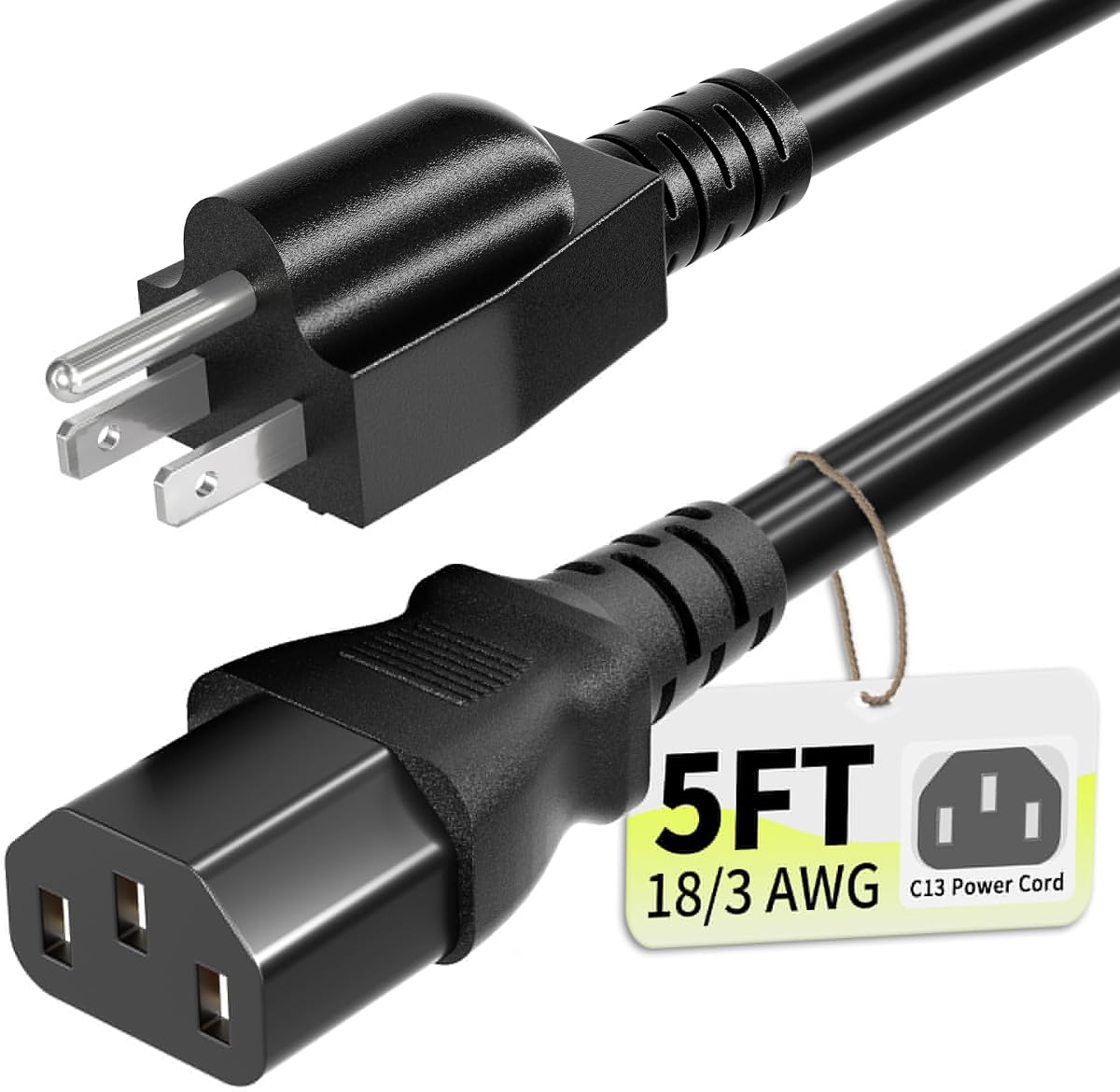
Standard 5ft (1.5m) 10 Amps 125 Volts Black 3 Prong AC Power Cord
4.7Editor score
Five feet length for reach
Universal three prong design
Heavy duty 18 AWG wire
Finding the right power source is essential for keeping your Dell monitor running smoothly. A high-quality cord ensures stable voltage, reduces flickering, and protects your hardware from electrical surges that can occur over time.
We evaluated ten top-rated power cords and adapters based on compatibility, safety certifications, and user feedback. Each product was reviewed for build quality, connector fit, and performance across different Dell monitor models to ensure accuracy.
Each pick below highlights key features, pros, cons, and ideal use cases for every option. Please note that pricing and availability may change frequently on Amazon, so verify current details before making your final purchase decision today.
4.7Editor score
4.9Editor score
4.8Editor score
As an Amazon Associate we earn from qualifying purchases.
The following table provides a side-by-side comparison of all ten products reviewed in this guide. It highlights key specifications, compatibility notes, and ratings to help you quickly identify the best match for your specific Dell monitor model and power requirements.

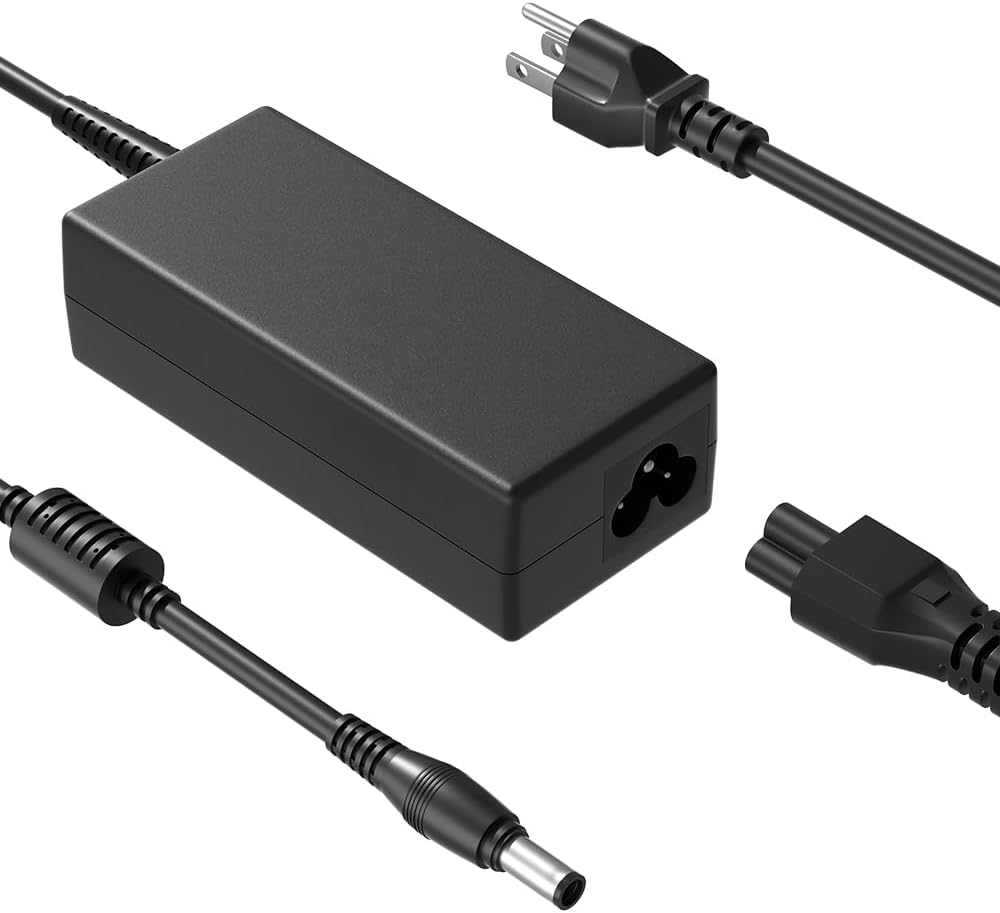


This Standard 5ft Power Cord offers an excellent entry-level solution for users needing a reliable replacement for their Dell monitor. With a 4.7 star rating, it is praised for its sturdy build and universal compatibility across various devices including monitors and printers.
We may earn a commission when you buy through this link, at no additional cost to you.
The heavy-duty 18 AWG gauge cord ensures efficient power delivery while the fully molded design adds durability against wear and tear. Its five-foot length provides adequate reach for most desk setups without excessive slack.
While it lacks advanced features like variable length or premium shielding, it performs its core function well. The black color blends into most office environments, though some users might prefer longer cables for floor outlets.
Anyone needing a simple, cost-effective replacement for a standard three-prong connector should consider this pick. It is ideal for home offices where budget constraints matter and standard power delivery is the primary need.
Priced affordably, this cord delivers consistent performance without breaking the bank, making it a smart choice for routine replacements.
Its design works with most electronics featuring a standard three-pin power connection, ensuring broad usability beyond just Dell monitors.
We may earn a commission when you buy through this link, at no additional cost to you.
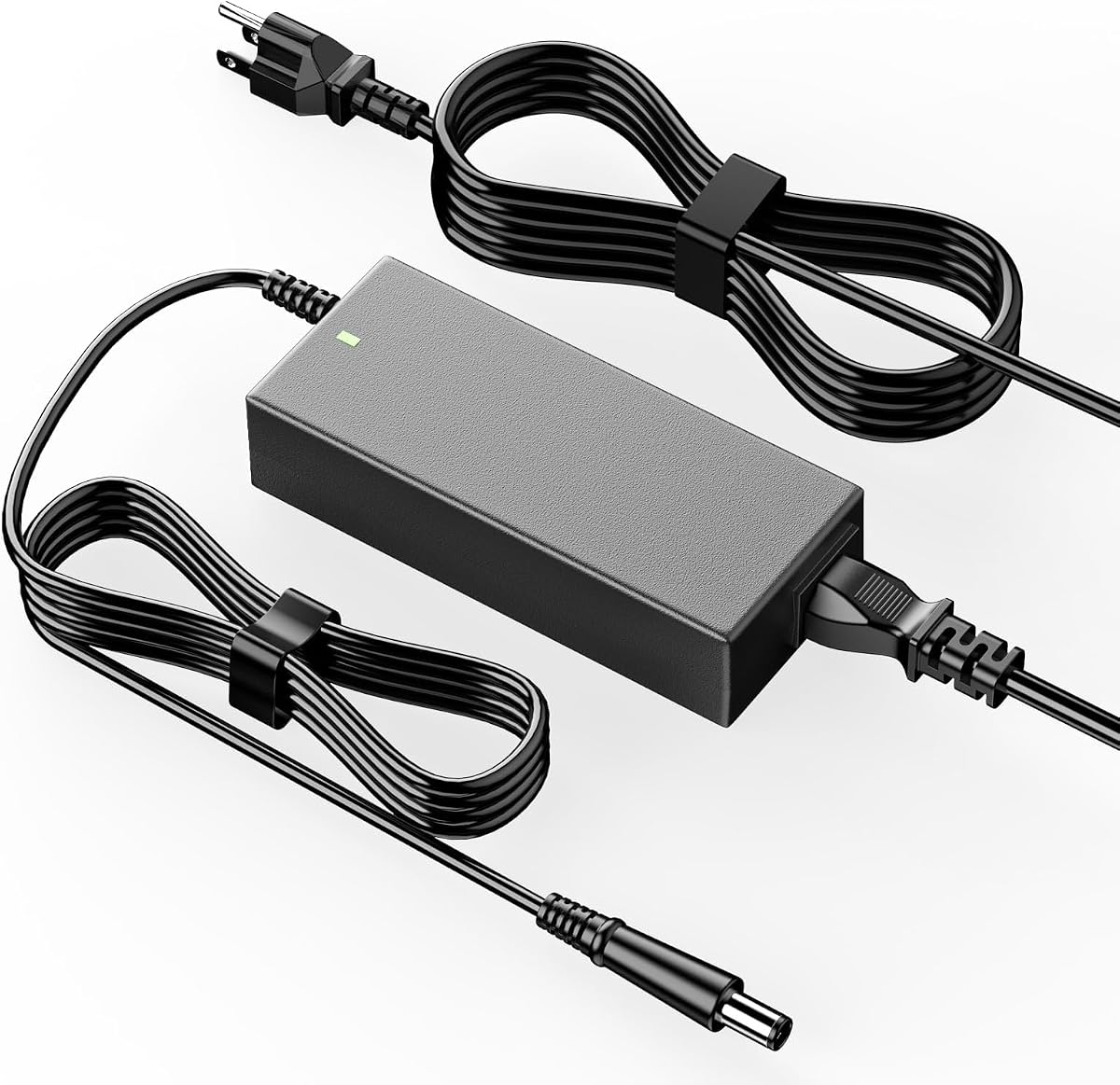
This 19.5V 3.34A 65W Adapter stands out as the Editor's Choice due to its precise engineering and high user satisfaction. It is designed to replicate OEM specifications exactly, ensuring stable performance for Dell S-Series and P-Series touch monitors.
We may earn a commission when you buy through this link, at no additional cost to you.
The adapter features multi-layer safety protections including intelligent temperature monitoring to prevent overheating. Its strict 19.5V output eliminates flicker or random shutdowns that often occur with generic adapters of mismatched voltage.
While it uses a specific 7.4×5.0mm connector which limits universality, this specificity ensures reliability for compatible models. The detachable power cord adds convenience for storage and transport in home office environments.
Users with Dell S2415H or S2715H models will find this adapter is the most reliable solution. It prioritizes safety and stability, making it worth the investment for long-term monitor health and performance.
Engineered to match OEM voltage and amperage exactly, this adapter ensures your monitor runs smoothly without electrical stress or compatibility issues.
Built-in thermal monitoring actively regulates heat, protecting both the adapter and your monitor from damage during extended daily use.
We may earn a commission when you buy through this link, at no additional cost to you.
The Vockjour Universal Power Cord is a premium choice built around pure copper wire for maximum conductivity and durability. With a 4.8 rating, users appreciate its ETL listing and flexible PVC jacket which resist wear during daily use.
We may earn a commission when you buy through this link, at no additional cost to you.
Pure copper wire ensures minimal power loss compared to cheaper alloys, providing stable voltage for sensitive electronics. The ETL certification confirms it meets rigorous safety standards for performance and compliance in residential settings.
Although it is limited to five feet in length, the high-quality materials justify the price for those prioritizing safety. The black finish is functional and blends easily into home offices without drawing attention.
If you value long-lasting materials and certified safety over budget options, this cord is the best premium pick. It is ideal for users who want peace of mind regarding electrical safety and efficiency in their power setup.
Using 100 percent pure copper minimizes resistance and power loss, ensuring efficient energy delivery to your Dell monitor and other devices.
The ETL listing means independent testing verified this cord for safety and performance, offering assurance against electrical hazards in your workspace.
We may earn a commission when you buy through this link, at no additional cost to you.
This 12V AC Adapter offers versatile compatibility for various Dell monitor models with a 12V requirement. It supports a wide global voltage range and includes robust safety certifications making it suitable for international travel or diverse office environments.
We may earn a commission when you buy through this link, at no additional cost to you.
Built-in safeguards protect against overcurrent, short-circuit, and overheating ensuring reliable operation. The lightweight design makes it easy to transport, while the included power cord ensures you have everything needed to power your monitor.
While the rating is slightly lower than top picks, it remains a functional option for those needing 12V power. Verification of connector size before purchase is essential to ensure compatibility with your specific monitor model.
Travelers or users needing a 12V adapter with global voltage support will find this unit useful. It balances portability with safety, offering a convenient solution for powering Dell monitors in different regions.
With input voltage ranging from 100 to 240V, this adapter works across most countries, making it perfect for international travel or expats.
Safety certifications and built-in protections ensure the adapter operates securely against common electrical faults like short circuits and voltage spikes.
We may earn a commission when you buy through this link, at no additional cost to you.
This 12V Power Cord supports a wide range of Dell monitor sizes from 22 to 27 inches making it a versatile option for many users. It features a built-in chip that adjusts power output based on temperature for efficient charging.
We may earn a commission when you buy through this link, at no additional cost to you.
The adapter is constructed with heat-resistant flame-retardant materials to ensure safety. It is suitable for devices drawing up to 65 watts and provides stable power delivery with built-in protection against common electrical issues.
Some users note average feedback compared to other options but the broad model support is a strong plus. The lightweight design helps reduce desk clutter while keeping power delivery reliable and safe for daily tasks.
For owners of Dell 22 to 27 inch monitors needing a 12V solution, this is a solid middle-ground choice. It offers practical safety features and wide compatibility without excessive bulk or complex setup requirements.
Compatible with a wide range of Dell S and P series monitors, making it a useful option for users with different screen sizes in their office.
An intelligent chip adjusts power output based on temperature, helping to keep the adapter cooler and extend its operational life over time.
We may earn a commission when you buy through this link, at no additional cost to you.
This 12V Charger is designed for users needing extra cable length with its eight-foot cord allowing flexible outlet placement. It maintains a high user rating thanks to its reliability and safety certifications for daily use.
We may earn a commission when you buy through this link, at no additional cost to you.
The casing is made of fire-retardant ABS plus PC material ensuring durability. It supports global voltage input and offers stable output for a wide range of Dell monitors ranging from 22 to 27 inches in size.
While the connector size is specific to certain models, the longer cable is a significant benefit for setups with distant outlets. The compact brick design is well-built and resists wear during regular office use.
Anyone with a setup requiring extended reach should consider this charger for its eight-foot cable. It combines safety with practicality, making it a strong contender for home offices or desks with limited outlet proximity.
The eight-foot cable allows you to place your monitor further from the wall outlet reducing cable strain and offering more flexible desk arrangements.
Constructed with ABS and PC flame-retardant materials, this charger reduces fire risks during normal use providing added peace of mind for users.
We may earn a commission when you buy through this link, at no additional cost to you.
This Power Supply is ideal for specific older Dell models like P1913 and U2711 offering a perfect fit. It carries a perfect 5.0 rating from users who appreciate its straightforward design and reliable performance for basic power needs.
We may earn a commission when you buy through this link, at no additional cost to you.
The cable is standard six feet long with a three-prong USA design that matches most Dell monitors. It is tested to ensure working condition so you do not need to worry about compatibility issues when it arrives.
While it is limited to specific models this does ensure a hassle-free experience for those who own them. The basic design is functional and does not add unnecessary complexity to your desk setup.
If you own one of the supported models this supply is the safest bet for compatibility. It delivers consistent power without issues making it a trusted choice for maintaining older Dell monitors in daily use.
Designed specifically for certain Dell flat panel monitors, ensuring a plug-and-play experience with no guesswork about connector compatibility or power specs.
Every unit is tested for working condition before shipping so buyers receive a functional product ready for immediate use without needing to troubleshoot.
We may earn a commission when you buy through this link, at no additional cost to you.
This Power Cable Cord is a simple replacement solution for Dell monitors like E2014H and U2412M. It has a perfect 5.0 rating and users appreciate its straightforward cord-only package which keeps costs low and setup easy.
We may earn a commission when you buy through this link, at no additional cost to you.
At five feet in length it is suitable for desks near wall outlets. It is designed for specific Dell models ensuring the connector fits correctly and delivers power without interruption or connectivity problems.
The simplicity is both a strength and limitation as it does not include an adapter if you need one. For users who only need to replace a lost cord it is an effective and economical choice.
If you need a quick cord replacement for supported models this option is highly effective. Its precise compatibility and perfect rating make it a reliable choice for getting your monitor back online quickly.
Providing just the cord without extra accessories keeps the package simple and affordable for users who only need to replace a damaged cable.
Built for specific Dell monitor models this cable ensures a secure connection that maintains stability during everyday usage and power cycles.
We may earn a commission when you buy through this link, at no additional cost to you.
This Amazon Basics Universal Power Cord provides excellent value with a two-pack of 15-foot cords making it ideal for multiple devices or distant outlets. It is UL listed for safety and has a 4.8 rating from users across various devices.
We may earn a commission when you buy through this link, at no additional cost to you.
The 15-foot length allows flexible placement even if wall outlets are far from your desk. The 18 AWG wire ensures efficient power delivery while the three-prong design works with most PCs monitors and printers.
While the length may be too long for smaller setups it offers great versatility for larger rooms. Buying two cords at once ensures you have a spare for future replacements which is cost-effective long term.
For users needing long cords or backups this pack is the best value option. It combines safety certification with practical length offering a smart choice for offices with complex wiring needs or multiple screens.
Getting two cords in one pack is economically efficient for users who need a primary cable and a spare for future replacements.
The 15-foot length allows you to place your monitor far from the outlet reducing strain on the cable and offering more layout flexibility.
We may earn a commission when you buy through this link, at no additional cost to you.
This 60W 12V Power Supply is designed for monitors requiring a 5.5×2.5mm connector with a long 2.63 meter cable. It features a smart IC chip for protection and operates quietly making it suitable for home offices.
We may earn a commission when you buy through this link, at no additional cost to you.
The package includes both the adapter block and detachable cord allowing immediate setup. It supports 60W devices and is backward compatible with lower wattage monitors ensuring stable power delivery without unnecessary voltage spikes.
The longer cable is helpful for setups where outlets are distant from the monitor base. It is strictly for monitors not laptops so users should verify voltage requirements before purchasing to avoid compatibility problems.
If you need a dedicated 12V adapter with extra length this supply offers practical convenience. Its safety features and quiet operation make it a reasonable choice for users focused on maintaining stable monitor power.
The 2.63 meter cable reaches distant outlets easily allowing flexible desk layouts without needing extension cords.
Built-in safety protections guard against electrical faults helping to ensure reliable power delivery during extended daily use periods.
We may earn a commission when you buy through this link, at no additional cost to you.
Selecting the right power cord or adapter involves more than just matching the plug shape. Voltage, wattage, safety certifications, and cable length all play critical roles in ensuring your Dell monitor operates safely and reliably over time.
Every Dell monitor has specific voltage and wattage requirements usually printed on the original adapter. For example some require 19.5V while others use 12V. Using an adapter with the wrong voltage can permanently damage your screen or cause it to flicker. Always check the original adapter's label before purchasing a replacement.
Confirm the voltage matches exactly and the wattage meets or exceeds the original specs to ensure safe and stable operation.
Dell monitors use various barrel connectors including 7.4×5.0mm and 5.5×2.5mm with some having a center pin. Even if voltage matches the wrong size plug will not fit or may cause a loose connection leading to power loss. Visually measure your monitor's port or compare it to the product images before ordering.
Check that the connector tip matches your monitor's port size exactly to avoid physical incompatibility issues.
Look for cords or adapters certified by UL ETL CE FCC or RoHS. These labels indicate the product has been tested for electrical safety reducing risks of overheating or short circuits. Certified products also use higher quality materials which improve durability.
Always choose products with recognized safety certifications to protect your equipment and reduce electrical hazards.
Standard cables are often five feet long which may not reach distant outlets. If your power strip is far from your desk consider options with longer cords like eight or fifteen feet. However longer cables can add clutter if not managed properly.
Measure the distance from your outlet to your monitor to choose a cable length that reaches comfortably without excess slack.
Cords made of pure copper conduct power more efficiently than alloy wires and last longer. Look for flexible PVC jackets and molded plugs that resist bending damage. High-quality construction prevents internal breaks that cause flickering over time.
Prefer adapters and cords with durable materials like pure copper and flame-retardant casings for longer product life.
Many replacement adapters list specific Dell model numbers they work with. Review these lists to confirm your monitor model is included. Even within a series different sub-models may have different power requirements.
Verify your exact monitor model is on the compatibility list before purchase to avoid returns or mismatches.
Some products sell only the adapter block requiring you to use your existing cord. Others include a detachable AC cord for immediate use. Check what is included in the box so you have everything needed to power your monitor.
Ensure the package includes both the adapter and necessary cord components for complete functionality.
Reputable brands often provide warranties or customer support for power adapters. This is helpful if the unit fails within a few months. Check product descriptions for return policies and manufacturer support options.
Choose products with clear return policies or warranty coverage to protect your investment if issues arise.
When installing a replacement power cord ensure both ends are fully inserted. Push the adapter connector into the monitor firmly and plug the AC cord into the wall outlet or power strip securely to avoid loose connections.
Route cables neatly to avoid bending them sharply at the connector which can damage internal wires. Use cable ties or clips to keep cords organized and reduce strain on the connection points.
Regularly inspect your power cord for fraying or discoloration. If the adapter gets unusually hot during use unplug it immediately. Proper maintenance extends the life of your power supply and ensures safe operation.
Yes using an adapter with higher wattage than required is generally safe as the monitor will only draw what it needs. Just ensure the voltage matches exactly and the connector fits properly to avoid issues.
Check the original adapter label printed on the device. If lost check your monitor model online or look at the port type as specific sizes often correlate with specific voltages for Dell monitors.
Flickering may indicate mismatched voltage or a loose connector. Verify the adapter matches your monitor's exact voltage and ensure both plugs are seated firmly in the monitor and outlet.
Non-OEM adapters can be safe if they meet safety certifications and match your monitor's exact specs. Avoid cheap uncertified units as they lack internal protections against overheating or voltage surges.
A power cord is just the cable that plugs into the wall while an adapter includes a transformer that converts AC power to DC for your monitor. Many Dell monitors require both an adapter block and a cord.
Quality replacement adapters can last several years with proper care. Factors like ventilation and usage frequency affect lifespan so keep the adapter in a cool spot and avoid bending the cord excessively.
This guide has reviewed ten top power cords and adapters tailored for Dell monitors ranging from basic cables to smart adapters with safety features. Each option offers distinct benefits depending on your specific monitor model and setup requirements.
Prioritize voltage match and safety certifications to ensure your monitor operates reliably. If you need extra reach consider longer cables while those seeking simplicity may prefer standard cords designed for specific models.
Always check current pricing and availability as Amazon listings change regularly. Verify your monitor's specs before buying to ensure the best fit and protection for your investment.