
External Blu-ray Drive Portable
3.8Editor score
Lightweight portable design
USB 3.0 and Type-C
Plug and play setup
This guide compares the top external Blu-ray drives for ripping movies and data in 2026, covering compatibility, speed, and software needs for PC and Mac users.
Finding a reliable external optical drive is essential for anyone looking to archive their physical media collection or rip Blu-ray discs to digital formats. Modern laptops often lack built-in drives, making external solutions necessary for accessing discs content stored on older media formats like Blu-ray and DVD.
We have analyzed ten top-rated external drives based on user feedback, technical specifications, and compatibility with popular ripping software. Our comparison focuses on read speeds, connection types, build quality, and support for various disc formats to help you find the right hardware for your workflow.
Each product listed below includes detailed insights into its capabilities and limitations regarding media playback and data extraction. Please note that software requirements vary by operating system and that prices may fluctuate over time, so checking current listings is recommended before making a purchase decision.
3.8Editor score

4.7Editor score

4.2Editor score
The following comparison table outlines key specifications and features for each of the ten drives evaluated in this guide to help you make an informed choice.



The archgon Premium Aluminum External USB 3.0 UHD Blu-ray drive stands out as a high-end option for users who need to access 4K content and maintain a premium look on their desk. With a rating of 4.2 stars, it offers robust performance for reading and writing various disc formats while maintaining a sleek aesthetic.
We may earn a commission when you buy through this link, at no additional cost to you.
Its standout quality is the ability to read and write UHD 4K Blu-ray discs when paired with the correct software. The CNC aluminum body provides durability and a premium feel. It supports M-DISC BD-R which allows for long-term archival storage that is resistant to environmental factors like light and humidity.
However, there are trade-offs to consider before purchasing this drive. Users on Mac computers will not be able to play or write UHD discs due to software limitations. Additionally, you will need to purchase CyberLink PowerDVD separately for UHD playback as the drive does not include this software in the package.
This drive is ideal for PC users who need a reliable way to access 4K Blu-ray content and prefer high-quality build materials. It is also a good choice for those who want to archive data using M-DISC technology. We recommend it for enthusiasts who value performance and design over budget-friendly options.
The CNC aluminum body not only looks professional but also helps dissipate heat during operation ensuring long-lasting performance.
Support for M-DISC BD-R allows you to store important data that can last up to 1000 years under the conditions.
We may earn a commission when you buy through this link, at no additional cost to you.
The 8-in-1 External Blu-ray Drive with USB-C Hub and Card Reader is a versatile device that combines optical media access with connectivity expansion. It holds a rating of 4.2 stars and is designed to offer a complete solution for laptops that lack multiple ports or internal drives.
We may earn a commission when you buy through this link, at no additional cost to you.
Its key strength lies in its multi-function design which includes two USB-C ports one USB 3.0 port and an SD/TF card slot. This makes it easy to connect multiple peripherals like mice keyboards or cameras while also burning and reading discs. It is portable at just 300 grams and comes with a carrying case.
Users should be aware that while it supports 3D Blu-ray playback it does not support 4K playback. The maximum Blu-ray recording capacity is limited to 50GB for dual-layer discs. Additionally it is not compatible with TVs tablets or smartphones limiting its use to computers only.
This device is best suited for travelers and professionals who need to transfer files from memory cards and access discs while on the go. It is an excellent choice for laptops with limited ports. We suggest this for users who want an all-in-one connectivity solution rather than a standalone drive.
With multiple USB ports and card slots you can connect multiple devices simultaneously without needing extra adapters or hubs.
The slim design and included carrying case ensure your drive stays safe and organized during your travels or daily commute.
We may earn a commission when you buy through this link, at no additional cost to you.
The BUFFALO 6X Portable Blu-ray Drive is a top choice for users seeking reliable performance and high build quality. With an impressive rating of 4.7 stars, it consistently satisfies customers looking for a robust external optical drive that works well with both Mac and PC systems.
We may earn a commission when you buy through this link, at no additional cost to you.
Its key strengths include being made in Japan and being TAA compliant which makes it suitable for government or enterprise procurement. It features M-DISC support for long-term data storage and comes with a USB-C adapter for flexibility. It plays and burns Blu-ray, DVD, and CD discs effectively.
While the drive offers excellent hardware performance, it does not include playback software out of the box so you will need to install third-party software to view movies. It is also priced higher than some other budget options on this list which may be a factor for cost-conscious buyers.
We recommend this drive for users who prioritize quality and reliability over the lowest price. It is an excellent choice for professionals who need a dependable drive for data backup and media access. If you want a device that is built to last and works seamlessly across platforms, this is a strong option.
Manufactured in Japan, this drive is known for consistent quality and strict adherence to standards ensuring reliable operation.
Create archival discs that resist temperature, light, and humidity to ensure your data remains safe for up to 1000 years.
We may earn a commission when you buy through this link, at no additional cost to you.
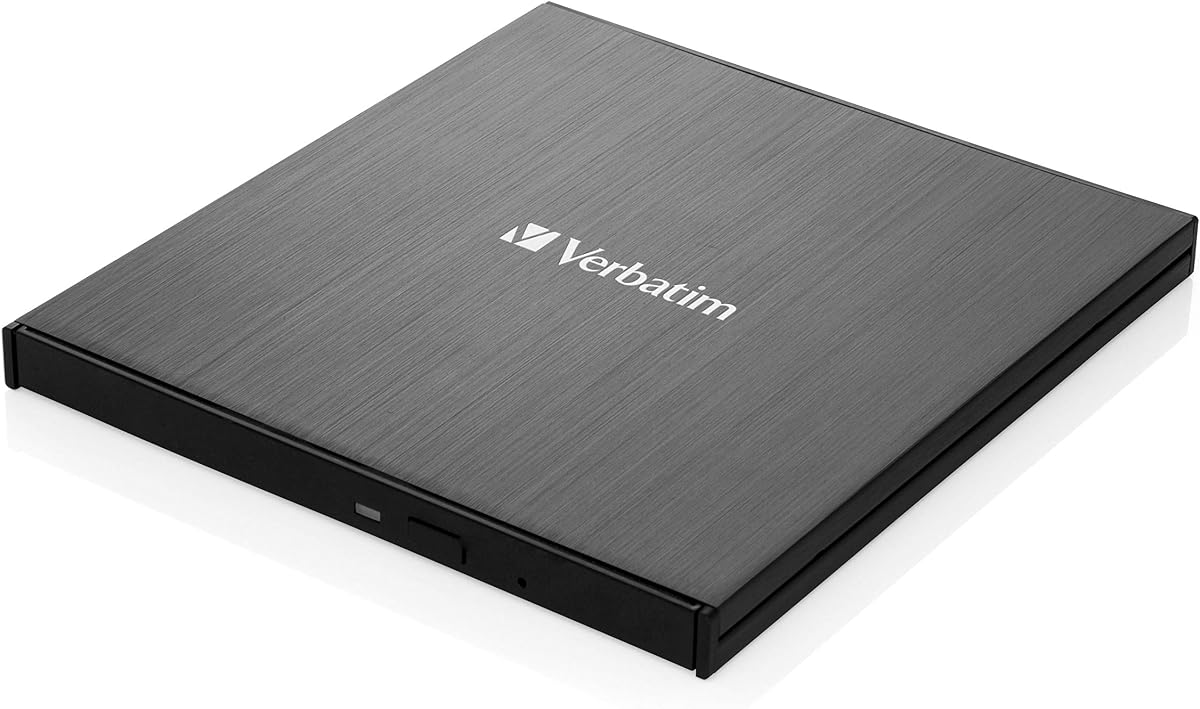
The Verbatim 43889 is a standard external optical drive that offers basic functionality for reading and writing Blu-ray, DVD, and CD discs. With a rating of 4.3 stars, it provides a reliable solution for users who need an external drive to access legacy media formats on modern computers.
We may earn a commission when you buy through this link, at no additional cost to you.
Its key strength is the reputation of the Verbatim brand which is known for storage media quality. The drive is compatible with major operating systems and includes the necessary cables to get started quickly. It allows you to backup data or watch movies stored on physical discs.
One trade-off is the lack of detailed technical specifications available for this model compared to newer portable drives. It is also priced higher than many other external drives on the market which might not offer additional features to justify the cost. Always check specific compatibility before purchasing.
This drive is best for users who trust the Verbatim brand and need a straightforward external drive without extra frills. It serves well for general media playback and data burning. We suggest this if you are already invested in Verbatim products or prefer a traditional brand for your hardware needs.
Verbatim is a well-known brand in storage media which gives confidence in the longevity and performance of their drives.
We may earn a commission when you buy through this link, at no additional cost to you.
The External blu ray Drive with USB CD/DVD Drive is a practical choice for users looking to read 3D Blu-ray content on their computer. With a rating of 4.2 stars, it offers a balance of performance and affordability making it accessible for a wide range of users including students and professionals.
We may earn a commission when you buy through this link, at no additional cost to you.
Its key strengths include support for 3D Blu-ray playback and a plug and play connection that simplifies setup. The matte finish design not only looks good but also resists scratches. It is compatible with major systems and allows you to use discs on laptops or desktops easily.
However, users should note that desktop PCs may require a power adapter for stable operation. Also it is not compatible with Chromebooks or certain specific system versions. These limitations are acceptable given the price point but you should ensure your system meets the basic requirements before buying.
This drive is ideal for budget-conscious buyers who still want high-definition entertainment capabilities. It works well for data backup and general media playback. We recommend this for users who need a reliable secondary drive to access discs without spending a fortune on premium features.
Unlock the power of high-definition entertainment by reading 3D Blu-ray discs and watching movies with stunning clarity.
Designed for simplicity, this drive connects via standard USB without complex driver installations making it easy to start using.
We may earn a commission when you buy through this link, at no additional cost to you.
The Dainty External Blu ray Drives Player is designed to provide stable and reliable optical media access with features like dual power cables and strong error correction. With a rating of 4.0 stars, it offers a solid option for users who need consistent performance without breaking the bank.
We may earn a commission when you buy through this link, at no additional cost to you.
Its key strengths include an additional USB power cable that ensures stable power supply for smooth reading and writing. It supports both USB 3.0 and Type-C interfaces which makes it versatile for modern laptops. The low noise operation is a nice bonus for quiet environments.
One trade-off is that it does not include playback software so you will need to install software like PowerDVD to watch movies. The rating is average which suggests some users may have experienced compatibility issues. Always check reviews for your specific operating system before purchasing.
This drive is best for users who prioritize stable operation and connectivity options. It is suitable for everyday media consumption and data backup. We recommend this if you need a drive that can handle long reading sessions without interruption and prefer dual USB power for reliability.
The additional USB power cable ensures stable power supply which reduces playback interruptions and burning failures.
Support for both USB 3.0 and Type-C interfaces allows you to connect to a wide range of laptops and desktops.
We may earn a commission when you buy through this link, at no additional cost to you.
The External Blu-ray Drive Portable Player is one of the most affordable options available for users who need basic optical drive functionality. With a rating of 3.8 stars, it serves as a budget-friendly choice for reading discs and burning CDs or DVDs on modern laptops and desktops.
We may earn a commission when you buy through this link, at no additional cost to you.
Its key strengths include its lightweight design and embedded data cable which reduces clutter and makes it easy to carry. It connects via USB 3.0 or Type-C ensuring fast transfer speeds and compatibility. This makes it a great choice for travelers or students on a tight budget.
However, the drive can read but not burn Blu-ray discs so you should consider this if you plan to burn BD media. The lower rating indicates some users may have encountered issues with consistency or durability. These trade-offs are often acceptable for budget-conscious buyers.
We recommend this drive for users who primarily need to read discs or burn CD/DVD data. It is a great travel companion for laptops without optical drives. If you want an inexpensive way to access standard media formats without paying extra features, this is a strong contender.
Enjoy seamless playback with this portable Blu-ray player and support BD reading up to 6X and DVD at 8X speeds.
The embedded data cable keeps your setup tidy and prevents the loss of wires making it ideal for travel.
We may earn a commission when you buy through this link, at no additional cost to you.
The External Blu Ray CD DVD Drive with 5 in 1 capabilities is a functional device that combines optical drive access with USB hubs and card readers. With a rating of 4.2 stars, it offers a practical solution for transferring files between devices while also managing your physical media collection.
We may earn a commission when you buy through this link, at no additional cost to you.
Its key strengths include two USB ports and an SD/TF card slot which solve the problem of insufficient USB ports on laptops. It works seamlessly with Windows Mac and Linux systems. The slim design and embedded cable make it easy to organize and carry in your bag.
One trade-off is that it does not play 4K Ultra HD discs so you will need a different drive if you have those specific discs. It is also not compatible with mobile devices or tablets limiting its use to computers only. These limitations are expected for drives in this category.
This drive is ideal for users who want to expand their connectivity and manage physical media at the same time. It is a great choice for professionals who transfer photos from cameras. We recommend this for those who value convenience and portability in their daily workflow.
Two USB ports effectively solve the problem of insufficient USB ports on modern laptops and desktops.
The embedded cable design ensures you do not have to worry about the loss of wires when you travel or commute.
We may earn a commission when you buy through this link, at no additional cost to you.
The ASUS SBW-06D5H-U BDXL External Ultra Slim Blu-ray and MDisc Burner is a reliable drive from a trusted brand known for quality hardware. With a rating of 4.4 stars, it offers solid performance for burning and reading BD, DVD, and CD discs including M-DISC formats for long-term storage.
We may earn a commission when you buy through this link, at no additional cost to you.
Its key strengths include support for BDXL discs which allows for higher storage capacities up to 100GB. It features an ultra slim design and comes with two interface cables for USB 3.1 and USB-C ensuring flexibility. This makes it a good choice for users who need to burn durable discs.
One trade-off is the higher price point which may not appeal to budget users. It does not include playback software so you will need to install it separately. Also it lacks extra features like card readers which are found on some competitors. These are acceptable if you prioritize reliability.
We recommend this drive for users who trust the ASUS brand and need a reliable burner for important data. It is an excellent choice for archiving projects that require durable storage. If you want a slim portable drive that can handle BDXL media efficiently, this is a strong option.
Burn BDXL discs to store larger amounts of data on a single disc for easier management and portability.
Includes two cables for USB 3.1 and USB-C interfaces which makes it easy to connect to various devices.
We may earn a commission when you buy through this link, at no additional cost to you.
The LG 6X WP50NB40 Ultra Slim Portable Black Blu-ray Burner stands out because it includes Cyberlink burning software and a BDXL disc in the bundle. With a rating of 4.3 stars, it is an excellent choice for users who want an all-in-one package to start burning discs immediately without buying software.
We may earn a commission when you buy through this link, at no additional cost to you.
Its key strengths include support for 100GB BDXL discs and M-DISC technology for durable storage. It features an ultra slim design and includes buffer under-run prevention to reduce burning errors. This makes it a great choice for users who want a complete solution for data archiving.
However, it uses USB 2.0 which is slower than USB 3.0 or 3.1 and limits transfer speeds. It is also the most expensive option on this list so you pay a premium for the included software and disc. These factors should be weighed carefully against your specific needs.
We recommend this drive for users who value convenience and want to start burning discs immediately. It is ideal for those who need to burn large 100GB discs and want a durable storage solution. If you do not mind the slower connection speed this is a great value for the bundle.
The bundle includes a 100GB BDXL disc and Cyberlink burning software which saves you time and additional costs.
Write to M-DISC media to ensure your permanent data storage can last up to 1000 years under normal conditions.
We may earn a commission when you buy through this link, at no additional cost to you.
Selecting the right external Blu-ray drive requires understanding the specific requirements for ripping and playback on your operating system.
When choosing a drive, you must ensure it is compatible with your operating system. Many drives work well on Windows but may lack UHD support on macOS. Always check if the drive supports the specific OS version you are using such as Windows 11 or macOS Ventura.
Ensure the drive supports your operating system version to avoid driver issues and playback failures on your computer.
Most external drives do not include playback software because of licensing costs. You will need to install third-party software like PowerDVD, VLC, or AnyDVD to read or rip Blu-ray discs. This is an important factor to consider when budgeting for your setup.
Plan to purchase or install third-party software separately as the drive alone will not play movies or rip discs.
Modern laptops often lack USB-A ports so a drive with USB-C or both USB-A and USB-C options is recommended. USB 3.0 and 3.1 provide faster transfer speeds compared to USB 2.0. Check your computer's available ports before buying to ensure seamless connection.
Choose a drive with USB-C or USB 3.0 to ensure fast data transfer and compatibility with modern laptop ports.
Read speeds determine how quickly you can access data on a disc while write speeds affect how fast you can burn files. For ripping purposes, a read speed of at least 6x is standard. Higher speeds can reduce the time it takes to convert disc content to digital files.
Look for a drive with at least 6x read speed to ensure efficient ripping and quick access to your physical media.
M-DISC is a durable disc format that can last up to 1000 years under proper conditions. If you plan to archive important data, a drive with M-DISC support is highly recommended. It provides a non-volatile rock-like data layer that resists environmental factors.
Select a drive with M-DISC support if you need to store data that should remain safe for generations without degradation.
Some external drives draw power directly from the USB port while others require an external power adapter. For stability during ripping or burning, a drive with a dual power cable is beneficial. This prevents interruptions caused by insufficient power from the computer's USB port.
Ensure the drive has sufficient power supply either via USB or an adapter to prevent playback interruption during operation.
If you plan to travel with your drive, look for slim and lightweight designs that fit in laptop bags. A durable build with scratch-resistant materials ensures the drive lasts longer. Some models include embedded cables to reduce clutter and make it easier to carry.
Choose a slim and lightweight design with durable materials if you need to carry the drive regularly for travel.
Some drives offer extra features like USB hubs or card readers which expand connectivity options. While not necessary for ripping, these features add value if you need to connect multiple devices. Decide if you need these extras or if a standard drive fits your needs better.
Consider if additional features like card readers or USB hubs are necessary for your workflow before selecting a drive.
To use your drive, connect it to your computer via USB and wait for the system to recognize it. If you have a Mac, ensure you have the correct driver installed. Then install your chosen playback software to access the disc contents.
Always insert discs gently and push them in completely to ensure they are seated correctly. Do not force the tray if it does not close smoothly. This prevents mechanical damage that can lead to errors during reading or writing.
Keep the drive away from dust and heat to maintain its longevity. If you are not using it for long periods, store it in a cool dry place. Clean the laser lens periodically if you experience reading issues using a lens cleaning disc.
Yes, most external drives do not come with playback or ripping software due to licensing. You will need to install third-party software such as PowerDVD or AnyDVD to read and rip the content from your Blu-ray discs.
Generally, no. Most external drives do not support 4K UHD playback on macOS due to software restrictions. You can often read and write standard Blu-ray discs but UHD discs are limited to Windows systems.
Some drives require extra power to ensure stable reading and burning speeds. If you do not have an external adapter, you may need to connect the drive to a USB port on the back of your desktop or use a powered USB hub.
M-DISC is a durable disc format designed to store data for up to 1000 years. It is resistant to light, heat, and humidity. Choosing a drive with M-DISC support is great for long-term archival of important files.
No, these drives are designed for computers with USB-C or USB-A ports. They are not compatible with tablets, smartphones, or TVs. You will need a compatible computer to access and rip the discs.
USB-C offers better compatibility with modern laptops that lack USB-A ports. It supports high-speed data transfer similar to USB 3.0. Having both options provides more flexibility for connecting to different devices.
We have explored ten reliable external drives for ripping Blu-ray discs ranging from budget options to premium models. Each product offers unique features like M-DISC support USB-C connectivity and durable build quality to suit different user needs.
When choosing your drive prioritize compatibility with your operating system and the software you plan to use. If you need high-speed data transfer or 4K playback ensure the drive supports these features before purchasing to avoid disappointment.
Remember that prices and availability can change so check current listings for the best deals. We hope this guide helps you find the perfect drive to keep your physical media collection accessible and organized for years to come.