
2Pcs Nano V3.0 Board
4.5Editor score
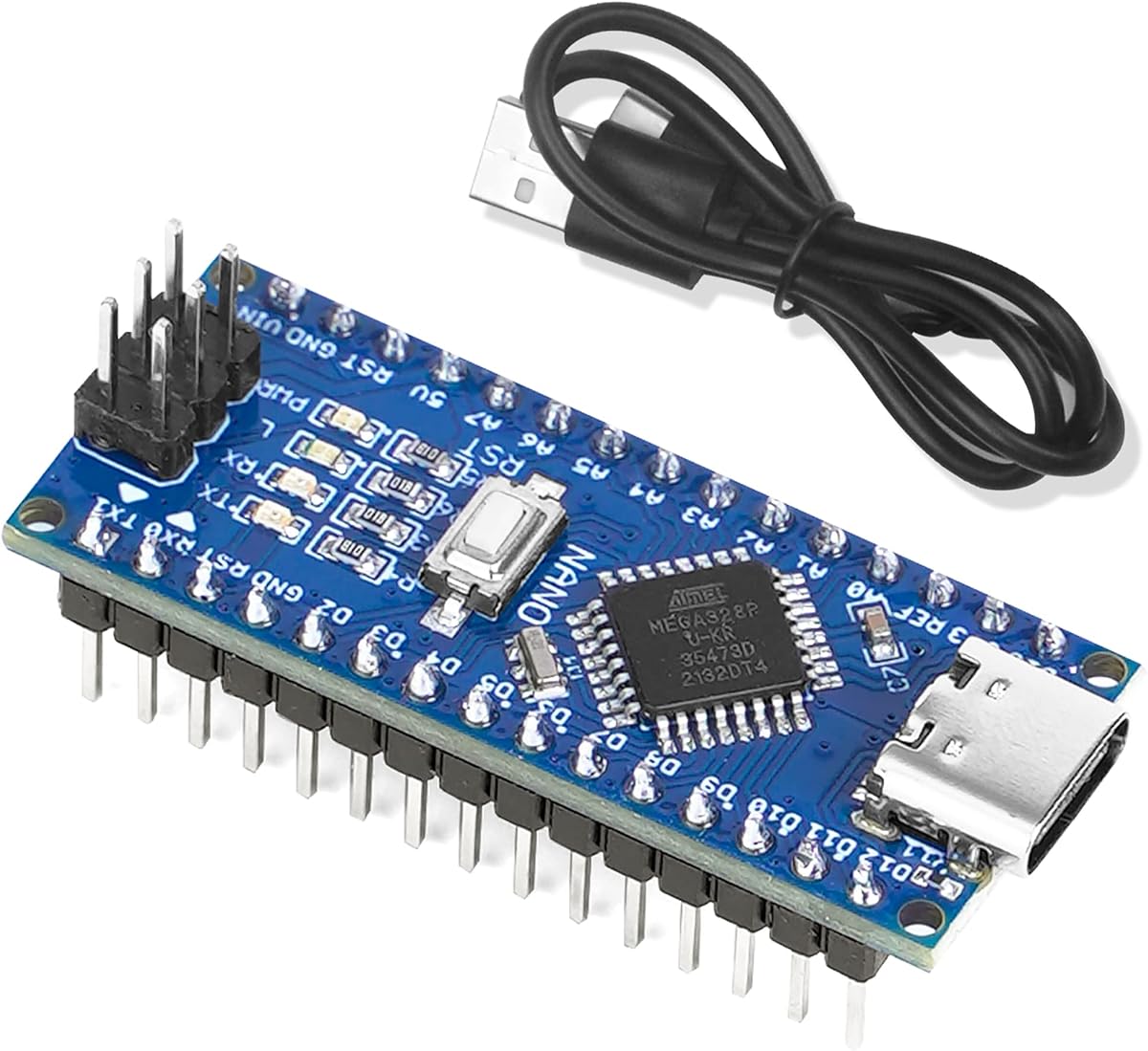
ATmega328P CH340G
USB-C Power Socket
Breadboard Friendly
This guide compares the best Arduino Nano Board options for makers and engineers, evaluating features, compatibility, and performance to help you choose the
The Arduino Nano Board remains a cornerstone for hobbyists and professionals needing compact microcontroller power. Its small footprint and extensive pin count make it ideal for embedded systems and wearable tech projects.
We evaluated ten top models based on chip performance, connectivity options, and community support. Each entry was reviewed for compatibility with standard IDEs and real-world project versatility.
Every pick details key specs and practical use cases to guide your decision. Prices fluctuate frequently, so verify current listings before purchasing to ensure you get the best value today.
4.5Editor score
4.6Editor score

4.6Editor score
This side-by-side comparison highlights the distinct features and capabilities of each model to help you identify the perfect fit for your specific project requirements.


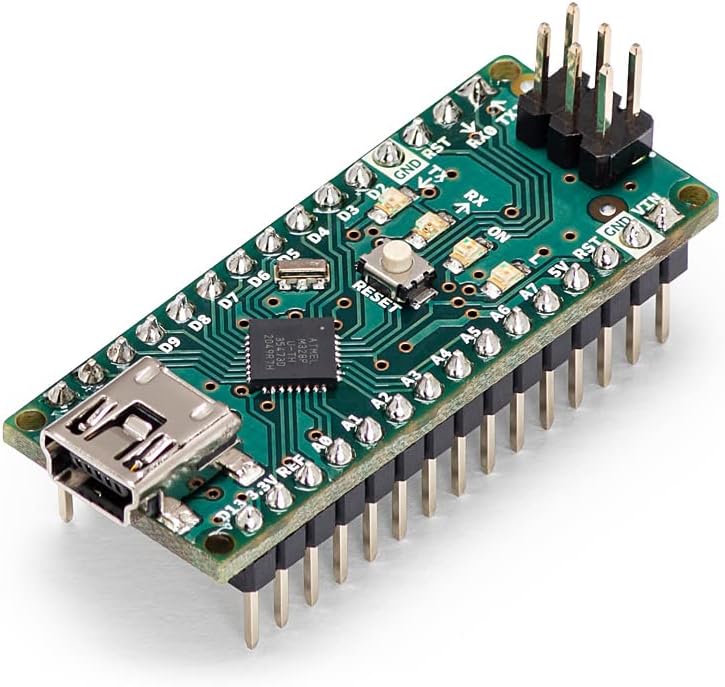
The Arduino Nano [A000005] stands as the benchmark for compact microcontrollers. With a 4.6 rating, it delivers consistent performance for robotics and IoT applications.
We may earn a commission when you buy through this link, at no additional cost to you.
Its ATmega328P processor ensures ample memory for complex sketches. The 14 digital pins and 8 analog inputs allow seamless integration with sensors and actuators.
While it uses a mini-USB port rather than modern USB-C, the connection remains stable. This minor hardware choice does not hinder programming speed or reliability.
Ideal for beginners seeking the most trustworthy Arduino experience. Its wide ecosystem support ensures you find libraries and examples easily for any project.
The board supports 22 digital I/O pins and multiple analog inputs. This versatility makes it perfect for controlling motors, LEDs, and various sensors simultaneously.
Fully compatible with the official Arduino IDE, this board supports a vast library of code. You can upload sketches effortlessly using the built-in USB port.
We may earn a commission when you buy through this link, at no additional cost to you.
This V3.0 clone offers excellent value for makers needing multiple boards. The 4.6 rating reflects reliable operation across various DIY and educational projects.
We may earn a commission when you buy through this link, at no additional cost to you.
It uses the ATmega328P and CH340G chips for stable performance. The board fits perfectly on standard breadboards for quick circuit prototyping.
You will need to install the CH340 driver before first use. This small step ensures your computer recognizes the board for code uploads.
Buy this if you need multiple units for different projects. The cost savings allow for experimentation without breaking your budget.
Built with the proven ATmega328P MCU, this board handles complex tasks efficiently. It supports ISP and USB downloads for flexible programming options.
Windows, Mac, and Linux systems all recognize this board seamlessly. This universal compatibility simplifies setup for users across different platforms.
We may earn a commission when you buy through this link, at no additional cost to you.
ELEGOO provides a modern twist with USB-C connectivity on these boards. The 4.6 rating highlights their ease of use for rapid prototyping.
We may earn a commission when you buy through this link, at no additional cost to you.
The pre-soldered headers save time and space on breadboards. You can plug directly into sensors without manual soldering for quick testing.
Be aware that USB-C to USB-C host cables are not supported for power. Use the included USB-A to USB-C cable for best results.
Ideal for projects needing modern power standards. The three-pack ensures you have spares for different stages of development.
The USB-C port allows for faster programming and better power delivery. This upgrade simplifies the setup process for many modern computers.
With pre-soldered headers, you save valuable space on your board. This design makes it easier to connect sensors and modules directly.
We may earn a commission when you buy through this link, at no additional cost to you.
The Nano Every upgrades the classic design with an ATmega4809 microcontroller. Its 4.6 rating confirms its capability for more demanding embedded tasks.
We may earn a commission when you buy through this link, at no additional cost to you.
With 48KB flash and 6KB SRAM, it handles complex data and larger codebases. This memory boost is vital for advanced automation projects.
It retains compatibility with most existing shields and IDEs. The upgrade path from the classic Nano is smooth and practical.
Choose this if you need extra processing power in the same footprint. It bridges the gap between classic design and modern requirements.
Expanded flash and SRAM allow for running more complex programs. This feature ensures your projects can handle data logging without interruption.
The USB-C connection simplifies power delivery and programming. This modern standard ensures stable connectivity for your development workflow.
We may earn a commission when you buy through this link, at no additional cost to you.
This board brings wireless capabilities to the Nano form factor. With a 4.6 rating, it excels in IoT and smart device applications.
We may earn a commission when you buy through this link, at no additional cost to you.
The ESP32-S3 chip offers dual-core processing at 240 MHz. This speed supports real-time data processing and machine learning at the edge.
Wi-Fi and Bluetooth 5.0 enable seamless device communication. HID support allows custom input device creation easily.
Best for connected projects needing significant compute power. MicroPython compatibility also simplifies rapid prototyping cycles.
Integrated Wi-Fi and Bluetooth allow for remote monitoring. This feature is essential for smart home and industrial IoT applications.
The dual-core processor handles demanding tasks efficiently. You can run complex algorithms without needing an external processor.
We may earn a commission when you buy through this link, at no additional cost to you.
This kit offers unbeatable value for beginners starting out. The 4.5 rating indicates reliable performance for basic electronics and sensor work.
We may earn a commission when you buy through this link, at no additional cost to you.
It features the CH340G chip for broad OS compatibility. The USB-C power socket ensures you can use modern chargers.
Two units with cables included save setup time. This makes it a perfect starter pack for students or hobbyists.
Buy this if budget is your primary constraint. It provides essential features without unnecessary premium costs.
The inclusion of USB cables with the boards simplifies setup. You can begin prototyping immediately without hunting for cables.
Support for USB-C and external power sources ensures versatility. You can choose the power source that fits your project best.
We may earn a commission when you buy through this link, at no additional cost to you.
Three boards offer ample supply for larger classrooms or teams. The 4.5 rating confirms they work well for standard educational use.
We may earn a commission when you buy through this link, at no additional cost to you.
Automatic power switching simplifies external voltage connections. This feature removes the need for manual jumper adjustments.
Each board includes a USB cable for ready use. This reduces initial setup costs for educational institutions.
Best for bulk purchases where cost per unit matters. The reliability is sufficient for learning basic coding and electronics.
The board automatically detects and switches power sources efficiently. This saves you from manual jumper adjustments during testing.
Multiple units allow for team-based learning activities. It is perfect for STEM labs needing multiple setups for students.
We may earn a commission when you buy through this link, at no additional cost to you.
The Nano R4 brings Renesas power to the classic form. Its 4.5 rating reflects robust performance for advanced embedded applications.
We may earn a commission when you buy through this link, at no additional cost to you.
With 256KB flash and a Qwiic connector, integration is faster. The onboard RGB LED aids in debugging code effectively.
Pre-soldered headers simplify rapid prototyping steps. This saves time and assembly effort during the development phase.
Ideal for complex production or professional prototypes. The extra power handles tasks that older models might struggle with.
The Renesas RA4M1 offers significantly more processing power. It handles complex algorithms with ease due to higher clock speeds.
The Qwiic connector allows for quick sensor integration. This feature reduces wiring time for your projects significantly.
We may earn a commission when you buy through this link, at no additional cost to you.
This version allows full customization for production runs. The 4.2 rating indicates good quality for those willing to solder headers.
We may earn a commission when you buy through this link, at no additional cost to you.
Loose pins give you flexibility for different layouts. Castellated edges allow direct mounting on custom PCBs.
The onboard RGB LED and Qwiic connector simplify wiring. It is perfect for embedding into larger systems.
Best for engineers needing embedded designs. Soldering ensures a more permanent and compact solution.
Castellated edges allow the board to be mounted directly. This reduces assembly steps for custom hardware integration.
Loose pins allow you to solder headers in specific configurations. This flexibility supports unique project layouts.
We may earn a commission when you buy through this link, at no additional cost to you.
This single unit offers a compact modern alternative. The 4.6 rating highlights its reliability for quick prototyping tasks.
We may earn a commission when you buy through this link, at no additional cost to you.
USB-C connectivity ensures you use modern charging cables. It is cost-effective for hobbyists needing one extra board.
Automatic power switching simplifies setup for new users. It is easy to plug into any standard breadboard.
Ideal for single-project needs or backup. It combines modern convenience with classic architecture effectively.
The board retains the classic size but updates connectivity. This ensures compatibility with modern power adapters.
Automatic switching ensures you do not worry about jumpers. This convenience simplifies the development process.
We may earn a commission when you buy through this link, at no additional cost to you.
Selecting the right board depends on your project needs and budget constraints.
Modern boards like the Nano Every or R4 offer significantly higher processing power and memory than classic models. Look for ATmega4809 or Renesas chips if you need complex calculations.
Standard ATmega328P chips are sufficient for basic tasks. Choose based on whether you need extra RAM or flash storage.
USB-C is the modern standard for power and data. Boards without it require older mini-USB cables that may not be readily available.
Check if your computer has compatible ports or adapters. USB-C offers faster data transfer and better power stability.
Models like the ESP32 integrate Wi-Fi and Bluetooth directly. This removes the need for external modules in IoT projects.
If you need remote control features, prioritize boards with built-in wireless. Otherwise, standard boards keep costs lower.
Clone boards from third-party manufacturers are significantly cheaper than official ones. They work identically for most non-critical applications.
Official boards provide better quality control and support. Balance cost savings against the need for reliability.
Some kits include multiple units and cables for convenience. This is ideal if you need spares for testing or class use.
Single units may be cheaper upfront but lack flexibility. Consider your project count when choosing a package.
Headers and connectors like Qwiic or castellated edges affect how you attach peripherals. Pre-soldered headers save assembly time.
Loose pins require soldering but offer flexibility for custom builds. Decide if you need a permanent solution.
Ensure the board drivers work with your specific OS. Most modern clones support Windows, Mac, and Linux out of the box.
Check for CH340 driver requirements before purchasing. This step is often overlooked during initial setup.
All boards work with the standard Arduino IDE, but new chips may need updates. MicroPython compatibility is available on some ESP32 models.
Choose a board that matches your preferred coding language. This ensures smoother development workflows.
Connect your board to your computer using the included USB cable. Install the necessary drivers like CH340 if your system does not recognize the device automatically.
Use the Arduino IDE to write and upload code. Select the correct board type from the Tools menu to ensure compatibility.
Handle the board by the edges to avoid static damage. Keep the pins clean and avoid bending them when plugging into breadboards.
The classic Arduino Nano or clone V3.0 boards are ideal for beginners. They are affordable and have vast community tutorials. The official board ensures maximum compatibility with shields.
Official boards usually work instantly on modern systems. Clones often require the CH340 driver. Check your OS requirements before starting your first project.
The ATmega4809 in the Nano Every offers more memory and faster execution. It is better for complex projects. The 328P is sufficient for basic sensor tasks.
Old boards with mini-USB ports require specific cables. Newer clones have USB-C ports which are more durable. Ensure your cable matches the port type.
Most clones work well for prototyping. Official boards are preferred for critical commercial production. Check reviews for batch consistency before buying in bulk.
You can use the VIN pin with 6-12V input. A regulated 5V input is also possible. The board switches sources automatically if multiple are connected.
The best board depends on your specific project needs and budget. Official boards offer reliability while clones provide cost savings for prototyping.
Prioritize USB-C connectivity and wireless features if you need modern convenience. Ensure your chosen board matches your coding preferences.
Verify current listings before buying as stock and offers change frequently. Always check compatibility with your existing sensors and tools.