
EMEET C960 1080P Webcam with Microphone, 2 Mics, 90° FOV, Computer Camera
4.4Editor score
1080P video with cover
Built-in 2 omnidirectional mics
Automatic light adjustment
This guide compares the top 1080p webcams for meetings and streaming based on image quality, audio performance, and ease of use for various setups.
Finding the right webcam can transform your video call experience from blurry to crystal clear. Modern 1080p webcams offer excellent clarity for professional meetings and casual chats alike.
We evaluated ten top models based on video quality, microphone performance, and ease of setup. Each option brings unique strengths to different user needs and budgets effectively.
Every pick below highlights key features and real-world performance insights. Keep in mind that prices and availability can change quickly so checking current listings is wise.
4.4Editor score

4.6Editor score

4.6Editor score
This side-by-side comparison summarizes the key capabilities of each webcam listed below to help you decide quickly which model fits your specific needs.




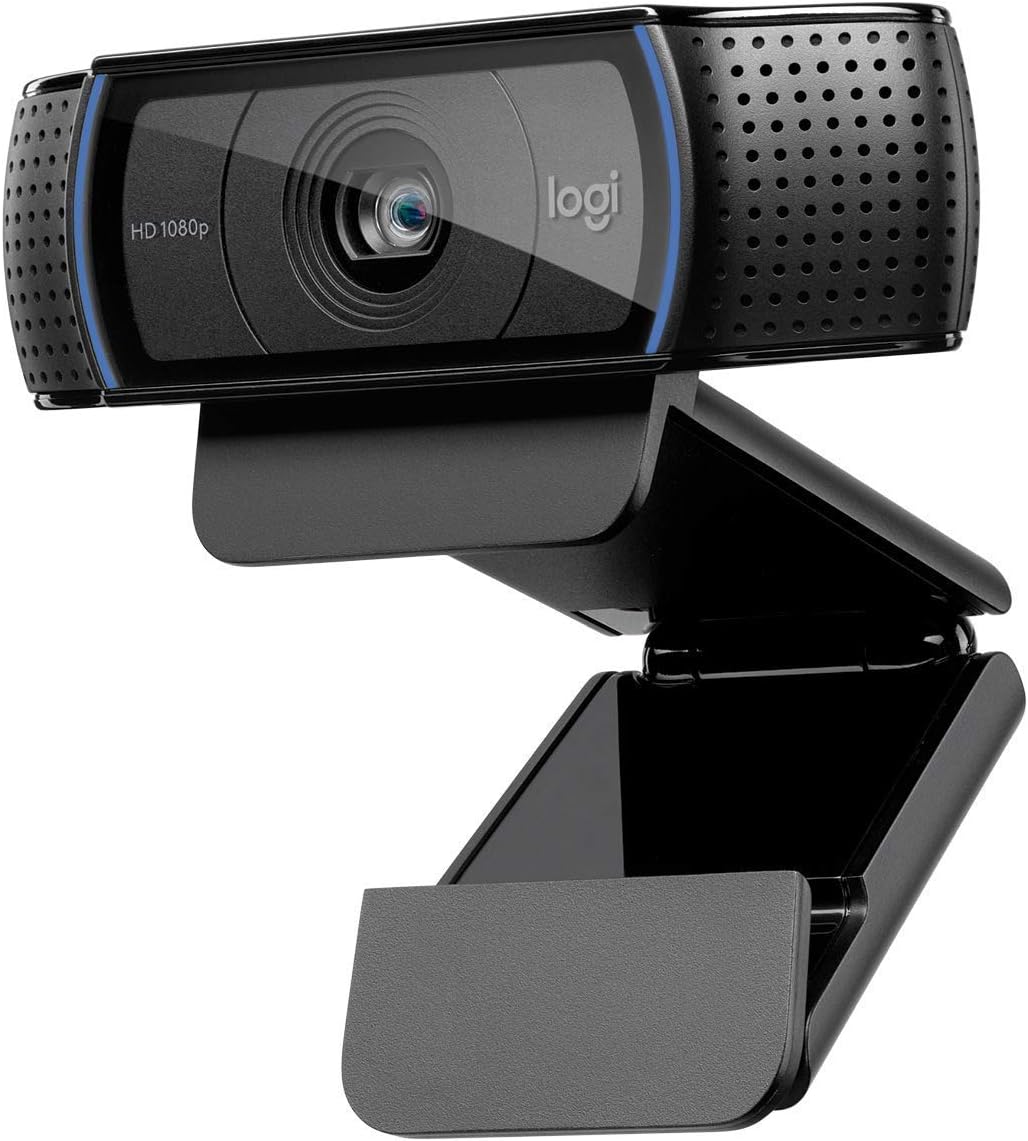


The Logitech C920x remains a top choice for clear video calls and streaming. Its strong rating reflects consistent performance across many user setups.
We may earn a commission when you buy through this link, at no additional cost to you.
This webcam delivers sharp Full HD video with automatic lighting adjustments that keep your image looking good even in tricky lighting. The dual microphones capture clear audio without needing extra gear.
While it lacks a built-in privacy shutter, its overall value and performance make it a reliable pick. Some users might miss the shutter but the image quality is hard to beat.
If you want a webcam that just works and looks professional, this model is worth considering. It fits well into home offices and casual streaming environments.
Automatic light correction ensures your face is well lit without extra effort or expensive ring lights.
Dual built-in microphones pick up your voice clearly so you do not need to buy a separate microphone.
We may earn a commission when you buy through this link, at no additional cost to you.
The Logitech C920S brings a privacy shutter to a classic design. It keeps you in control of what others see during calls.
We may earn a commission when you buy through this link, at no additional cost to you.
Its video quality is crisp with HD autofocus that keeps you sharp during meetings. The stereo audio means your voice comes through clearly to others.
The shutter is easy to slide and gives peace of mind when not in use. Some users might want advanced software features but basic functions work well.
This is a solid choice for home workers who value privacy. Its balance of features and cost makes it a top pick for many.
A simple slide covers the lens instantly to protect your privacy when the camera is not in use.
Dual mics capture your voice clearly without background noise distractions during video meetings.
We may earn a commission when you buy through this link, at no additional cost to you.
The Logitech C920e is designed for professional settings with key business certifications. It ensures compatibility with major meeting platforms.
We may earn a commission when you buy through this link, at no additional cost to you.
Audio is clear up to a meter away thanks to omnidirectional mics. The privacy screen flips up and down easily for quick control.
Its clip is sturdy and it includes tripod threads for flexible mounting. The higher price reflects these added business features and certifications.
For office use or hybrid work, this webcam delivers reliability. It keeps meetings looking and sounding professional without extra setup.
Certified for Zoom and Microsoft Teams to ensure smooth integration in professional environments.
An attachable privacy screen lets you cover the lens whenever you need extra security during calls.
We may earn a commission when you buy through this link, at no additional cost to you.
The Logitech Brio 101 stands out for its eco-friendly build with recycled plastic. It also features a handy privacy slide for quick protection.
We may earn a commission when you buy through this link, at no additional cost to you.
RightLight auto-balance boosts brightness to reduce shadows on your face. The built-in mic ensures you are heard clearly without extra gear.
While it lacks advanced features like 4K its value and sustainability are strong. The slide cover is more durable than a traditional shutter.
This is a great pick for green-conscious buyers who want reliable quality. Its design blends into home setups while staying functional.
Made with at least 77 percent post-consumer recycled plastic to reduce environmental impact.
A sliding cover gives reliable privacy protection when the camera is not actively in use.
We may earn a commission when you buy through this link, at no additional cost to you.
The EMEET C960 offers a wide 90 degree view for capturing more of your space. It works well for small group calls or showing items.
We may earn a commission when you buy through this link, at no additional cost to you.
Two built-in mics help capture natural sound during video calls. Automatic light adjustment keeps your image looking balanced in various environments.
Its USB connectivity works with A and C ports for flexibility. The fixed focus is limited compared to autofocus models.
This webcam is ideal for budget-conscious users needing a wide view. It delivers solid performance for everyday meetings and chats.
A 90 degree wide angle lens fits more people into the frame without moving the camera.
Two omnidirectional microphones pick up your voice clearly even if you move slightly during calls.
We may earn a commission when you buy through this link, at no additional cost to you.
The NexiGo N60 supports many operating systems including Linux and Mac. Its privacy cover helps keep your stream secure when not in use.
We may earn a commission when you buy through this link, at no additional cost to you.
A noise-cancelling mic reduces background noise for clearer calls. Setup is quick with plug and play support across devices.
Its fixed focus is best used at standard desk distance. Low light handling is decent but not its strongest trait.
This model suits users with diverse setups looking for simplicity. It offers reliable performance for the price.
Compatible with Windows Mac and Linux systems for use across different devices.
A sliding cover protects your privacy when the webcam is not being used.
We may earn a commission when you buy through this link, at no additional cost to you.
The EMEET S600 offers 4K resolution for top-tier video quality. It also supports smooth 1080p at 60fps for fast movement.
We may earn a commission when you buy through this link, at no additional cost to you.
PDAF autofocus keeps you sharp with high precision. The FOV can be adjusted at 1080p to suit your framing needs.
A built-in privacy cover protects your lens from accidental exposure. Its software allows advanced tweaks for streamers.
This is a strong pick for content creators wanting high detail. The autofocus performance stands out among 1080p rivals.
4K streaming option delivers crisp images for serious streamers and creators.
Phase detection autofocus keeps you sharp even when you move during calls.
We may earn a commission when you buy through this link, at no additional cost to you.
The Logitech C920 is a classic webcam trusted for years. It delivers solid Full HD video for calls and recording.
We may earn a commission when you buy through this link, at no additional cost to you.
Autofocus keeps you sharp and dual mics provide clear audio. It works on most systems without extra setup.
Its older design lacks newer features like privacy shutters. Still it remains a dependable option for basic needs.
If you want proven performance without bells and whistles choose this model. It fits many setups with ease.
This model has been a standard pick for video calls across offices and homes.
Autofocus ensures your face stays in focus even if you move during calls.
We may earn a commission when you buy through this link, at no additional cost to you.
The Logitech Brio 105 offers business features at a budget-friendly price. It is certified for Google Meet and supports remote deployment.
We may earn a commission when you buy through this link, at no additional cost to you.
RightLight 2 improves image quality in tough lighting. An integrated webcam cover ensures privacy when the call ends.
Its microphone is basic but clear enough for small calls. The value proposition is strong for teams needing consistency.
This pick is ideal for companies rolling out webcams to staff. It balances performance and cost well.
Auto light balancing helps you look good even in dim or uneven lighting.
Logitech Sync allows IT teams to manage devices from a central dashboard.
We may earn a commission when you buy through this link, at no additional cost to you.
The Logitech Brio 100 renewed option brings reliable quality at a lower cost. It delivers Full HD video with simple plug and play.
We may earn a commission when you buy through this link, at no additional cost to you.
Its built-in microphone handles audio well for small meetings. The field of view is standard but fits typical desk setups.
Renewed units may vary in cosmetic condition but function well. This is a smart choice for budget buyers.
If you want a trusted brand for less this model fits. It keeps video clear without extra setup.
Renewed units offer reliable performance at a reduced price point.
Just plug into USB and start calling without extra drivers or apps.
We may earn a commission when you buy through this link, at no additional cost to you.
Choosing the right webcam depends on your setup needs and budget. Here are key factors to consider before buying.
Look for Full HD 1080p resolution for clear images. Higher frame rates like 60fps help during movement.
Prioritize 1080p for most uses to ensure clarity in meetings.
A wider field of view captures more of your room or group. Narrow views suit single-person calls.
Choose based on how much space you need to show.
Built-in microphones vary in clarity. Dual mics reduce noise and pick up voice better.
For best sound check if noise cancellation is included.
Auto light balance helps in dim rooms. It adjusts exposure to keep your face visible.
Models with RightLight or similar tech perform better in low light.
Some webcams include a privacy cover or shutter. This ensures others can not see you.
Prioritize this if you share your space or value privacy.
Check for USB-A or USB-C connectors to fit your ports. Ensure it supports your OS.
Plug and play models save setup time and avoid drivers.
Look for adjustable clips or tripod threads. This lets you place the camera where needed.
A sturdy mount keeps the camera steady during calls.
Certified webcams ensure work with Zoom Teams or Meet. This reduces compatibility issues.
If you use one platform mostly pick a certified option.
Connect the webcam directly to a USB port on your computer. Wait for your system to detect it automatically before launching your meeting app.
Clean the lens with a soft dry cloth before each use. Avoid harsh chemicals that might scratch the surface.
Check your privacy cover status before joining calls. Keep it closed when not in use for extra security.
Most do but certified ones guarantee compatibility. Check the product page for Zoom certification to avoid setup issues.
Soft light in front of you works best. Avoid bright lights behind you that create shadows.
Usually no. They work as soon as you plug them in on most systems.
Most models listed work with macOS but check compatibility. Some features might differ slightly on Mac.
It is a slide or cover over the lens. It ensures no one can see you when the webcam is off.
Yes. 1080p provides sharper detail and clarity for meetings and streaming.
The top picks above offer strong clarity and features for different needs. Each brings unique strengths like privacy shutters or wide views.
Focus on what matters most whether it is audio quality or easy setup. Match features to your daily routine.
Prices may change often so verify current listings before buying. Check reviews for real-world feedback too.