
LG 45GX950A-B
4.3Editor score
5K2K OLED panel
165Hz refresh rate
G-Sync compatible
Edge to edge monitors provide immersive screens with minimal bezels for seamless viewing. They maximize workspace and enhance focus for both professional tasks and entertainment purposes.
We evaluated ten top models based on display quality, performance specs, and user feedback. Each option offers unique strengths for different workflows and budget requirements.
Every pick includes detailed specs and real-world performance insights to help you choose. Note that pricing fluctuates frequently so check current availability before purchasing.
4.3Editor score

4.4Editor score

4.6Editor score
As an Amazon Associate we earn from qualifying purchases.
Compare the top ten edge to edge monitors side by side to find the perfect fit for your needs. Each model brings unique strengths in resolution, speed, and design.





The Dell 34 Monitor S3425DW earns our Editor's Choice for its balanced performance and eye comfort. It delivers a 120Hz refresh rate with WQHD resolution for crisp visuals across work and gaming.
We may earn a commission when you buy through this link, at no additional cost to you.
Its ComfortView Plus reduces blue light without affecting color accuracy which is crucial for long sessions. The VA panel offers deep contrast while FreeSync Premium ensures smooth tearing-free motion during play.
While it lacks extensive ergonomic adjustments the single USB-C connection keeps desks tidy. The re-engineered speakers provide better audio than previous models though external speakers may still be preferred for immersion.
This monitor suits professionals and gamers seeking reliable daily performance. If you want a clutter-free setup with certified eye care features the S3425DW is a strong investment for your workspace.
ComfortView Plus cuts harmful blue light significantly helping reduce strain during extended use.
A single USB-C cable handles data video and power delivery for a cleaner desk.
We may earn a commission when you buy through this link, at no additional cost to you.
The Z-Edge 49 inch Ultrawide transforms your workspace with its massive 32:9 aspect ratio. It combines DQHD resolution with a 165Hz refresh rate for both productivity and high-speed gaming needs.
We may earn a commission when you buy through this link, at no additional cost to you.
Dual QHD resolution allows seamless multitasking as if using two monitors. The built-in KVM switch lets you control two devices with one keyboard and mouse streamlining complex workflows efficiently.
Gaming modes like Crosshair and Shadow Balance add competitive edges while the 1500R curve wraps content around your field of view. However this monitor demands significant desk space and mounting clearance.
Ideal for power users and streamers needing multi-source management. If you crave immersion and want to reduce cable clutter between multiple systems this ultrawide delivers exceptional value.
KVM switch functionality allows seamless switching between PCs without extra peripherals.
The 49 inch curved panel wraps around your vision for engaging visual experiences.
We may earn a commission when you buy through this link, at no additional cost to you.
The Dell UltraSharp U4924DW targets professionals seeking a reliable large-screen workspace. It features edge WLED backlight technology and DQHD resolution for consistent clarity during critical design and data tasks.
We may earn a commission when you buy through this link, at no additional cost to you.
USB Type-C ensures powerful efficient data transfer which is vital for enterprise workflows. The 49 inch viewable screen size displays complex spreadsheets or code without excessive scrolling or window switching.
VESA mount compatibility offers flexibility for ergonomic setups or wall mounting in offices. While the 5ms response time is adequate for most work it is not optimized for fast-paced gaming scenarios.
This monitor is best for corporate environments and creative studios. If you need a durable high-res display with reliable connectivity for demanding daily tasks the UltraSharp delivers consistent performance.
USB-C supports high speed data and charging for efficient workstation integration.
VESA compatibility allows wall mounting or ergonomic stand customization.
We may earn a commission when you buy through this link, at no additional cost to you.
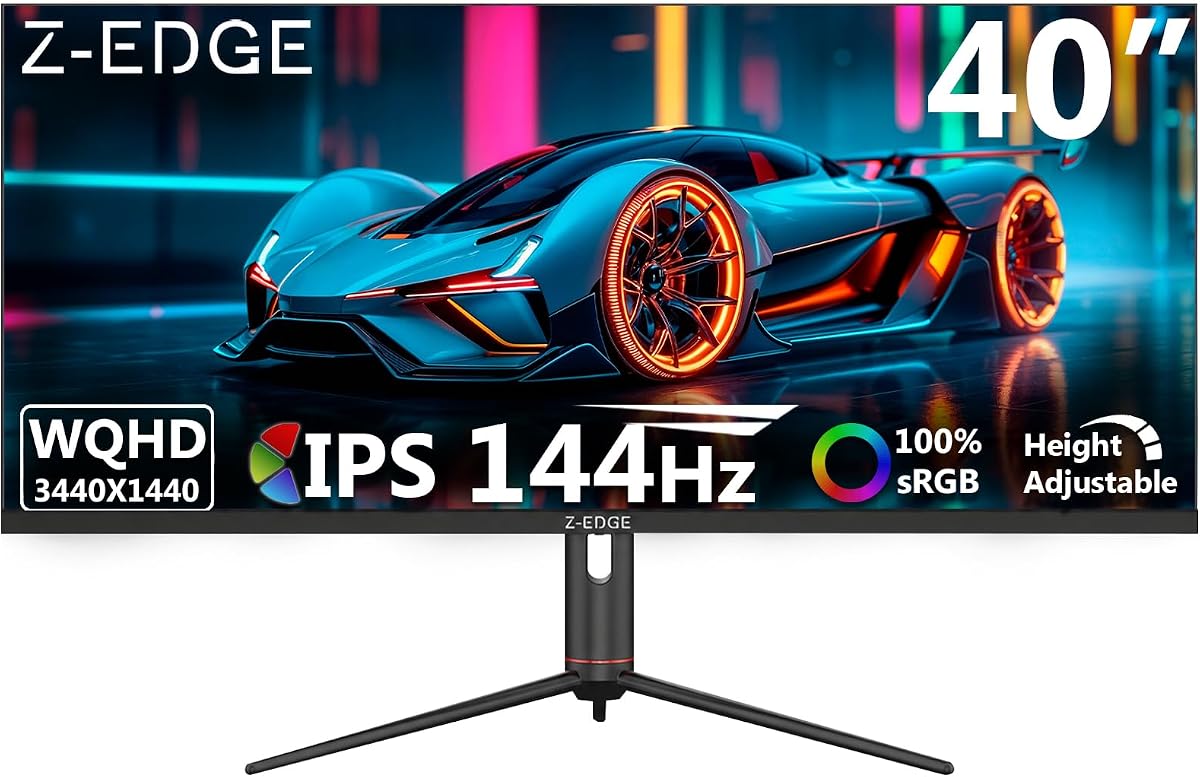
The Z-Edge 40 inch Gaming Monitor brings wide viewing angles with an advanced IPS panel. It delivers WQHD resolution and 144Hz refresh rate via DP for fluid visuals during gaming or creative work.
We may earn a commission when you buy through this link, at no additional cost to you.
The fully adjustable stand supports height tilt and swivel ensuring comfort during long sessions. PIP and PBP modes let you view multiple inputs simultaneously which is great for multitaskers or streamers.
USB-C connectivity adds convenience for laptops while built-in speakers reduce cable clutter on your desk. Gaming modes like Hawk-eye Vision enhance visibility without sacrificing image quality or color fidelity.
Best for users who prioritize color accuracy alongside gaming speed. If you want a versatile 40 inch screen that handles both content creation and competitive play this IPS model excels.
IPS panel delivers consistent colors and brightness across all viewing angles.
Split screen modes allow managing multiple apps or devices on one display.
We may earn a commission when you buy through this link, at no additional cost to you.
The Corsair XENEON Edge offers a unique solution for PC enthusiasts wanting a secondary display. It features a 14.5 inch 2K touchscreen that can be installed inside a PC case or used externally.
We may earn a commission when you buy through this link, at no additional cost to you.
You can use it to showcase system metrics or run apps while gaming. The five-point multi-touch capacitive interface makes interacting with widgets intuitive and responsive for quick adjustments.
Magnetic adhesion and screw mounting provide flexibility for different chassis types. It also works as a standalone portable monitor with the included stand making it versatile for travel or work.
This display is ideal for custom PC builders needing a dedicated dashboard screen. If you want to integrate real-time monitoring or secondary controls directly into your rig this monitor delivers that unique capability.
Perfect for displaying system metrics or chat channels inside your PC case.
Can be mounted internally or used as a standalone portable touchscreen.
We may earn a commission when you buy through this link, at no additional cost to you.
The Sceptre Curved 34-inch brings 240Hz refresh rates at a budget-friendly price point. It supports WQHD resolution with 100% sRGB for vibrant visuals suitable for competitive gaming and media.
We may earn a commission when you buy through this link, at no additional cost to you.
Blue-Light Shift technology helps protect your eyes during extended gaming sessions. Built-in speakers provide convenient audio output while multiple DisplayPort and HDMI options ensure compatibility with various systems.
The 1ms response time minimizes blur for fast-paced action. While stand adjustments are basic the performance per dollar remains high for gamers seeking speed without breaking their bank.
Ideal for budget-conscious gamers prioritizing refresh rate and response time. If you want a 34 inch curved display that handles high-speed games without compromise this model offers excellent entry value.
240Hz and 1ms response eliminate lag for precise aiming and tracking.
Built-in speakers remove the need for external audio on a clean setup.
We may earn a commission when you buy through this link, at no additional cost to you.
The LG 45GX950A-B defines premium gaming with its world-first 5K2K OLED panel. It delivers unmatched clarity with deep blacks and vivid colors that surpass traditional LCD technology significantly.
We may earn a commission when you buy through this link, at no additional cost to you.
Dual Mode lets you switch between 5K2K at 165Hz and Wide Full HD at 330Hz. This flexibility allows you to prioritize visual fidelity for story games or speed for competitive shooters.
The 800R curve enhances immersion while DisplayPort 2.1 and USB-C ensure future-proof connectivity. G-Sync and FreeSync Premium Pro support eliminate tearing across all supported platforms seamlessly.
Best for enthusiasts wanting top-tier visual performance. If you demand the highest resolution and speed available in an ultra-wide format this OLED monitor sets a new standard for quality.
True blacks and infinite contrast make every scene pop with realism.
Switch between 5K detail and 330Hz speed instantly with one button.
We may earn a commission when you buy through this link, at no additional cost to you.
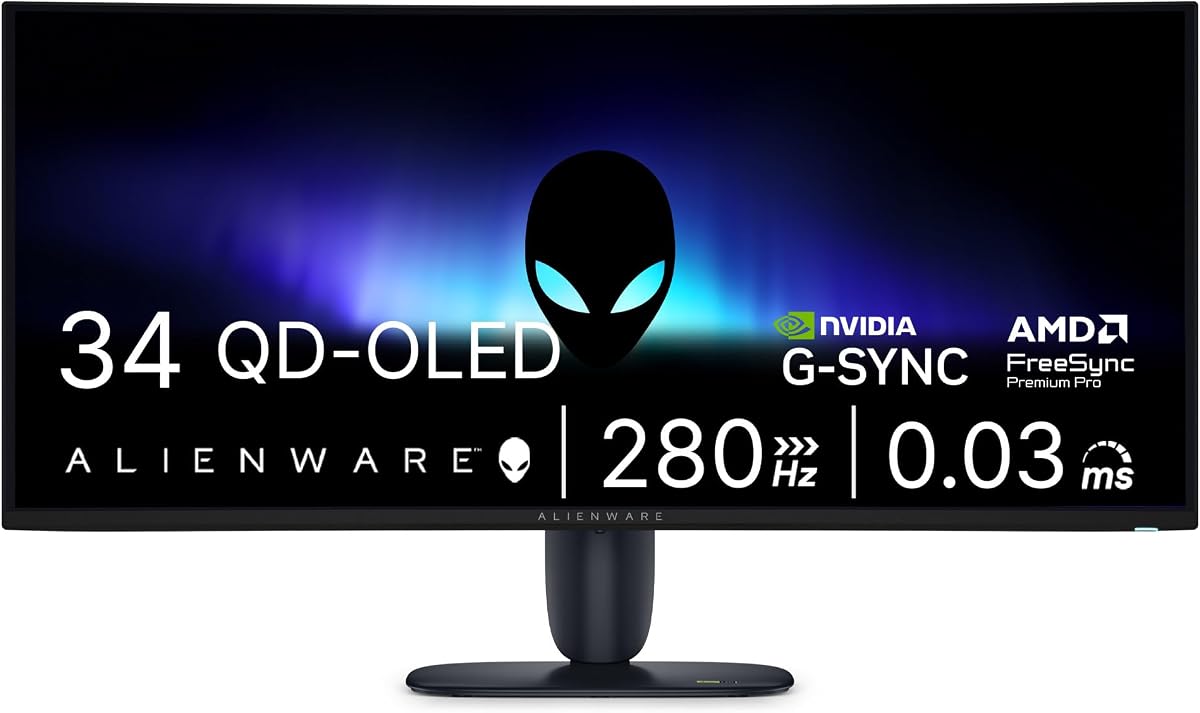
The Alienware 34 Gaming Monitor focuses on speed with a massive 280Hz refresh rate and QD-OLED panel. It offers vibrant colors and deep contrast in a compact 34 inch ultra-wide form factor.
We may earn a commission when you buy through this link, at no additional cost to you.
Its 0.03ms response time minimizes ghosting for precise control in competitive shooters. G-SYNC compatibility ensures smooth frame synchronization across NVIDIA GPUs without screen tearing or stuttering.
Alienware's design adds aesthetic appeal to your setup. While the price is high the combination of OLED quality and ultra-high refresh rates makes it a top choice for serious competitive gamers.
Ideal for gamers prioritizing motion clarity and speed. If you want the smoothest experience possible with stunning colors and a premium build this monitor delivers exceptional performance.
280Hz and 0.03ms response ensure zero blur in fast action.
QD-OLED provides vivid colors and perfect blacks for immersive play.
We may earn a commission when you buy through this link, at no additional cost to you.
The Acer SB240Y G0bi offers incredible value with a zero-frame edge-to-edge design. It delivers Full HD resolution with IPS technology for consistent color and wide viewing angles at an accessible price.
We may earn a commission when you buy through this link, at no additional cost to you.
Adaptive-Sync support ensures smooth tear-free gaming with up to 120Hz refresh rates. The 1ms VRB response time handles fast transitions without ghosting which is rare at this budget level.
HDMI and VGA ports keep it compatible with older and newer systems alike. While the stand only tilts it is perfect for secondary screens or smaller desks needing a clean look.
Best for students or home office users on a tight budget. If you need a reliable monitor that looks modern and handles light gaming without breaking the bank this is the top pick.
Ultra-slim bezels maximize screen space for a clean and immersive look.
IPS panel and 120Hz refresh offer quality usually found in pricier models.
We may earn a commission when you buy through this link, at no additional cost to you.
The Samsung 57 Odyssey Neo G9 provides the ultimate gaming immersion with dual 4K resolution. It uses Quantum Mini LEDs for exceptional brightness and local dimming zones for deep shadows and highlights.
We may earn a commission when you buy through this link, at no additional cost to you.
Its 1000R curve matches the human eye for total peripheral immersion. DisplayPort 2.1 ensures you can utilize the full DUHD resolution at 240Hz for maximum performance in supported games.
CoreSync technology projects screen colors into your real-world lighting for a cohesive feel. While it demands a powerful PC and large desk the level of detail and immersion it offers is unparalleled.
Best for hardcore gamers seeking the ultimate visual experience. If you want a display that wraps around you with pin-sharp detail and HDR performance this monitor stands as a flagship choice.
Local dimming zones create deep blacks and high contrast for realism.
1000R curve wraps the screen to immerse you in game environments.
We may earn a commission when you buy through this link, at no additional cost to you.
Choosing the right edge to edge monitor involves balancing resolution, refresh rate, and panel technology to suit your specific workflow.
Resolution determines clarity and detail. Edge to edge monitors often feature ultrawide aspect ratios like 21:9 or 32:9 for expanded horizontal space. Higher resolutions like DQHD or 5K2K provide sharper text for productivity.
Select a resolution that matches your GPU power and intended tasks.
Refresh rate measured in Hz affects motion smoothness. Gamers typically need 144Hz or higher for competitive play while general users may find 60Hz sufficient. Response time impacts ghosting and blur.
Prioritize high refresh rates for gaming and low response times for fast action scenes.
IPS panels offer wide viewing angles and color accuracy ideal for creative work. VA panels deliver deeper contrast which is great for dark room viewing. OLED panels provide perfect blacks but cost significantly more.
Choose IPS for color accuracy or OLED for ultimate contrast and depth.
Curved monitors reduce eye movement and increase immersion for ultrawide displays. Flat screens are better for tasks requiring precise straight lines like architectural design or CAD work.
Consider curved screens for gaming and flat for professional drafting or drawing.
USB-C with power delivery simplifies setups for laptops. DisplayPort 2.1 supports higher bandwidth for high refresh rates. HDMI 2.1 is essential for modern gaming consoles.
Ensure your monitor has ports compatible with your PC or console.
Adjustable stands for height tilt and swivel reduce neck strain during long sessions. VESA mount compatibility allows you to use third-party arms for better positioning.
Look for ergonomic adjustments to maintain comfort during extended use.
Features like Blue Light Shift or ComfortView Plus reduce harmful emissions. Flicker-free technology prevents eye fatigue by eliminating screen flickering during brightness changes.
Prioritize these features if you work late into the night daily.
Features like Picture-in-Picture (PIP) or Picture-by-Picture (PBP) allow multiple input sources on one screen. This is useful for comparing documents or monitoring multiple devices simultaneously.
Check for split-screen modes if you frequently work with dual systems.
Start by connecting your monitor to a power source and your computer using high-speed cables. Ensure your GPU drivers are updated to support the display's full resolution and refresh rate capabilities.
Adjust brightness and color settings based on your ambient lighting to reduce eye strain. Use built-in calibration tools or external sensors for precise color accuracy in creative workflows.
Clean the screen regularly using a microfiber cloth and screen-safe cleaner. Avoid spraying liquids directly on the screen and keep the back vents free of dust to ensure longevity.
Yes, edge to edge monitors maximize screen real estate by reducing bezels. The ultrawide formats allow you to view multiple windows side by side without the distraction of thick borders between panels.
Dual Quad HD (DQHD) or higher resolutions like 5K2K are best for multitasking. They allow you to fit several applications on screen while maintaining sharp text and image clarity.
Curved monitors match the natural curve of the human eye which reduces distortion. This design wraps content around your field of view making it easier to focus on tasks or games.
USB-C with DisplayPort Alt Mode is ideal for laptops as it handles video, data, and power in one cable. This simplifies setups and reduces cable clutter on your desk.
Use built-in calibration tools for quick adjustments or external hardware sensors for professional accuracy. Adjust gamma, white point, and brightness to match your specific lighting environment.
Modern ultrawide monitors support high refresh rates and adaptive sync technologies. They provide a broader field of view which can offer a competitive edge in supported titles.
Ghosting occurs when pixel response times are too slow to track fast-moving objects. Look for monitors with response times under 5ms to minimize this visual artifact during gameplay.
OLED offers superior contrast and response times but at a higher price. If you prioritize deep blacks and instant pixel switching for competitive play, the cost may be justified.
Our top picks like the Dell S3425DW and LG 45GX950A-B cover a range of needs from office work to high-end gaming. Each option balances screen real estate with performance metrics effectively.
Prioritize panel technology and resolution based on your daily workload. Gamers should focus on refresh rates while professionals should consider color accuracy and ergonomics.
Prices for these displays fluctuate based on demand and stock availability. Always verify the latest pricing and warranty terms before completing your purchase online.