
Moread 4K DisplayPort to HDMI Adapter
4.6Editor score
4K at 30Hz support
Durable gold-plated connectors
Five-year warranty included
Find the best HDMI output to input adapter for laptop with our expert guide comparing top 10 models for connectivity, resolution, and reliability.
Connecting your laptop to external displays is essential for productivity and entertainment. Finding the right adapter ensures smooth video transmission and reliable performance for your specific device needs.
We compared ten top-rated adapters based on resolution support, build quality, and compatibility. This list covers various connection types to help you choose the perfect match for your workflow.
Each pick highlights key features and use cases to simplify your decision. Keep in mind that product availability and pricing can change frequently across different retailers and regions.
4.6Editor score

4.6Editor score

4.7Editor score
This side-by-side comparison highlights the key specifications and features of all ten selected adapters to help you find the ideal solution for your laptop setup.





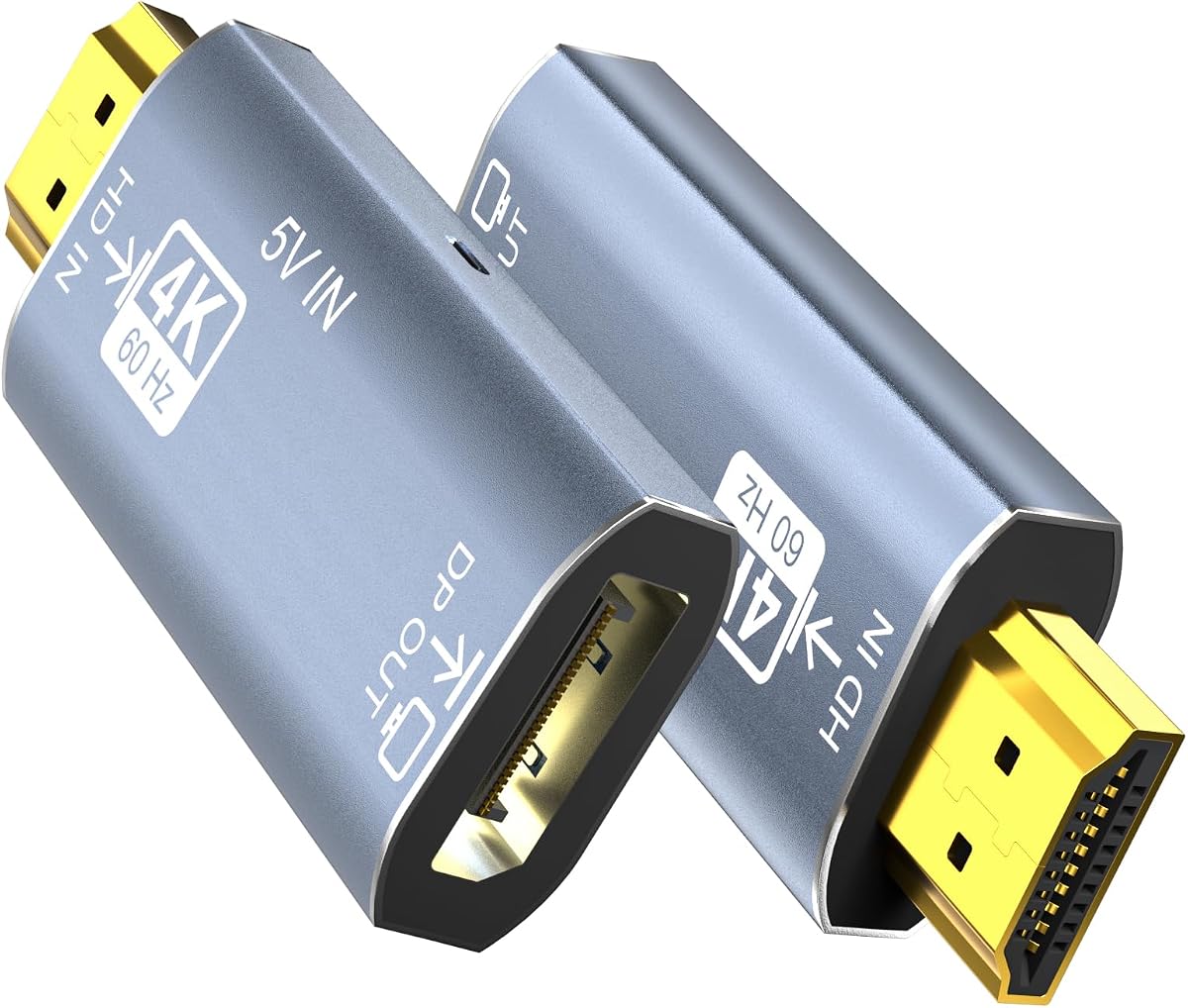
The Anker USB C to HDMI Adapter stands out as a top choice for modern laptops needing reliable video output. With a high user rating, it delivers crisp 4K visuals at smooth 60Hz refresh rates.
We may earn a commission when you buy through this link, at no additional cost to you.
Its premium aluminum casing ensures effective heat dissipation during extended use while remaining lightweight for portability. The reinforced braided-nylon cable adds durability against daily wear and tear.
While it lacks charging support, the adapter focuses on stable video transmission without needing drivers or setup. This straightforward plug and play experience simplifies connecting to external monitors quickly.
Ideal for professionals and students alike, this adapter offers a trustworthy bridge between USB-C laptops and HDMI displays. It represents a solid investment for clear and consistent visual performance.
Enjoy vibrant 4K resolution that enhances presentations and entertainment by delivering sharp image clarity on any compatible HDMI display.
Constructed with an aluminum casing and reinforced cable, this adapter withstands regular use while maintaining reliable signal transmission over time.
We may earn a commission when you buy through this link, at no additional cost to you.
Moread offers a cost-effective solution for users with DisplayPort-equipped devices needing HDMI output. This adapter supports 4K resolution and includes a notably long warranty for peace of mind.
We may earn a commission when you buy through this link, at no additional cost to you.
It features gold-plated connectors that resist corrosion and ensure stable signal transmission. The locking mechanism with latches provides a secure connection that prevents accidental disconnection during use.
While the 4K refresh rate caps at 30Hz, it remains suitable for general productivity and media consumption. The adapter supports various audio channels for an immersive viewing experience.
Best for budget-conscious buyers requiring reliable DP to HDMI conversion, this model balances performance and durability. Its extensive warranty reflects confidence in long-term product quality.
Access 4K video output at a competitive price point, making high-definition presentations and media accessible without breaking your budget.
Reinforced housing and gold-plated connectors protect against physical damage and signal degradation ensuring reliable performance over years of use.
We may earn a commission when you buy through this link, at no additional cost to you.
This adapter delivers exceptional performance with support for 8K resolution and high refresh rates ideal for gaming and professional media. Its premium build quality ensures stability during demanding visual tasks.
We may earn a commission when you buy through this link, at no additional cost to you.
Featuring 24K gold-plated connectors and an aluminum alloy housing, it resists corrosion and heat effectively. The design withstands thousands of plug cycles making it reliable for frequent connections.
While it targets devices with mini HDMI ports, the versatility supports a wide range of cameras and laptops. The included two-pack adds value for users with multiple devices needing connection.
Best suited for enthusiasts and professionals needing cutting-edge display capabilities this adapter justifies its premium positioning. It future-proofs your setup with next-generation HDMI standards.
Leverage HDMI 2.1 capabilities to enjoy 8K resolution and high refresh rates ensuring compatibility with the latest displays and devices.
Built with premium materials to resist wear and heat, this adapter maintains signal integrity even under frequent use and demanding conditions.
We may earn a commission when you buy through this link, at no additional cost to you.
BENFEI provides a solid DisplayPort to HDMI conversion option for laptops and desktops requiring external display connectivity. Its compact design makes it easy to carry for presentations on the go.
We may earn a commission when you buy through this link, at no additional cost to you.
Built-in advanced IC chips ensure stable signal conversion without flickering. The gold-plated connector resists corrosion while the latching design maintains a secure connection during use.
The release button on the connector allows for easy disconnection without straining the port. This thoughtful design detail enhances user experience and port longevity over time.
Ideal for users needing a reliable uni-directional converter this adapter balances performance and portability effectively. Its warranty coverage adds assurance for regular daily usage scenarios.
Tuck this lightweight adapter into your bag for quick presentations ensuring you can connect to any HDMI projector or monitor instantly.
Latching connectors prevent accidental disconnections keeping your display stable during critical presentations or work sessions without interruptions.
We may earn a commission when you buy through this link, at no additional cost to you.
Highwings offers a robust USB-C to HDMI adapter suitable for laptops and tablets that support video output. Its 4K 60Hz capability ensures smooth visuals for various multimedia applications.
We may earn a commission when you buy through this link, at no additional cost to you.
The braided nylon jacket and strain relief design protect the cable from damage during frequent plugging and unplugging. This durability supports long-term use in busy environments.
Users should verify DP Alt Mode support before purchase since not all USB-C ports transmit video. This adapter does not support charging but focuses on clear video transmission.
A good choice for home office setups or mobile professionals this adapter delivers reliable performance. Its extended warranty reflects commitment to product satisfaction and customer support.
Compatible with many USB-C phones and tablets providing flexible options for expanding your workspace beyond the laptop screen alone.
Built with durable materials to handle daily wear maintaining connection integrity and preventing cable breakage over extended periods of use.
We may earn a commission when you buy through this link, at no additional cost to you.
This HDMI switch simplifies managing multiple devices connected to one display without unplugging cables constantly. It supports 4K resolution for high-quality visuals across different sources.
We may earn a commission when you buy through this link, at no additional cost to you.
Using a manual button for transitions makes switching between a game console and laptop straightforward and intuitive. The compact design keeps your desk clutter-free while maintaining signal integrity.
Though it lacks automatic detection and simultaneous dual output it excels at reliable single display switching. Users appreciate the straightforward functionality without needing additional setup or software.
Best for home theaters or multi-device workstations this switch optimizes your viewing setup. Its compatibility with a range of electronics ensures versatility for entertainment and productivity.
Switch between gaming consoles and laptops effortlessly with a single button press saving time and avoiding constant cable reconnections.
Reduce cable clutter on your desk by managing multiple HDMI sources through one switch keeping your workspace organized and tidy.
We may earn a commission when you buy through this link, at no additional cost to you.
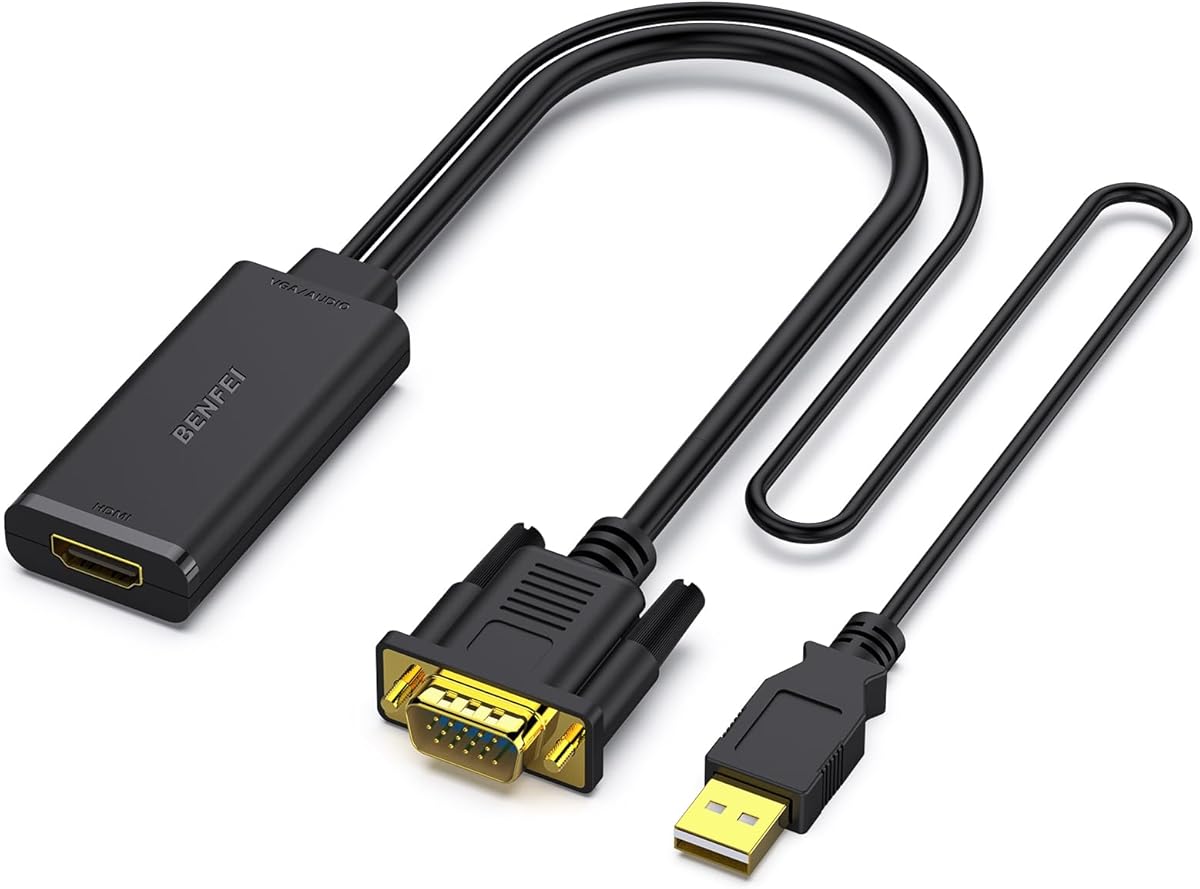
This adapter bridges older VGA ports with modern HDMI displays enabling legacy laptops to connect to new screens easily. It converts analog signals to digital video with 1080P clarity.
We may earn a commission when you buy through this link, at no additional cost to you.
An integrated USB cable handles audio transmission ensuring both sound and video output simultaneously. This dual functionality addresses the common limitation of VGA connections lacking native audio.
Compact and lightweight it fits easily into bags for business presentations. The simple plug-and-play operation avoids driver installation making it accessible for all users.
Perfect for extending the life of older computers this adapter offers a practical upgrade path. Its reliability and audio support make it valuable for mixed device environments.
Connect older devices to current monitors and TVs effortlessly ensuring your legacy equipment remains functional with newer display technologies.
Include sound transmission alongside video through a USB cable overcoming VGA limitations and delivering a complete multimedia experience.
We may earn a commission when you buy through this link, at no additional cost to you.
This multiport adapter expands a single USB-C connection into HDMI video power delivery and data ports. It streamlines connectivity for laptops with limited available ports effectively.
We may earn a commission when you buy through this link, at no additional cost to you.
Supporting up to 100W input allows charging while using the HDMI output. The USB 3.0 port enables fast file transfers alongside video output simultaneously.
The aluminum body helps with heat dissipation during extended use ensuring stable performance. It targets users needing a compact hub rather than a single function adapter.
Ideal for travelers and mobile professionals this hub centralizes your connection needs. Its balanced feature set enhances productivity without carrying multiple separate adapters.
Combine video output power charging and data transfer into one device reducing the number of dongles needed for your daily workflow.
Charge your laptop while connecting to an external display ensuring uninterrupted power during long meetings or work sessions.
We may earn a commission when you buy through this link, at no additional cost to you.
This adapter solves the problem of connecting HDMI sources to DisplayPort monitors which is less common than the reverse direction. It supports high refresh rates for gaming applications effectively.
We may earn a commission when you buy through this link, at no additional cost to you.
It delivers 4K at 60Hz and up to 1080P at 165Hz ensuring smooth visuals for dynamic content. The braided nylon cable adds durability while the aluminum casing manages heat well.
An external USB power connection is required to activate the conversion chip reliably. This power needs should be considered when setting up your display configuration in advance.
Best for gamers and professionals needing high-refresh displays this adapter expands monitor options. Its compatibility with consoles and PCs makes it versatile for diverse setups.
Access up to 165Hz refresh rates on your DisplayPort monitor for smoother gaming and motion clarity from HDMI sources.
Connect modern consoles and PCs to DisplayPort displays allowing you to use existing monitors without replacing hardware.
We may earn a commission when you buy through this link, at no additional cost to you.
This active adapter provides a reliable way to connect HDMI outputs to DisplayPort inputs without software complications. It focuses on delivering smooth zero-latency performance for gaming and work.
We may earn a commission when you buy through this link, at no additional cost to you.
Supporting 4K at 60Hz ensures high-definition output suitable for most modern displays. The hardware-level decoding avoids driver issues across Windows macOS and Linux systems easily.
It works well with consoles and streaming devices offering flexible setup options for various environments. However it requires a quality DP 1.2 cable to achieve optimal resolution stability.
Ideal for dual monitor setups or console gaming this adapter ensures clean signal translation. Its simple plug-and-play nature makes it accessible for non-technical users.
Experience lag-free visuals on DisplayPort gaming monitors using HDMI consoles for an immersive and responsive interactive experience.
Connect instantly without installing drivers ensuring compatibility across multiple operating systems and simplifying setup for all users.
We may earn a commission when you buy through this link, at no additional cost to you.
Selecting the right adapter depends on your laptop ports and display capabilities. This guide explains key factors to consider for a compatible and reliable connection.
Identify whether your laptop has USB-C DisplayPort or VGA output to match the adapter input type correctly. Check device specs to confirm video support especially for USB-C ports.
Ensure the adapter matches your laptop physical port to avoid purchase errors and ensure functional video output.
Choose an adapter that supports the maximum resolution and refresh rate your display can handle for sharp visuals. Higher refresh rates benefit gaming while high resolution suits media consumption.
Match adapter specs to your monitor capabilities to avoid performance bottlenecks or black screen issues.
Verify that the adapter supports the correct signal direction since most converters are uni-directional. Using an HDMI to DP adapter with a DP source will not work.
Always confirm input source and output display types before buying to ensure the adapter direction aligns with your setup.
Look for adapters with reinforced cables and protective casing to resist damage from daily use and frequent plugging. Aluminum housings help dissipate heat during extended operation.
Durable materials extend product lifespan and maintain signal reliability over time with regular usage.
Consider if you need audio support Power Delivery charging or multiple ports in one unit. These features can reduce the need for extra accessories and simplify your setup.
Extra features add convenience but may increase cost so prioritize needs based on your specific workflow.
Check warranty length and customer service options to ensure assistance is available if issues arise. Longer warranties indicate manufacturer confidence in product reliability.
Reliable support and warranty coverage provide peace of mind and protect your investment against defects.
Compare features against price to find an adapter that offers good value without unnecessary costs. Budget options can be sufficient for basic needs while premium ones offer extra durability.
Balance cost with required features to get the best performance within your budget constraints.
Consider the included cable length or if you need to use an extension for your desired setup distance. Longer distances may require higher quality cables to prevent signal loss.
Proper cable length ensures comfortable device placement without straining connectors or requiring extra adapters.
Connect the adapter to your laptops compatible port first then plug an HDMI cable into the adapter and your display. Ensure your display is set to the correct HDMI input source for video to appear.
If the adapter requires external power like some HDMI to DisplayPort models connect the USB power cable to a source before starting. This step activates the conversion chip for stable signal output.
Store the adapter in a protective case when not in use to prevent physical damage to connectors. Avoid bending the cable sharply near the adapter body to maintain internal wiring integrity.
No only USB-C ports with DisplayPort Alt Mode or Thunderbolt support video output. Check your device specifications to confirm video capability before purchasing an adapter.
No these adapters are uni-directional and only work from HDMI source to DisplayPort display. Using them backwards will not transmit signals or display video.
Check that your display input source matches the connected HDMI port. Ensure your laptop recognizes the external display and select the correct adapter mode in settings.
Most HDMI adapters carry both audio and video signals together. Some VGA or USB to HDMI models may require a separate USB audio cable for sound output.
Standard single adapters usually support one external display at a time. To use multiple displays you may need multiple adapters or a docking station with multi-monitor support.
Yes most adapters work immediately without driver installation on modern systems. Some models may require specific firmware updates for advanced features or older operating systems.
Slight warmth during operation is normal especially at higher resolutions. Ensure adequate ventilation and avoid covering the adapter to prevent overheating issues over time.
For 4K at 60Hz you need high-speed HDMI cables that support the required bandwidth. Lower quality cables may limit resolution or cause flickering and signal loss.
Selecting the right adapter depends largely on your specific laptop ports and display requirements. Whether you need USB-C DisplayPort or legacy VGA options there is a suitable model to match your setup needs.
Prioritize features like resolution support build quality and warranty coverage to ensure long-term reliability. Balancing performance with value helps you make a smart choice for daily use or professional presentations.
Always check current availability and specifications before purchasing since product details can change. With the right adapter your laptop can connect seamlessly to external displays for enhanced productivity and entertainment.