
HP OmniBook 3 14 inch
4.4Editor score
41+ hours battery life
Snapdragon X processor
2K OLED display
AI Laptops are transforming how we work and create with powerful on-device intelligence. These machines bring advanced processing and seamless integration to your daily tasks. Choosing the right model requires understanding specific hardware capabilities and software features available today.
We evaluated ten leading models based on processor power, display quality, and real-world AI performance. Our comparison covers everything from budget-friendly options to premium business workstations. Each device was analyzed for battery life, connectivity, and overall user experience across various scenarios.
Every pick highlights unique strengths like long battery life or stunning OLED screens. Prices and availability can change quickly so always verify current offers before buying. This guide ensures you find a reliable machine that fits your specific needs and budget requirements.
4.4Editor score
4.8Editor score

5.0Editor score
As an Amazon Associate we earn from qualifying purchases.
This side-by-side comparison highlights key specifications and features across all ten models. Use this table to quickly identify which device offers the best value and performance for your specific requirements.


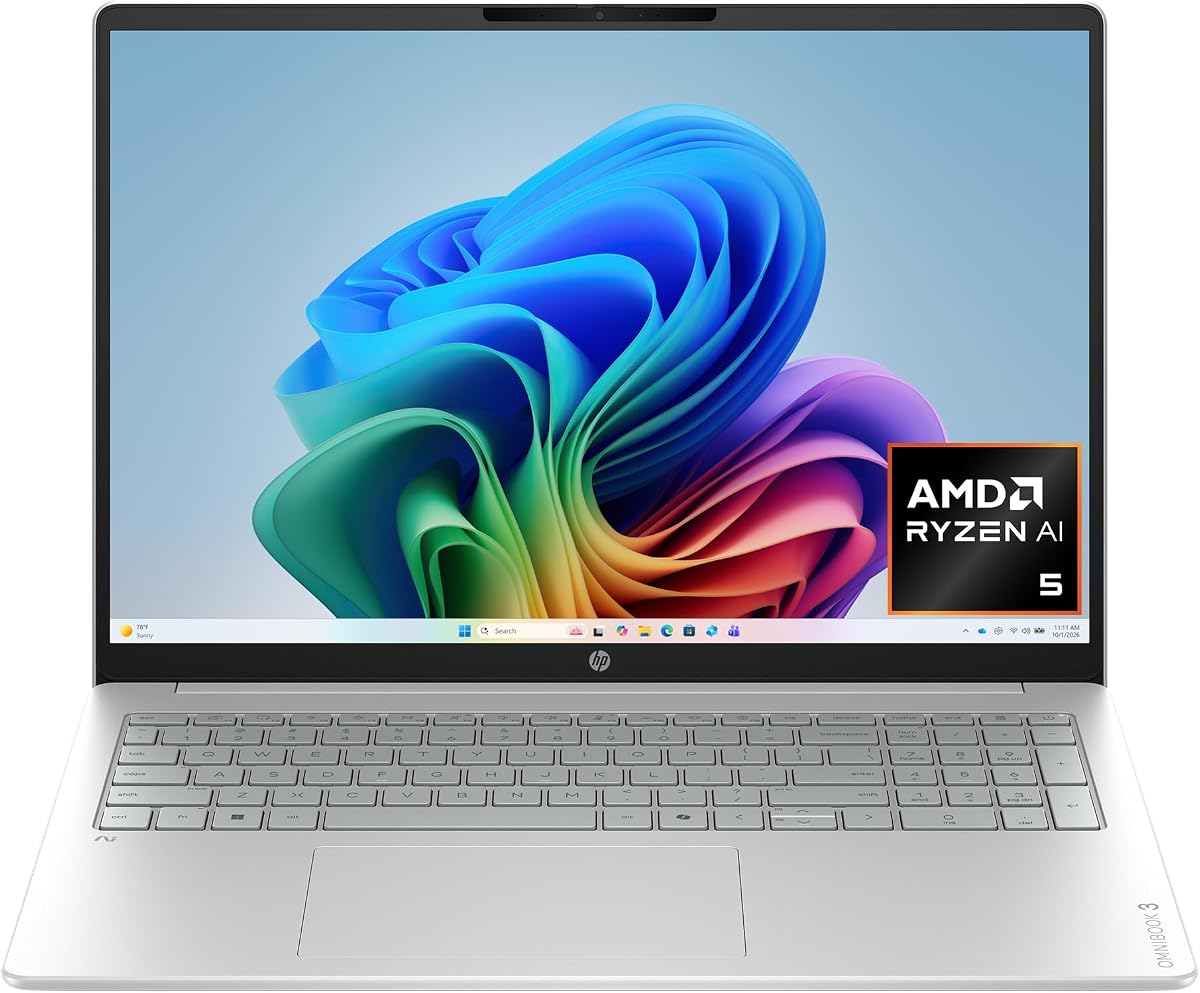
The HP OmniBook 3 16 inch stands out as the top choice for users needing a versatile AI laptop. It combines strong performance with a stunning display and long battery life for daily tasks.
We may earn a commission when you buy through this link, at no additional cost to you.
Its AMD Ryzen AI 5 430 processor delivers powerful AI-driven experiences. The 19-hour battery life ensures you can work away from an outlet all day without interruption.
While it lacks a discrete GPU for heavy gaming, the integrated Radeon 840M handles most creative tasks well. The advanced noise reduction feature is a standout for remote work clarity.
This laptop is ideal for professionals and students who value reliability and battery life. The Copilot+ PC features enhance productivity without needing extra subscriptions.
With up to 19 hours of battery life, this device supports full workdays on a single charge.
Advanced Personal Mode tracks your voice during calls, filtering out background noise automatically.
We may earn a commission when you buy through this link, at no additional cost to you.
The Lenovo ThinkBook 16 Gen 8 is a robust option for business users. It offers high-end specs and enterprise-level security features essential for corporate environments.
We may earn a commission when you buy through this link, at no additional cost to you.
With 32GB of RAM, it handles multiple heavy applications effortlessly. The Windows 11 Professional OS adds security layers like a fingerprint reader for data protection.
The Intel Ultra 7 255H processor manages complex spreadsheets and video calls smoothly. However, the screen resolution is standard for business laptops rather than premium.
Choose this model if you need reliability and security in a professional setting. Its performance justifies the cost for demanding business workflows.
Windows 11 Professional protects sensitive data with advanced security features and access controls.
WiFi 6E ensures stable connections for seamless video conferencing and file sharing.
We may earn a commission when you buy through this link, at no additional cost to you.
The HP OmniBook X 14 inch offers a premium experience with its vibrant OLED display. It is designed for users who prioritize visuals and battery longevity.
We may earn a commission when you buy through this link, at no additional cost to you.
The 27-hour battery life is among the best available today. Smart Sense optimizes performance based on activity to maintain comfort and efficiency.
While the price is higher, the display quality and battery performance are worth it for creatives. The OLED panel delivers deep blacks and rich colors.
This laptop suits professionals needing high-quality visuals for work or entertainment. It balances performance with excellent power efficiency.
Each pixel lights separately for deeper blacks and enhanced color depth on the 3K display.
Smart Sense adapts temperature and fan noise automatically for your comfort.
We may earn a commission when you buy through this link, at no additional cost to you.
The HP OmniBook 5 16 inch is a reliable choice for general productivity. Its large touchscreen and strong AI support make it versatile for various tasks.
We may earn a commission when you buy through this link, at no additional cost to you.
The 1TB SSD ensures ample storage for files and applications. Windows 11 with Copilot AI provides intelligent suggestions to streamline your workflow.
While not the lightest model, the aluminum design feels durable and premium. It is a solid option for home users and business professionals alike.
Buy this if you want a balanced laptop with a large display and modern features. It handles daily tasks with ease and efficiency.
Copilot AI helps you work smarter with intelligent suggestions and enhanced security features.
A massive 1TB SSD provides plenty of room for photos, videos, and applications.
We may earn a commission when you buy through this link, at no additional cost to you.
This HP OmniBook 5 16 inch model uses the Snapdragon X processor for exceptional efficiency. It is perfect for users prioritizing battery life and mobility.
We may earn a commission when you buy through this link, at no additional cost to you.
With up to 34 hours of battery life, you can work for days on a single charge. The Otter.ai assistant helps capture meeting notes and summaries automatically.
While the Snapdragon chip offers great efficiency, some legacy apps may have compatibility issues. However, for modern web and cloud tasks, it performs brilliantly.
Ideal for travelers and remote workers who need all-day connectivity. The privacy camera shutter adds a layer of security for your video calls.
Otter.ai records audio and generates meeting summaries to help you stay organized.
The Snapdragon X processor delivers essential performance with long-lasting battery life.
We may earn a commission when you buy through this link, at no additional cost to you.
The HP OmniBook 3 14 inch is the best budget AI laptop available. It offers amazing battery life and a bright OLED display at an accessible price.
We may earn a commission when you buy through this link, at no additional cost to you.
With up to 41 hours of battery life, it is perfect for students or frequent travelers. The 2K OLED screen makes media consumption and work visually appealing.
Storage is limited to 256GB so you may need cloud solutions for larger files. However the core performance and efficiency are outstanding for the cost.
If you need a reliable portable machine that lasts all day, this is the pick. It brings next-gen AI features to a budget-friendly form factor.
Enjoy up to 41 hours of battery life for uninterrupted productivity on the go.
Despite the low price, you get a 2K OLED display and Snapdragon X performance.
We may earn a commission when you buy through this link, at no additional cost to you.
The Dell 16 Plus brings enterprise-grade performance with the Intel Core Ultra 9 processor. It is a powerful choice for demanding business and creative workflows.
We may earn a commission when you buy through this link, at no additional cost to you.
Wi-Fi 7 connectivity ensures you stay ahead of the curve with fast wireless speeds. The 32GB RAM supports seamless multitasking across multiple apps.
The modular design enhances durability which is great for travel. It is a premium laptop that delivers stability and professional security features.
Choose this if you need maximum power and connectivity for business tasks. It is a reliable machine for IT departments and executives.
Wi-Fi 7 provides faster speeds and improved performance for stable video conferencing.
Modular design enhances durability and reliability for demanding business environments.
We may earn a commission when you buy through this link, at no additional cost to you.
The ASUS Vivobook S16 is the highest-rated premium AI laptop. It combines stunning visuals with powerful AMD Ryzen AI performance and sleek portability.
We may earn a commission when you buy through this link, at no additional cost to you.
Its slim design is lightweight for easy transport. The Ryzen AI 9 processor delivers up to 50 TOPS for seamless on-device AI tasks.
The OLED display provides immersive visuals for media and work. It is packed with ports so you do not need extra hubs for connectivity.
Ideal for professionals who need top-tier performance and portability. The build quality and battery life make it a standout premium choice.
Weighing only 3.75 lbs it offers effortless style without sacrificing power.
Up to 50 NPU TOPS keep tasks running seamlessly with intelligent assistance.
We may earn a commission when you buy through this link, at no additional cost to you.
The Acer Aspire 16 AI offers a unique 120Hz touchscreen for fluid visuals. It is powered by the Snapdragon X processor for efficient performance and AI features.
We may earn a commission when you buy through this link, at no additional cost to you.
The NPU delivers 45 TOPS to optimize processing across different workloads. Wi-Fi 7 ensures fast and reliable wireless connectivity for daily use.
This laptop is great for users who want a smooth display and AI features. It balances performance and efficiency well for general daily tasks.
If you value display smoothness and future connectivity, this is a great option. It brings next-gen features to an accessible price point.
The 120Hz WUXGA touchscreen makes navigation and entertainment exceptionally fluid.
AcerSense AI tools help streamline settings and optimize your video presence.
We may earn a commission when you buy through this link, at no additional cost to you.
The HP Omnibook 16 inch delivers high performance for creative work. It features 32GB RAM and a powerful NPU for handling large files easily.
We may earn a commission when you buy through this link, at no additional cost to you.
Windows 11 Pro ensures enterprise-grade security for your data. The Zen 5 architecture provides energy efficiency for all-day battery life.
With a 2K IPS touch display it supports immersive navigation and work. The port suite includes HDMI and USB-C for versatile connectivity.
Select this model if you need power and capacity for heavy workflows. It is a reliable workstation for demanding professional users.
32GB DDR5 RAM and 1TB SSD provide space for professional workflows and files.
Windows 11 Pro offers enterprise-grade security and enhanced hardware support.
We may earn a commission when you buy through this link, at no additional cost to you.
Selecting the right AI laptop involves understanding key hardware components and features that impact performance and usability. This section explains the factors to consider before making your purchase.
The processor is the brain of your laptop. Look for newer Intel Core Ultra or AMD Ryzen AI chips that include a Neural Processing Unit (NPU) for on-device AI tasks. These processors handle background AI operations efficiently without draining the battery.
Always check the NPU performance measured in TOPS (trillions of operations per second) to ensure future AI features work smoothly.
AI applications often run multiple background processes which require significant memory. Aim for at least 16GB of RAM to ensure smooth multitasking. For storage, a 512GB SSD is a good baseline for saving files and apps.
Higher configurations like 32GB RAM and 1TB SSD are recommended for creative work or heavy business use to avoid bottlenecks.
The screen is where you interact most with your device. OLED displays offer deeper blacks and vibrant colors making them ideal for media and design work. Touchscreens add versatility for navigation and creative tasks.
Consider resolution and brightness levels such as 2K or 3K to ensure sharp details and visibility in different lighting conditions.
For students and travelers, long battery life is essential. AI laptops often advertise exceptional endurance ranging from 19 to over 40 hours. Lightweight designs under 4 lbs make carrying easier.
Check for fast charging capabilities to ensure you can quickly top up your power when you are on the move.
Windows 11 Home or Pro is standard on modern AI laptops. Look for Copilot+ PC support which unlocks exclusive AI features like Recall and advanced Studio Effects. These features enhance productivity and security.
Ensure the software supports the specific AI tools you need whether for work collaboration or creative projects.
Modern laptops rely on fast wireless standards. Look for Wi-Fi 6E or Wi-Fi 7 for better speeds and lower latency. Bluetooth 5.3 or higher is also standard for connecting peripherals.
A good selection of ports like USB-C Thunderbolt HDMI and audio jacks reduces the need for extra hubs and adapters.
AI laptops often include hardware-based security like fingerprint readers and IR cameras for facial recognition. These features protect your data without needing passwords every time you log in.
Business models may offer additional layers like Windows 11 Pro or enterprise management tools for safer data handling.
Materials like aluminum chassis contribute to durability and a premium feel. Check for hinge strength and overall construction quality especially if you plan to carry the laptop frequently.
Models with modular designs or reinforced edges provide better resistance to everyday wear and tear.
To get the most out of your AI laptop keep the system updated. Regular OS updates ensure you receive the latest AI features and security patches. Use the Copilot key or settings menu to explore AI tools like background blur or live translation.
Manage your battery health by using fast charging when needed but avoiding constant full charges for long periods. Keep the device clean using a microfiber cloth for the screen and keyboard. Store it in a protective sleeve to prevent scratches and damage during travel.
Organize your files regularly to maintain speed since AI systems scan content for features like Recall. Use cloud storage for large files to free up local space. Avoid placing heavy objects on the laptop when not in use to protect the screen and internal components.
An AI laptop is a computer with specialized hardware like an NPU to process AI tasks locally. This allows features like background noise removal and real-time translation to run without cloud dependence.
Most run standard Windows apps smoothly especially Intel based models. Some Snapdragon models may have limited compatibility with legacy apps but support is improving rapidly.
At least 16GB is recommended for smooth performance. AI models often require memory to run locally so higher RAM like 32GB is beneficial for multitasking and heavy workloads.
Prices range from affordable budget models to premium workstations. Newer AI features add some cost but competitive pricing exists across all categories for different budgets.
Copilot+ PC is a certification for AI PCs offering exclusive features like Recall and advanced Studio Effects. It ensures the device meets strict performance and security standards for AI work.
Integrated GPUs are sufficient for most AI and creative tasks. Dedicated cards are only necessary for heavy gaming or 3D rendering workloads.
Yes most core features work offline thanks to local processing. Some features like cloud sync require internet but AI tools run locally on the device.
Both offer excellent AI performance. AMD Ryzen AI models often emphasize battery efficiency while Intel Core Ultra focuses on business features and security compatibility.
We have reviewed ten top AI laptops offering a mix of performance and value. The HP OmniBook 3 16 inch leads with balanced specs and incredible battery life for most users.
Prioritize battery life and screen quality if you work on the go often. Ensure the processor and RAM match your workflow demands for long term usability.
Always check current prices and availability before purchasing as deals change frequently. These models represent the best options for leveraging AI in your daily work.