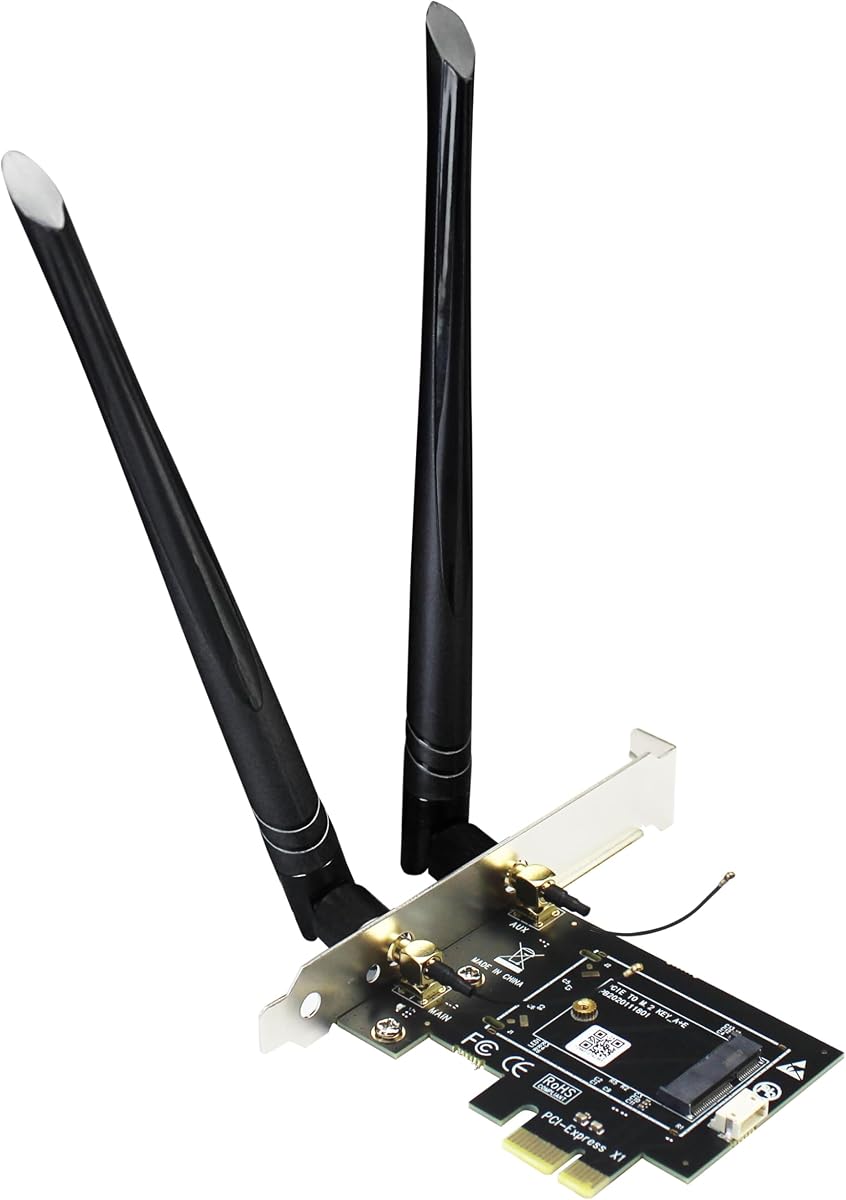
GLOTRENDS WA01 M.2 E Key to PCIe X1 WiFi Bluetooth Adapter
4.1Editor score
Extends M.2 to PCIe
Supports WiFi 4 to 7
Affordable Adapter Solution
Discover the top M2 Key E WiFi Cards for laptops and desktops comparing speed features compatibility and performance to help you choose the right network
Modern computing demands reliable high speed wireless connectivity for work gaming and entertainment. M2 Key E WiFi cards offer a versatile solution for upgrading older devices or enhancing new systems with the latest protocols and bandwidth capabilities.
We evaluated ten leading options based on chipset performance band support Bluetooth versions and build quality. Our analysis covers everything from budget friendly upgrades to cutting edge Wi Fi 7 modules ensuring you find the right match for your hardware setup.
Each selection highlights key strengths potential limitations and ideal use cases for diverse users. Prices and availability fluctuate regularly so verify current details before purchasing to ensure you get the best value for your specific networking requirements and budget.
4.1Editor score

4.5Editor score

4.1Editor score
This side by side comparison details the specifications and capabilities of each selected M2 Key E WiFi card to help you visualize differences in speed bands and compatibility across the lineup.

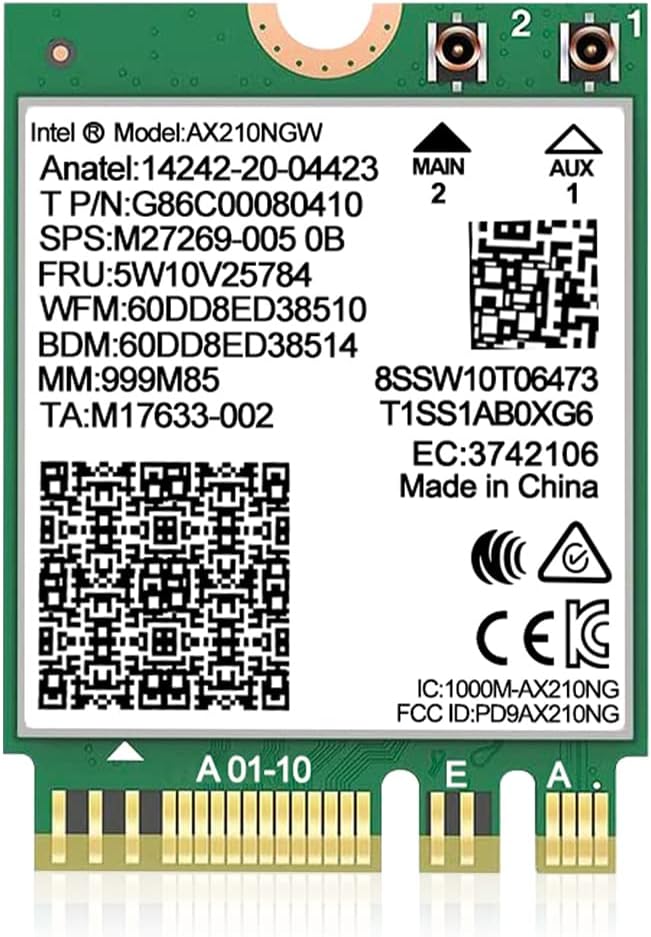



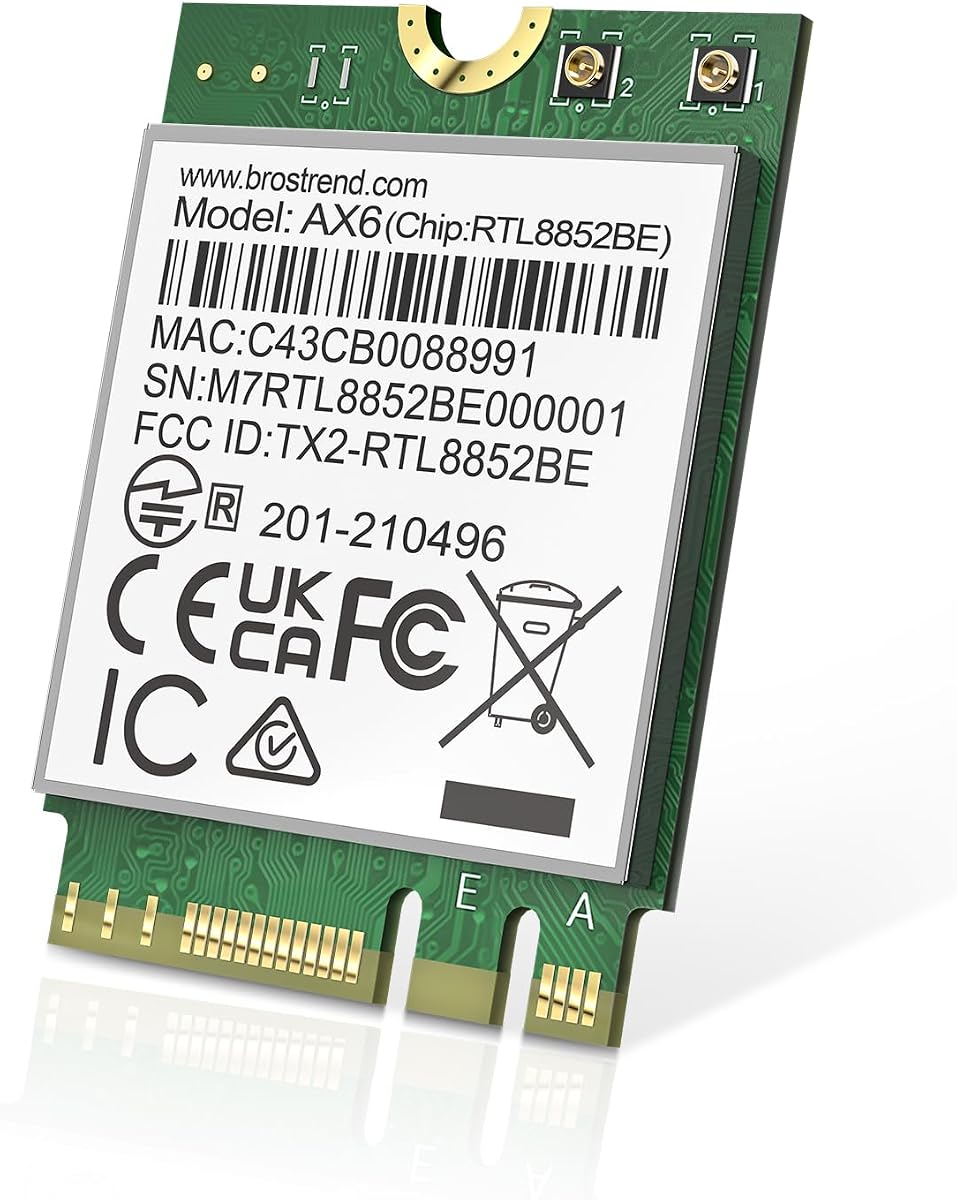

This AX210NGW DTK WiFi card delivers top tier performance with Wi-Fi 6E capabilities and a solid 4.5 rating. It stands out for its tri band support and included high gain antennas making it ideal for users needing robust wireless connectivity.
We may earn a commission when you buy through this link, at no additional cost to you.
The Intel AX210 chipset ensures reliable speeds up to 574Mbps on 2.4GHz and 2400Mbps on both 5GHz and 6GHz bands. Bluetooth 5.3 offers better battery life and lower latency for wireless peripherals like headphones and keyboards.
While it supports the latest 6GHz band you will need a compatible router to fully benefit from those speeds. Drivers must be downloaded from Intel which adds a small setup step but ensures stability on modern systems.
Buyers seeking a complete upgrade kit with strong range and latest protocols should prioritize this option. It balances price and performance effectively making it a strong recommendation for most laptops and desktops.
The included 5dBi high gain antennas significantly improve signal strength and stability compared to built-in laptop options.
Access to the 6GHz band reduces congestion in crowded environments ensuring smoother streaming and gaming experiences.
We may earn a commission when you buy through this link, at no additional cost to you.
The GLOTRENDS WA01 adapter offers an economical way to use desktop WiFi and Bluetooth modules by extending M.2 Key E to PCIe X1. It is highly rated for versatility and works with many existing modules from older WiFi 4 to new WiFi 7.
We may earn a commission when you buy through this link, at no additional cost to you.
It includes 6dBi SMA antennas to enhance wireless range and reliability. The adapter uses PCIe for WiFi signals and a USB bridge for Bluetooth allowing it to support almost any standard NGFF module except proprietary CNVio2 versions.
The main limitation is the need for a USB connection to enable Bluetooth which can clutter internal cabling in tight cases. Also it excludes CNVio2 modules which restricts it for newer Intel processors using that specific interface.
This adapter is perfect for users repurposing old WiFi cards or testing new modules without buying complete cards. It is the most flexible budget option for desktop upgrades needing broad module compatibility.
Supports everything from 7260NGW to BE200NGW ensuring you can reuse existing hardware or experiment with new ones.
Converts laptop style M.2 modules into desktop PCIe cards for better thermal and signal performance.
We may earn a commission when you buy through this link, at no additional cost to you.
The 10Gtek adapter expands M.2 wireless modules to desktop PCIe slots with ease. It supports dual band 2.4 and 5GHz signals and provides the necessary cables to bridge Bluetooth via USB for full connectivity in tower cases.
We may earn a commission when you buy through this link, at no additional cost to you.
This adapter supports many legacy and modern M.2 modules including AX200 and AX210 making it versatile for upgrades. It includes a full height bracket and comes with a 30cm USB cable for the Bluetooth function ensuring you have everything needed.
It does not support hot swapping which means modules must be installed when the system is powered off. Also the WiFi card itself is not included so you must source it separately if you do not have one.
Ideal for users converting a laptop card to desktop use this adapter provides a stable and inexpensive path to wireless freedom. Just ensure your module is not CNVio2 for compatibility.
Works with 3160 through AX210 series allowing reuse of existing or old WiFi components.
Includes all required USB and antenna cables to avoid extra purchases during installation.
We may earn a commission when you buy through this link, at no additional cost to you.
The QCNCM865 WiFi 7 card pushes boundaries with 5.8Gbps theoretical speeds and tri band operation. It features Multi Link Operation for better reliability and lower latency making it ideal for high performance laptops and mini PCs requiring top connectivity.
We may earn a commission when you buy through this link, at no additional cost to you.
It uses 320MHz bandwidth and 4K QAM modulation for maximum throughput. Bluetooth 5.3 provides efficient peripheral connectivity with reduced energy consumption. The card fits standard M.2 Key E slots and works with both Intel and AMD platforms.
Full benefits depend on having a Wi-Fi 7 router and Windows 11 version 24H2 or newer which limits immediate usability for older systems. Without these conditions it falls back to lower speeds but remains compatible with Wi-Fi 6 routers.
Buyers needing the fastest wireless performance available should choose this card to future proof their setup. Ensure your OS and network gear are ready before purchasing to unlock its full potential.
MLO allows simultaneous use of multiple bands to improve speed and stability.
320MHz channels enable massive throughput for 4K streaming and large data transfers.
We may earn a commission when you buy through this link, at no additional cost to you.
This AX210 NGW card brings reliable Wi-Fi 6E performance to compatible laptops with strong user ratings. It supports tri band operation and Bluetooth 5.3 for improved connectivity and efficiency across home and office environments.
We may earn a commission when you buy through this link, at no additional cost to you.
It delivers up to 5400Mbps combined speed across bands and works well with existing routers. The included warranty and technical support add peace of mind for users upgrading their wireless capabilities on the go.
Users must download drivers from Intel which adds a setup step. Also it excludes CNVio2 slots which restricts compatibility with some newer OEM hardware using proprietary interfaces for power efficiency.
Ideal for those seeking trusted performance with minimal fuss this card provides excellent value and support. Check your laptop slot type before purchase to ensure full functionality.
Lifetime technical support and one year warranty ensure help is available if issues arise.
AX210 module reduces power consumption helping extend battery life on laptops.
We may earn a commission when you buy through this link, at no additional cost to you.
This AX210 NGW module brings advanced features like MU-MIMO and WPA3 security to laptops needing upgrades. It supports both AMD and Intel systems with Bluetooth 5.3 and tri band capabilities for flexible wireless connectivity.
We may earn a commission when you buy through this link, at no additional cost to you.
The Intel AX210 chip ensures consistent performance with low latency suitable for gaming and video calls. It offers 1024QAM modulation for efficient data transfer and works seamlessly with routers and access points.
Installation requires downloading drivers from Intel and external antenna kits may need to be sourced separately. Users should confirm their slot type supports NGFF A or E keys before installation.
Buyers prioritizing security and compatibility across systems should choose this module for balanced performance. Verify external accessory needs to complete your setup properly.
WPA3 support provides stronger protection for your wireless network against vulnerabilities.
Allows simultaneous communication with multiple devices improving network efficiency.
We may earn a commission when you buy through this link, at no additional cost to you.
This kit expands connectivity with a complete set of accessories including 8dBi antennas for superior signal strength. The AX210 NGW chip ensures tri band performance with strong Bluetooth 5.3 support for a robust wireless solution.
We may earn a commission when you buy through this link, at no additional cost to you.
The included ipex cables and low profile brackets simplify installation and improve flexibility across different chassis. Drivers are required from Intel but once installed the system delivers high speeds and low latency.
The 8dBi antennas are powerful but may not fit in very compact enclosures or laptop chassis due to size. Ensure you have space for the external antennas to maximize the signal benefits.
Ideal for desktop users wanting maximum range this kit offers excellent value with all necessary components. Check case clearance before purchasing to avoid installation issues.
8dBi antennas significantly boost signal range and stability over standard setups.
Includes brackets and cables to streamline setup across different devices.
We may earn a commission when you buy through this link, at no additional cost to you.
This network card brings Wi-Fi 7 features like MLO to modern systems with strong 4.4 ratings. It supports 5800Mbps speeds and Bluetooth 5.3 making it suitable for high performance laptops and desktops needing latest connectivity.
We may earn a commission when you buy through this link, at no additional cost to you.
MLO enables simultaneous use of multiple bands for better reliability and lower latency. It works with Intel and AMD platforms but is restricted to Windows 11 systems ensuring optimized performance and security.
Users must ensure their OS version is current for full functionality and download drivers manually from the vendor. Older systems will not run this card or its full features properly.
Buyers needing cutting edge performance should consider this for future proofing their setup. Verify OS compatibility before purchasing to avoid restrictions.
MLO aggregates bands for improved throughput and reduced latency.
Designed to work best with current Windows versions and drivers.
We may earn a commission when you buy through this link, at no additional cost to you.
The BrosTrend WiFi 6 card offers reliable dual band performance for laptops and desktops with solid user ratings. It supports AX1800 speeds and Bluetooth 5.2 for versatile wireless connectivity across Windows and Linux platforms.
We may earn a commission when you buy through this link, at no additional cost to you.
It delivers strong performance on 5GHz for faster downloads and low latency while Bluetooth 5.2 improves peripheral range. The card works with Linux kernels but vendor support is limited there requiring self troubleshooting.
Users looking for 6GHz connectivity will not find it here as this model is dual band only. Also Linux users must rely on community help rather than official support for configuration.
Ideal for users on Linux or needing cost effective dual band upgrades this card is a good choice. Check OS and bandwidth needs before selecting.
Supports Linux kernels 6.5+ for open source OS users.
Provides good value with solid dual band speeds for most tasks.
We may earn a commission when you buy through this link, at no additional cost to you.
The Intel Killer BE200 stands out for ultra low latency ideal for gaming and real-time apps with a high 4.6 rating. It supports Wi-Fi 7 and BT 5.4 with tri band performance for top tier wireless performance.
We may earn a commission when you buy through this link, at no additional cost to you.
It delivers up to 5.8 Gbps across bands and works exclusively with Intel processors ensuring optimized performance on supported hardware. The Killer suite helps prioritize traffic for smoother gaming and streaming experiences.
AMD users cannot use this card due to hardware restrictions. It is priced higher than older cards but offers the latest features for those needing peak performance.
Buyers prioritizing gaming and using Intel systems should choose this card for best results. Ensure your system meets Intel processor and OS requirements before purchase.
Ultra low latency design ensures smooth real-time gaming performance.
Killer software prioritizes network traffic for better gaming and streaming.
We may earn a commission when you buy through this link, at no additional cost to you.
Choosing the right M2 Key E WiFi card requires understanding your system compatibility needed speeds and supported standards to ensure seamless wireless connectivity.
Check your motherboard supports M2 Key E or A E keys for proper fit. CNVio2 or CNVio slots use proprietary interfaces and may not work with standard M2 modules.
Always verify your laptop or desktop slot type before purchasing to avoid incompatibility issues with non standard Intel interfaces.
WiFi 6E adds 6GHz band support reducing congestion but requires a compatible router. WiFi 7 offers higher speeds and lower latency but is newer and requires specific hardware.
Choose WiFi 6E for most needs or WiFi 7 if you need future proofing and have the supporting infrastructure.
Bluetooth 5.3 and 5.4 improve range and battery life for wireless peripherals like headphones and mice. Older 5.0 or 5.1 versions are adequate but lack latest features.
Select cards with latest Bluetooth versions for improved connectivity and lower latency with your wireless devices.
Windows 10 and 11 are supported by most cards but some Wi-Fi 7 options require Windows 11 24H2 or newer. Check your OS version before buying to ensure full functionality.
Ensure your OS meets minimum requirements especially for newer cards to access all features and receive updates.
Some kits include external antennas and brackets which help range and signal stability especially on desktops. Module only options may require separate antenna purchases for full performance.
Look for complete kits with antennas if you need strong signal in areas with weak coverage or interference.
Many vendors offer one year warranties and lifetime technical support but some may not provide Linux support. Check support policies if you use non Windows operating systems.
Prioritize vendors with good support records to ensure help is available if driver or hardware issues arise.
Basic dual band cards are cheaper while tri band and Wi-Fi 7 modules cost more. Balance your needs with budget to find the best value without overspending.
Assess your actual speed needs before choosing to avoid paying for unnecessary features.
Known brands like Intel offer reliability but may cost more. Third party vendors can be affordable but check reviews for driver stability and build quality.
Research brand reputation and user reviews to ensure dependable performance and support.
Before installing your WiFi card power down your system and open the case to access the M2 slot. Align the card correctly and secure it with screws to ensure a stable connection and avoid damage during use.
Install the latest drivers from the vendor or Intel website after booting into your operating system to enable full functionality. Restart your system to apply settings and ensure the card is recognized by the OS.
Regularly update drivers and keep your system firmware current to maintain security and performance. Avoid physical stress on the card and keep vents clear to prevent overheating and ensure longevity.
WiFi 6E adds support for the 6GHz band reducing congestion and improving performance in crowded areas compared to standard WiFi 6. Both share features like MU-MIMO and OFDMA but 6E offers more bandwidth for better speeds.
No they work with laptops and desktops that have M2 Key E or A E slots. Some devices use proprietary interfaces like CNVio2 which require specific modules and may not work with standard M2 cards.
Yes most cards support Windows 10 and 11. Check your card details for OS support but most AX210 based cards work fine on Windows 10 with updated drivers available.
Bluetooth often requires a USB connection for the module to work properly. Ensure you connect the included USB bridge cable to your motherboard USB header for full Bluetooth functionality.
Some kits include antennas and brackets while others sell them separately. Check product descriptions carefully to confirm if antennas are included or need to be purchased independently.
Check your laptop manual or manufacturer specs for M2 slot type. Some devices have the slot disabled or proprietary connectors which limit upgrade options to specific OEM cards.
Multi-Link Operation allows the router and card to use multiple bands simultaneously improving speed and reducing latency. It helps in real time apps like gaming and video calls.
Installation is straightforward with basic tools but requires opening the case and handling small parts. Users should follow guides and be careful with static electricity to avoid damage.
Our top picks include the AX210NGW DTK for overall performance the GLOTRENDS WA01 for budget adapters and the QCNCM865 for next-gen WiFi 7 capabilities.
Prioritize compatibility with your OS and motherboard slot along with needed features like Bluetooth version and antenna inclusion to ensure you get the right fit.
Prices and availability change often so verify current options before purchasing to ensure you receive the best value and product features today.