
BUFFALO LinkStation 210
3.9Editor score
6TB storage with included hard drive
Subscription free personal cloud access
Closed system design for enhanced security
This guide compares the top Buffalo NAS models for home and business storage, highlighting capacity, speed, security features, and value to help you choose the
Network attached storage devices provide a reliable way to centralize data across multiple computers and mobile devices in your home or office environment without relying on public cloud services.
We evaluated ten Buffalo NAS units based on storage capacity, network speed, ease of setup, data protection features, and overall value to determine which models stand out for different user needs.
Each pick below shows key strengths and potential trade-offs so you can find the right fit for your workflow while keeping in mind that retail prices and availability can change over time.
3.9Editor score

4.8Editor score
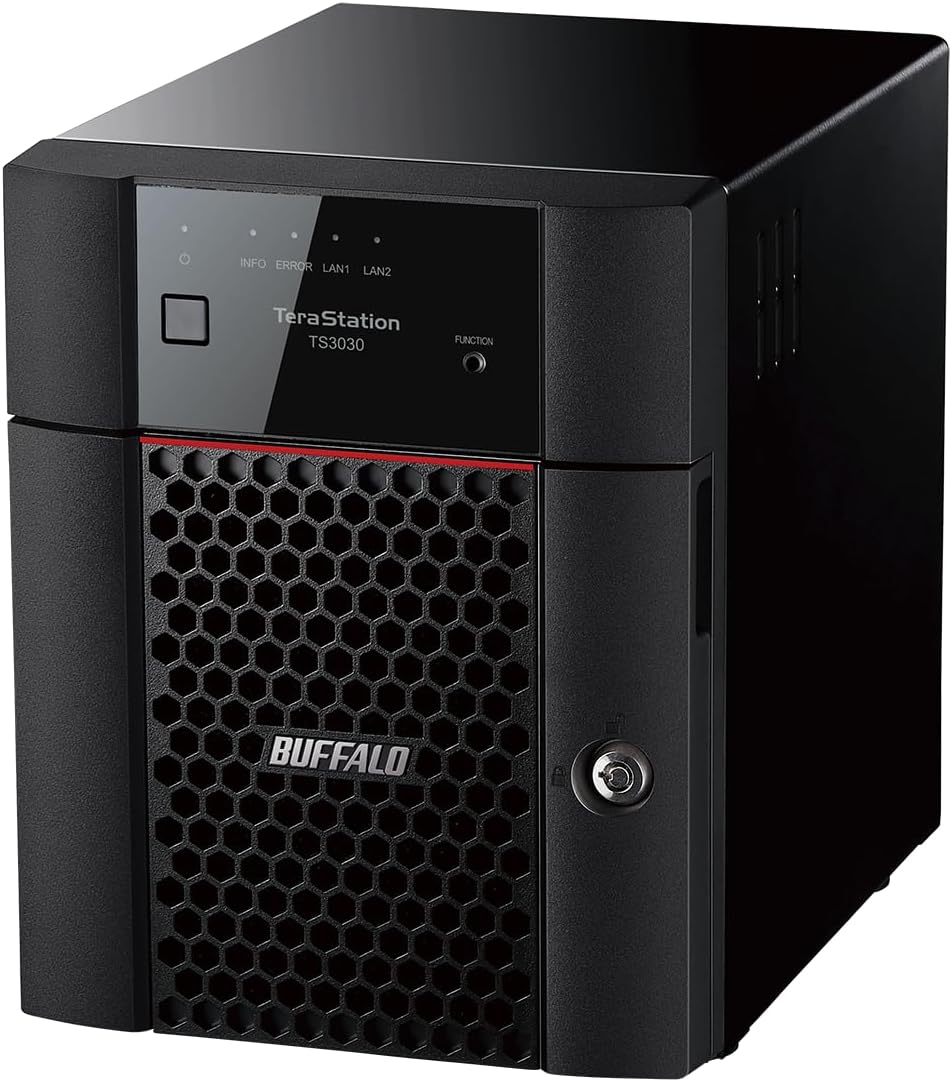
4.3Editor score
The following comparison table lists every model we reviewed with essential specifications so you can quickly identify the right storage solution for your budget and performance requirements.




The TeraStation 5420DN stands out as the top pick for business users who need speed and security in a single package. It offers a massive 32TB of total storage across four included hard drives and features a native 10GbE port for lightning fast file transfers. This model is designed to handle heavy data loads without performance drops, making it ideal for creative teams or growing companies.
We may earn a commission when you buy through this link, at no additional cost to you.
Key strengths include its advanced hardware and firmware designed for stability. The device supports snapshots which allow you to recover data near instantaneously with minimal system disruption. This feature is particularly valuable for mitigating ransomware attacks. Additionally, it supports iSCSI network storage which is essential for virtualized environments and database applications.
While the performance and features are excellent, the price reflects its professional grade capabilities. It may be more than what a typical home user needs if they only require basic file sharing. However, the investment is justified for businesses where uptime and data integrity are critical. The included software and warranty further enhance its value proposition.
If you run a small to medium business or need a central server for large files, this is the NAS to get. It provides peace of mind with its closed system design and encryption features. We recommend it for anyone who wants enterprise level reliability in a desktop form factor. It delivers consistent performance and robust security out of the box.
The native 10GbE port ensures you can move large video projects or databases quickly without upgrading existing cabling infrastructure in your office.
Snapshot technology lets you restore files to a previous state instantly which is crucial for protecting against accidental deletion or malicious software attacks.
We may earn a commission when you buy through this link, at no additional cost to you.
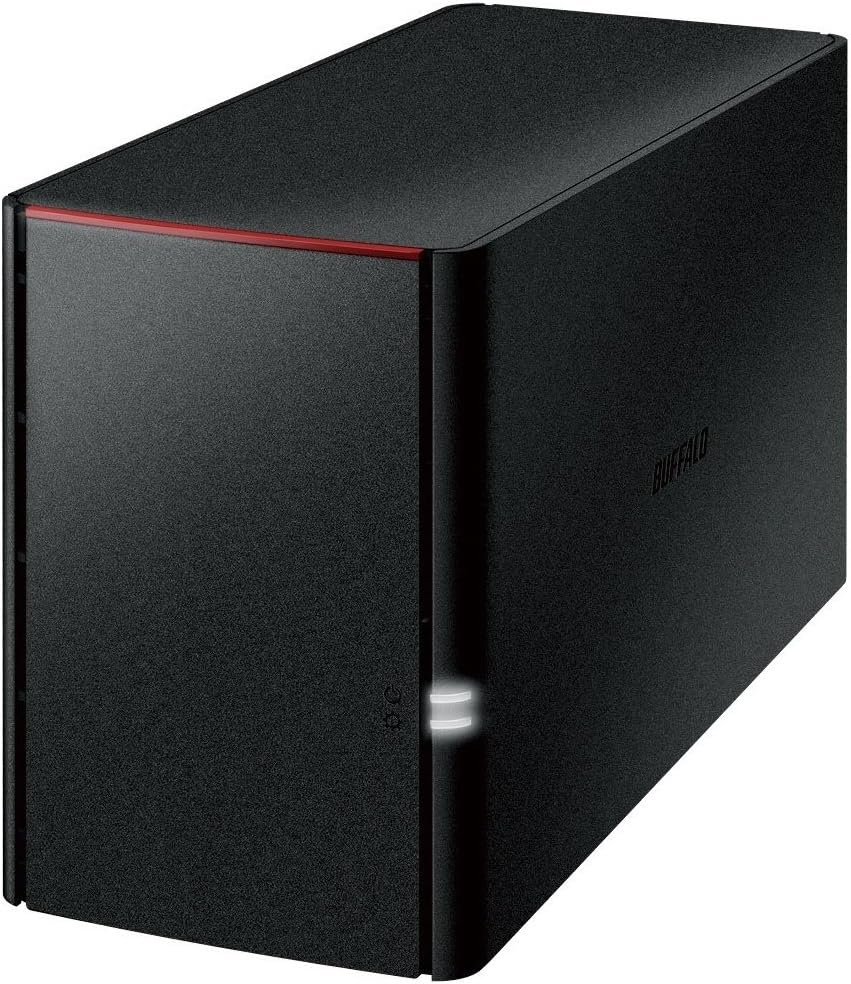
The LinkStation 210 is an excellent choice for home users who want a simple solution for backing up photos and documents without paying monthly cloud fees. It comes with a 6TB hard drive pre-installed so you can start storing data immediately. The device connects to your router and creates a private network storage location accessible by all your computers and mobile devices.
We may earn a commission when you buy through this link, at no additional cost to you.
Its standout quality is the subscription-free personal cloud feature which lets you access your files from anywhere on the internet. This eliminates the need for third-party cloud services that charge recurring fees. The closed system design reduces vulnerabilities from third-party apps ensuring your data remains secure during transfers thanks to SSL encryption.
While it lacks the redundancy of multi-bay systems, it offers solid value for casual users. The single drive bay means if the drive fails you lose access until replacement but the cost is low enough that this is an acceptable trade-off for budget-conscious buyers. Automated backup software is included to simplify the process for all users.
This model is best for individuals or small families who need centralized storage but do not require enterprise features. It is simple to set up and manage with the included NAS Navigator utility. If you want a reliable place to keep your digital memories without complexity this is the right starting point for your network storage journey.
You can store and access your videos music and photos anytime without paying any monthly fees which saves money over time compared to public cloud services.
Connect the LinkStation to your router and enjoy shared network storage for your devices with help from US-based support teams available around the clock for setup.
We may earn a commission when you buy through this link, at no additional cost to you.
The TeraStation Essentials 2025 brings professional grade network storage to home offices with a massive 24TB capacity across four pre-installed hard drives. It is optimized to organize store share and back up important files efficiently. This model bridges the gap between consumer and business needs with features like native 2.5GbE ports for high speed transfers without cable upgrades.
We may earn a commission when you buy through this link, at no additional cost to you.
Its key strengths include flexible RAID options that let you balance capacity and redundancy as needed. You can configure it in RAID 5 for usable space or RAID 6 for more protection. Additionally cloud integration allows you to sync with Dropbox Amazon S3 and Azure to create a hybrid cloud for extra security and cost savings over time.
While it is a significant investment, the durability and data protection features justify the cost. The device includes a closed system and 256-bit drive encryption to keep your data safe from unauthorized access. The 3-year warranty covers hard drives and includes access to data recovery services providing peace of mind for important business files.
This NAS is ideal for creative professionals or small businesses that handle large media files regularly. It offers the space and speed needed for video editing or graphic design work without slowing down your network. If you need a scalable and reliable central storage solution that can grow with your business this is a strong top choice.
Native 2.5GbE port allows for high speed file transfers with no cable upgrade needed which is perfect for moving large media files quickly.
Sync with Amazon S3 Dropbox Azure and OneDrive to create a hybrid cloud for extra data security cost savings and flexible scalability for your business.
We may earn a commission when you buy through this link, at no additional cost to you.
The LinkStation SoHo 220 is tailored for small office and home office environments where secure storage and sharing are priorities. It offers 4TB total capacity across two drives with RAID 1 mirroring enabled for automatic backup protection. The device includes a closed system to reduce vulnerabilities from third-party apps ensuring secure file transfers with SSL encryption.
We may earn a commission when you buy through this link, at no additional cost to you.
Key strengths include the subscription-free personal cloud which lets you access videos music and photos from anywhere. You can also set up automated backups of data on your computers using the included NAS Navigator utility. The Direct Copy feature allows you to back up devices via USB without needing a computer connected to the NAS.
One trade-off is the standard gigabit networking which may be slower than newer 2.5GbE options but it is sufficient for most small offices. The total capacity is lower than larger models but the redundancy ensures data safety. If you need a secure and easy to manage solution for a few employees this model performs well.
This NAS is perfect for freelancers or small teams who need shared storage without complexity. It supports Windows and macOS compatibility making it versatile for mixed environments. The 24/7 US-based support is on hand for installation walkthroughs. If you want reliable storage that grows with your office needs without a high price tag consider this option.
Connect the NAS to your router and enjoy shared network storage for your devices with compatibility for Windows and macOS for flexible office use.
Back up your devices via USB to copy photos videos and files without a computer making quick backups simple for any user or guest.
We may earn a commission when you buy through this link, at no additional cost to you.
The TeraStation Essentials Rackmount is designed for IT professionals who need a compact yet powerful storage solution for server rooms. It offers 8TB total capacity across four pre-tested hard drives and supports flexible RAID modes to suit your redundancy needs. The 2.5GbE port enables high-speed file transfers without requiring cable upgrades in existing infrastructure.
We may earn a commission when you buy through this link, at no additional cost to you.
Its key strengths include optimized organization for storing sharing and backing up everyday files reliably. The closed system and 256-bit drive encryption ensure data safety for business environments. You can sync with Dropbox Amazon S3 and Azure to create a hybrid cloud for extra data security and cost savings over time as your needs evolve.
While the total capacity is lower than desktop models, the rackmount design saves significant space in crowded server closets. The device ships with drives included for hassle-free out-of-the-box protection. If you need a durable unit that fits into standard 19-inch racks and provides consistent performance this model is a smart choice.
This NAS is ideal for small data centers or businesses that prefer rack mounted hardware for airflow and manageability. The 3-year warranty includes hard drive coverage and data recovery service. If you want to consolidate storage in a professional rack setup this device delivers reliability without the overhead of larger enterprise systems.
This unit is optimized to organize store and back up important files in a space-saving form factor ideal for server rooms and data closets.
Native 2.5GbE port allows for high speed file transfers with no cable upgrade needed ensuring quick access to data for multiple users.
We may earn a commission when you buy through this link, at no additional cost to you.
The TeraStation WS5220DN is unique because it runs native Windows Server IoT 2025 for storage workgroup editions. This makes it perfect for businesses already invested in the Microsoft ecosystem who want server capabilities without the complexity of full server management. It includes pre-tested NAS-grade hard drives with RAID pre-configured for immediate use out of the box.
We may earn a commission when you buy through this link, at no additional cost to you.
Key strengths include the lack of required Client Access Licenses (CAL) which reduces ongoing costs. The device comes with NovaBACKUP software licenses for versatile professional-level server and PC backups. Cloud service integration with Azure and OneDrive allows you to create a hybrid cloud for additional security and flexibility with your business data.
While the capacity is limited to 4TB the integration with Windows management tools is a significant advantage. It is cost-effective for small businesses that need Windows enhanced data management features. However, it may require more admin time to manage compared to standard NAS units. It offers a specialized approach to storage for IT teams familiar with Windows Server.
This NAS is best for offices running Windows infrastructure where centralized backups are a priority. The 3-year warranty includes simple logical data recovery service when the product is registered. If you need a server grade unit that fits into your existing network without adding complex CAL costs this model is a strong contender for your setup.
It runs native Windows Server IoT 2025 for storage workgroup edition which simplifies integration with existing Windows business environments and tools.
Includes NovaBACKUP software licenses for versatile professional-level server and PC backups so you can manage data protection without extra fees.
We may earn a commission when you buy through this link, at no additional cost to you.
The LinkStation 220 is an older but stable model that offers solid performance for basic network storage needs. It features a 4TB total capacity and uses a Marvell ARMADA processor to handle file transfers efficiently. The device connects via Gigabit LAN which ensures decent speeds for accessing files from multiple computers in a home or office setting.
We may earn a commission when you buy through this link, at no additional cost to you.
Key strengths include its straightforward design which makes it easy for non-technical users to set up and manage. It supports DLNA streaming so you can access media files on compatible smart TVs. The USB 2.0 port allows for external drive backups though it is slower than newer USB 3.0 options available on modern units.
While it lacks the advanced encryption and cloud features of newer models it still provides reliable centralized storage. The 4TB capacity is suitable for storing photos and documents. If you are on a tight budget and need a simple solution for shared files this model remains a viable option for basic needs.
This NAS is best for users who prioritize simplicity over cutting-edge features. It includes PC backup software to help automate data protection. The device is compatible with Windows and macOS for flexible use across different systems. If you want a dependable unit for essential file sharing without extra complexity this is a practical choice.
Supports DLNA for accessing media files on smart TVs and allows you to stream content directly from the NAS to entertainment devices.
Uses a Marvell ARMADA processor and Gigabit LAN to ensure consistent file transfers without dropping connection for home or office users.
We may earn a commission when you buy through this link, at no additional cost to you.
The TeraStation 1200D is a desktop NAS designed to provide business-level server and PC backup capabilities for small offices. It comes with 4TB total capacity and ships in RAID 1 mirroring mode to protect data from drive failure. The device offers easy-to-use setup where you just plug into a router or switch for instant network storage.
We may earn a commission when you buy through this link, at no additional cost to you.
Its key strengths include bundled business-level data recovery software that helps you restore lost files efficiently. You can manage multiple user access and access files from anywhere with an internet service. The personal cloud feature allows access to files from any PC or Mac computer tablet and smartphone for flexible remote work.
While the capacity is modest it provides peace of mind with pre-tested standard-grade hard drives. The RAID configuration ensures redundancy so you do not lose data if one drive fails. If you need a dedicated backup solution for a small team this model offers essential protection without high costs.
This NAS is perfect for freelancers or small teams who need reliable backups for client data. It supports Windows and macOS compatibility for mixed environments. The 3 year warranty includes 24/7 North American-based support for assistance. If you want a simple yet professional backup device this unit is worth considering for your setup.
Just plug into router or switch for instant network storage which makes setup quick for small offices without needing IT staff help.
Personal cloud access to from any PC and Mac computer tablet and smartphone so you can retrieve files while traveling or working remotely.
We may earn a commission when you buy through this link, at no additional cost to you.
This NAS model focuses on connecting smartphones tablets and PCs for seamless network storage access. It offers 4TB capacity with a mirroring function to protect important files until the jobs are complete. The device supports wired LAN with Gigabit speeds which ensures reliable connectivity for transferring data from mobile devices.
We may earn a commission when you buy through this link, at no additional cost to you.
Key strengths include its recommendation for those who feel their PC or smartphone storage is not enough. You can prevent data loss when an HDD breaks by using the mirroring feature. It is also useful if you want to enjoy more TV programs directly from the NAS via DLNA streaming on compatible televisions.
While the interface is straightforward the accessory kit includes a LAN cable AC adapter and instruction manual for quick installation. The warranty covers one year for projections and the unit supports utility downloads for extended management. If you prioritize mobile access and a compact form factor this model fits the bill for home use.
This NAS is ideal for users who need to back up mobile media and access it on their desktop. The compact size fits easily on a desk. If you want a storage device that works well with your phone and tablet for automatic backups this is a practical option for your home network.
Recommended for those who find smartphone and PC capacity not enough and want to store media for easier access.
Use the mirroring function to protect important files until the job is done ensuring no data loss occurs if a drive fails.
We may earn a commission when you buy through this link, at no additional cost to you.
The DriveStation Duo is a desktop external hard drive that offers 8TB total capacity across two drives with RAID 1 mirroring for backup. It uses USB 3.2 Gen 1 for universal connectivity with PC Mac and storage servers making it ideal for direct attachment. This device functions as a DAS rather than a network unit but offers similar protection.
We may earn a commission when you buy through this link, at no additional cost to you.
Its key strengths include the hot swap feature which allows you to replace a hard drive in the event of failure without powering down the device. It supports Time Machine for Mac computers to protect backups and includes NovaBACKUP Buffalo Edition for scheduled PC backups. The unit is pre-tested with NAS-grade hard drives for reliability.
While it lacks network access it is perfect for creative professionals who need fast local storage for active projects. The TAA compliance and Japanese manufacturing indicate high build quality. If you do not need sharing across multiple computers this unit provides a secure and fast solution for personal storage needs.
This drive is best for users who want redundancy without a complex network setup. It is plug-and-play compatible with PCs and Macs after formatting. If you want to protect your data with a simple external drive that offers 8TB capacity and easy swapability this is a solid choice.
USB 3.2 Gen 1 offers universal connectivity for PC Mac and storage servers ensuring fast transfer speeds for large files.
Hot swap feature allows a user to replace a hard drive in the event of failure without powering down the device for continuous use.
We may earn a commission when you buy through this link, at no additional cost to you.
Selecting the right NAS involves evaluating capacity, networking speed, and security features to match your home or business needs.
Capacity is the total amount of data your device can store. For home use 4TB to 8TB is usually sufficient for photos and documents. Businesses dealing with video or large databases should consider models with 24TB or higher to accommodate growth.
Choose a capacity that meets your current needs plus future growth to avoid buying a new device shortly after setup.
Network speed determines how fast you can transfer files to and from the NAS. Basic models use Gigabit Ethernet which is fine for documents. For video editing or large file access look for 2.5GbE or 10GbE ports to reduce bottlenecks.
Match the network port to your router and internet connection to ensure you get the fastest possible performance for your workflows.
RAID configuration affects data protection and usable space. RAID 1 mirrors data across drives for safety. RAID 5 and 6 offer redundancy while saving space. RAID 0 offers full capacity but no protection.
Select a configuration that balances security and space based on how critical your data is to your daily operations.
Cloud sync lets you back up NAS data to public services like Dropbox or Azure. This adds an extra layer of protection against physical theft or natural disasters.
Ensure the device supports syncing with the cloud services you already use for seamless backup management.
Look for closed systems that reduce vulnerability to third-party apps. Encryption ensures your data is safe during transfers and at rest. Two-factor authentication adds extra protection for remote access.
Prioritize models with robust encryption and access controls if you store sensitive business or financial data.
Some NAS models come pre-configured with drives and RAID settings to simplify installation. Others require manual setup which is better for advanced users. Software wizards help automate these steps.
Pick a device with setup tools that match your technical comfort level to save time during installation.
A longer warranty period indicates the manufacturer stands behind their hardware reliability. Look for coverage that includes hard drives and access to data recovery services.
Choose a model with at least a three-year warranty to ensure support if hardware fails within the typical lifespan.
Some units allow you to add more drive bays or external enclosures for expansion. Others have fixed capacities that cannot grow.
Select a device that allows expansion if you expect your data needs to increase significantly over the next few years.
Begin by connecting the NAS to your router using an Ethernet cable and powering it on. Follow the setup wizard in your web browser to configure RAID settings and create user accounts.
Schedule regular automated backups for your computers using the included software to ensure your files are always protected. Update firmware regularly to maintain security and performance.
Place the device in a cool well-ventilated area to prevent overheating. Keep it away from direct sunlight or heat sources to ensure long-term reliability.
A NAS device is a storage server connected to your network. It allows multiple users and devices to access and share files without needing a dedicated PC.
You do not need internet for local network access. However remote access requires internet connection and often a cloud service subscription.
Many models come with drives included. If you use your own ensure they are compatible NAS-grade drives for best performance and reliability.
RAID provides data redundancy. If you can afford losing data or do not have backups RAID is highly recommended to prevent data loss.
Yes most NAS devices have mobile apps that allow you to view and manage files on smartphones and tablets remotely.
Use the included backup software or Windows File History to set automated backups. This copies your important files to the NAS regularly.
In mirrored configurations RAID you can replace the failed drive without data loss. Rebuilds happen automatically to restore redundancy.
The Buffalo TeraStation 5420DN leads with professional features while the LinkStation 210 offers affordability for home users.
Prioritize capacity and network speed based on your specific workflow needs to avoid bottlenecks as your data grows.
Always check current prices and availability before buying as deals can change frequently in the tech market.