
Canon imageCLASS LBP6030w
3.8Editor score
19 pages per minute speed
Compact space-saving design
Wireless mobile printing support
Discover the top laser printers with cheap toner options for 2026. We compare ten models focusing on cost per page, speed, and reliability for home and office
Finding a laser printer with cheap toner is essential for budget-conscious users who need reliable document output. High initial costs often hide expensive consumables, so choosing the right model matters. We analyze ten top contenders to help you save money over the long term.
This guide compares printers based on real-world toner costs, print speeds, and connectivity features. We look at both single-function and all-in-one units to cover various needs. Each product was evaluated for its total cost of ownership and user-friendly design elements.
Every pick includes detailed specifications, pros, cons, and buying advice tailored to your workflow. Prices fluctuate frequently, so verify current deals before purchasing. Our goal is to provide clear insights so you can invest in a printer that truly saves you money.
3.8Editor score

4.1Editor score

4.3Editor score
The following table provides a side-by-side comparison of all ten selected laser printers. It highlights key specifications like print speed, paper capacity, and connectivity options to help you quickly identify the model that fits your specific requirements and budget constraints.





The Brother HL-L2405W stands out as a top choice for home offices needing reliable black and white prints. With a 4.1 star rating, it delivers consistent quality at a budget-friendly price point. Its compact size fits easily into small spaces without sacrificing performance.
We may earn a commission when you buy through this link, at no additional cost to you.
This model offers impressive speeds up to 30 pages per minute which handles daily document loads efficiently. Dual-band wireless connectivity ensures stable connections across multiple devices. The Brother Mobile Connect app allows remote management and ordering genuine supplies with ease.
While it lacks automatic duplex printing, manual two-sided printing is an available option for those aiming to save paper. The 250-sheet tray reduces refilling frequency compared to smaller models. Overall, the balance of cost and functionality makes it highly appealing.
Home office users and students will find this printer ideal for everyday tasks. Its straightforward setup and robust support options add to the value. If you need a dependable monochrome laser printer without breaking the bank, this is a strong recommendation.
Using Brother Genuine TN830 toner ensures high page yields and consistent print quality over time.
Dual-band Wi-Fi supports both 2.4GHz and 5GHz networks for faster and more stable wireless printing.
We may earn a commission when you buy through this link, at no additional cost to you.
For those seeking the most affordable entry into laser printing, the Canon imageCLASS LBP6030w delivers essential features without extra cost. It maintains a 3.8 star rating from users who appreciate its simplicity and reliability. This printer is designed specifically for light to moderate home use.
We may earn a commission when you buy through this link, at no additional cost to you.
It prints up to 19 pages per minute which is sufficient for personal documents and occasional reports. Wireless connectivity allows printing from tablets and phones without cables. The energy saver mode consumes minimal power making it eco-friendly for continuous standby periods.
The compact design saves valuable desk space but limits paper capacity to 150 sheets. Without duplex printing, you must manually flip pages for double-sided jobs. However, for basic printing needs, these limitations do not significantly impact usability or satisfaction.
Students and individuals with minimal printing needs will benefit most from this model. Its low upfront cost and ease of use make it a practical choice. If your budget is tight and you only need black and white printing, this printer serves well.
With less than 2 watts in energy saver mode, this printer reduces electricity costs over extended periods.
Print from compatible mobile devices anywhere within your wireless network range without physical connections.
We may earn a commission when you buy through this link, at no additional cost to you.
The Brother MFC-L2820DW offers premium functionality for small offices needing efficient document management. With a 4.3 star rating, it combines speed, versatility, and reliability in one compact unit. Its all-in-one capabilities streamline workflows by integrating printing scanning and faxing.
We may earn a commission when you buy through this link, at no additional cost to you.
Print speeds reach 36 pages per minute which accelerates large job completion times significantly. A 50-page auto document feeder simplifies scanning multi-page documents without manual intervention. The touchscreen interface provides easy navigation through cloud apps like Google Drive and Dropbox.
While the upfront investment is higher than basic models, the productivity gains justify the expense for active users. Duplex printing helps reduce paper waste automatically saving money over time. Support services are robust ensuring help when needed during daily operations.
Small business owners and professionals handling frequent documents will find this printer invaluable. Its speed and multifunctionality reduce bottlenecks in busy environments. If you need a reliable workhorse that handles multiple tasks efficiently, this model is highly recommended.
High-speed scanning and duplex printing cut down manual handling time for repetitive document tasks.
Direct access to cloud apps lets you retrieve and print files without transferring them to a computer.
We may earn a commission when you buy through this link, at no additional cost to you.
The Canon imageCLASS MF3010 VP is designed for users who prefer a direct wired connection for stability. It holds a 4.2 star rating thanks to its reliable performance and inclusion of a high-yield toner cartridge in the box. This model is ideal for dedicated workstations.
We may earn a commission when you buy through this link, at no additional cost to you.
It provides printing scanning and copying capabilities at 19 pages per minute. The included USB cable ensures quick setup without needing network configurations. Energy saver mode uses only 1.2 watts in sleep mode which lowers overall power costs significantly.
Lack of wireless limits sharing across multiple devices but maintains secure local access. Color scanning allows digitizing documents with visual detail without extra hardware. For individuals working alone, this trade-off ensures consistent performance without connection interruptions.
Home workers who prioritize stability over flexibility will appreciate this printer. The bundled toner offers immediate use without additional purchases. If your workflow relies on a single computer and you need basic multifunction features, this is a solid choice.
With up to 2,300 pages yield in the box, initial replacement costs are reduced immediately.
Low power usage during sleep mode makes it suitable for offices concerned with energy conservation.
We may earn a commission when you buy through this link, at no additional cost to you.
The Brother HL-L2460DW combines speed and efficiency with automatic duplex printing for eco-conscious users. It earns a 4.0 star rating for delivering clear crisp documents with minimal manual intervention. Its design targets small teams requiring faster output speeds.
We may earn a commission when you buy through this link, at no additional cost to you.
Print speeds reach 36 pages per minute which handles bulk jobs quickly. The 250-sheet paper tray reduces the frequency of refills during high-volume periods. Dual-band wireless ensures stable connections across various devices including laptops and mobile phones.
While it lacks scanning capabilities, the focus remains on high-quality printing performance. The duplex feature reduces paper usage which lowers ongoing costs significantly. Voice control with Alexa adds convenience for hands-free command operations in shared spaces.
Home offices and small teams with high printing volumes will find this model beneficial. The balance of speed paper capacity and duplex functionality supports efficient workflows. If you need a fast printer without scanning needs, this unit is recommended.
Automatic two-sided printing cuts paper consumption by half compared to single-sided printing methods.
Alexa compatibility allows simple voice commands to initiate print jobs without manual interaction.
We may earn a commission when you buy through this link, at no additional cost to you.
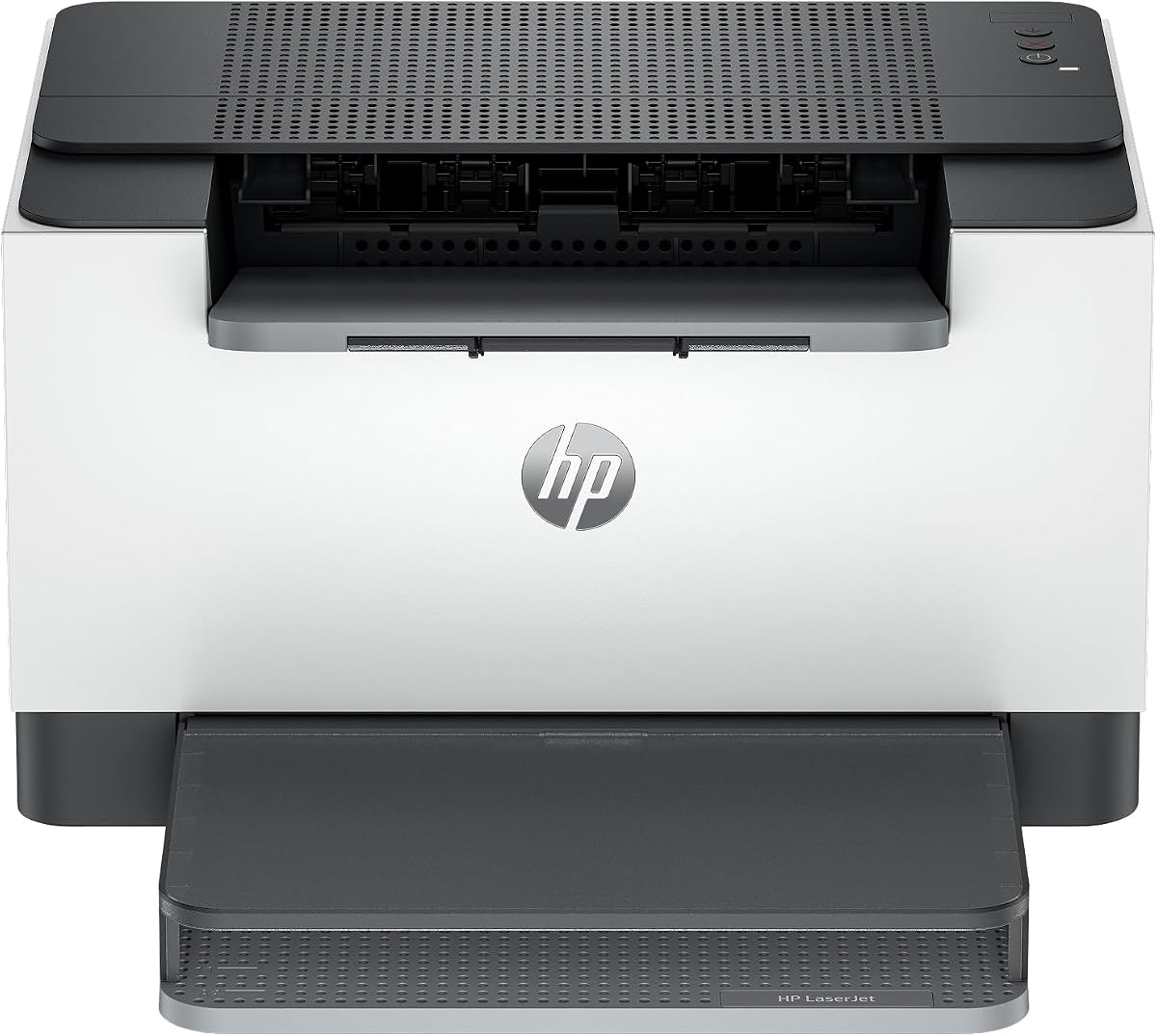
The HP LaserJet M110w is designed for small teams needing quick setup and reliable printing. It has a 3.9 star rating reflecting consistent performance in lightweight office environments. Its compact design fits easily into shared workspaces without taking up much room.
We may earn a commission when you buy through this link, at no additional cost to you.
Print speeds reach 21 pages per minute which suits basic document needs. Wireless self-reset capability helps maintain connection stability without user intervention. The HP Smart app simplifies scanning and printing tasks from smartphones or tablets efficiently.
Security features protect data during wireless transmission which is vital for business use. The lack of duplex printing means more manual effort for double-sided documents. However, for teams focused on speed and simplicity, this model remains practical and efficient.
Small teams with low to moderate printing needs will find this printer adequate. Its ease of setup reduces administrative overhead significantly. If you need a secure reliable printer for a small group, this model offers good value.
Self-reset Wi-Fi automatically resolves connection issues ensuring minimal downtime during printing tasks.
The HP Smart app consolidates printing and scanning into one intuitive mobile interface.
We may earn a commission when you buy through this link, at no additional cost to you.
The HP LaserJet M209dw offers fast dual-sided printing and flexibility with its Instant Ink eligibility. It earns a 4.2 star rating for performance and ease of use. This model suits small teams that want automated supply management to reduce manual ordering effort.
We may earn a commission when you buy through this link, at no additional cost to you.
Print speeds reach 30 pages per minute which is faster than many competitors in its class. Dual-band Wi-Fi with self-reset ensures consistent network connectivity even in crowded environments. Built-in security features protect sensitive business documents from potential threats.
Instant Ink allows you to pay based on pages printed which may lower costs for heavy users. However, non-HP cartridges are blocked limiting third-party toner choices. If you prefer a subscription model, this feature significantly reduces maintenance overhead.
Small business teams needing automated supplies and fast output will appreciate this model. Its security and speed features support efficient workflows. If you are comfortable with HP's ecosystem, this printer delivers reliable value for daily use.
Instant Ink automatically monitors levels and ships cartridges before you run out completely.
Up to 30 pages per minute ensures faster completion of daily printing tasks efficiently.
We may earn a commission when you buy through this link, at no additional cost to you.
The Canon imageCLASS LBP122dw provides an affordable entry into duplex laser printing for home users. It maintains a 3.9 star rating due to its balance of cost and functionality. This model is ideal for individuals wanting two-sided printing without high expenses.
We may earn a commission when you buy through this link, at no additional cost to you.
It prints up to 30 pages per minute which handles standard document tasks efficiently. Wireless connectivity enables printing from mobile devices anywhere within network range. The Canon PRINT app offers intuitive control over print jobs and settings remotely.
While it lacks scanning capabilities, its focus on printing efficiency suits basic needs well. Duplex printing helps conserve paper which lowers long-term environmental and material costs. For simple tasks, the design keeps maintenance straightforward without complex requirements.
Personal users and home offices with high volume needs will find this useful. Its compact design saves space while delivering solid performance. If duplex printing is a priority on a tight budget, this model is a strong contender.
With duplex printing as standard, you save on paper costs while maintaining quick print speeds.
Canon PRINT app integration allows effortless printing from iOS and Android devices seamlessly.
We may earn a commission when you buy through this link, at no additional cost to you.
The HP LaserJet MFP M235sdw delivers comprehensive office functionality in a compact wireless design. It earns a 4.0 star rating for reliability and strong security features. This model suits offices needing scanning copying and printing with minimal space requirements.
We may earn a commission when you buy through this link, at no additional cost to you.
It achieves up to 28 pages per minute on single-sided jobs and supports duplex printing efficiently. Ethernet connectivity provides stable wired options alongside dual-band Wi-Fi. Built-in security features protect sensitive documents from unauthorized access or attacks.
While more expensive than single-function printers, the combined capabilities streamline document workflows. The security focus ensures business data remains safe during transmission. If you need a versatile unit that handles multiple tasks securely, this is a solid choice.
Office teams prioritizing data protection and multifunctionality will find this unit valuable. Its balanced speed and connectivity options support diverse workflow needs. For secure business environments, this model offers essential features without unnecessary complexity.
Ethernet and dual-band Wi-Fi ensure flexible and stable network connections for shared use.
Built-in security protocols protect printed and scanned documents from potential cyber threats.
We may earn a commission when you buy through this link, at no additional cost to you.
The Brother HL-L2480DW offers high performance with a user-friendly touchscreen interface for small offices. It holds a 4.5 star rating from users who appreciate its speed and versatility. This all-in-one unit streamlines document handling with scan and copy capabilities included.
We may earn a commission when you buy through this link, at no additional cost to you.
It prints at 36 pages per minute which matches top-tier speeds in its category. The 2.7-inch touchscreen simplifies navigation through cloud apps like Dropbox and Google Drive. Duplex printing helps reduce paper waste automatically without manual effort during jobs.
Its robust connectivity options ensure seamless integration into various network environments. The Refresh Subscription Service provides convenient toner ordering with potential savings. While slightly larger than single-function printers, the added features justify the extra desk space.
Home offices and small teams needing speed and easy operation will find this ideal. The touchscreen and app integration make it accessible for all users. If you want a reliable multifunction printer with strong connectivity, this model is recommended.
The 2.7-inch touchscreen simplifies menu navigation and cloud app selection without complexity.
With 36 pages per minute and duplex printing, it handles high volume tasks efficiently.
We may earn a commission when you buy through this link, at no additional cost to you.
Selecting the right laser printer involves evaluating more than just the initial purchase price. To truly save money, you must consider long-term consumable costs and performance reliability. This guide outlines the essential factors to help you make an informed decision.
The most critical factor is the cost per page. Check how many pages a cartridge prints and its price. Higher yield cartridges usually reduce costs over time. Always compare genuine versus compatible options carefully.
Look for toner cartridges that offer thousands of pages per unit to maximize savings. Avoid printers where cartridges are small and expensive relative to their output.
Print speed matters for productivity. Faster printers reduce waiting time and improve workflow efficiency. Consider how many pages per minute the device can handle during peak usage.
Higher speeds like 30 to 36 pages per minute are recommended for busy offices. Slower models suit low-volume needs but may slow down teams.
Wireless connectivity offers flexibility for mobile and remote workers. Dual-band Wi-Fi improves stability compared to single-band options. Ethernet ports provide secure wired connections for critical tasks.
Choose models with both Wi-Fi and Ethernet to support diverse devices. Ensure compatibility with your operating systems and mobile platforms.
A larger paper tray reduces frequent refilling interruptions. Standard trays hold around 150 sheets while others may hold 250. Automatic document feeders help with scanning tasks.
Opt for a 250-sheet tray if you print frequently. Smaller trays are acceptable for light personal use but add to downtime.
Automatic duplex printing saves paper by printing on both sides. Manual duplex requires intervention but saves money on toner. Duplex is vital for reducing waste in offices.
Select printers with automatic duplex for best long-term savings. This feature minimizes material costs and environmental impact.
Reputable brands often provide better support and longer warranties. Check for one-year limited warranties and accessible customer service. Reliability reduces unexpected downtime costs significantly.
Always review warranty terms before buying. Established brands offer better peace of mind for business operations.
Some manufacturers offer toner subscriptions to prevent shortages. These can save money through discounts and timely delivery. Evaluate costs carefully to ensure they fit your budget.
Subscriptions are useful if you print consistently. They simplify ordering but may lock you into specific cartridge types.
Business printers need protection against cyber threats. Built-in security protocols safeguard data during transmission. Look for encryption and access controls in enterprise models.
Security is crucial for shared environments. Ensure your printer includes features to protect confidential documents.
Start by unboxing the printer and removing all protective tape before powering it on. Install the included toner cartridge carefully and ensure it locks into place. Run a test print to confirm proper alignment and ink distribution.
Regular cleaning of the exterior prevents dust buildup affecting performance. Use a soft cloth to wipe the casing periodically. Check paper trays regularly to ensure paper is not curling or jamming during feeding.
Keep firmware updated to access new features and security patches. Restart the printer occasionally to clear memory and prevent errors. Monitor toner levels and replace them before depletion to avoid streaks on pages.
Compatible toner is generally safe but may not offer the same quality as genuine cartridges. Some printers block non-genuine chips so verify compatibility before purchase. If savings are a priority, reputable third-party options work well for many.
Laser toner cartridges typically last between 1,000 and 3,000 pages depending on usage. Proper storage in cool dry conditions extends shelf life. Monitor usage regularly to plan replacements and avoid unexpected shortages.
Yes, laser printers use dry toner which lasts longer and costs less per page than ink. Inkjet inks dry out faster while toner powder remains usable for years. Laser is more cost-effective for black and white documents.
Most modern printers offer USB connections for direct printing without Wi-Fi. Ensure your computer has the correct drivers installed for this setup. Wired options provide stable alternatives for secure environments.
Print quality degrades with faded text when toner runs low. Some models print until completely empty but others block output. Always keep a spare cartridge on hand for uninterrupted operations.
Laser printers excel at text but struggle with photo quality. Inkjet printers are better for vibrant image output. For documents and reports, lasers provide sharper and more consistent text.
The Brother HL-L2405W Canon imageCLASS LBP6030w and Brother MFC-L2820DW lead our list for reliability and value. Each option balances speed connectivity and consumable costs to suit different needs effectively. Choosing the right model ensures long-term savings and productivity.
Prioritize features like duplex printing and toner yield to maximize savings over time. Consider your daily print volume when selecting speed and capacity. Budget and functionality should align to avoid unnecessary expenses later.
Prices fluctuate frequently so check current deals before making a purchase. Verify that your chosen model matches your office size and requirements. Investing wisely in the right printer ensures smooth operations and better financial control.