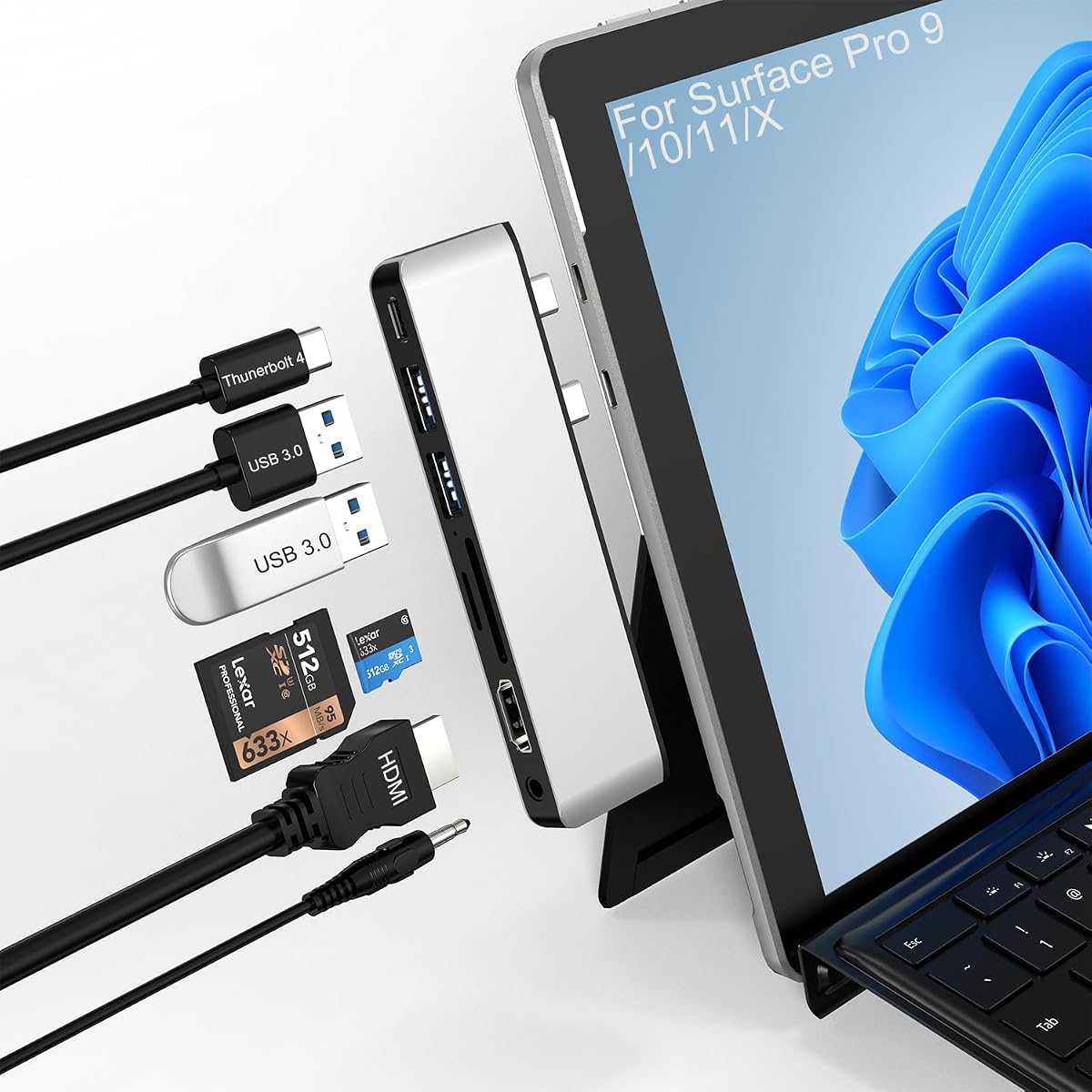
Surface Pro 2026 Docking Station
4.2Editor score
Thunderbolt 4 USB-C port
Compact aluminum design
100W PD charging
Explore our expert guide comparing the top docking stations for Surface Pro 11 to find the perfect hub for connectivity and productivity in October 2026.
Finding the right docking station for your Surface Pro 11 is crucial for maximizing productivity and connectivity in a modern workspace.
We compared ten top-rated hubs based on port selection, display support, charging power, and real-world performance with Surface devices.
Each pick highlights specific strengths and trade-offs so you can choose the best match for your workflow while noting that availability may shift.
4.2Editor score
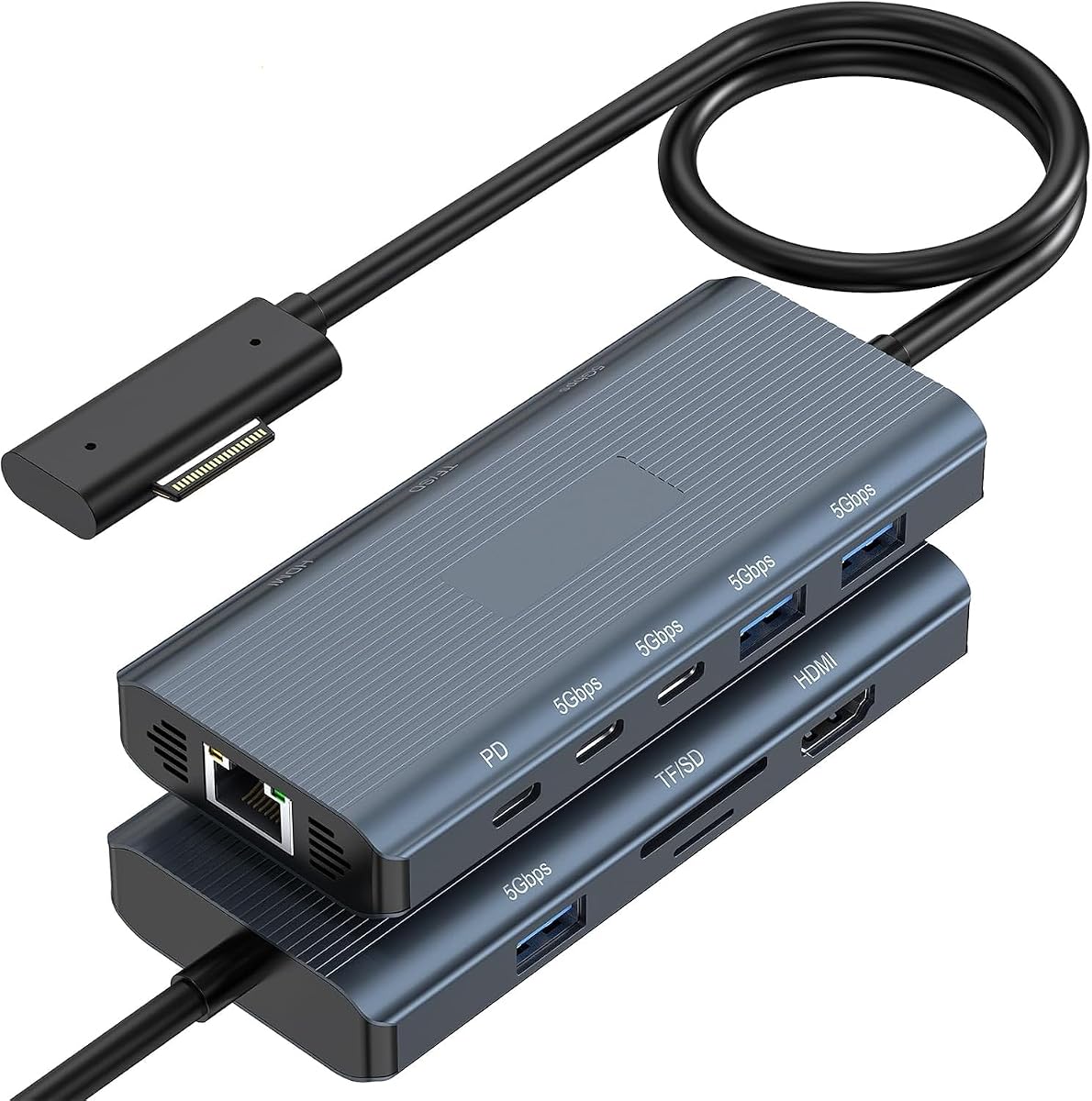
4.8Editor score

4.3Editor score
This side-by-side comparison highlights key specifications across ten leading docking stations to help you identify the best fit for your Surface Pro 11 setup.



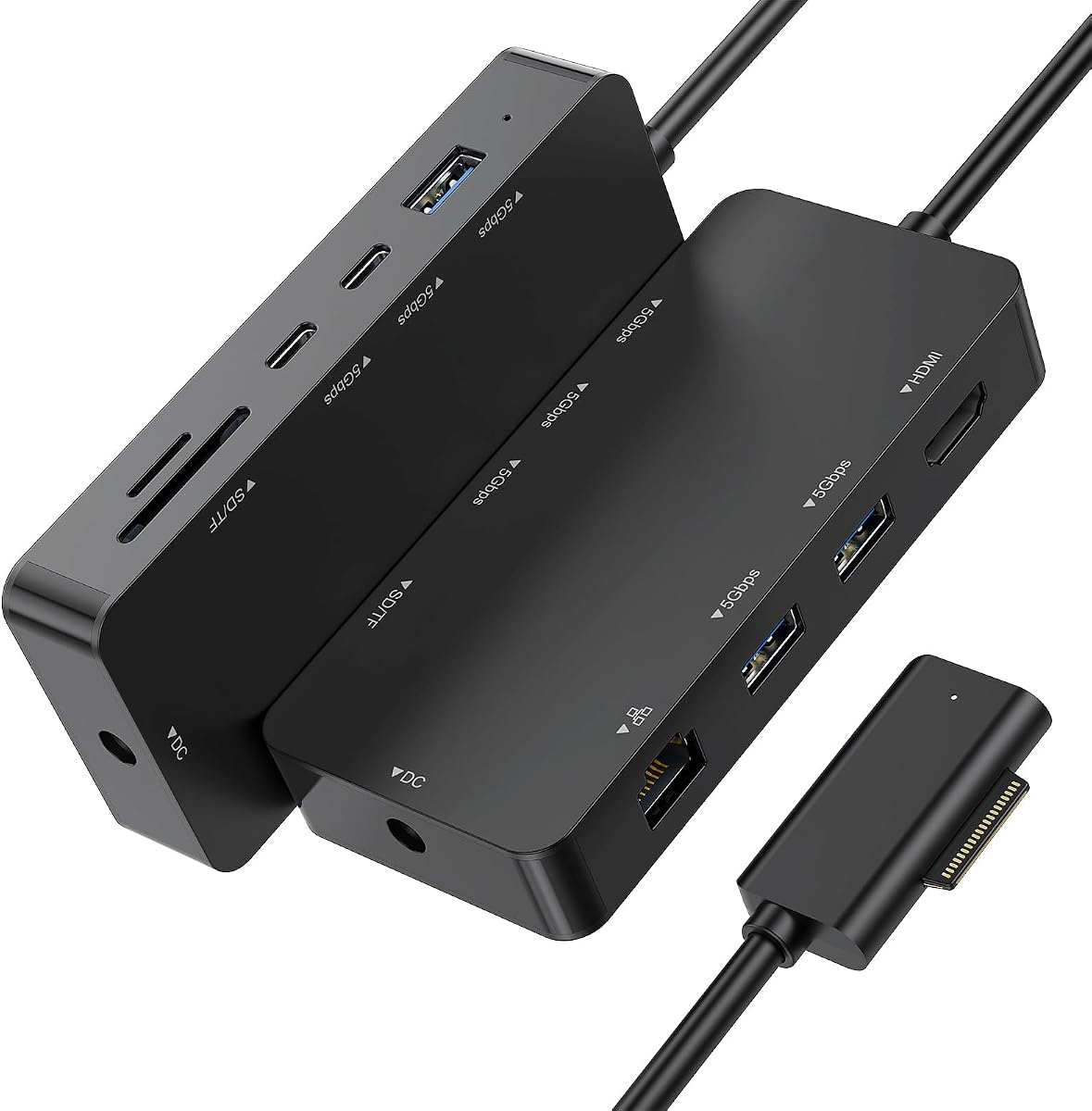
This 11-in-1 docking station stands out as a versatile choice for Surface Pro 11 users seeking extensive connectivity options.
We may earn a commission when you buy through this link, at no additional cost to you.
It delivers stunning 4K@60Hz visuals and reliable gigabit Ethernet, making it perfect for creative professionals and office workers alike.
The need for an external power source is a minor trade-off for the robust performance and broad device compatibility it offers.
Ideal for those who need multiple monitors and fast data transfer, this hub is a dependable investment for any Surface setup.
Supports up to 4K resolution at 60Hz for crystal-clear visuals ideal for creative work and media consumption.
Features multiple USB 3.0 and USB-C ports alongside SD/TF readers for seamless peripheral and file management.
We may earn a commission when you buy through this link, at no additional cost to you.
Designed for users needing maximum screen real estate, this hub supports triple displays with HDMI and VGA outputs.
We may earn a commission when you buy through this link, at no additional cost to you.
The inclusion of USB-C and USB 3.0 ports ensures fast data transfer for peripherals and external storage devices.
While the refresh rate and resolution limits may not suit gaming, they are well-suited for productivity and multitasking workflows.
This docking station is a strong contender for office environments where extended display setups are a daily requirement.
Allows simultaneous connection of three monitors to boost multitasking efficiency and workspace flexibility significantly.
Combines modern USB-C with classic VGA to ensure compatibility with a wide range of legacy and new monitors.
We may earn a commission when you buy through this link, at no additional cost to you.
This compact hub leverages Thunderbolt 4 technology to deliver high-speed data and video transmission in a lightweight form.
We may earn a commission when you buy through this link, at no additional cost to you.
Its aluminum casing ensures durability while keeping the profile slim enough for easy transport in a laptop bag.
Though it lacks an ethernet port, the USB-C and HDMI options cover most travel and remote work needs effectively.
Perfect for travelers and students, this station balances performance and portability without breaking the budget.
Delivers up to 40Gbps data transfer and 100W charging through a single USB-C connection for seamless setup.
Built with a slim aluminum body that fits easily into bags for seamless transitions between home and office.
We may earn a commission when you buy through this link, at no additional cost to you.
This versatile hub supports triple displays via dual HDMI and VGA, making it ideal for users needing extensive screen real estate.
We may earn a commission when you buy through this link, at no additional cost to you.
The included 72W adapter ensures your device remains powered while running multiple monitors and peripherals efficiently.
Although the USB-C ports are for data only, the overall port selection provides a well-rounded desktop replacement solution.
Recommended for office workers and developers who prioritize multi-monitor setups over high-speed USB-C video passthrough.
Enables three external displays simultaneously for enhanced multitasking and improved workflow efficiency.
Includes a dedicated 72W adapter to ensure stable operation of connected devices and charging capabilities.
We may earn a commission when you buy through this link, at no additional cost to you.
Tailored for creative professionals, this hub supports triple displays and offers fast data transfer speeds for large media files.
We may earn a commission when you buy through this link, at no additional cost to you.
The built-in card readers allow quick access to photos and videos directly from camera memory cards without adapters.
While it shares limitations on USB-C video output, its overall stability makes it a strong choice for multimedia workflows.
Great for video editors and designers needing reliable multi-screen setups and quick file offloading capabilities daily.
Designed to handle large files and multi-monitor setups efficiently for designers and video editors.
Includes SD and TF slots for direct access to media files speeding up content creation processes.
We may earn a commission when you buy through this link, at no additional cost to you.
This premium hub delivers dual 4K@60Hz HDMI outputs for smooth visuals, making it a top pick for demanding workflows.
We may earn a commission when you buy through this link, at no additional cost to you.
With a dedicated 100W DC input, it ensures your device and connected peripherals receive stable and ample power.
The gigabit Ethernet port guarantees a low-latency connection ideal for gaming and seamless video conferencing.
Best suited for professionals seeking high-resolution refresh rates and robust performance without compromising connectivity.
Supports dual 4K monitors at 60Hz for smoother visuals essential for professional creative and gaming use.
Features a 100W DC input to keep your device charged even under heavy load from multiple peripherals.
We may earn a commission when you buy through this link, at no additional cost to you.
This hub offers a balanced mix of connectivity and performance suited for everyday office tasks and light creative work.
We may earn a commission when you buy through this link, at no additional cost to you.
With a reliable 65W power delivery, it ensures your device stays powered while connected to multiple external peripherals.
The gigabit Ethernet port provides a stable wired connection, which is crucial for uninterrupted meetings and data transfers.
A solid choice for users who need a dependable docking solution without requiring high-end premium features.
Delivers essential ports and reliable power for standard office workflows without unnecessary complexity or cost.
Includes gigabit Ethernet for stable and fast internet connections ideal for remote work environments.
We may earn a commission when you buy through this link, at no additional cost to you.
Designed to work across a wide range of Surface devices, this hub ensures broad compatibility with various laptop models.
We may earn a commission when you buy through this link, at no additional cost to you.
It supports triple displays through dual HDMI and VGA, providing flexible screen options for multitasking professionals.
The included power adapter ensures stable performance, making it reliable for daily office and creative tasks alike.
Ideal for teams with mixed device setups needing a universal docking solution that is easy to deploy and use.
Compatible with a broad spectrum of Surface devices ensuring versatile use across different models and versions.
Allows for triple monitor setups to enhance productivity and workspace efficiency significantly for users.
We may earn a commission when you buy through this link, at no additional cost to you.
This premium hub stands out with a robust 120W power adapter capable of charging high-performance devices even under heavy load.
We may earn a commission when you buy through this link, at no additional cost to you.
Supporting triple 4K@60Hz displays, it is an exceptional choice for gamers and professionals requiring smooth high-refresh visuals.
The inclusion of a full-function USB-C port ensures versatile connectivity for both data and video needs seamlessly.
Highly recommended for users seeking top-tier performance and power delivery for demanding desktop replacement setups.
Equipped with a 120W adapter to ensure reliable charging and stable power for even the most demanding devices.
Supports triple 4K displays at 60Hz for immersive visuals perfect for gaming and creative workloads.
We may earn a commission when you buy through this link, at no additional cost to you.
Simplicity is the hallmark of this hub, featuring a magnetic Surface Connect cable that makes setup quick and frustration-free.
We may earn a commission when you buy through this link, at no additional cost to you.
With 4K@60Hz HDMI support, it delivers crisp visuals perfect for presentations and entertainment in any workspace.
The included PD power adapter ensures your device remains powered while connected, maintaining a clutter-free desk environment.
Perfect for users who prefer straightforward connectivity without the need for complex configurations or drivers.
Uses a secure magnetic cable for easy attachment that eliminates fumbling with standard connector orientations.
Delivers 4K at 60Hz for high-quality visuals suitable for presentations and multimedia consumption.
We may earn a commission when you buy through this link, at no additional cost to you.
Selecting the right docking station involves considering factors like port count, video support, and power delivery to match your specific workflow needs.
Consider the number and type of ports you need such as USB-C, USB-A, HDMI, and Ethernet to ensure all peripherals connect easily.
Choose a hub with enough ports to avoid needing additional adapters for your mouse keyboard and external drives.
Check the resolution and refresh rate supported by HDMI or DisplayPort outputs to ensure smooth visuals for work or entertainment.
If you need multiple monitors verify that the hub supports triple displays or dual screens at the resolution you require.
Look for docks that support PD charging to keep your Surface device powered while connected to multiple devices.
Ensure the wattage matches your device requirements so the dock can charge the laptop while running accessories.
Verify USB ports support high speeds like 5Gbps or Thunderbolt to transfer large files quickly between your device and drives.
Fast data transfer is essential for professionals handling large media files or frequent backups.
An Ethernet port ensures a stable wired internet connection which is vital for reliable video conferencing and downloads.
Choose a gigabit Ethernet port if you need faster speeds compared to standard 100Mbps connections.
Look for durable materials like aluminum that help dissipate heat and withstand daily use over time.
A robust build ensures longevity and reliability especially if you move the hub between locations.
Ensure the docking station is specifically designed for your Surface Pro 11 to avoid connection issues.
Check for compatibility with other Surface models if you have multiple devices in your ecosystem.
Plug-and-play functionality is ideal to avoid the need for installing drivers or complex software on your device.
Choose hubs that work immediately upon connection to save time and reduce technical frustration.
Start by connecting the power adapter to the hub and wall outlet before attaching it to your Surface device for stable power delivery.
Plug in your peripherals like monitors and drives to the appropriate ports before connecting the Surface to ensure all devices are recognized immediately.
Keep the ports clean and free of debris to maintain optimal connection quality over the lifespan of the dock.
Yes many docking stations support triple displays using combinations of HDMI and VGA ports. Ensure your chosen model has MST or specific support for three screens to achieve this setup.
Yes for most multi-port hubs the included power adapter is required to charge your device and power connected peripherals simultaneously. Skipping it may lead to unstable performance.
Many hubs are designed to be compatible with a range of Surface devices including older models. Check the product details to confirm specific compatibility before purchasing.
Most docks support up to 4K resolution at 60Hz or 30Hz depending on the model. High-end options usually offer 60Hz for smoother visuals essential for gaming or creative work.
It is highly beneficial for users who need stable low-latency internet for video calls or large downloads. Ethernet ensures consistent connectivity unlike potentially unstable wireless connections.
Use the USB 3.0 or USB-C ports which support high-speed data transfer rates. Ensure your drives and files are formatted correctly for the fastest possible speeds.
The top picks offer a range of options from budget-friendly travel hubs to high-performance desktop replacements with advanced display capabilities.
Prioritize the features that matter most to your daily workflow whether that is power delivery multi-monitor support or data transfer speeds.
Always check current availability and compatibility notes before buying to ensure the dock meets your specific device and setup needs.