
DTECH 90 Degree VGA Right Angle Adapter
4.2Editor score
Mini size saves space
Solid screw connection
Simple coupler design
This comprehensive guide compares the top 90 Degree VGA Adapter models for 2026, evaluating build quality signal compatibility, and ease of use to help you
Connecting legacy displays often requires specific hardware to manage cable routing efficiently. A 90 Degree VGA Adapter solves space constraints behind monitors and projectors by redirecting cables neatly without sharp bends.
We evaluated ten leading adapters based on build materials connector signal integrity, and user feedback. Our comparison highlights models that offer reliable connections, corrosion resistance, and compact designs for tight spaces.
Each pick showcases unique strengths like angled orientations or multi-pack value. Note that pricing and availability fluctuate frequently on retail platforms, so verify current details before purchasing your preferred model.
4.2Editor score
4.6Editor score

4.6Editor score
The following table provides a side-by-side overview of ten top-rated adapters to help you compare key specifications quickly.


The DTECH adapter offers a straightforward solution for redirecting VGA cables with a 90 degree turn. It holds a solid 4.2 rating from users who appreciate its small footprint.
We may earn a commission when you buy through this link, at no additional cost to you.
Its mini size allows it to fit into tight spaces behind TVs or monitors where a straight cable would stick out. The included screws ensure a stable connection that resists accidental unplugging during use.
While the housing is basic plastic, it fulfills its purpose effectively without adding bulk. Some users note that the screws can be tight initially, but they provide excellent stability once secured.
This adapter is ideal for home or office setups needing simple cable management. It provides a reliable extension coupler at an accessible price for budget conscious buyers.
The compact elbow connector redirects cable direction instantly to prevent strain on ports behind furniture.
Integrated screws lock the adapter firmly to the port ensuring no signal loss from movement.
We may earn a commission when you buy through this link, at no additional cost to you.
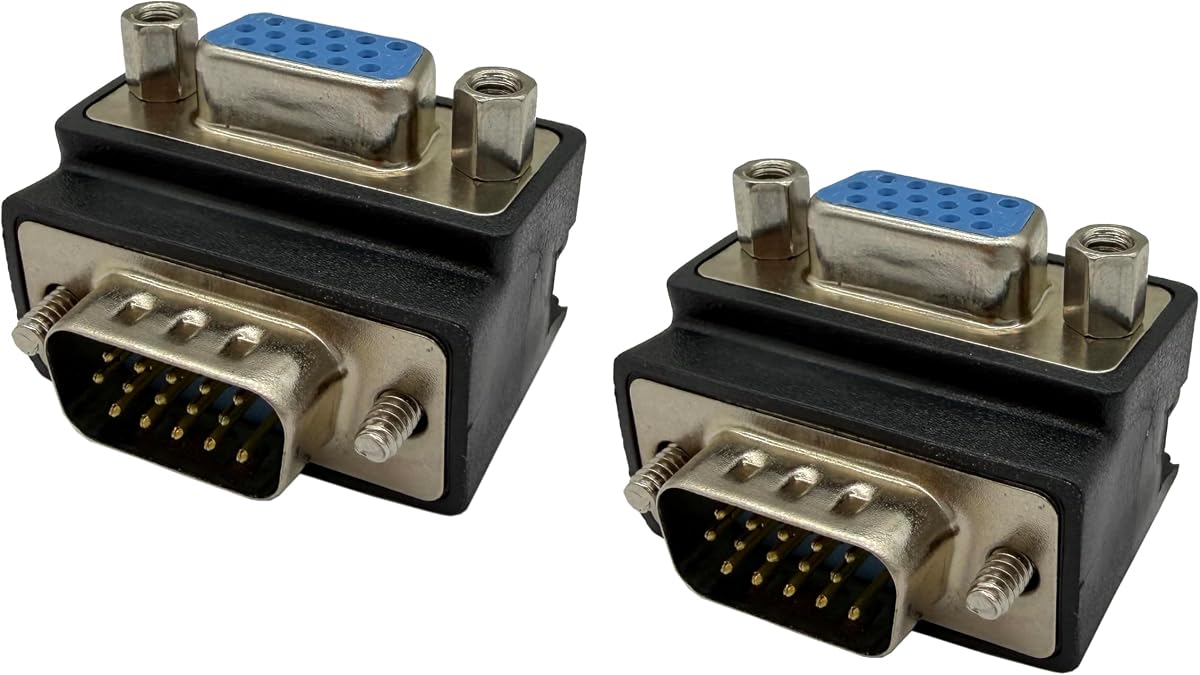
J&D provides a practical two pack of adapters featuring nickel coated contacts for better durability. The 4.2 rating reflects consistent performance across various standard VGA setups.
We may earn a commission when you buy through this link, at no additional cost to you.
The nickel coating helps prevent oxidation on the pins which maintains clear signal transfer over time. Additionally the EMI and RFI noise protection ensures vibrant picture quality without static interference.
The PVC body is durable enough for regular use though it feels less robust than metal shells. Users appreciate the short body design which helps route cables efficiently without blocking adjacent ports.
Ideal for offices needing multiple spare connectors this set offers value and reliability. The warranty adds peace of mind for buyers seeking a dependable brand name solution.
Nickel plated contacts protect against rust and wear for efficient long term signal transfer.
EMI and RFI filtering reduces interference to provide a superior picture experience.
We may earn a commission when you buy through this link, at no additional cost to you.
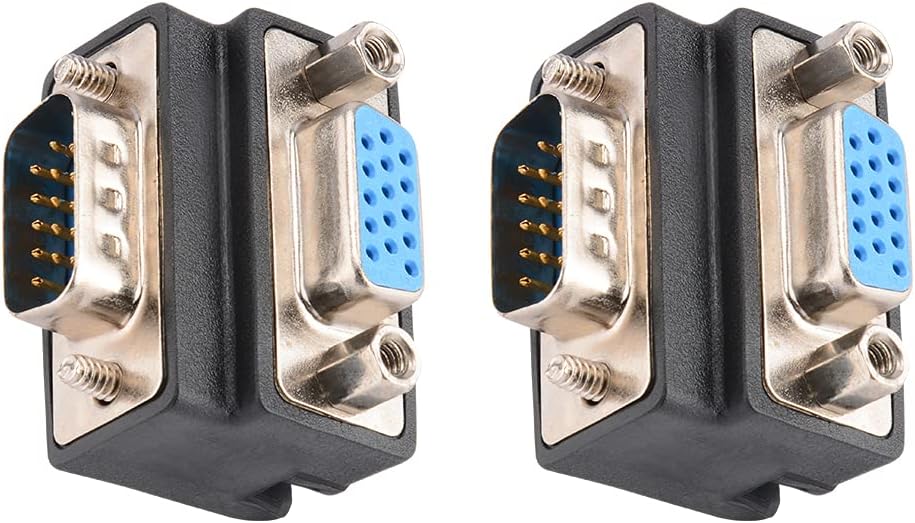
This adapter set stands out with a strong 4.6 rating from users who value reliable performance. It comes as a two pack offering versatility for multiple devices or backup needs.
We may earn a commission when you buy through this link, at no additional cost to you.
Nickel coated contacts ensure efficient signal transfer while protecting against corrosion. Thumb screws and hex nuts allow tool free installation which simplifies setup in tight spaces behind equipment.
The compact angled connector redirects cables to prevent strain on ports and prevent damage. While the screws are easy to use some users find them slightly small for larger fingers.
A great option for home theater or office setups this adapter protects your ports and improves cable management. Its high rating confirms it meets expectations for quality and ease of use.
Angled design prevents cables from pressing against walls to extend cable lifespan.
Thumb screws ensure a strong connection that prevents accidental disconnection during setup.
We may earn a commission when you buy through this link, at no additional cost to you.
This Up Angled adapter offers a perfect vertical routing solution for monitors with tight rear clearance. It holds a perfect 5.0 rating from users who needed specific directional cable management.
We may earn a commission when you buy through this link, at no additional cost to you.
The right angled plug connects to the VGA female port efficiently allowing cables to exit upwards. This design allows connection even when space around the port is extremely limited.
While highly effective for vertical setups it may not suit all orientation needs. Users must ensure the angle matches their desk or wall mount configuration before purchasing.
Ideal for specific monitor placements where cables must avoid horizontal obstructions this adapter provides a clean look. Its high satisfaction score reflects success in solving tricky routing problems.
Up angled design routes cables upwards to avoid blocking ports on wall mounted units.
Right angled 15 pin plug ensures a snug fit for stable signal transmission.
We may earn a commission when you buy through this link, at no additional cost to you.
CERRXIAN delivers a straightforward adapter that simplifies connecting PCs to screens with a 90 degree bend. The 4.3 rating indicates reliable performance for daily office or home use.
We may earn a commission when you buy through this link, at no additional cost to you.
Its angle design helps organize wires neatly to prevent tangled cables on your desk. The plug and jack style allows quick connections without needing extra tools for adjustment.
While it lacks advanced locking features the simple coupler works well for standard setups. Users appreciate how it eliminates stress on heavy duty plugs which can wear out over time.
A practical choice for users needing to tidy up their cable management this adapter works effectively. It ensures a clean display setup by redirecting wires away from obstructing areas.
Angle design helps keep wires tidy and reduces strain on the connector ports.
Male to female coupler allows quick installation for efficient setup processes.
We may earn a commission when you buy through this link, at no additional cost to you.
cablecc offers a versatile pack including both up and down angled adapters for flexible routing. Users report a perfect 5.0 rating driven by the support for 1080p visuals.
We may earn a commission when you buy through this link, at no additional cost to you.
The male thumbscrews and female nut type design simplify installation without needing extra tools. This flexibility ensures the adapter works with a wide range of computer and projector ports.
While the thumbscrews are convenient care is needed to avoid stripping the threads. Users appreciate the crystal clear video quality this adapter maintains during high definition use.
Ideal for users needing specific cable directions this set covers multiple scenarios effectively. Its high rating reflects satisfaction with the clear visuals and ease of connection.
Delivers 1080p high definition visuals for crisp projector or monitor displays.
Includes both up and down angled adapters to suit different mounting needs.
We may earn a commission when you buy through this link, at no additional cost to you.
Duttek stands out with a robust construction designed for long term reliability in demanding setups. The 4.6 rating highlights user satisfaction with its strong build and performance consistency.
We may earn a commission when you buy through this link, at no additional cost to you.
Nickel coated contacts resist corrosion to promote secure signal transfer over time. The left angle design is particularly useful for specific wall mounts where right angle adapters interfere.
The premium price reflects the quality of materials used in its manufacture. Some users find the packaging minimal but value the durability provided by the metal reinforced shell.
A top choice for users needing a left orientation this adapter ensures clear picture and sound. Its strong build makes it ideal for professional or frequently used display configurations.
Left angle design suits specific wall mounts that right angle adapters cannot clear.
Strong construction ensures longevity even with frequent use in professional setups.
We may earn a commission when you buy through this link, at no additional cost to you.
This DB15 adapter offers a lightweight and compact solution for redirecting cables efficiently. With a weight of 27g and compact dimensions it is easy to carry and fit in tight spots.
We may earn a commission when you buy through this link, at no additional cost to you.
Constructed with a durable metal shell it ensures secure connections and reduces signal interference. The 90 degree design allows convenient connections in tight spaces without bending cables sharply.
While the screws are small they provide a secure lock when tightened properly. Users note that the compact size makes it ideal for portable setups or travel.
An excellent choice for users needing a portable reliable adapter this model works well for home and office. Its simple plug and play design requires no drivers for instant use.
Lightweight 27g design makes it easy to carry for home and office setups.
33mm size fits in tight spaces without blocking adjacent ports or cables.
We may earn a commission when you buy through this link, at no additional cost to you.
chenyang provides a flat vertical adapter that routes cables in a specific direction for tight wall setups. The 4.2 rating reflects reliable performance for users needing this exact orientation.
We may earn a commission when you buy through this link, at no additional cost to you.
The vertical right angled design ensures cables exit neatly without interfering with adjacent connections. It uses a standard 15 pin socket to plug adapter for direct extension compatibility.
While the construction is basic plastic it serves its purpose well for fixed setups. Users appreciate the black finish which blends seamlessly with most monitor and PC equipment.
A niche product for vertical routing needs this adapter solves specific cabling problems effectively. It is a practical option for those requiring a low profile exit from the port.
Flat vertical design directs cables along the back of wall mounted units.
15 pin high density design ensures compatibility with standard VGA ports.
We may earn a commission when you buy through this link, at no additional cost to you.
This DB15 adapter offers a straightforward right angle connection solution for standard VGA setups. Users give it a perfect 5.0 rating for its simplicity and effective performance.
We may earn a commission when you buy through this link, at no additional cost to you.
The 33mm dimensions and 27g weight make it a small addition to any setup. It redirects cables efficiently to prevent bending and extending the lifespan of your existing cables.
While it lacks special locking mechanisms the standard design works well for stable setups. Users appreciate its clean look and ease of installation without needing extra tools or steps.
A reliable option for users needing a basic directional adapter this model is highly rated. It ensures efficient cable routing without adding bulk to your monitor or laptop.
Standard design ensures direct connection with most common VGA enabled devices.
Light 27g weight adds minimal strain to your ports and cables.
We may earn a commission when you buy through this link, at no additional cost to you.
Selecting the right adapter involves understanding orientation build quality, and compatibility with your devices.
The direction of the bend is the most critical factor since the wrong angle can block adjacent ports or prevent cable insertion. Determine whether you need a right angle left angle up angled or down angled design based on the layout of your monitor or projector ports.
Always check the port orientation on your device and select an adapter that directs the cable away from obstructions.
Look for adapters with nickel coated or gold plated contacts to ensure long term durability and resistance to corrosion. Metal contacts conduct signals better than bare copper and help maintain a stable picture quality over extended periods.
Nickel coating is the standard for reliable performance and protects against oxidation caused by humidity.
Secure connections are vital to prevent accidental disconnections especially in high traffic areas or office environments. Adapters that include screw holes or thumb screws allow you to lock the connector firmly to the port ensuring consistent signal transmission.
Choose models with integrated screw nuts if you need stability and plan to move equipment frequently.
The housing material affects both durability and the ability to fit into tight spaces. Metal shells offer better protection against impact and heat while plastic bodies are lighter and more compact for portable use.
Assess your environment to decide if a rugged metal case or a slim plastic one suits your needs better.
Consider whether you need a single unit or a multi pack to cover multiple devices or backups. Buying a two pack can be more cost effective and ensures you have a spare adapter ready for immediate use.
Check the product description carefully to confirm how many units are included in the package.
Electromagnetic and radio frequency interference can cause static or noise in the video signal. Higher quality adapters often include internal shielding to prevent these interferences from degrading your picture quality.
Look for product mentions of noise protection or shielding if you use your setup near power sources or electronics.
Compact adapters are essential when working in confined spaces behind wall mounted TVs or under desks. Measuring the available space and comparing it with the adapter dimensions prevents buying an oversized connector.
Check the length width and height specifications to ensure a snug fit without blocking adjacent ports.
A limited warranty indicates the manufacturer stands behind the product quality and durability. One year coverage is common for these accessories and offers protection against manufacturing defects or early failures.
Prioritize brands that offer clear warranty terms to safeguard your purchase investment.
Align the male and female connectors carefully and insert them firmly into the VGA ports on your devices. Ensure the adapter is oriented correctly so the cable exits in the desired direction without kinking.
Use the built in screws or thumb screws to lock the connection in place if the model includes them. This prevents accidental disconnection and ensures a stable signal path for optimal display performance.
Keep the adapter dry and free from dust by occasionally wiping it with a soft cloth. Avoid bending cables sharply at the connection point to extend the life of both the adapter and the cables.
No drivers are required for these adapters as they are passive hardware components. You can simply plug them into your VGA port and device for instant use without any software installation.
A male to female adapter connects a male cable plug to a female device port. A female to male adapter connects a female cable socket to a male device port. Choose based on the gender of your cable and device ports.
When using a high quality adapter with proper shielding there is no noticeable reduction in video quality. Inferior adapters may introduce interference but nickel coated options typically maintain clear images.
Modern laptops may not have built in VGA ports but if they do the adapter works just like on older computers. Otherwise you will need a separate VGA port on the laptop or a docking station.
Ensure your device has a standard 15 pin VGA port. Most monitors projectors and legacy PCs use this standard. Check your device manual to confirm the port type before purchasing.
If the screws are tight use a small screwdriver or pliers to gently loosen them. Avoid forcing them as this could strip the threads. Most adapters allow hand tightening once aligned correctly.
This guide explored ten top rated adapters ranging from budget friendly options to premium models with enhanced durability. The DTECH and J&D sets offer excellent value while the Duttek and 2 Pack provide robust solutions for demanding setups.
Prioritize nickel coated contacts and secure screw locks to ensure reliable connections. Choose an orientation that matches your physical space constraints to prevent cable strain and damage.
Prices and availability change frequently so always verify current listings before purchasing. With the right adapter you can keep your display setup organized and protected for years of use.