
Wireless Gaming Mouse Rechargeable
4.3Editor score
Rechargeable battery
Silent click buttons
2.4G wireless connection
Discover the top light up led mouse options for gaming and work. This guide compares features, comfort, and performance to help you find the perfect device.
Finding the right input device can transform your daily workflow or gaming session. A light up led mouse offers both functional precision and aesthetic appeal with customizable lighting. These devices come in various shapes and connectivity options to suit different user needs effectively.
We evaluated ten highly rated models based on their build quality, comfort, and unique lighting features. Each product was reviewed for its DPI adjustability, connection stability, and overall ergonomic design. Our goal is to highlight the strengths and weaknesses of every option available today.
Each pick below details specific capabilities and ideal use cases for different types of users. You will find notes on battery life, button layout, and compatibility across systems. Please note that prices and availability may change frequently on retailer sites.
4.3Editor score

4.6Editor score

4.5Editor score
This side-by-side comparison highlights the key specifications of every model in our roundup. Use this table to quickly assess which mouse fits your specific needs for gaming, office work, or travel.




The BENGOO Gaming Mouse stands out as the top choice for users seeking a reliable light up led mouse with solid performance. With a high rating of 4.6 stars, it delivers consistent tracking and a comfortable grip for extended sessions. Its RGB backlighting creates a vibrant gaming atmosphere without requiring complex software setup.
We may earn a commission when you buy through this link, at no additional cost to you.
This device features four adjustable DPI levels ranging from 1200 to 3600, allowing you to switch speeds easily via a dedicated button. The six-button layout includes forward and back keys plus a DPI switch, making navigation efficient for various tasks. The skin-friendly material ensures your hand remains comfortable even during intense use.
While it is a wired mouse which limits mobility compared to wireless models, the lack of batteries means uninterrupted usage. The lighting is colorful but fixed in mode which might limit personalization for some users. These trade-offs are acceptable given the low price point and robust build quality.
Buy this mouse if you want a straightforward, feature-rich device for gaming or daily work. It is perfect for those who prioritize comfort and lighting effects over wireless convenience. Overall it remains a top pick for anyone looking for an affordable light up led mouse.
The four-level DPI switch lets you quickly adjust cursor speed for precise work or fast gaming.
The contoured shape fits naturally under your palm to reduce fatigue during long use.
We may earn a commission when you buy through this link, at no additional cost to you.
For those watching their wallet, this Wireless Gaming Mouse offers an excellent entry point into the world of light up led mice. It scores a solid 4.3 rating and focuses on quiet operation and convenience with its rechargeable design. The silent buttons make it ideal for shared spaces like offices or dorms where noise is a concern.
We may earn a commission when you buy through this link, at no additional cost to you.
It supports three DPI levels adjustable up to 2400 ensuring you have enough precision for most tasks. The battery can last up to 25 days if lights are off and still provides weeks of use with lights on. You can also use it while charging in wired mode for zero downtime.
The main drawback is that the lighting feature consumes power faster than turning it off. Some users might find the connectivity slightly less robust than higher-end wireless models. However the price point and feature set make these issues minor for budget-conscious buyers.
Choose this mouse if you need a quiet reliable tool for work or casual gaming. Its rechargeable nature and silent clicks provide real value without breaking the bank. It is a strong contender for the best budget light up led mouse available today.
Silent click technology ensures you do not disturb others around you while working.
The built-in battery provides weeks of usage on a single charge with smart power saving.
We may earn a commission when you buy through this link, at no additional cost to you.
The RGB Light up Wired Gaming Mouse brings a premium feel with its metal flanking and unique laser carved surfaces. It holds a 4.5 rating thanks to its durable build and comfortable ergonomic design. The seven color breathing light adds a dynamic visual touch that stands out on any desk.
We may earn a commission when you buy through this link, at no additional cost to you.
This mouse includes four DPI options adjustable up to 3200 for precise tracking across different surfaces. The six-button layout supports fast switching and efficient navigation for both gaming and work tasks. It comes with a one-year warranty which adds peace of mind for your purchase.
The metal body makes it heavier and more shockproof but also limits portability compared to plastic alternatives. The wired connection ensures stable performance but means you are tethered to your device. These are reasonable trade-offs for a mouse focused on durability and style.
Invest in this model if you want a mouse that looks and feels high-end while performing well. It is ideal for gamers who appreciate visual flair and a solid build. This mouse sets a high bar for premium light up led mouse options.
Metal chassis and coating provide shock resistance and a premium feel in hand.
The breathing light effect creates a stunning visual environment for your workspace.
We may earn a commission when you buy through this link, at no additional cost to you.
The HOTLIFE Wireless Mouse stands out for its ability to connect via Bluetooth or 2.4G wireless technology. With a 4.4 rating, it appeals to users who switch between devices often. Its slim profile makes it easy to slip into a laptop bag for travel or commuting.
We may earn a commission when you buy through this link, at no additional cost to you.
It features a dedicated back to desktop button which helps manage multiple windows efficiently. The three adjustable DPI levels let you control cursor speed freely for different tasks. Silent click buttons ensure you remain focused on your work without noise distractions.
While the small size is great for portability it may not be comfortable for users with large hands. The battery needs periodic charging which is common but requires attention. However the convenience of dual connectivity makes it a versatile choice for many setups.
Pick this mouse if you need a compact reliable device that connects easily to multiple systems. It is perfect for professionals who value mobility and quiet performance. This model offers a smart balance of function and design for light up led mouse users.
Switch between Bluetooth and wireless receiver for seamless use across different devices.
The dedicated desktop button lets you quickly return to the main screen while browsing.
We may earn a commission when you buy through this link, at no additional cost to you.
The Gaming Mouse Wired 6 Buttons combines practicality with style through its unique circular breathing LED lights. It earns a 4.5 rating for its consistent performance and comfortable ergonomic shape. The seven color lighting effect creates a nice atmosphere without needing complex software.
We may earn a commission when you buy through this link, at no additional cost to you.
With four adjustable DPI levels up to 3200, you can fine-tune sensitivity for precise work or fast gameplay. The optical tracking works well on various surfaces ensuring reliable cursor movement. It supports a wide range of operating systems making it a versatile option for any setup.
The wired design ensures zero latency but limits your range of movement. The lighting is fixed and cannot be customized beyond color changes. These limitations are minor compared to the overall value and performance offered by this device.
Choose this mouse if you want a reliable tool that looks good on your desk. It is ideal for users who prefer wired stability and simple setup. This is a great value option in the light up led mouse category.
High-resolution optical tracking ensures accurate cursor movement across different surfaces.
The ergonomic design reduces hand fatigue during extended use sessions.
We may earn a commission when you buy through this link, at no additional cost to you.
The VersionTECH. Wireless Gaming Mouse is a top pick for those who value silence and style. It scores a 4.4 rating for its reliable 2.4G wireless connection and comfortable ergonomics. The noiseless clicking design ensures you can work or play without making noise around others.
We may earn a commission when you buy through this link, at no additional cost to you.
It features a 7-color breathing light that creates a cool gaming atmosphere especially at night. The battery life is enhanced with smart power-saving modes that put the mouse to sleep after inactivity. You can adjust the speed with three DPI levels for different needs.
Using the lights will drain the battery faster so you may need to recharge more often. The small USB receiver stores inside the mouse which can be lost if not careful. These are minor inconveniences for the convenience of a wireless silent experience.
Select this mouse if you need a quiet reliable tool for work or gaming at home. It is perfect for users who appreciate subtle lighting and silent operation. This model balances performance and comfort effectively for light up led mouse buyers.
Noiseless clicks prevent disturbance to colleagues or family during use.
Auto sleep mode conserves battery life when the mouse is not in use.
We may earn a commission when you buy through this link, at no additional cost to you.
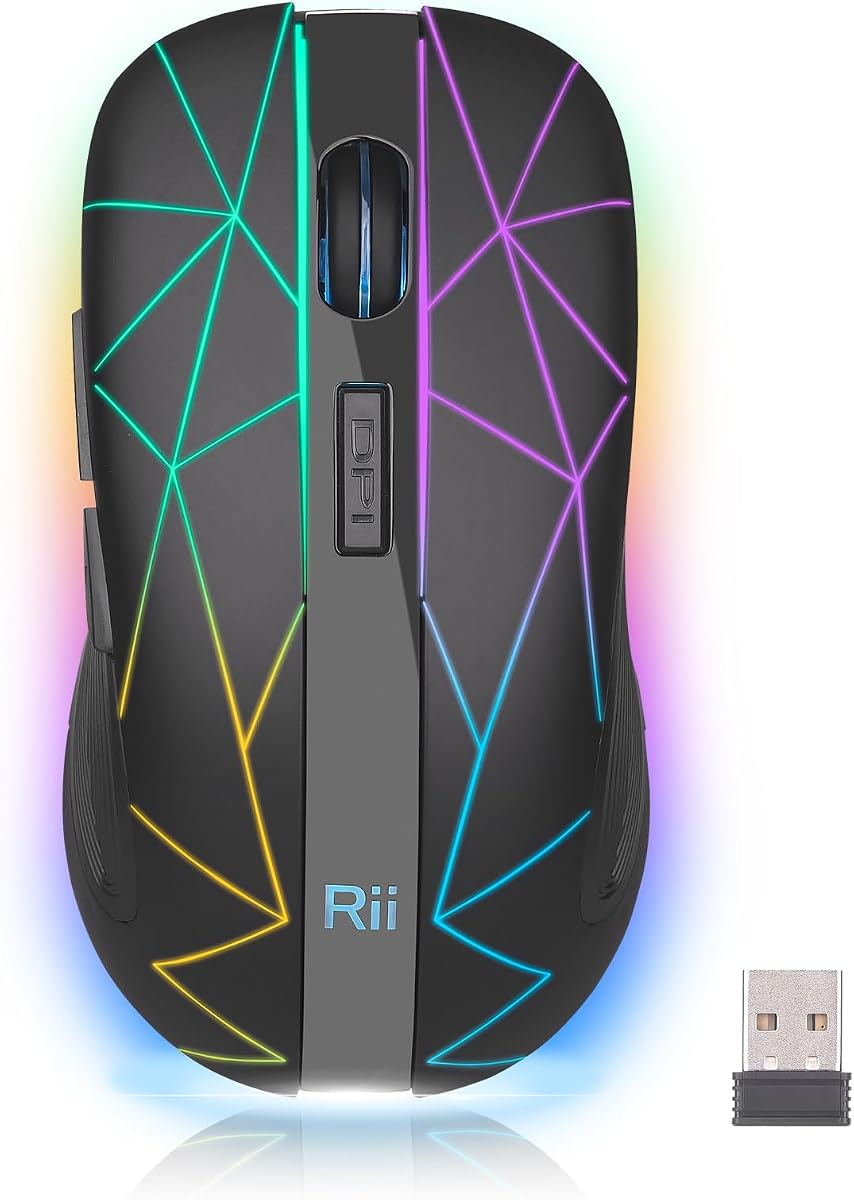
The Rii Wireless Mouse is designed for portability with a compact size that fits easily in bags. It holds a 4.4 rating for its reliable wireless performance and smooth cursor control. The colorful RGB LED backlit feature adds a fun touch to your device without bulk.
We may earn a commission when you buy through this link, at no additional cost to you.
It features a 3-level adjustable DPI switch allowing you to control speed based on your task. The rechargeable battery extends usage time and supports an intelligent sleep mode to save power. Its contoured shape fits the natural curve of your hand for comfort.
The limited button count might restrict advanced users but is sufficient for general use. The build is functional but not as rugged as premium models. However the price and size make it a great companion for travelers.
This mouse is perfect if you travel often and want a reliable tool with some style. It is ideal for users needing a spare or secondary mouse for light up led mouse setups. The compact design is its key advantage here.
Its small size makes it easy to pack for trips or daily commutes.
Random color changes create a dynamic atmosphere for your workspace.
We may earn a commission when you buy through this link, at no additional cost to you.
The TENMOS M2 Wireless Gaming Mouse features a soft skin-friendly coating that offers maximum comfort. With a 4.4 rating, it is known for its ergonomic shape and quiet operation. The cool soft LED light changes colors randomly to create a soothing atmosphere.
We may earn a commission when you buy through this link, at no additional cost to you.
It uses advanced 2.4G wireless tech for stable transmission up to 10m away. The three CPI switch levels let you adjust precision easily for work or gaming tasks. The battery can be used while charging which adds to its convenience for daily users.
The lack of Bluetooth might limit flexibility for modern tablets or iPads. The lighting consumes battery so you should turn it off when not needed. Despite this the comfort and silent clicks make it a strong everyday tool.
Pick this mouse if you value comfort and quiet performance over advanced connectivity. It is a great choice for office environments or late night use. This model delivers a balanced experience for light up led mouse users.
Skin-friendly material ensures your hand feels comfortable even after long hours.
2.4G technology prevents lag so you stay focused on your tasks.
We may earn a commission when you buy through this link, at no additional cost to you.
The TENMOS V7 Wireless Gaming Mouse focuses on efficiency and comfort for daily users. It scores a 4.5 rating thanks to its reliable 2.4G wireless connection and quiet operation. The rainbow LED light creates a colorful effect that can be turned off to save power.
We may earn a commission when you buy through this link, at no additional cost to you.
It charges with the included cable and uses smart power-saving technology to extend battery life. The three CPI switch levels let you switch quickly between different precision needs. Silent buttons ensure you stay focused without noise distractions around you.
The light switch is physical which is simple but not programmable. Without Bluetooth it is limited to USB receiver connection only. However the battery life and silent design are strong selling points for general use.
Choose this mouse if you want a balance of style and efficiency without complex features. It is perfect for users who appreciate quiet operation and colorful lights. This model is a strong value pick in the category.
Smart sleep modes keep the battery going longer without interrupting your workflow.
Rainbow LED lighting adds a fun and dynamic look to your setup.
We may earn a commission when you buy through this link, at no additional cost to you.
The Guiheng Dual Mode Bluetooth Wireless Mouse offers flexibility with both Bluetooth and 2.4G connection. With a 4.4 rating, it is built for modern devices needing versatile input options. The 7-color LED rechargeable design ensures your setup looks dynamic without extra accessories.
We may earn a commission when you buy through this link, at no additional cost to you.
It features silent buttons and an ergonomic shape to reduce fatigue during long use. The battery charges via included cable and supports smart power-saving modes for extended use. It works well with Windows and Mac systems for broad compatibility.
The lighting feature speeds up battery consumption so you may need to turn it off often. USB-C devices require an adapter which is not included. These minor issues do not detract from its strong performance and connectivity options.
This mouse is ideal if you need to connect to multiple types of devices easily. It is perfect for hybrid work setups that mix tablets and desktops. This model rounds out our list as a strong contender for light up led mouse fans.
Switch between Bluetooth and 2.4G to match your current device setup.
Ergonomic shape ensures comfort during extended work or gaming sessions.
We may earn a commission when you buy through this link, at no additional cost to you.
Choosing the right light up led mouse depends on your specific needs and environment. We break down the key factors to help you make an informed decision.
Decide between wired and wireless based on your need for mobility and latency. Wireless options offer convenience while wired ones ensure stability and no battery worries. Consider if you need Bluetooth or a standard 2.4G receiver for compatibility.
Wireless mice are great for clean desks while wired models suit competitive gaming or strict budgets.
Comfort is crucial for long-term use so look for a shape that fits your hand size. An ergonomic design reduces strain and fatigue during daily tasks. Check the dimensions to ensure it supports your grip style properly.
Try to find a mouse that feels natural in your palm to avoid wrist pain.
DPI determines your cursor speed and precision for different tasks. A mouse with adjustable DPI lets you switch between work and gaming modes easily. Higher DPI ranges provide more control for detailed graphical work.
Ensure the mouse allows on-the-fly switching so you can change speeds instantly.
Look for customizable or breathing light modes that match your aesthetic preferences. Some models allow you to turn lights off to save battery life. The color range and effect options vary between different manufacturers.
Decide if you need constant lighting or occasional effects based on your usage.
For rechargeable models check how long the battery lasts on a single charge. Consider if the mouse can be used while charging to avoid downtime. Power-saving modes are valuable for extending usability.
Higher battery life means less frequent charging which keeps you productive longer.
The number and placement of buttons affect your workflow efficiency. Extra side buttons can help with navigation or macros depending on your needs. Ensure the layout feels intuitive and accessible for your hand position.
More buttons offer flexibility but ensure they do not feel cramped or cluttered.
Check the build quality and materials to ensure the mouse withstands daily use. A solid chassis or metal parts can increase longevity. Look for warranty coverage that protects your investment against defects.
Choose a device with a good warranty to avoid early replacement costs.
Confirm the mouse works with your operating system whether Windows Mac or Linux. Some models support mobile devices like tablets or phones too. Universal compatibility ensures you can use the device across different setups.
Verify that drivers are not required to keep setup simple and hassle free.
Start by plugging in the USB receiver or enabling Bluetooth on your device. Install any necessary software if customization is supported though most work out of the box. Adjust the DPI settings to find a speed that feels natural for your hand.
Keep the optical sensor clean by wiping it gently with a soft dry cloth. Dust and dirt on the base can affect tracking accuracy. Avoid placing the mouse in humid areas to protect the electronics inside.
For rechargeable models charge fully before first use to maximize battery life. Unplug the device if not used for long periods to preserve the battery. Replace the USB cable if it shows signs of wear to ensure safe charging.
Yes lighting features consume more power especially RGB breathing modes. You can extend battery life by turning off the lights when not needed. Many models have power-saving settings to help balance usage.
Most models in our list are compatible with Mac OS X and newer versions. Check the product details to ensure specific OS support. Plug and play functionality makes setup straightforward without extra drivers.
DPI and CPI both measure cursor sensitivity though they are often used interchangeably. DPI refers to dots per inch while CPI means counts per inch. Both affect how fast your cursor moves on the screen.
Silent clicks are ideal for shared spaces to prevent disturbing others. They reduce noise during use which improves focus in quiet environments. Most ergonomic mice now include silent click technology.
Most mice have a dedicated DPI button usually located above the scroll wheel. Press it to cycle through available speed settings quickly. Check the user manual for specific button locations on your model.
Some models allow wired use while charging or offer dual mode connectivity. This ensures zero latency during gaming while providing flexibility. Check if the device supports this hybrid function.
We explored ten top options including the BENGOO Gaming Mouse and the Wireless Gaming Mouse Rechargeable. Each model offers unique lighting and comfort features suited for different users. Your choice should depend on whether you prioritize portability performance or budget.
Focus on connectivity type ergonomic design and DPI adjustability when making your decision. These factors directly impact your daily comfort and productivity. Consider how long you need the device to last for better value.
Remember to check current prices and availability before buying since they change often. This guide provides a solid starting point for finding the perfect device. Happy shopping for your next light up led mouse.