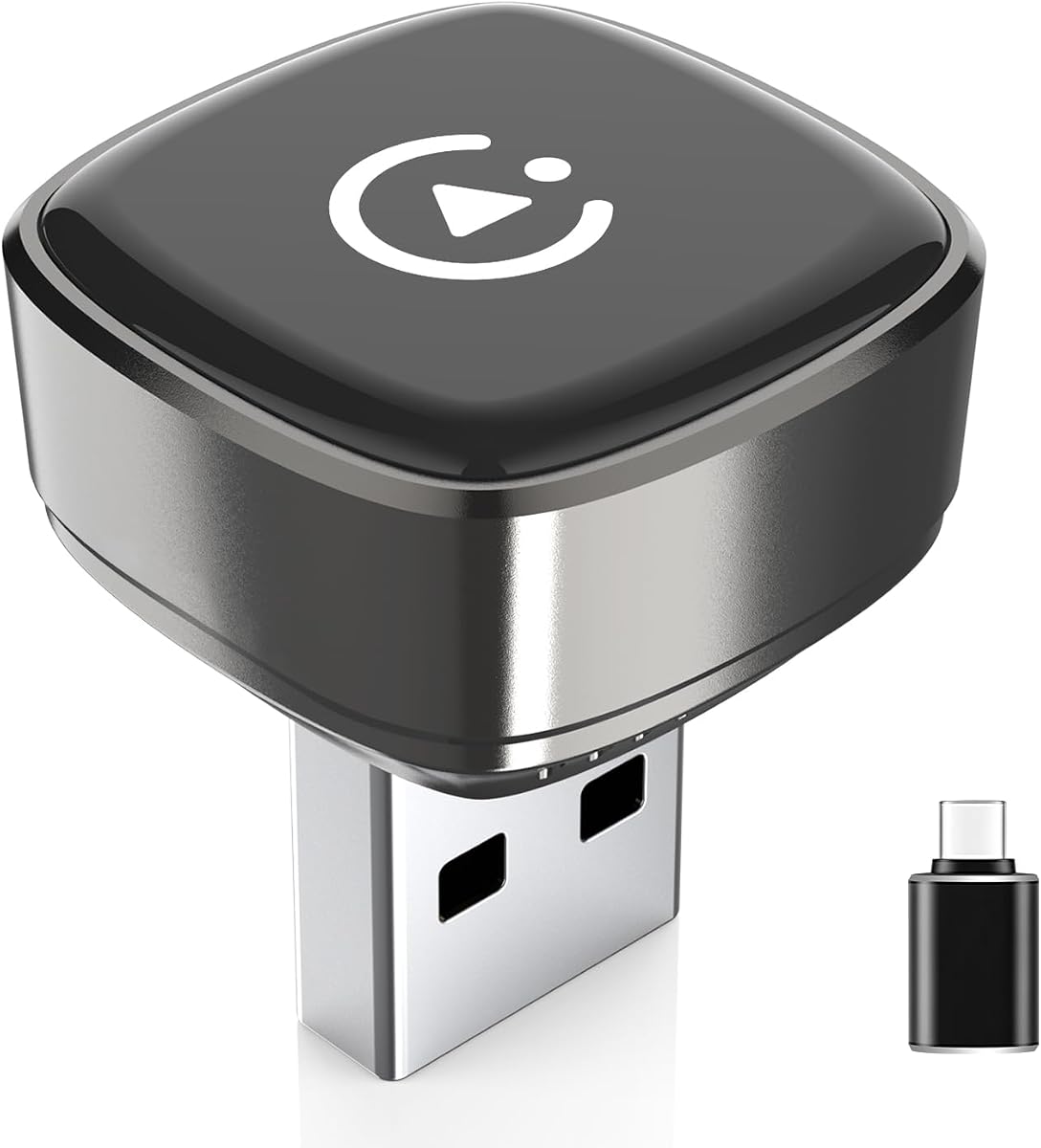
Wireless Carplay Adapter for Vehicles with Cabled CarPlay
4.2Editor score
Mini Stylish Design
Plug and Play Setup
Wide Vehicle Compatibility
This guide compares the top Carplay Adapter for Tesla models available in October 2026, evaluating performance, compatibility, and user experience for wireless
Finding the right wireless solution for your vehicle can transform your daily commute. A good adapter converts wired systems into seamless wireless experiences, allowing you to focus on the road without fumbling with cables.
We analyzed ten top-rated models based on stability, latency, build quality, and user feedback. Each product was scrutinized for its ability to maintain consistent connections and support essential navigation and media features effectively.
Every pick highlights specific strengths like compact design or dual-band support. Keep in mind that prices fluctuate frequently, so verify current offers before making your final decision to ensure you get the best value.
4.2Editor score

4.3Editor score

4.5Editor score
The following table provides a side-by-side comparison of all ten models to help you quickly identify key specifications and features relevant to your specific vehicle needs.


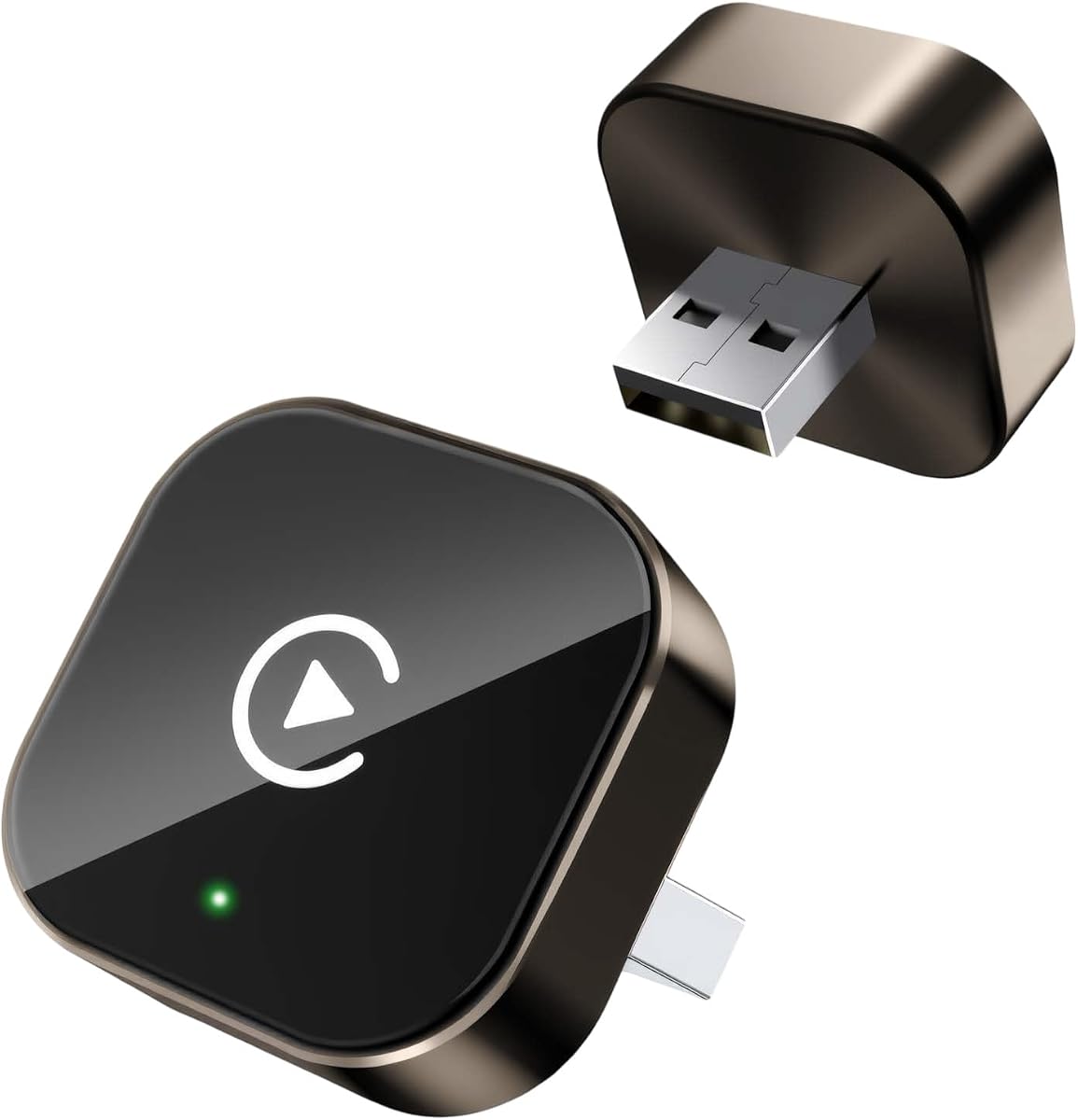


This adapter stands out as a top contender for converting wired systems to wireless. With a rating of 4.3 stars, it promises significant time savings and seamless operations like navigation and music playback without lag.
We may earn a commission when you buy through this link, at no additional cost to you.
Its standout feature is the 7A Microchip technology combined with 5.8 GHz WiFi. This hardware ensures transmission rates are up to 40% faster than competitors, allowing apps like Google Maps to load quickly on your vehicle display.
While it requires a factory wired CarPlay system, the convenience of auto-connecting every time you enter the car is a major trade-off worth considering. The compact design also means it stays hidden and does not clutter your dashboard space.
Anyone seeking a reliable, high-performance solution should consider this model. It delivers on its promise of stability and speed, making it an excellent choice for daily commuters who value efficiency and clean aesthetics inside their vehicle cabin.
The 8-core processor and 5.8 GHz WiFi ensure that navigation and media apps load faster than standard adapters, reducing wait times during startup.
Constructed from premium ultra-light alloy, this unit withstands over 50,000 tests and resists corrosion and temperature fluctuations from -20°C to 70°C.
We may earn a commission when you buy through this link, at no additional cost to you.
Burnt Sugar offers an ultra-mini design that integrates seamlessly into your car's USB port. This model focuses heavily on stability and low latency, which are critical for accurate navigation and smooth audio streaming while driving.
We may earn a commission when you buy through this link, at no additional cost to you.
The combination of 2.4 GHz and 5.8 GHz WiFi ensures real-time performance for positioning systems and original car operations. Users benefit from a lag-free experience that keeps them focused on the road rather than technical adjustments.
It automatically reconnects every time you enter the car, requiring no apps or complicated setup. However, potential buyers must verify compatibility as it excludes certain brands like Tesla and BMW, limiting its universal appeal.
This adapter is ideal for drivers prioritizing GPS stability and sound quality. The small form factor makes it an unobtrusive addition to your dashboard, ensuring a clean look while delivering robust wireless connectivity for your iPhone.
The dual-band WiFi ensures that GPS signals remain steady, preventing dropouts that can occur with weaker single-band adapters in complex urban environments.
The ultra-mini box blends effortlessly into the cabin, preventing clutter and ensuring that no cables shake or dangle during daily driving routines.
We may earn a commission when you buy through this link, at no additional cost to you.
This model claims zero latency with its newly upgraded dual-chip system. Featuring a compact mini USB design, it is 65% smaller than many competitors, making it a discreet option for those who want a clean dashboard setup.
We may earn a commission when you buy through this link, at no additional cost to you.
The adapter uses collaborative technology with 2.4 GHz and 5.8 GHz Wi-Fi to ensure efficient transmission and stability. This setup supports essential functions like navigation, music playback, and Siri Assistant without interruption or connection drops.
While it supports most factory-installed wired CarPlay systems, it is restricted to iPhone users running iOS 10 and above. The stylish metal shell enhances the aesthetic appeal, though it may limit users seeking Android Auto support in their vehicle.
Drivers seeking a sleek, reliable adapter for their iPhone will find this option compelling. It balances form and function effectively, offering a durable build and seamless connectivity that simplifies your daily driving routine significantly.
The upgraded chipset manages data flow efficiently, ensuring that navigation and media tasks run smoothly without the lag often experienced by older models.
The metal construction not only improves heat dissipation but also adds a premium look that complements modern vehicle interiors better than plastic alternatives.
We may earn a commission when you buy through this link, at no additional cost to you.
Offering a cost-effective solution, this adapter transforms wired OEM CarPlay to wireless with minimal effort. It supports navigation and media playback while keeping your original car controls intact for a seamless user experience.
We may earn a commission when you buy through this link, at no additional cost to you.
The setup involves just three simple steps: plug in, pair via Bluetooth, and connect. Once done, the adapter automatically activates the connection every time the car starts, saving you from repeated manual operations on your commute.
Its small, stylish design allows it to be hidden or mounted out of the way. However, users should note that it is designed exclusively for cars with factory-wired CarPlay and does not support BMW or Tesla vehicles.
For those on a budget who need a reliable wireless bridge, this model is a strong candidate. It delivers essential features without breaking the bank, making wireless connectivity accessible to a wider range of vehicle owners easily.
The three-step installation process ensures that even non-technical users can get their wireless system running quickly without needing to download extra apps or manuals.
Compatible with 98% of car models with original factory CarPlay, this adapter offers broad utility for most drivers looking to upgrade their existing wired systems.
We may earn a commission when you buy through this link, at no additional cost to you.
This adapter distinguishes itself by supporting both iPhone and Android devices, offering flexibility for households with mixed smartphone ecosystems. It converts wired OEM CarPlay to wireless while maintaining full functionality like navigation and music streaming.
We may earn a commission when you buy through this link, at no additional cost to you.
The durable metal casing and acrylic glass surface provide scratch resistance and long-term stability. It also includes FCC certification and lifetime firmware updates, ensuring ongoing safety standards and performance optimization over time.
While it has a lower rating compared to others, it remains a viable option for Android users needing CarPlay compatibility in wired vehicles. The compact design ensures it fits neatly into the USB port without looking obtrusive.
Families with both iPhone and Android phones will appreciate the versatility of this device. It simplifies the transition to wireless connectivity for multiple users, reducing clutter and improving the overall driving experience without major technical hurdles.
This unit allows seamless switching between iPhone and Android users, meaning no need to swap physical cables when different family members take the car out.
FCC certification ensures the device meets international safety standards, preventing signal interference that could disrupt other electronic systems within your vehicle.
We may earn a commission when you buy through this link, at no additional cost to you.
Powered by Bluetooth 5.4 and a multi-core processor, this adapter delivers 40% better performance than other standard adapters. It promises ultra-stable connections for GPS, music, and calls with near-zero latency to keep your media streaming smooth.
We may earn a commission when you buy through this link, at no additional cost to you.
The tiny receiver design converts factory CarPlay into a stable wireless connection without cluttering your dashboard. It also includes a USB-C dongle for added flexibility in connecting to different port types found in modern vehicles.
Users can expect seamless navigation and digital media playback without stuttering or lag. The company offers lifetime technical support and firmware updates, ensuring the device remains compatible with future iOS versions and app requirements.
For drivers prioritizing audio quality and responsiveness, this model offers strong technical specifications. The combination of newer Bluetooth standards and robust processing power makes it a reliable choice for tech-savvy iPhone users.
Advanced chipsets minimize delays between your phone and the car screen, ensuring that navigation turns and music play start immediately without waiting.
A multi-core processor handles multiple data streams simultaneously, maintaining stability even when running complex navigation maps alongside music apps.
We may earn a commission when you buy through this link, at no additional cost to you.
This premium adapter transforms your wired system into a multimedia hub with built-in video apps like Netflix and YouTube. It supports both Apple CarPlay and Android Auto, offering a versatile entertainment experience for passengers during long trips.
We may earn a commission when you buy through this link, at no additional cost to you.
The premium aluminum alloy build ensures superior heat dissipation and durability in extreme temperatures. It also supports offline media playback via USB drives, making it an ideal choice for areas with weak mobile signal.
While it does not support Tesla vehicles, it works seamlessly with most other OEM wired touchscreen systems. The OTA updates keep the device current with the latest app versions and performance improvements without requiring physical intervention.
Road trip enthusiasts will appreciate the cinematic capabilities of this unit. It goes beyond basic connectivity to provide a full entertainment system, ensuring that long drives become more enjoyable for everyone inside the vehicle.
Pre-loaded streaming apps turn your car screen into a personal theater, allowing passengers to watch movies or shows directly without needing a phone hotspot.
Support for USB drives and TF cards means you can store offline movies and music locally, ensuring entertainment is available even when internet connectivity is poor.
We may earn a commission when you buy through this link, at no additional cost to you.
Designed for families using both iPhone and Android phones, this 2-in-1 adapter allows effortless switching without swapping cables. It supports over 1,000 vehicle models and maintains full OEM functionality like steering wheel controls and voice commands.
We may earn a commission when you buy through this link, at no additional cost to you.
The ultra-compact design sits flush with the USB port and is nearly invisible once installed. It includes heat dissipation vents and protection against short circuits, ensuring safe performance even during long summer drives in hot weather.
Setup is simple and requires no apps, just a one-time Bluetooth pairing. The device offers 18 months of product protection and lifetime technical support, providing peace of mind for long-term use in daily commuting.
Households with mixed smartphones will find this adapter particularly useful. It eliminates cable clutter and ensures every family member can access their preferred system effortlessly, making car trips smoother for everyone involved in the ride.
Families can switch between Android Auto and CarPlay by simply connecting their respective devices, removing the need to unplug or swap physical cables between drives.
The flush-fit design ensures the adapter remains nearly invisible inside the car, maintaining a clean aesthetic without dangling wires or bulky attachments.
We may earn a commission when you buy through this link, at no additional cost to you.
This model features an ultra-compact design that blends seamlessly with your car interior. It supports navigation and hands-free calling with a fast connection time of just 5 to 10 seconds for initial pairing and 3 seconds for reconnection.
We may earn a commission when you buy through this link, at no additional cost to you.
Built with durability in mind, it has undergone over 700 hours of vibration testing to ensure stability on bumpy roads. The included USB-C cable provides flexibility in connecting to different port configurations found in various vehicle models.
It supports full iPhone models running iOS 10 and above, offering a seamless experience for Apple users. The warranty period is one year, but lifetime firmware updates ensure the device stays current with software standards over time.
Drivers looking for a fast, reliable connection without long setup times will appreciate this adapter. Its compact form factor and robust testing make it a practical choice for daily use where efficiency and stability are essential.
Over 700 hours of vibration testing ensures the adapter remains securely connected even on rough terrain, preventing disconnections caused by road bumps or shifting cables.
Including a USB-C cable adds versatility for different USB ports, ensuring you can connect the adapter regardless of the specific configuration in your car dashboard.
We may earn a commission when you buy through this link, at no additional cost to you.
This upgraded 2026 chipset supports both CarPlay and Android Auto, making it a versatile option for mixed fleets. It allows navigation and messaging without plugging in your phone, retaining full touchscreen and steering wheel controls for safety.
We may earn a commission when you buy through this link, at no additional cost to you.
The low-latency wireless connection ensures responsive navigation and stable audio for daily commutes. It features an auto-connect function that links your device as soon as you start the vehicle, eliminating the need for repeated setup steps.
Users should note that it does not support vehicles with built-in wireless CarPlay or specific brands like Tesla and BMW. The compact lightweight design ensures it blends discreetly into any dashboard without drawing attention or taking up extra space.
For those seeking a modern solution for wired systems, this adapter offers reliable long-term use with ongoing support. It simplifies your driving routine by removing cable mess and providing consistent connectivity across different operating systems easily.
Advanced chipsets minimize lag, ensuring that turn-by-turn directions and media controls respond instantly, enhancing safety and user satisfaction during travel.
Support for both Android Auto and CarPlay in one unit means a single adapter serves multiple users, simplifying storage and reducing the number of accessories needed.
We may earn a commission when you buy through this link, at no additional cost to you.
Selecting the right adapter involves considering several technical and practical factors to ensure compatibility and performance with your specific vehicle and needs.
Ensure the adapter explicitly supports your vehicle's wired CarPlay or Android Auto system. Many adapters exclude specific brands like Tesla or BMW, so verifying this before purchase is crucial to avoid returns.
Always check the product description for confirmed compatibility lists to ensure your specific make and model are supported by the device.
Look for adapters using dual-band WiFi (2.4 GHz and 5.8 GHz) and the latest Bluetooth versions like 5.3 or 5.4. These standards provide better stability and lower latency compared to older single-band devices.
Higher bandwidth technologies ensure smoother navigation and streaming performance without frequent dropouts or lag during daily drives.
Metal casings provide better heat dissipation and durability compared to plastic alternatives. This is particularly important for devices that may get hot during long drives or in high-temperature environments.
Aluminum alloy builds resist corrosion and temperature fluctuations, extending the lifespan of the adapter significantly.
Choose an adapter with plug-and-play functionality and auto-reconnect capabilities. This minimizes manual setup steps and ensures the device links automatically when you start your vehicle.
Simple setup reduces frustration and saves time, making the wireless experience truly seamless for daily commuters.
Check if the manufacturer offers lifetime or regular firmware updates to keep the device compatible with new OS versions and fix bugs. Ongoing support is vital for long-term usability.
Brands offering lifetime support and updates ensure your adapter remains functional and secure as technology evolves.
Verify that the adapter supports your car's USB port type, whether it is USB-A or USB-C. A compact design that sits flush prevents clutter and avoids accidental disconnections while driving.
A sleek form factor ensures the adapter does not obstruct your view or interfere with other dashboard elements during operation.
Read reviews focusing on GPS accuracy and audio quality. Stable connections are essential for turn-by-turn navigation and seamless music streaming without stuttering or interruptions.
Prioritize models known for zero or low latency to ensure a responsive and distraction-free driving experience.
Compare prices against features offered, balancing budget with performance needs. A longer warranty period offers peace of mind and protects against potential hardware defects.
Investing slightly more in a reputable brand with a solid warranty can save money in the long run by preventing frequent replacements.
Plug the adapter into your vehicle's USB port and ensure your car is turned on so the system initializes correctly. Wait for the adapter's indicator light to stabilize before proceeding with pairing on your smartphone.
Enable Bluetooth and Wi-Fi on your phone and follow the on-screen instructions to pair with the adapter. Once connected, the CarPlay or Android Auto interface should appear automatically on your car display.
Keep the adapter clean and free from dust to ensure stable connections. Avoid exposing it to extreme temperatures directly, and if it disconnects, try unplugging and replugging it to refresh the connection.
Most adapters are designed specifically for vehicles with wired CarPlay systems. Using them on cars that already have native wireless CarPlay may not be necessary or supported depending on the manufacturer's policy.
No, high-quality adapters maintain full functionality including steering wheel buttons and touch controls. You can still use all native features of your car while enjoying wireless connectivity.
Some adapters are designed for both Android Auto and CarPlay while others are iPhone-specific. Always check the product description to confirm dual compatibility if you use both devices.
Many adapters update automatically when connected to Wi-Fi, or they may require a companion app. Follow the manufacturer's instructions for specific update procedures to ensure compatibility.
Yes, many adapters have a USB pass-through port or allow wireless charging if your phone supports it, keeping your battery topped up while driving.
Most modern adapters reconnect automatically within seconds. If the issue persists, restarting the car or replugging the adapter usually resolves temporary glitches.
Yes, they are designed to maintain safety standards and support hands-free features like Siri or Google Assistant. However, always prioritize safe driving practices and avoid complex interactions.
No, most adapters are a one-time purchase with no subscription fees. They simply convert your existing wired system to wireless without additional recurring costs.
Choosing the right adapter can significantly enhance your driving experience by eliminating cable clutter and providing seamless access to navigation and media. The models highlighted in this guide offer a range of features to suit different needs.
Prioritize stability, build quality, and compatibility with your specific vehicle when making a decision. Investing in a reliable model with good support ensures a hassle-free wireless experience for years to come.
Remember to check current prices and availability before purchasing as market conditions change frequently. Verifying warranty details and return policies will also help protect your investment effectively.