
Dell Wired Mouse MS116
4.6Editor score
Simple plug and play
Reliable wired connection
Compact black design
Explore our expert guide comparing the top external mouse for Dell Laptop options available in October 2026 to find the perfect fit for your productivity needs
Finding the right external mouse for Dell Laptop can transform your daily workflow significantly. Whether you need precision for design work or comfort for long hours of typing, choosing the best device matters. We have carefully selected ten top rated options to help you make an informed decision today.
This guide compares wireless and wired models from trusted brands like Dell, Logitech, and TECKNET. We evaluated connectivity options, battery life, ergonomics, and DPI settings to ensure each pick meets high standards. Our analysis covers various budgets and use cases so you can find exactly what you need without confusion.
Each pick highlights key features and real world performance details based on manufacturer specifications. Please note that prices and availability may change over time due to market fluctuations. We recommend checking current listings before purchasing to ensure you get the best deal available right now.
4.6Editor score

4.9Editor score

4.6Editor score
We have compiled a detailed side by side comparison of all ten products to help you see the differences at a glance. This table includes key specifications and ratings so you can quickly identify which model aligns with your specific requirements for your Dell laptop setup.






The Dell Advanced Wireless Compact Mouse stands out as the top choice for Dell laptop users seeking reliability and performance. With a stellar 4.9 rating it delivers a seamless experience through dual mode connectivity and an impressive battery lifespan. This model is built to enhance productivity without frequent interruptions for maintenance or recharging.
We may earn a commission when you buy through this link, at no additional cost to you.
Its dual mode connectivity incorporates a 2.4GHz wireless and a Bluetooth 5.0 connection so you can pair and connect to almost any PC via your preferred mode. The easy pairing feature allows you to connect to your Windows laptop via Bluetooth instantly using Microsoft Swift Pair which saves time during setup. You can work for up to 36 months on a single battery which is three times longer than previous generation models and ensures consistent use.
The 1600 DPI sensor ensures precise tracking that handles high resolution screens easily for detailed tasks. Dell Display and Peripheral Manager provides a singular innovative application to optimize the performance of your entire Dell PC workspace. While the size might not suit everyone it remains a powerful tool for those prioritizing endurance and integration with Dell hardware.
This mouse is ideal for professionals who need a reliable companion for long work sessions without worrying about battery depletion. The advanced exchange service adds peace of mind knowing you will receive a replacement quickly if issues arise. For Dell laptop owners looking for the best overall external mouse this model offers exceptional value and performance.
Work for up to 36 months on a single battery allowing you to focus on tasks without frequent replacements.
Pair instantly via Bluetooth or 2.4GHz wireless to connect to almost any PC with your preferred mode effortlessly.
We may earn a commission when you buy through this link, at no additional cost to you.
The Dell Wireless Gaming Mouse MS5120W is a top contender for users needing high precision and speed. It features a 4000 DPI sensor and 7 buttons that provide excellent control for demanding tasks. This device combines durability with performance ensuring a reliable connection for both work and play environments.
We may earn a commission when you buy through this link, at no additional cost to you.
Dual mode connectivity incorporates a 2.4GHz wireless and a Bluetooth 5.0 connection so you can pair and connect to almost any PC via your preferred mode. It is widely compatible with various operating systems including Windows Mac Chrome Linux and Android making it versatile for any setup. Work for up to 36 months on a single battery and benefit from Dell Advanced Exchange Service if the unit fails.
Intuitively positioned shortcut buttons on the mouse allow easy navigation across web pages and applications. The Dell Peripheral Manager software lets you customize and manage your keyboards and mice efficiently to suit your workflow. This level of customization supports complex tasks and enhances overall productivity during extended usage sessions.
Ideal for gamers or power users this mouse delivers speed and accuracy without compromise. The high DPI and button configuration support quick movements and macro commands. For those seeking a premium external mouse with robust features this model is a strong choice for Dell laptop owners.
4000 DPI sensor ensures accuracy and speed for gaming or detailed graphic design tasks.
Use Dell Peripheral Manager to manage settings and buttons for tailored performance.
We may earn a commission when you buy through this link, at no additional cost to you.
The Dell Wired Mouse MS116 offers the perfect entry point for users needing a simple reliable external mouse for Dell Laptop. It costs very little and requires no batteries ensuring zero maintenance. Its plug and play functionality makes it easy to start using immediately without complex software setup.
We may earn a commission when you buy through this link, at no additional cost to you.
This model uses a standard wired USB connection which eliminates wireless interference and battery concerns. It is designed to integrate seamlessly with Dell laptops providing basic cursor control that works consistently. The black design is minimal and fits any professional environment without distraction.
While it lacks advanced features it excels at basic tasks like navigation and typing. The absence of batteries means you never have to replace them and can use it indefinitely. This makes it an ideal choice for backup or office use where simplicity is key.
If you need a budget friendly option for your Dell laptop this mouse delivers value. It is reliable and straightforward without unnecessary bells and whistles. For basic needs and tight budgets this model is the best external mouse for Dell Laptop in this category.
No batteries required means you never need to replace power sources for uninterrupted use.
Simply connect via USB to start using immediately without software installation.
We may earn a commission when you buy through this link, at no additional cost to you.
The VssoPlor Wireless Mouse brings style and function together for travelers and office workers. Its slim black and gold design is eye catching yet practical. The 2.4G connection ensures stability and the auto sleep mode conserves battery life for longer use.
We may earn a commission when you buy through this link, at no additional cost to you.
It features intelligent sleep mode that enters if unused for 5 minutes and wakes on click. This helps extend battery life significantly. The 2.4 GHz wireless provides stronger anti interference ability and faster transmission speed for reliable connections up to 10 meters.
The soft frosted surface and quiet clicks provide a better user experience without disturbing others. It fits well for desktop laptop PC and other devices with wide compatibility. This mouse is perfect for those who prioritize portability and quiet operation during meetings.
This is a solid choice for budget conscious buyers who want style and efficiency. The quiet operation and stable connection make it versatile. For a compact external mouse for Dell Laptop that looks great this model stands out.
Intelligent sleep mode extends battery life by entering sleep after 5 minutes of inactivity.
Whisper quiet clicks allow you to work without bothering others around you.
We may earn a commission when you buy through this link, at no additional cost to you.
The Logitech M510 is designed for comfort and productivity with its full size ambidextrous design. It features soft rubber grips and a contoured shape that supports your hand during long use. The battery life is impressive at two years which reduces maintenance needs significantly.
We may earn a commission when you buy through this link, at no additional cost to you.
You can flip through photo albums and web pages easily with three standard buttons plus back forward buttons. Side to side scrolling plus zoom gives you power to scroll through music libraries and spreadsheets with a click. The tiny Logitech Unifying receiver stays in your laptop for easy connectivity.
Battery life practically eliminates the need to replace batteries and the on off switch conserves power. Smart sleep mode extends battery life and an indicator light eliminates surprises. This mouse is perfect for users who value comfort and efficiency in their daily workflow.
Ideal for long work sessions this mouse reduces strain on your hand. The versatility of scrolling options adds to productivity. For a comfortable external mouse for Dell Laptop this model is highly recommended.
Contoured shape with soft rubber grips gives you support needed for effortless control all day.
Side to side scrolling plus zoom gives you power to scroll horizontally through content easily.
We may earn a commission when you buy through this link, at no additional cost to you.
The Logitech M185 is a compact ambidextrous wireless mouse that feels great in either hand. It is designed for small to medium hands and tight workspaces. The nano USB receiver is included and stays in your computer for a reliable connection up to 33 feet.
We may earn a commission when you buy through this link, at no additional cost to you.
It offers a 1 year battery life thanks to smart sleep mode and comes with a AA battery. The contoured shape gives you more comfort and control than a touchpad. According to studies users were more productive and worked faster with this mouse.
Made with certified post consumer recycled plastic it supports sustainability without sacrificing performance. It works with Windows Mac and laptops so no matter what computer you own it will be compatible. This makes it a versatile choice for students and professionals.
If you need a portable mouse that is reliable and eco friendly this is a great option. The compact size and smooth cursor control make it suitable for travel. For a portable external mouse for Dell Laptop this model is a top contender.
Plastic parts include certified post consumer recycled plastic making it a sustainable choice.
Users were found to be more productive and worked faster with this mouse over a touchpad.
We may earn a commission when you buy through this link, at no additional cost to you.
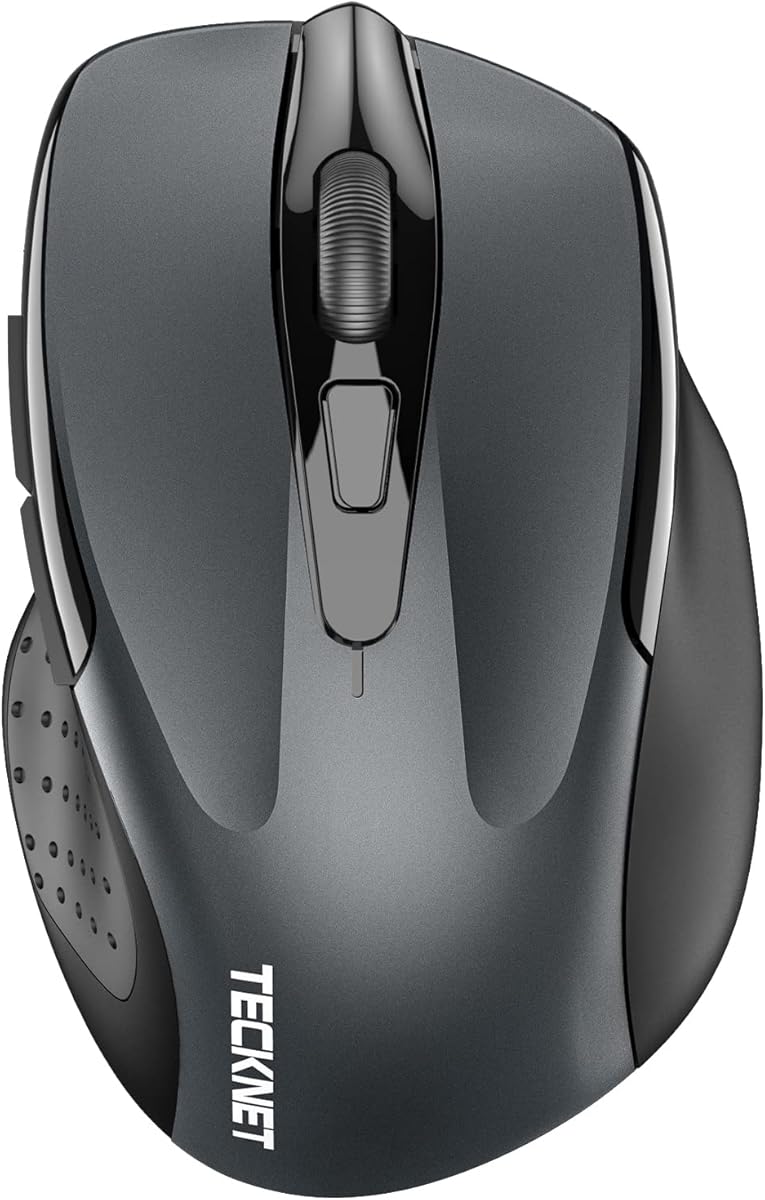
This TECKNET mouse is an ideal choice if you need a colorful and cute mouse. The special mint green color and compact size makes it the best mouse for kids and people with small hands. It is designed for small to medium sized hands to achieve optimal fit.
We may earn a commission when you buy through this link, at no additional cost to you.
Only 3.94 by 2.28 by 1.52 inches the usb mouse is easy to store in a bag for traveling. Soft click quiet buttons provide very soft click with less noise and a comfortable using experience. The 2.4GHz wireless technology ensures reliable connectivity up to 49ft.
3 adjustable DPI levels meet your different needs and only need 1 AA battery to support up to 15 months battery life. It is well compatible with Windows 11 10 8.1 and 7 Mac OS fitting for desktop laptop PC and other devices. Each product provides 36 months warranty registered only.
If you want a stylish and compact mouse this is a great option for small hands. The quiet operation and long battery life are bonuses. For a colorful external mouse for Dell Laptop this model stands out for its design.
Compact size makes it easy to store in a bag for traveling and daily commute.
Responsive buttons provide very soft click with less noise to bring you comfortable using experience.
We may earn a commission when you buy through this link, at no additional cost to you.
The Logitech M330 Silent Plus is designed for quieter environments. Logitech SilentTouch Technology reduces over 90 percent of clicking sounds ensuring top performance while contributing to a quieter working environment. This makes it perfect for libraries and offices where noise is a concern.
We may earn a commission when you buy through this link, at no additional cost to you.
Crafted for comfort it features naturally shaped contoured plastic grips and is built for long-lasting comfort and functionality for right-handed users. M330 SILENT has a 18-month battery life and power saving auto-sleep mode to allow you to focus on your work without the hassle of changing batteries.
Advanced optical tracking provides high-performance precision and smart cursor control on most surfaces. It comes with a USB-A receiver that is compatible with most operating systems including Windows macOS ChromeOS and Linux. Plastic parts include certified post-consumer recycled plastic for sustainability.
Ideal for shared workspaces this mouse helps reduce distractions. The comfort and silent operation make it a great choice. For a quiet external mouse for Dell Laptop this model is highly effective.
SilentTouch Technology reduces over 90 percent of clicking sounds for a quieter environment.
18-month battery life and auto-sleep mode allow you to focus on work without hassles.
We may earn a commission when you buy through this link, at no additional cost to you.
This TECKNET mouse offers dual device connection and you can connect to two devices at once and switch between them with just a slide of a button. The wireless bluetooth mouse ensures whisper-quiet clicks ideal for settings like libraries and offices where quiet is essential.
We may earn a commission when you buy through this link, at no additional cost to you.
Featuring 6 DPI settings the computer mouse lets you tailor the sensitivity to your liking. Whether you need precise control for detailed work or swift movement for browsing this mouse has you covered. Simply insert 2 AAA batteries for precise navigation on almost any surface.
The automatic sleep technology significantly extends the usage life. It is compatible with various systems including Windows macOS Chrome Linux. Side buttons and scroll wheel are not silent but this does not detract from its overall utility and performance.
If you need a versatile mouse that works with multiple devices this is a top choice. The high DPI and silent operation make it practical. For a dual connectivity external mouse for Dell Laptop this model is excellent.
Connect to two devices at once and switch between them with just a slide of a button.
6 DPI settings let you tailor the sensitivity to your liking for any task.
We may earn a commission when you buy through this link, at no additional cost to you.
This rechargeable mouse offers convenience with its built-in power. Connect two devices simultaneously using either Bluetooth or USB A connection for a wireless mouse experience. Once fully charged it delivers 3 months of use with 2 hours of daily use which reduces waste.
We may earn a commission when you buy through this link, at no additional cost to you.
Taking only 1.5 to 2 hours to fully charge you can get back to work quickly. The computer mouse offers 6 adjustable DPI levels allowing you to easily customize DPI to suit your preferences. Enjoy a noiseless experience with this silent mouse for libraries or offices.
It is compatible with various systems including Windows macOS Chrome Linux and works seamlessly with laptop computers and other devices. Note that connection may become unstable when the battery is low serving as a reminder to recharge. A charging cable is included for convenience.
If you prefer eco friendly options this is a great choice. The long use time and dual connection make it practical. For a rechargeable external mouse for Dell Laptop this model is a smart investment.
Delivers 3 months of use with 2 hours of daily use and reducing battery waste.
Takes only 1.5 to 2 hours to fully charge so you can get back to work quickly.
We may earn a commission when you buy through this link, at no additional cost to you.
Selecting the right external mouse involves considering several factors to ensure compatibility and comfort for your Dell laptop setup.
Decide between wired and wireless options based on your need for mobility. Wireless mice offer freedom from cables but rely on batteries or charging while wired mice ensure constant power without interruptions. Most modern laptops support both Bluetooth and USB receiver connections so check your device ports before purchasing.
Choose Bluetooth for simplicity or a USB receiver for a more stable connection if your laptop lacks Bluetooth support.
If you choose a wireless mouse battery life is critical for uninterrupted work. Look for models that offer long endurance such as those lasting over a year or rechargeable batteries that reduce environmental impact. Check if batteries are included or sold separately as this affects the initial cost.
Prioritize batteries that last months or rechargeable options to avoid frequent replacements and downtime.
Comfort is essential for long hours of use so consider the shape and size that fits your hand. Mice come in compact portable sizes or full-size ergonomic designs that support your wrist. Small hands may prefer compact models while larger hands need full-size options to prevent strain.
Choose a shape that fits your hand naturally to reduce wrist strain during long work sessions.
DPI or dots per inch determines the cursor movement speed relative to physical movement. Higher DPI values are useful for high-resolution screens or gaming while lower DPI provides precision for detailed work. Adjustable DPI settings allow you to switch between modes for different tasks easily.
Look for adjustable DPI settings to adapt to different tasks and screen resolutions effectively.
Additional buttons can enhance productivity by allowing you to perform shortcuts or commands quickly. Consider if you need specific functions like horizontal scrolling or programmable buttons for apps. More buttons may add complexity so ensure they are useful to your workflow.
Select a mouse with features and buttons that match your specific workflow needs.
Ensure the mouse works with your laptop's operating system like Windows or macOS. Some advanced features require specific software that may not be available on all systems. Check compatibility lists before purchasing to avoid software issues or missing functions.
Verify system compatibility to ensure all features work seamlessly with your Dell laptop.
For quiet environments such as offices or libraries consider silent click technology. Traditional mice may be too loud and disturb others around you while silent mice reduce sound significantly. This feature is particularly important for shared workspaces or when working late at night.
Choose silent click options to work quietly and avoid disturbing others around you.
Investing in a durable mouse ensures it withstands daily use without damage. A good warranty provides peace of mind in case of defects or failures. Brands like Dell and Logitech often include advanced exchange services or multi-year warranties that cover your investment.
Look for models with solid warranties and positive reviews regarding build quality.
To start using your external mouse simply plug in the USB receiver if it is not Bluetooth or open the Bluetooth settings on your laptop. For Bluetooth devices turn on the mouse and pair it through your settings menu. Once connected the cursor should move immediately without requiring extra software setup.
Keep your mouse clean by wiping the surface with a soft dry cloth to remove dust and oils. Avoid using harsh chemicals that could damage the surface or sensors. If the underside collects dirt clean it gently to ensure smooth movement across different surfaces.
Proper storage extends the life of your mouse by preventing drops or accidental damage. When not in use store it in a safe place or a protective case if you travel often. Avoid extreme temperatures and moisture to maintain battery performance and electronic components.
Yes most external mice work with any Dell laptop that has USB ports or Bluetooth capabilities. You just need to ensure your operating system supports the connection method used by the mouse.
To connect a wireless mouse plug the USB receiver into a free port or enable Bluetooth and pair the device. Follow on-screen instructions to complete the pairing process for instant access.
For general browsing and office work a DPI setting between 1000 and 1600 is ideal. This provides a good balance of speed and precision without requiring too much movement.
Most Dell mice work out of the box but installing the Dell Peripheral Manager allows for customization. This software lets you change settings and optimize performance for your specific model.
Random cursor movement can be caused by dirt on the sensor or interference from other devices. Clean the underside and move away from other wireless electronics to stabilize the connection.
Yes gaming mice are versatile and work well for office tasks due to their precision and buttons. However they may have features that are not necessary for basic productivity work.
If your mouse stops responding check the battery level and replace or recharge it if needed. Reconnecting the USB receiver or re-pairing Bluetooth often resolves temporary connection issues.
Most standard optical mice do not work well on glass surfaces due to lack of contrast. Look for models specifically designed to work on glass if you plan to use them on such tables.
We hope this guide helped you find the ideal external mouse for your Dell laptop based on your needs and preferences. The top picks like the Dell Advanced Wireless Compact Mouse and Logitech M510 offer great performance and reliability for most users.
When making your final decision prioritize factors like battery life and ergonomics to ensure comfort during long sessions. Consider whether wireless freedom or wired stability suits your work environment best before you buy.
Remember that prices and availability can change so check the links provided for the latest updates. We encourage you to review current details to ensure you get the best deal available.