
Ordilend Keyboard Cleaner & Laptop Cleaning Kit
4.6Editor score
Retractable large brush
Keycap puller included
Multiple microfiber cloths
This guide compares the top laptop fan cleaning kits for 2026, evaluating electric dusters, brush sets, and combo tools to help you choose the best maintenance
Keeping your laptop cool is essential for performance and longevity. Dust buildup in fans and vents causes overheating. A proper cleaning kit helps you remove debris safely without damaging delicate components.
We evaluated ten leading kits based on airflow power, versatility, and ease of use. Our comparison includes rechargeable electric dusters, multi-tool sets, and specialized brushes designed for electronics maintenance.
Each pick highlights key features, pros, and cons to guide your decision. Prices and availability may change, so check the latest listings before purchasing. These tools ensure your device runs smoothly.
4.6Editor score
4.4Editor score

4.5Editor score
This side-by-side comparison details the specifications and capabilities of each top-rated kit to help you identify the best fit for your specific cleaning needs.




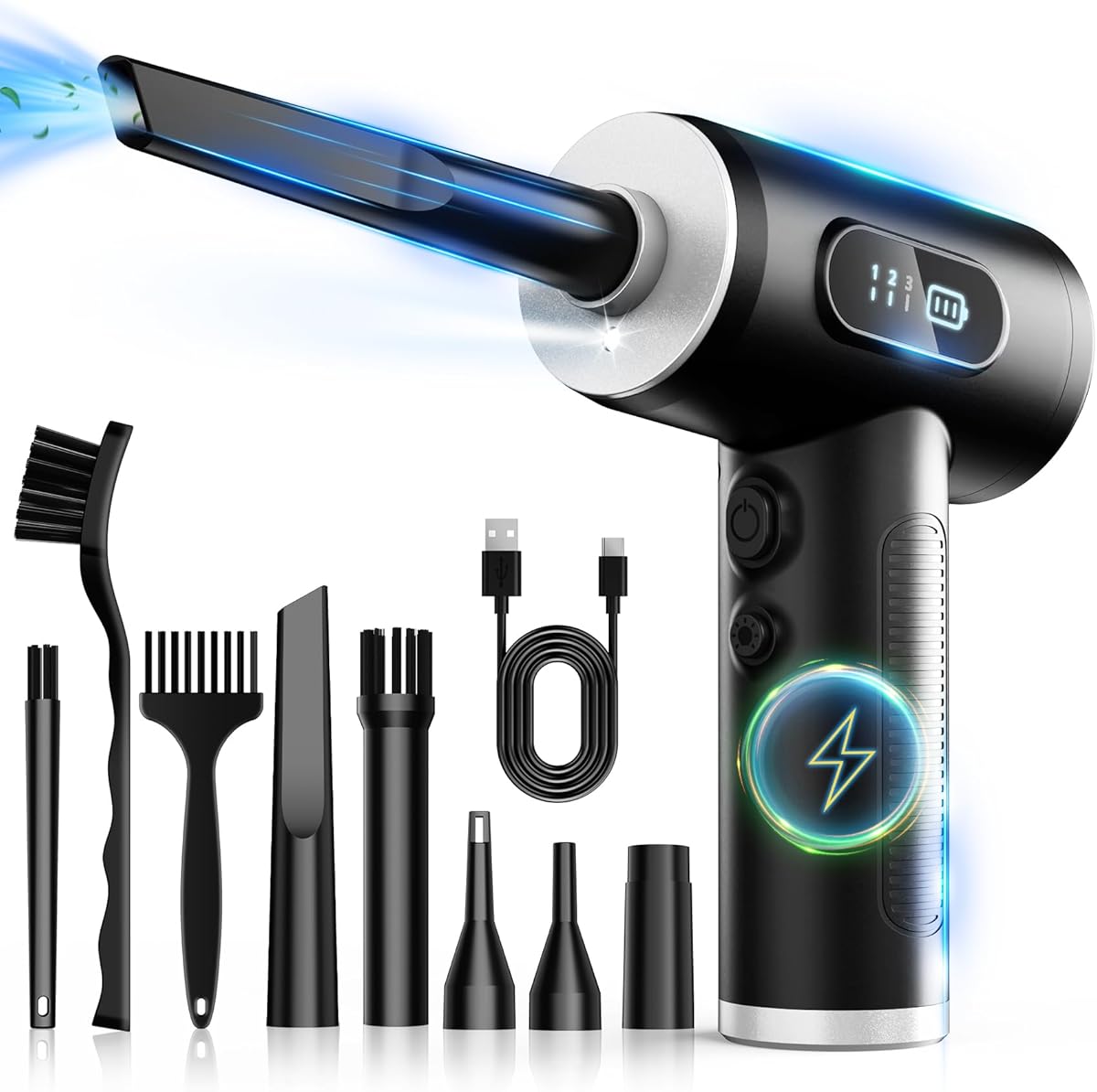
The FRESMOL Compressed Air Duster stands out as a top choice for maintaining laptop fans and vents. With a 100000RPM motor, it delivers powerful airflow to dislodge stubborn dust without requiring disposable cans.
We may earn a commission when you buy through this link, at no additional cost to you.
Its rechargeable design ensures you are always ready to clean. The smart LED display provides real-time feedback on speed and battery, preventing interruptions during important maintenance tasks.
While effective for most cleaning needs, extremely dense dust accumulations might require multiple passes. The included nozzles are useful but storing them securely can be tricky without a dedicated case.
This kit is ideal for frequent users who value efficiency and portability. It balances performance and ease of use, making it a reliable tool for keeping your laptop running cool.
The high RPM motor ensures consistent pressure to clear vents quickly, reducing overheating risks during intense computing sessions.
Visual indicators on the LED screen make it easy to switch modes without guessing settings, enhancing the cleaning workflow.
We may earn a commission when you buy through this link, at no additional cost to you.
The Ordilend Kit offers exceptional value by combining brushes, cloths, and tools in one package. It is perfect for those who prefer manual cleaning methods over electric blowers.
We may earn a commission when you buy through this link, at no additional cost to you.
Its retractable brush and keycap puller allow detailed access between keys and vents. The included metal tip helps remove stubborn stains without scratching delicate surfaces like screens or chassis.
Since it does not include an air duster, removing deep dust from fans requires physical brushing. However, the cloth variety ensures screens and bodies remain smudge-free after dusting.
This kit suits budget-conscious users who want a complete solution. It is great for regular touch-ups and maintaining a tidy workspace without expensive equipment.
The combination of soft brushes and sturdy tools addresses various cleaning scenarios from delicate screens to heavy-duty keyboard grime.
Avoiding expensive electronic dusters saves money while still providing essential tools for basic upkeep and minor repairs.
We may earn a commission when you buy through this link, at no additional cost to you.
This duster delivers unmatched power with a 280000 RPM motor. It is designed for heavy-duty cleaning where standard blowers fall short, ensuring deep dust removal from fan blades.
We may earn a commission when you buy through this link, at no additional cost to you.
The smart LCD screen provides precise control over settings and battery status. Type-C charging ensures you can recharge quickly using modern cables, reducing downtime between cleaning sessions.
Its versatility extends beyond laptops to cameras and cars, making it a multi-purpose tool. However, the added power and battery make it slightly heavier than minimalist electric dusters.
Ideal for power users and technicians who need reliable performance. It is a premium investment that pays off through longevity and superior cleaning capabilities.
The industry-leading RPM speed generates high-pressure airflow capable of dislodging compacted dust in hard-to-reach fan corners.
Real-time data on the LCD screen helps optimize battery usage and adjust speed settings for different surface types.
We may earn a commission when you buy through this link, at no additional cost to you.
iFixit is known for quality repair tools, and this kit reflects that standard. It includes a dust blower, anti-static brushes, and cloths to keep your laptop looking pristine.
We may earn a commission when you buy through this link, at no additional cost to you.
The inclusion of a tool pouch makes it easy to carry in your bag. It is excellent for travelers who want to clean their devices at airports or hotels without bulky equipment.
While it lacks electric power, the manual tools are effective for regular upkeep. The anti-static components prevent accidental damage to sensitive electronic parts during cleaning.
Choose this for a reliable and portable option. It focuses on safe manual cleaning rather than high-power air blasting, suitable for cautious users.
iFixit’s reputation for durable tools ensures this kit withstands repeated use without bristles shedding or handles breaking.
The compact pouch allows you to keep essential tools handy, encouraging more frequent cleaning routines.
We may earn a commission when you buy through this link, at no additional cost to you.
The WOLFBOX MegaFlow 50 offers strong performance in a lightweight body. Its turbo fan reaches 110000 RPM, providing sufficient power to clear dust from laptop fans effectively.
We may earn a commission when you buy through this link, at no additional cost to you.
At just 0.45 lb, it is easy to hold during extended cleaning. The three adjustable gears let you switch between gentle dusting and powerful blasts as needed.
Charging is quick via Type-C, ensuring the battery is ready when you need it. However, without a digital display, you must estimate remaining battery based on usage time.
This kit is great for those who value portability. It balances power and weight well, making it a practical choice for routine maintenance.
The feather-light design reduces hand fatigue during long cleaning sessions or travel use.
Three speed gears provide flexibility to match the airflow with the specific dust density you encounter.
We may earn a commission when you buy through this link, at no additional cost to you.
This duster focuses on raw power with a 130K RPM motor. It claims to remove years of dust in seconds, which is ideal for neglected devices needing a deep clean.
We may earn a commission when you buy through this link, at no additional cost to you.
The 8000mAh battery offers longer runtime than many competitors. It features an AI chip to protect against overheating and overcharging, extending the tool's lifespan.
The high speed might blow small internal components if not careful. Users should start on lower settings to gauge airflow before using maximum power on sensitive fans.
Best for users prioritizing speed. It is a robust tool for thorough cleaning sessions where time is a factor.
High-speed airflow allows you to clean keyboards and vents quickly, saving time during maintenance.
The AI chip ensures safe operation by preventing battery damage and reducing risk of motor overheating.
We may earn a commission when you buy through this link, at no additional cost to you.
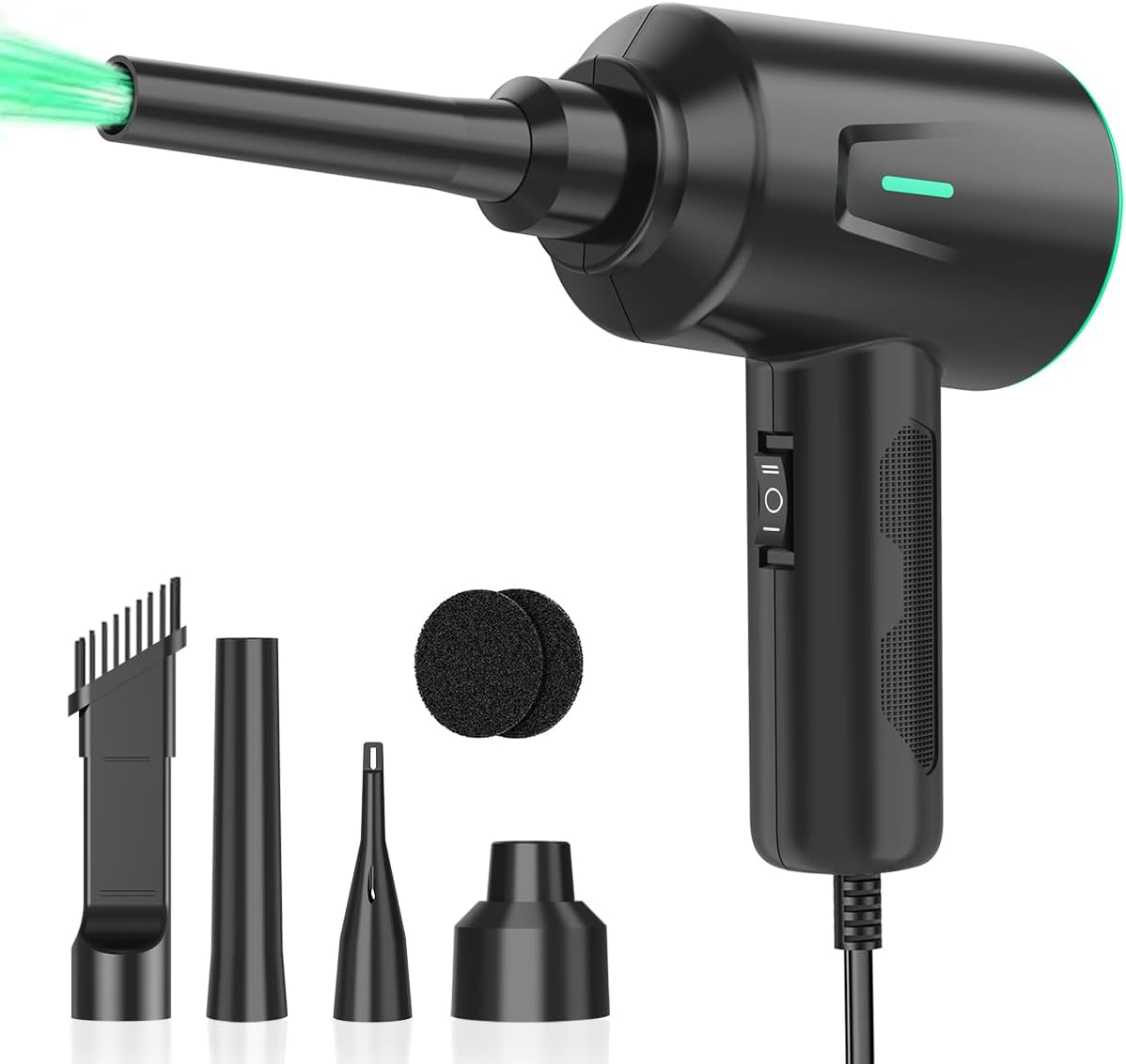
Meudeen offers a reliable electric duster that runs on mains power. This means you never have to worry about battery depletion during a cleaning session.
We may earn a commission when you buy through this link, at no additional cost to you.
With a 500W motor, it delivers consistent air at 50m/s. The long cord gives you some reach to clean different parts of a desk setup without moving the unit.
The main downside is the need for an outlet, which restricts use to home or office environments. It is not suitable for fieldwork or travel without power access.
Choose this if you always clean near a socket. It offers steady power without recharge limits, making it efficient for desktop setups.
Running on mains power eliminates interruptions, allowing uninterrupted cleaning of multiple devices at once.
The 500W motor generates strong pressure to clear thick dust from vents and hard-to-reach components.
We may earn a commission when you buy through this link, at no additional cost to you.
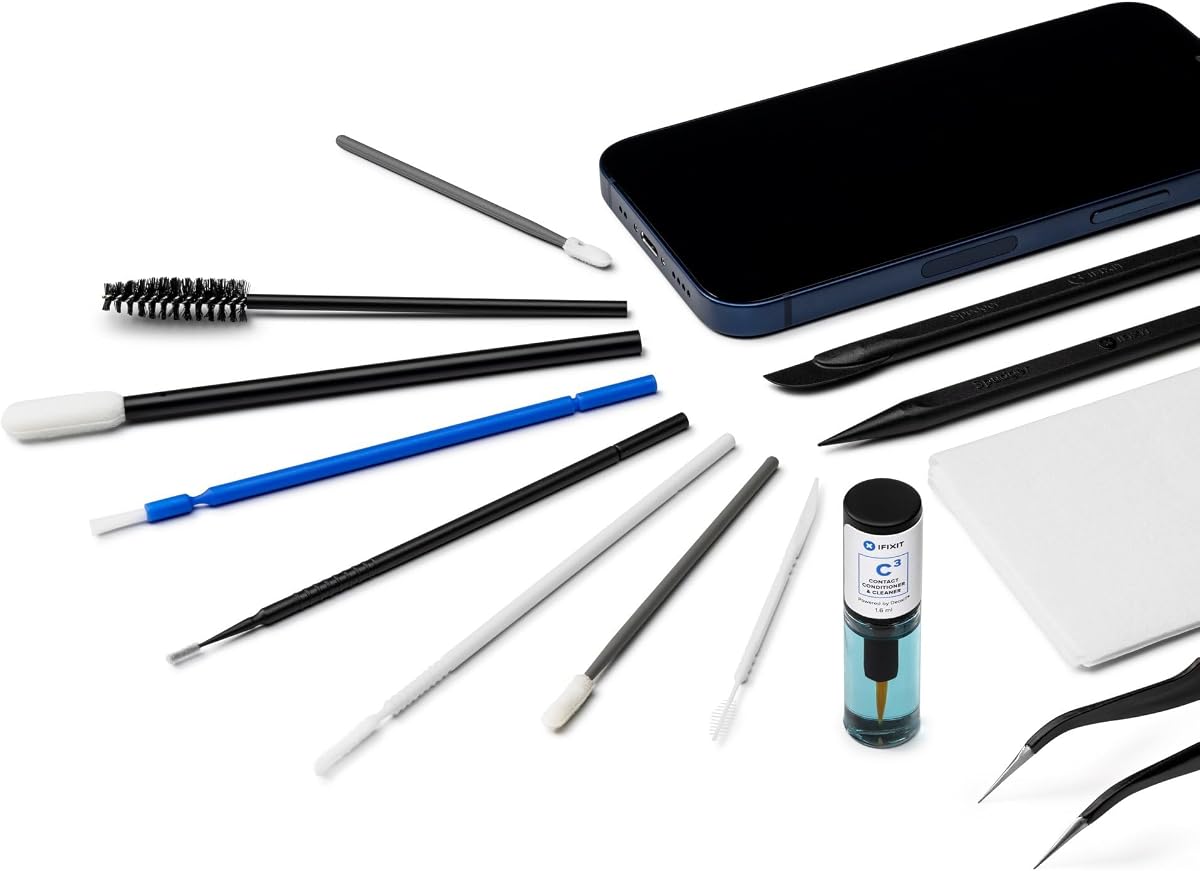
This kit is designed for detailed maintenance, including disassembly. It includes spudgers, tweezers, and swabs to clean internal components safely.
We may earn a commission when you buy through this link, at no additional cost to you.
The lint-free wipes and brushes ensure no residue is left behind. For users comfortable with taking laptops apart, this set helps restore performance.
It lacks the convenience of a simple blow, and requires skill to use effectively. Beginners might find the tools complex and the process time-consuming.
Ideal for hobbyists or repair technicians. It provides the necessary tools for professional-level device maintenance and deep cleaning.
Tools like angled tweezers and precision brushes allow access to tiny screws and ports without damage.
Included solvents help remove stubborn grime that standard wipes cannot handle on internal parts.
We may earn a commission when you buy through this link, at no additional cost to you.
This set offers a range of brushes for different needs. With ten sizes, you can clean keyboard gaps, fans, and camera lenses without damaging sensitive parts.
We may earn a commission when you buy through this link, at no additional cost to you.
Most are anti-static to protect electronics from charge buildup. The soft bristles allow gentle cleaning of screens and surfaces that need extra care.
Without air power, you must physically sweep dust out of vents. This works for maintenance but may not clear deeply packed debris quickly.
Great for low-cost basic maintenance. It is a safe and effective way to keep your workspace tidy without electrical tools.
High-quality nylon materials reduce the risk of electrostatic discharge damaging sensitive motherboard components.
Multiple brush sizes ensure you have the right tool for every gap and crevice in your electronics.
We may earn a commission when you buy through this link, at no additional cost to you.
This blower combines power and versatility. With 110000RPM, it handles fans and vents well. It is suitable for multiple devices beyond just laptops.
We may earn a commission when you buy through this link, at no additional cost to you.
The LED light helps see dust in dark corners like inside cases or under desks. The ergonomic grip makes holding it comfortable for extended use.
Battery life is decent but not the longest. Without a display, monitoring power requires checking usage time, which can be inconvenient during long sessions.
It offers a well-rounded package for general users. It provides solid cleaning power at a competitive price point.
The built-in LED light illuminates dark areas, ensuring you can spot dust you might otherwise miss.
The comfortable shape reduces strain on your hand, making the cleaning process easier and more efficient.
We may earn a commission when you buy through this link, at no additional cost to you.
Choosing the right kit depends on your needs. Below are key factors to consider before purchasing.
Consider whether you prefer cordless or corded tools. Cordless models offer mobility but require charging. Corded ones provide continuous use but need an outlet.
Choose based on your environment and how often you clean.
Higher RPM motors remove dust faster. Look for models with adjustable speeds for versatility. This allows gentle cleaning for sensitive parts and powerful blasts for vents.
Adjustable speeds prevent damage while ensuring thorough cleaning.
For cordless tools, battery capacity matters. Longer runtime means fewer interruptions. Look for Type-C charging for convenience and faster recharge times.
Check runtime specs to ensure it lasts for your cleaning sessions.
A good kit should include multiple nozzles and brushes. These help reach tight spaces like keyboard gaps and fan slots. Quality bristles are crucial to avoid scratching.
Versatile attachments increase the tool's utility across different devices.
If you travel or clean multiple locations, weight and size matter. Lightweight tools are easier to carry. Some kits come with pouches for organization.
Compact designs are essential for users on the go.
Anti-static protection is vital for electronics. Ensure the kit prevents damage from electrical discharge. Overheat protection is also important for electric blower safety.
Safety features protect your devices from accidental harm.
Look for ergonomic handles and intuitive controls. Digital displays can help monitor status. Simpler tools reduce learning curves for users.
User-friendly designs make maintenance more enjoyable and efficient.
Check build quality to ensure the tool lasts. Robust materials prevent breakage. Reusable kits save money over time compared to disposable cans.
Investing in durable tools ensures long-term value.
Always power off and unplug your laptop before cleaning. Use the duster to blow air into vents from a short distance to avoid pushing dust inside. Hold the nozzle steady to dislodge debris.
Use soft brushes to clean stubborn dust between keys or on fans. For air dusters, use lower speeds for delicate surfaces. Avoid using moisture on sensitive electronic parts.
Charge your electric tools regularly and store them in a dry place. Clean the nozzles after each use to prevent clogging. Regular maintenance of the kit ensures it works well.
Yes, it is safe if used correctly. Keep the can or duster upright and at a distance. Avoid spinning fans at high speeds. This prevents moisture buildup and mechanical damage.
Clean fans every three to six months. Frequency depends on your environment. Dusty or smoky rooms may need more frequent cleaning to maintain airflow and performance.
No, always power off the device. Cleaning a running laptop can damage components. It also risks short circuits. Always disconnect power before maintenance.
Yes, they offer consistent pressure without freezing. They are also more cost-effective long term. Electric models provide longer runtime for deep cleaning sessions.
Check if vents are fully clear. Ensure the thermal paste is not damaged. If issues persist, reassemble carefully. Contact support if overheating continues.
Yes, they protect hardware from dust buildup. Extending device life saves money. Regular maintenance prevents overheating issues common in aging laptops.
The top picks offer various solutions for different users. Whether you need speed, portability, or manual tools, there is a kit that fits. Evaluate your cleaning habits to choose wisely.
Prioritize safety and ease of use. Electric dusters save time, while manual kits are gentle. Both approaches help maintain your laptop's health effectively.
Always verify current listings before buying. Prices and stock change. Keeping your device clean ensures it runs cooler and lasts longer.