
HP Smart Tank 5003
4.1Editor score
Cartridge-free refill system
Included ink for years
Mess-free ink replenishment
Explore the top AI printers for home and office in October 2026. We compare features, performance, and smart capabilities to help you choose the right model.
Artificial intelligence is transforming how we print documents and images in modern environments. These devices use smart algorithms to optimize layout, reduce waste, and enhance security. Finding the right model depends on your specific workflow needs and budget constraints for optimal results.
We evaluated ten leading models based on speed, connectivity, ink efficiency, and intelligent features. Each printer offers unique advantages for different users ranging from home offices to creative projects. Our analysis focuses on real-world performance and ease of use across various scenarios.
Every selection includes detailed insights into key specifications and user benefits to guide your decision. We highlight standout capabilities like automatic formatting and multi-material support where available. Keep in mind that availability and terms may change over time as technology evolves.
4.1Editor score

3.9Editor score

4.7Editor score
This section provides a side-by-side overview of all ten selected printers to highlight their core specifications and unique selling points for informed decision-making.



The HP OfficeJet Pro 8125 stands out as a reliable choice for home offices needing professional quality. It holds a solid rating and delivers consistent results for everyday documents. Its AI capabilities streamline printing tasks by optimizing layouts automatically.
We may earn a commission when you buy through this link, at no additional cost to you.
Key strengths include fast printing speeds up to twenty pages per minute in black. The dual-band Wi-Fi ensures stable connectivity while the touchscreen makes navigation simple. HP AI optimizes formatting to prevent wasted pages which saves ink and paper.
Trade-offs involve a smaller input tray compared to larger office models. Security features like HP Wolf Essential require initial configuration. These are acceptable for home users prioritizing speed and smart formatting over heavy volume.
Ideal for professionals printing reports and flyers regularly. It balances performance and intelligence effectively making it our top pick for general AI printer needs.
HP AI automatically removes unnecessary margins and content from web pages ensuring clean prints without manual adjustments.
Dual-band Wi-Fi technology detects and resolves connection issues automatically keeping your workflow uninterrupted.
We may earn a commission when you buy through this link, at no additional cost to you.
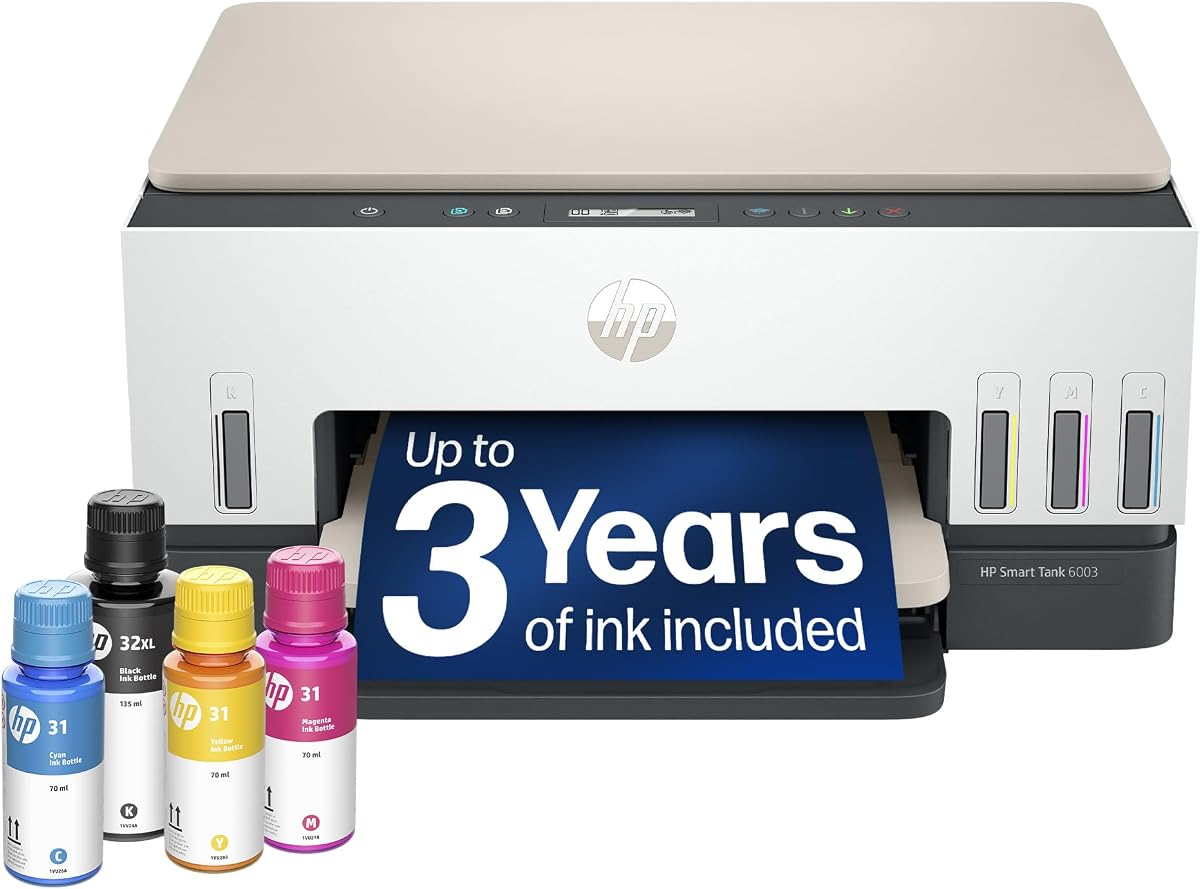
This model excels in value with an ink tank system supporting up to three years of printing. Users appreciate the high page yield and ease of refilling. It offers essential AI capabilities suitable for home tasks without complex controls.
We may earn a commission when you buy through this link, at no additional cost to you.
Strengths focus on low cost per page and straightforward maintenance. The refill system prevents spills and ensures consistent ink flow. Borderless printing allows for creative projects and photos with quality results.
Trade-offs include slower speeds and fewer professional tools. It may not suit high-volume offices but works well for families. The simplicity ensures reliable performance over long periods.
Perfect for budget-conscious households needing regular printing. It reduces ongoing costs while maintaining quality for everyday needs and creative prints.
Ink bottles provided last for up to three years eliminating frequent cartridge replacements and lowering total cost.
Cartridge-free design uses bottles that drain naturally without squeezing or spilling mess during setup.
We may earn a commission when you buy through this link, at no additional cost to you.
The Envy 6155 brings vibrant color quality ideal for photos and documents. It supports AI features that adjust layouts efficiently. The True-to-Screen tech ensures printed images match digital views closely for better accuracy.
We may earn a commission when you buy through this link, at no additional cost to you.
Key strengths include accurate color rendering and easy wireless printing from mobile devices. The touchscreen simplifies tasks while sustainable design reduces environmental impact. Instant Ink trial offers short-term savings on supplies.
Trade-offs involve slower speeds and smaller trays compared to business models. Ink costs may rise after the trial ends. These are minor for home users focused on quality over speed.
Best for creatives and families printing photos. It delivers rich colors and smart adjustments for beautiful results at home.
HP P3 technology ensures printed photos match on-screen colors closely for consistent visual quality.
Constructed with at least sixty percent recycled plastic reducing waste while maintaining durability.
We may earn a commission when you buy through this link, at no additional cost to you.
This premium 3D printer combines speed and intelligence for professional-grade results. It holds the highest rating among picks due to precision and AI features. Adaptive airflow and failure detection ensure successful prints consistently.
We may earn a commission when you buy through this link, at no additional cost to you.
Strengths include rapid printing speeds and seamless multi-color options via the AMS Pro. Calibration happens automatically saving time while the AI monitors for errors. It transforms creative workflows into efficient processes quickly.
Trade-offs involve a higher price and technical setup for beginners. Yet the performance justifies the cost for serious makers. The ecosystem supports endless creativity with reliable tools.
Ideal for designers and engineers needing fast 3D prints. It delivers unmatched speed and intelligence for complex projects and prototypes.
Built-in AI monitors prints to detect issues early preventing wasted materials and ensuring completion.
AMS 2 Pro supports seamless switching between materials for intricate multi-color designs easily.
We may earn a commission when you buy through this link, at no additional cost to you.
Designed for small offices needing speed and security this model delivers. It features single-pass scanning and robust AI tools. Wolf Pro Security protects data making it safe for business use.
We may earn a commission when you buy through this link, at no additional cost to you.
Strengths include high speed up to twenty-five pages per minute and dual trays. The fax capability adds versatility for traditional workflows. AI optimizes content for clean professional presentations.
Trade-offs are cost and complexity for home users. It shines in environments with mixed document types. Security and speed outweigh the premium for business needs.
Perfect for small businesses handling mixed documents. It ensures secure fast and professional results with smart adjustments.
Dual-sided scanning completes in one pass saving time on large document sets efficiently.
HP Wolf Pro Security bolsters network protection against threats keeping business data safe.
We may earn a commission when you buy through this link, at no additional cost to you.
This model supports high-volume printing with extensive included ink. It combines fax and scan in a smart design. The magic touch panel simplifies operations while AI optimizes basic layouts.
We may earn a commission when you buy through this link, at no additional cost to you.
Strengths include up to eight thousand color pages from the box. Refilling is mess-free and the interface is intuitive for all ages. It balances cost and utility effectively.
Trade-offs involve speed compared to laser options. Security is basic which suits home offices well. It reduces ongoing expenses without compromising quality.
Ideal for households needing frequent printing. It offers reliability and savings with versatile functions.
Includes enough ink for up to three years reducing supply costs significantly over time.
Magic touch interface allows easy navigation for scanning and copying tasks.
We may earn a commission when you buy through this link, at no additional cost to you.
Offering a full year of Instant Ink this model reduces long-term costs. It handles fax tasks and uses AI for formatting. Wolf Essential Security protects data making it a secure home option.
We may earn a commission when you buy through this link, at no additional cost to you.
Strengths include consistent speed and reliable wireless performance. The touchscreen simplifies navigation while the ADF handles multi-page jobs. It supports varied document needs effectively.
Trade-offs are limited paper capacity. The one year trial eventually requires subscription. These suit users wanting extended support and security.
Best for home offices needing fax and security. It offers cost savings and stability for regular workflows.
One year of Instant Ink delivery saves money while keeping your device stocked automatically.
HP Wolf Essential Security helps protect network from threats during home use.
We may earn a commission when you buy through this link, at no additional cost to you.
This unit repeats for its reliability and fax integration. It offers high ink volume and easy maintenance. The interface simplifies tasks while AI ensures neat document output.
We may earn a commission when you buy through this link, at no additional cost to you.
Strengths include cost-effective printing and user-friendly controls. The refill system prevents mess and the fax adds business utility. It fits home offices with diverse needs.
Trade-offs include basic security and speed. It excels for low-volume and routine printing. Value remains high over time.
Perfect for home offices needing fax and savings. It combines utility and affordability with smart basics.
Built-in fax capability allows sending documents without extra devices for home businesses.
Refillable tanks reduce ongoing costs and waste compared to traditional cartridge models.
We may earn a commission when you buy through this link, at no additional cost to you.
This model prioritizes home convenience and cost savings. It includes enough ink for years of use. The wireless app simplifies mobile printing and tasks are neat with AI.
We may earn a commission when you buy through this link, at no additional cost to you.
Strengths include borderless prints and simple refill design. Users avoid cartridge hassles and save on supplies. It supports everyday documents and photos well.
Trade-offs are fewer business features. It fits casual home use perfectly. Value is high for families.
Best for households needing affordable printing. It ensures long-term savings and ease of use.
Prints edge-to-edge for creative projects and photos without white margins.
Wireless app allows printing directly from phones for added flexibility.
We may earn a commission when you buy through this link, at no additional cost to you.
Designed for DIY crafts this device prints and cuts simultaneously. AI extracts images for precise cutting. The dye-sublimation ensures vibrant durable stickers without subscriptions.
We may earn a commission when you buy through this link, at no additional cost to you.
Strengths include AI image recognition and one-step workflows. Templates and fonts are free in the app. It simplifies custom projects significantly.
Trade-offs are specialized use for labels. It excels for creators. The process saves time and enhances creativity.
Ideal for crafters needing custom stickers. It delivers professional results with intelligent tools.
AI recognizes and extracts subjects from photos for precise cutting edges automatically.
Four-layer lamination creates waterproof scratch-resistant stickers that last longer.
We may earn a commission when you buy through this link, at no additional cost to you.
Selecting the right AI printer involves evaluating several key factors to match your specific needs and environment.
AI capabilities vary by model and include formatting optimization image extraction and failure detection. Look for systems that reduce manual adjustments and improve output accuracy automatically.
Prioritize models with AI that directly benefits your workflow like layout adjustments or cutting precision.
Consider pages per minute ratings and recommended monthly volume. Faster printers suit busy offices while home users may prioritize cost efficiency over raw speed.
Match speed to your typical workload to avoid bottlenecks or overpaying for unused capacity.
Tank systems offer lower costs per page compared to traditional cartridges. Check included ink volume and refill mechanisms to estimate long-term expenses.
Choose cartridge-free options if frequent printing is part of your routine to save money.
Reliable wireless connections and user-friendly apps are essential for modern printing. Dual-band Wi-Fi reduces interference while mobile apps allow remote job management.
Ensure the device supports your preferred devices and operating systems for seamless integration.
Input tray capacity and supported paper types affect convenience. Larger trays reduce reloading frequency and auto-feeders save time on multi-page jobs.
Select a model with sufficient tray size to match your typical document lengths.
Business and home offices need data protection features like encryption and network security. Models with built-in safeguards prevent unauthorized access during printing.
Look for security suites that integrate with your network to protect sensitive documents.
Eco-friendly designs using recycled materials reduce environmental impact. Efficient ink usage and energy modes further lower your carbon footprint.
Choose models with recycled content and power-saving features for greener operations.
Quick setup and minimal maintenance ensure the printer is ready when needed. Self-calibrating tools and mess-free refilling simplify upkeep for non-technical users.
Opt for devices with automated calibration and user-friendly refill systems to save time.
Start by connecting the printer to your network via the provided app or direct Wi-Fi setup. Follow on-screen prompts to install drivers and enable AI features like formatting or security.
Use original consumables and follow refill guidelines to maintain print quality. Regularly clean the printhead and run calibration tests to prevent clogs and ensure accuracy.
Keep firmware updated through the manufacturer's app to access new features and security patches. Proper care extends the device life and ensures consistent performance.
AI printers integrate intelligent algorithms to optimize layout extract images or detect errors automatically. These features reduce manual adjustments and improve efficiency for users.
Many modern HP models feature AI capabilities for formatting and optimization. However specific features vary by series and software version.
AI removes unnecessary margins adjusts contrast and detects feed errors automatically. This saves time and reduces waste without user intervention.
Yes they offer convenience and efficiency for home and office users. Intelligent features streamline workflows and improve output consistency.
AI handles common tasks like cropping and scaling but manual tweaks may still be needed for custom designs. It serves as a helpful assistant rather than a full replacement.
Standard paper works for most functions though high-quality paper enhances photo results. AI features rely on software not paper types.
Reputable brands include security protocols to protect data during processing. Review privacy settings to ensure alignment with your needs.
Automatic updates ensure you get the latest features and security. Check settings regularly or enable auto-update for convenience.
Our top picks include the HP OfficeJet Pro 8125 for overall performance and the Bambu Lab P2S for premium needs. Budget options like the HP Smart Tank 5003 offer excellent value for households.
Prioritize factors like ink costs and AI features based on your workflow. Home users may value ease while offices need speed and security.
Remember to check current availability and trial terms as they vary. Selecting the right AI printer ensures efficient and smart printing today.