
Redragon BM4195 AI Wireless Optical Mouse
3.9Editor score
Voice typing and translation built in
Five levels of DPI adjustment
Type-C fast charging support
Discover the top 10 AI Smart Wireless Mouse options for 2026. Our expert guide compares voice typing, translation, and AI features to find the perfect mouse.
AI Smart Wireless Mice are redefining productivity by integrating voice commands and translation tools directly into your peripheral. These devices reduce typing fatigue and streamline workflows for professionals across various industries.
We evaluated ten leading models based on voice accuracy, connectivity options, battery life, and AI feature depth. Each product was analyzed for real-world usability and integration with common office software platforms.
Each pick highlights key strengths and ideal use cases to help you decide. Note that availability and pricing fluctuate frequently, so verify current details before making your final purchase decision today.
3.9Editor score

4.1Editor score

5.0Editor score
This side-by-side comparison breaks down the core capabilities of every model we reviewed. From battery capacity to language support, these specs highlight the technical distinctions driving performance.




The Redragon BM4195 offers an accessible entry into AI mouse territory with its voice typing and translation capabilities. With a 3.9 rating, it appeals to budget-conscious users needing basic smart features.
We may earn a commission when you buy through this link, at no additional cost to you.
Its standout quality lies in the ability to perform operations via voice commands after software installation. The Type-C fast charging and 500mAh battery ensure reliable daily performance without frequent plugging.
However, the AI functionality requires downloading specific software, which adds initial setup time. Users expecting out-of-the-box intelligence might find this step slightly inconvenient compared to cloud-native solutions.
This model is ideal for students or casual users wanting hands-free text entry on a budget. It balances cost and functionality effectively for those willing to configure the settings upfront.
Voice commands allow you to dictate text and manage files without typing, boosting workflow efficiency.
Seamless switching between three devices and long standby time keep you connected all day.
We may earn a commission when you buy through this link, at no additional cost to you.
This mouse stands out with its 98% voice recognition accuracy and ChatGPT integration. Rated at 4.1, it delivers professional-grade performance for those prioritizing data privacy and precise control.
We may earn a commission when you buy through this link, at no additional cost to you.
The 600mAh battery supports extended work sessions, while the silent click mechanism makes it suitable for shared office environments. Local processing ensures sensitive documents remain off the cloud.
While powerful, it requires using the GAMINJA APP for full functionality, which may be a hurdle for non-tech-savvy users. The premium price also reflects these advanced features.
It is best suited for professionals writing content or managing multilingual tasks. The balance of privacy, silence, and AI depth makes it a top recommendation.
Local processing keeps your voice and text data secure without uploading to the cloud.
Silent clicks and ergonomic shape reduce hand strain during long typing or dictation sessions.
We may earn a commission when you buy through this link, at no additional cost to you.
With a perfect 5.0 rating, this mouse redefines versatility by combining a trackpad, presenter, and voice recorder. The detachable design allows for seamless transitions between desk work and presentations.
We may earn a commission when you buy through this link, at no additional cost to you.
The air mode lets you control slides or cursor movement freely without touching a surface. A single charge lasts up to twenty days, reducing charging anxiety during travel or conferences.
The premium price tag is justified by the unique magnetic hardware and advanced AI transcription capabilities. However, new users may need time to master the detachable and air modes effectively.
Ideal for executives and presenters, this device consolidates multiple tools into one sleek gadget. It offers unmatched flexibility for hybrid workers and conference attendees.
Glide the cursor or flip slides hands-free, making presentations dynamic and engaging.
Twenty days of battery life ensures you stay productive even during extended business trips.
We may earn a commission when you buy through this link, at no additional cost to you.
This model prioritizes comfort and silence, making it suitable for quiet environments like libraries. Its BT 5.0 and 2.4G connectivity ensure stability across diverse devices with minimal latency.
We may earn a commission when you buy through this link, at no additional cost to you.
Users appreciate the ergonomic shape that reduces strain during extended use. The silent click mechanism helps maintain focus in shared spaces, though the AI features are relatively standard.
The lower rating suggests potential software quirks or connectivity issues that some users have experienced. It remains a solid choice if silence and comfort are your primary requirements.
Best for office workers needing a quiet, ergonomic tool with basic voice capabilities. It balances ergonomics and affordability effectively despite technical limitations.
Designed to reduce hand strain, ensuring comfort during long work sessions or meetings.
Quiet clicks prevent noise distractions, making it ideal for collaborative workspaces.
We may earn a commission when you buy through this link, at no additional cost to you.
Logitech brings its legacy of reliability to this AI-edition mouse. With a 4.5 rating, it focuses on consistent performance and long battery life rather than experimental AI tools.
We may earn a commission when you buy through this link, at no additional cost to you.
The battery lasts up to 24 months with the Logi Bolt receiver, reducing maintenance. It works seamlessly with Logi Options+ software, allowing for customizable workflows and smart functions.
While it lacks the dedicated voice assistant found in others, it supports AI workflows through software integration. The AA battery requirement may be less convenient than USB-C rechargeables.
Ideal for professionals prioritizing brand reliability and battery longevity. It fits seamlessly into existing office setups without disrupting daily habits.
Up to 24 months of battery life minimizes downtime and ensures consistent productivity.
Logitech’s trusted engineering ensures durable hardware and dependable connectivity over time.
We may earn a commission when you buy through this link, at no additional cost to you.
This model combines productivity features with a vibrant RGB aesthetic for tech enthusiasts. It offers the same strong AI capabilities as the standard version but adds visual customization options.
We may earn a commission when you buy through this link, at no additional cost to you.
With 200+ language support and local processing, it ensures accuracy and security. The 500mAh battery supports extended use, though charging time may be a factor for heavy users.
The lack of user ratings suggests limited market availability or recent release. Potential buyers should consider the trade-off between style and proven reliability.
Best for users who want visual flair alongside powerful AI tools. It caters to those who value customization in their workspace setup.
RGB lighting adds a personalized touch to your desk while maintaining core AI functions.
Local AI processing keeps your data secure without external cloud storage risks.
We may earn a commission when you buy through this link, at no additional cost to you.
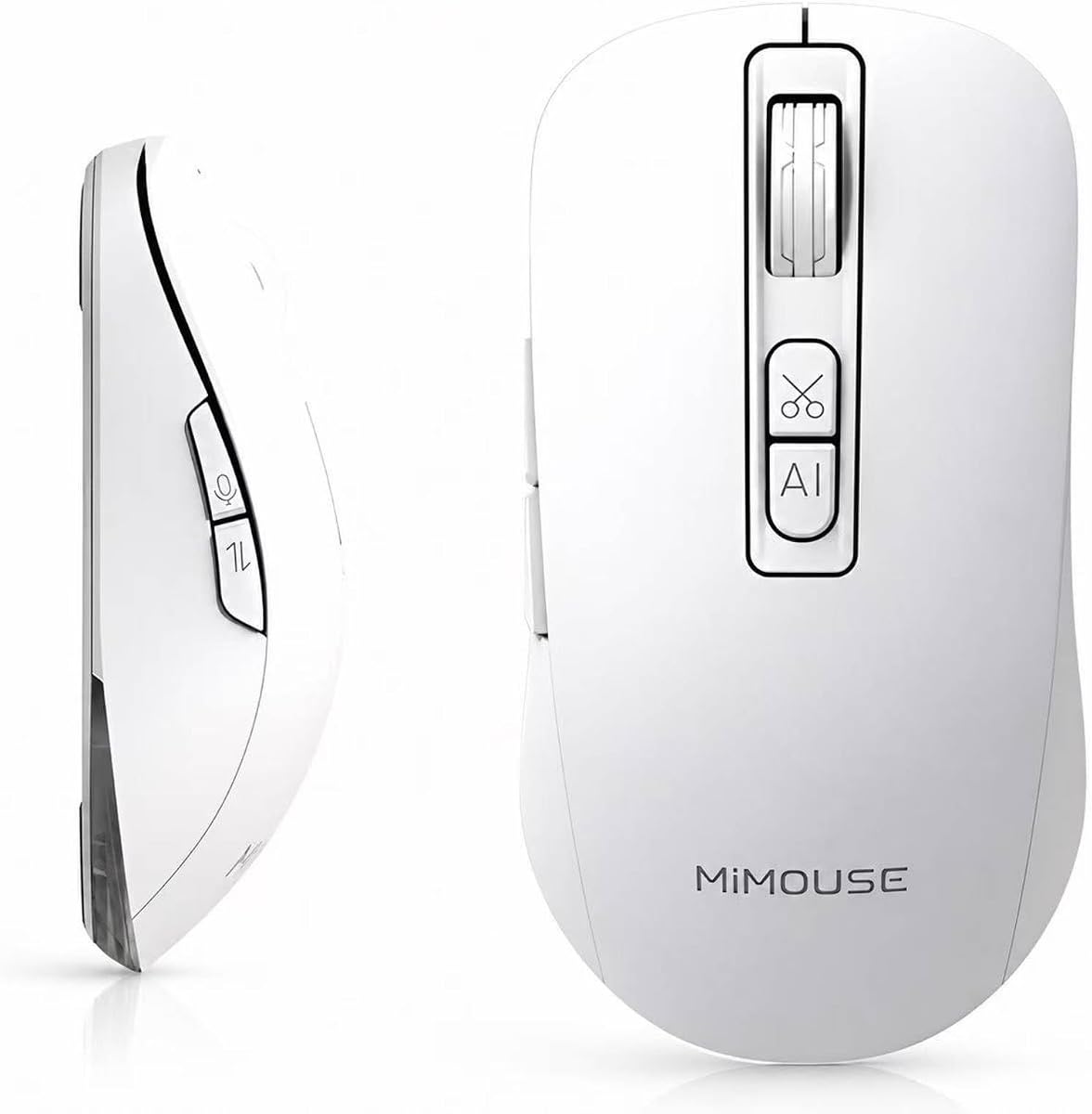
The MiMouse AI Wireless integrates multiple AI models like Gemini and Claude into one platform. It is designed for heavy users who need transcription and summarization capabilities daily.
We may earn a commission when you buy through this link, at no additional cost to you.
With a 30-day battery life and 500Hz polling rate, it handles long work sessions without lag. The ergonomic shape fits both small and large hands comfortably.
The price reflects the advanced centralized software, but new users should verify compatibility with their specific workflows. It requires a commitment to the MiMouse ecosystem for full utility.
Suitable for heavy-document lawyers or content creators. Its comprehensive feature set makes it a strong contender for specialized professional needs.
Access multiple AI models through a single centralized app for diverse writing needs.
Comfortable matte coating reduces fatigue during long hours of intensive typing or dictation.
We may earn a commission when you buy through this link, at no additional cost to you.
This model stands out for its iPad compatibility, making it a great choice for tablet users. It offers real-time transcription and summarization features directly in the app.
We may earn a commission when you buy through this link, at no additional cost to you.
Triple-mode connectivity allows switching between a tablet, laptop, and desktop seamlessly. The ergonomic design ensures comfort during remote work sessions without needing a physical keyboard.
Users should note that functionality depends heavily on the companion app. The lack of ratings suggests it might be a newer product without extensive user feedback yet.
Ideal for remote workers and tablet users needing voice input. It bridges the gap between mobile productivity and desktop features effectively.
Works seamlessly with iPads and tablets, offering flexibility for mobile work environments.
Real-time summarization helps quickly digest long meetings or lectures for better note-taking.
We may earn a commission when you buy through this link, at no additional cost to you.
This entry-level option provides basic voice-to-text functionality for casual users. It focuses on simplicity, offering translation and silent clicks without complex AI integrations.
We may earn a commission when you buy through this link, at no additional cost to you.
The 200+ language support makes it useful for international communication. However, the 1.0 rating indicates potential reliability or software issues that buyers should consider.
It serves as a lightweight alternative for those needing occasional dictation without investing in premium hardware. Check recent reviews before purchasing to verify current performance quality.
Best for users needing a budget-friendly, simple voice tool. It offers basic utility but requires caution due to reported performance concerns.
Easy to configure for immediate voice-to-text use without complex software downloads.
Supports over 200 languages for basic multilingual communication and text conversion.
We may earn a commission when you buy through this link, at no additional cost to you.
Selecting the right AI mouse involves evaluating several technical and practical factors to ensure it matches your workflow needs.
Look for devices claiming 95%+ accuracy, as this ensures your dictated text matches what you say. Poor accuracy leads to frustration and extra editing time.
High accuracy is critical for professional drafting and meeting notes.
If you work in multilingual environments, ensure the mouse supports over 200 languages. Real-time translation features can bridge communication gaps effectively.
Language breadth determines the mouse’s usefulness for global teams and international projects.
Decide if you need basic transcription or advanced tools like PPT generation and summarization. More complex features often require specific software integration.
Check whether AI tools are local or cloud-based to align with privacy requirements.
Opt for Type-C rechargeable models for convenience and longevity. Aim for at least 500mAh capacity to ensure days of usage without recharging.
Long battery life reduces interruption during critical work sessions.
Triple-mode connectivity (Bluetooth + 2.4G) allows seamless switching between devices. This is essential if you use both a laptop and a desktop.
Ensure the mouse supports your primary operating system like macOS or Windows.
Silent clicks and ergonomic shapes are vital for long-term use. These features prevent hand fatigue and reduce noise in shared office spaces.
Comfort directly impacts productivity over daily work hours.
For sensitive work, choose models with local offline AI processing. This prevents data from being sent to external servers unnecessarily.
Data privacy should be a top priority for corporate or legal users.
Budget options offer basic functionality while premium ones provide specialized tools like air modes or advanced AI hubs. Balance your features needs against your budget.
Prioritize long-term value over initial cost when evaluating professional tools.
Start by installing the manufacturer’s software or app to unlock AI features. Follow the on-screen instructions to pair the device via Bluetooth or the USB receiver for full functionality.
Keep your firmware updated through the app to ensure compatibility with new operating system versions. Regular updates often improve voice recognition and connectivity stability.
Clean the sensor and surface of the mouse regularly with a dry cloth to maintain tracking accuracy. Proper care ensures the battery lasts longer and the device performs optimally.
Most models support macOS 10 or 11 via Bluetooth. Always check the product specifications for specific OS compatibility requirements before purchasing.
Some models like the Ai Mouse process data locally for privacy. Others rely on cloud servers for advanced AI features. Check privacy settings carefully.
Rechargeable batteries typically last from 100 hours to 30 days depending on usage. Charging usually takes 2 hours via USB-C port.
Yes, most models support iPad via Bluetooth. Ensure your tablet OS meets the minimum version requirements for stable connectivity and features.
Many models support Bluetooth for wireless connection without a receiver. Others include a USB dongle for lower latency on PCs.
Yes, most devices require an app like GAMINJA or Logi Options to enable voice functions. Without installation, the mouse acts as a standard input device.
The Cheerdots2 and Ai Mouse ChatGPT Assistant models lead the pack with unique hardware and strong AI privacy features. They are top picks for professionals needing versatile tools.
Prioritize privacy and language support when selecting a device for corporate or international environments. Budget users may find the Redragon BM4195 offers solid value for basic tasks.
Verify current prices and availability before purchasing as these technologies evolve quickly. Investing in the right AI mouse can significantly streamline your daily digital workflow.