
FIREBAT Gaming Laptop Metal 15.3in
5.0Editor score
AMD Ryzen 7 H255 Processor
32GB DDR5 RAM
1TB PCIe4.0 SSD
Finding a durable computer often leads you to all metal laptop models. These devices offer superior strength and heat dissipation compared to plastic alternatives. They are ideal for professionals and students who need reliability.
We compared ten top-rated models based on performance, display quality, and build materials. Each entry features a solid metal chassis designed to withstand daily wear and tear. Our analysis highlights key specs like processors and memory configurations.
Each pick shows unique strengths for different user needs and budgets. Prices fluctuate frequently so check current listings before purchasing. This guide ensures you find the right metal machine for your workflow.
5.0Editor score

5.0Editor score

4.4Editor score
As an Amazon Associate we earn from qualifying purchases.
This side-by-side comparison highlights key specifications across all ten selected models. We focus on processing power, memory capacity, storage options, and display types to help you distinguish between performance tiers and value propositions in the market.




This model offers a compelling mix of metal build quality and generous storage specifications. It targets users seeking a large display with tactile input capabilities at a competitive price point.
We may earn a commission when you buy through this link, at no additional cost to you.
The chassis uses high-end metal materials to improve heat dissipation and durability. Its 32GB RAM ensures smooth multitasking while the 2TB SSD provides ample room for extensive file libraries.
While the N95 processor is capable for office tasks it may lag with heavy workloads. The lack of clear rating data suggests limited user feedback at this time.
Ideal for basic productivity and creative work needing significant storage space on a metal frame.
Metal bodies conduct heat better than plastic keeping the system stable during extended use.
With 2TB of SSD storage you can store thousands of files without external drives.
We may earn a commission when you buy through this link, at no additional cost to you.
This laptop stands out with its rugged design and professional grade specifications. It is built for durability and performance in demanding environments with a strong metal chassis.
We may earn a commission when you buy through this link, at no additional cost to you.
Equipped with a Core i7 processor and 32GB RAM it handles heavy multitasking effortlessly. The Windows 11 Pro OS adds business features like BitLocker encryption and Active Directory support.
Its rugged nature means it is heavier than standard ultrabooks and the 2022 release is slightly older. However the build quality and performance justify these trade-offs for professionals.
Perfect for field workers or business users needing a reliable metal laptop with enterprise features.
Designed to withstand drops and harsh conditions while maintaining high performance standards.
Windows Pro includes advanced security tools to protect sensitive corporate data effectively.
We may earn a commission when you buy through this link, at no additional cost to you.
This model delivers an impressive OLED display and long battery life in a slim metal frame. It is a strong choice for students needing high visual quality on a budget.
We may earn a commission when you buy through this link, at no additional cost to you.
The Snapdragon processor optimizes power efficiency allowing for up to 41 hours of battery life. The 2K OLED screen provides rich colors and crisp visuals perfect for media consumption.
Storage is limited to 256GB but fast NVMe speeds ensure quick boot times and app launches. The ARM architecture may require compatibility checks for specific legacy software.
Excellent for mobile professionals seeking a lightweight metal laptop with a stunning screen.
The 2K OLED panel offers deep blacks and vivid colors for an immersive viewing experience.
Up to 41 hours of battery life ensures you stay productive without constant recharging.
We may earn a commission when you buy through this link, at no additional cost to you.
This laptop features a quiet efficient processor and a comprehensive suite of ports. It is designed for students who need reliable performance without fan noise in libraries.
We may earn a commission when you buy through this link, at no additional cost to you.
The metal top cover adds durability against daily bumps. A 2-year warranty provides peace of mind for long-term use in educational settings.
With only 8GB RAM heavy multitasking may cause slowdowns. The N150 processor is sufficient for basic tasks but not for intensive workloads.
A practical choice for daily schoolwork and basic productivity needing a quiet durable device.
The quiet fan design ensures you can work in libraries without disturbing others around you.
Multiple USB and HDMI ports mean you don't need extra adapters for your projects.
We may earn a commission when you buy through this link, at no additional cost to you.
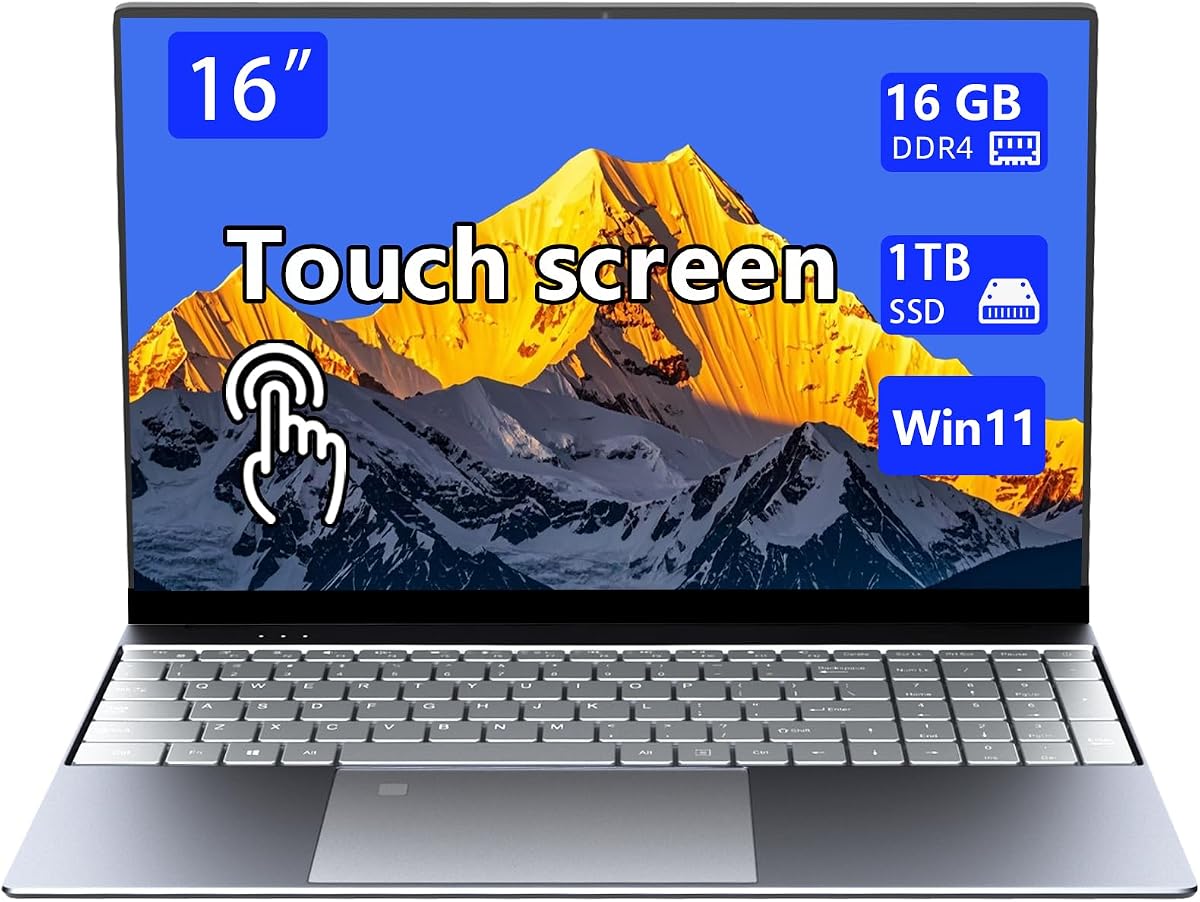
This model offers a large 16-inch touchscreen with a metal body for creative tasks. It provides 1TB of storage which is beneficial for photo or design work.
We may earn a commission when you buy through this link, at no additional cost to you.
The 16GB RAM allows for smooth switching between applications. However the low rating suggests potential quality or performance inconsistencies that buyers should consider.
The N95 processor limits high-end performance compared to more advanced chips available. It works well for basic office tasks but struggles with heavy rendering or editing.
Suitable for users prioritizing screen size and storage over top-tier processing power.
The ten-point super touchscreen allows for intuitive navigation and editing without a mouse.
1TB SSD storage provides enough room for large project files and software suites.
We may earn a commission when you buy through this link, at no additional cost to you.
This laptop is designed for everyday productivity with a slim portable profile. It includes essential software like Microsoft Office 365 which adds significant value to the package.
We may earn a commission when you buy through this link, at no additional cost to you.
Cloud storage integration with OneDrive helps manage space on the local drive. The lightweight chassis makes it easy to carry during daily commutes or business trips.
Local storage is limited to 128GB which requires active cloud management for large files. Performance is adequate for web browsing but not for heavy applications.
Ideal for students or office workers needing a simple reliable portable device.
Microsoft Office 365 is included so you can start working immediately without extra purchases.
Its light weight and thin profile make it easy to slip into any bag for travel.
We may earn a commission when you buy through this link, at no additional cost to you.
This laptop combines a metal chassis with a large IPS display for a premium feel. It features a Core i7 processor that handles everyday tasks and light gaming effectively.
We may earn a commission when you buy through this link, at no additional cost to you.
The tempered glass panel on the display enhances durability while providing clear visuals. A fingerprint reader adds convenience for secure quick logins on Windows 11.
The processor is from an older generation which may limit performance in modern demanding games. The lack of clear ratings makes it harder to gauge real world reliability.
Good for users seeking a metal build and large screen at a competitive price.
The IPS display offers sharp details and wide viewing angles for comfortable use.
Recycled aluminum enclosure provides a sturdy and high-quality feel for daily use.
We may earn a commission when you buy through this link, at no additional cost to you.
This Dell laptop offers a powerful AMD Ryzen processor and modern DDR5 RAM for fast performance. It is designed to handle complex workflows and heavy multitasking with ease.
We may earn a commission when you buy through this link, at no additional cost to you.
The 16-inch display provides more vertical space for productivity and coding. The touchscreen adds intuitive control for creative tasks and everyday navigation.
Storage is limited to 256GB which may require external drives for large media files. Its weight and thickness make it less ideal for frequent travel compared to ultrabooks.
Recommended for professionals needing desktop-class power in a portable form factor.
The Ryzen 7 processor delivers desktop-class power for demanding engineering and editing tasks.
The 16:10 aspect ratio offers more vertical space for coding and spreadsheets.
We may earn a commission when you buy through this link, at no additional cost to you.
This laptop emphasizes portability with a thin metal shell and comprehensive port selection. It is a solid choice for students or professionals needing a reliable machine on the go.
We may earn a commission when you buy through this link, at no additional cost to you.
The metal shell adds durability without significantly increasing weight. A 16GB RAM ensures smooth operation for standard productivity tasks and web browsing.
The N95 processor is efficient but not designed for heavy creative workloads. Battery life is average so expect to carry the charger for full-day use.
Best for users prioritizing a thin metal build and connectivity options for daily tasks.
Its thin profile and light weight make it easy to carry in any backpack daily.
USB 3.2 Type-C and HDMI ports ensure you can connect to any projector or display.
We may earn a commission when you buy through this link, at no additional cost to you.
This model stands out with top-tier specs including DDR5 RAM and a high refresh rate screen. It is designed for power users who need both performance and a premium metal build.
We may earn a commission when you buy through this link, at no additional cost to you.
The all-metal body ensures durability and effective heat dissipation. Its Ryzen processor handles gaming and editing with ease while the high resolution display offers crisp visuals.
Its weight and thickness make it less portable than ultrabooks but ideal for stationary power. The higher cost is justified by the exceptional hardware and build quality provided.
Ideal for gamers and professionals needing maximum performance in a durable metal chassis.
The Ryzen 7 processor and DDR5 RAM deliver desktop-class power for any task.
The 120Hz WQXGA screen ensures smooth visuals for gaming and creative work.
We may earn a commission when you buy through this link, at no additional cost to you.
Choosing an all metal laptop requires balancing build quality with internal specifications. This guide outlines the key factors to ensure you select a device that meets your performance needs.
All metal laptops are crafted from aluminum or magnesium alloys which offer superior durability and heat dissipation compared to plastic chassis. This construction prevents warping and protects internal components during transport. Look for models with a unibody design for maximum structural integrity.
Prioritize a solid metal body to ensure your device lasts longer and handles heat better.
The processor determines how well your laptop handles daily tasks or demanding workloads. For office work a mid-range processor is sufficient while content creation requires high-end chips. Check for multi-core capabilities to manage multiple applications smoothly.
Choose a processor that matches your specific workflow needs to avoid bottlenecks.
RAM capacity affects multitasking performance while SSD storage dictates boot speeds and file access. 16GB is recommended for most users to ensure smooth operation. Larger storage capacities reduce the need for external drives.
Aim for at least 16GB RAM and 512GB SSD storage for a balanced experience.
Screen quality is vital for visual comfort and color accuracy. IPS or OLED panels provide better viewing angles and color depth than standard TN screens. Consider resolution and size based on portability needs.
Select a display with high resolution and good brightness for clear visuals.
A variety of ports ensures you can connect external devices without dongles. Look for USB-C with DisplayPort support HDMI and traditional USB-A slots. Comprehensive connectivity enhances productivity in office settings.
Verify port availability to match your peripheral requirements before purchasing.
Battery life is crucial for mobile productivity. Look for models that offer at least 8 hours of real-world usage to last a full workday. Fast charging capabilities are also a valuable addition.
Prioritize long battery life if you often work away from power sources.
Most laptops run Windows 11 offering modern features and security updates. Ensure the device supports the software you rely on for work or study. Some models may offer Pro editions for business needs.
Check OS compatibility to ensure all your essential tools will work seamlessly.
Security is enhanced with features like fingerprint readers or facial recognition cameras. These tools allow for quick and secure logins. Physical webcam shutters are also valuable for privacy in public spaces.
Look for biometric login options and physical privacy covers for added security.
Always use a protective sleeve or case when carrying your metal laptop in a backpack to prevent scratches and minor impacts on the exterior.
Clean the chassis regularly with a soft dry microfiber cloth to remove fingerprints and dust without damaging the metal finish or coating.
Avoid exposing the metal body to extreme temperatures or direct sunlight for prolonged periods to prevent thermal warping or internal component stress.
Metal laptops offer better heat dissipation which keeps performance stable under load. They also provide superior durability against impacts and scratches compared to plastic. The premium feel adds to the overall user experience and perceived quality.
Metal conducts heat away from internal components more effectively than plastic. This often means the exterior may feel warm but the system stays cooler internally allowing for sustained performance without throttling.
It depends on the specific model. Many ultrabooks have soldered components while others allow for easy upgrades via slots. Check the specs for expandability options before buying if you plan to upgrade later.
Many high-performance metal laptops are designed for gaming with dedicated graphics and efficient cooling. Look for models with powerful processors and adequate RAM to handle modern titles smoothly without overheating.
Metal laptops generally last longer due to their robust build quality and better thermal management. With proper care you can expect a lifespan of five to seven years or more for standard usage scenarios.
Metal laptops typically cost slightly more than plastic models due to higher manufacturing costs and premium materials. However the added durability and performance often justify the extra expense over the long term.
Aluminum bodies are durable but can dent under significant impact. However they are far more resistant to scratches and general wear than plastic. Using a protective case can further minimize the risk of cosmetic damage.
We have reviewed ten top options ranging from budget-friendly student models to high-end professional machines. The FIREBAT offers top performance while the HP OmniBook delivers value with an OLED screen.
Prioritize build quality and processor power based on your specific daily tasks and budget constraints.
Remember to check current listings as prices and stock availability change frequently.