
MSI Z370-A PRO
4.5Editor score
64GB DDR4 support
ATX form factor
CrossFireX ready
This guide compares the top brands for Z370 motherboards to help you find the best performance, reliability, and features for your Intel 8th Gen build.
Finding the right brand for Z370 motherboard ensures your Intel 8th Gen processor runs efficiently. These boards support DDR4 memory and offer robust connectivity for modern gaming and productivity needs.
We evaluated ten leading models based on build quality, feature sets, and user feedback. Our analysis highlights key differences in cooling, expansion slots, and audio capabilities across major manufacturers.
Each pick below showcases specific strengths and limitations for various user profiles. Please note that pricing and availability fluctuate regularly, so verify current listings before making a final purchase decision.
4.5Editor score
4.6Editor score

4.4Editor score
The following table provides a side-by-side comparison of all ten selected motherboards. Review each specification to determine which model aligns best with your specific hardware requirements and budget constraints.


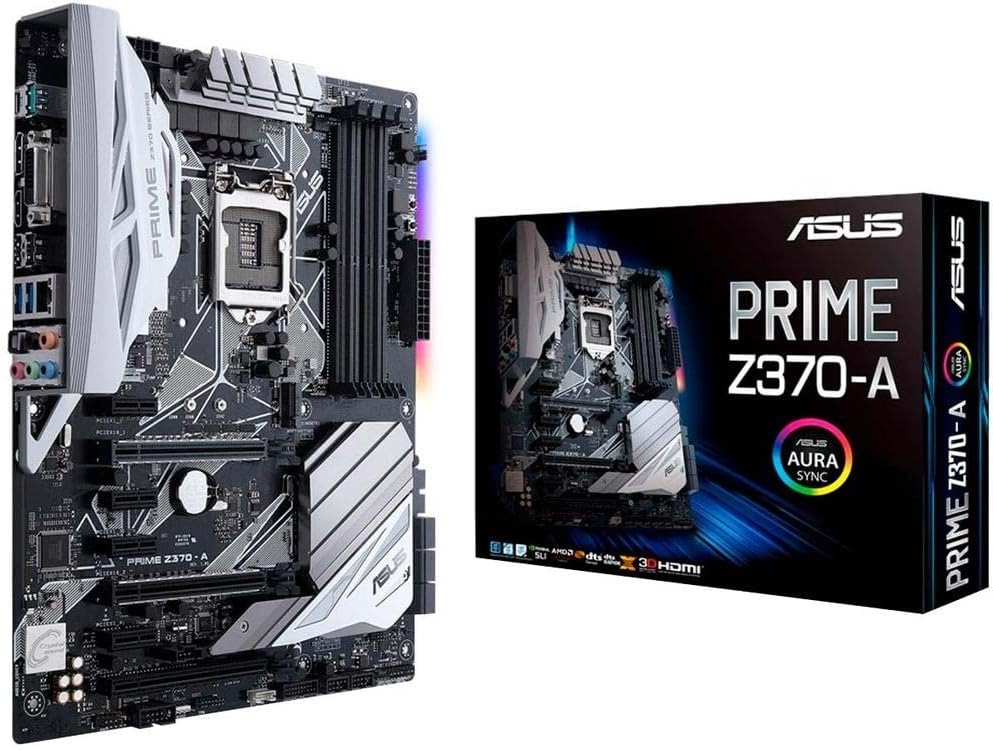
The ASUS Prime Z370-A stands out as a top contender in this category. It offers a balanced mix of performance features and reliability that appeals to serious builders.
We may earn a commission when you buy through this link, at no additional cost to you.
Key strengths include dual M.2 slots for fast storage and Thunderbolt 3 support for high-speed peripherals. The 5-Way Optimization simplifies tuning for optimal system performance.
Trade-offs involve a higher cost compared to basic models. The RGB lighting is extensive but might require adjustment for users preferring minimal visual effects.
This board is ideal for enthusiasts needing robust connectivity. Its solid build quality ensures long-term stability for demanding workloads and gaming sessions.
Thunderbolt 3 and USB 3.1 Gen2 ensure you can connect high-speed devices without bottlenecks.
The 5-Way Optimization automatically adjusts settings for maximum performance based on your specific hardware.
We may earn a commission when you buy through this link, at no additional cost to you.
The MSI Z370-A PRO offers essential features at a competitive price point. It serves well for users prioritizing performance over aesthetic embellishments.
We may earn a commission when you buy through this link, at no additional cost to you.
Its support for up to 64GB of DDR4 memory makes it future-proof for memory-intensive applications. The VR Ready certification ensures smooth virtual reality experiences.
However, it lacks advanced RGB customization found in pricier models. The number of USB ports is also limited compared to more feature-rich alternatives.
Buyers seeking a reliable workhorse without extra cost should consider this model. It provides a stable foundation for a capable gaming or productivity system.
With support for up to 64GB of DDR4 RAM, this board handles heavy multitasking and content creation easily.
Designed to meet VR requirements, this motherboard ensures low latency and stable performance for headsets.
We may earn a commission when you buy through this link, at no additional cost to you.
The Gigabyte Z370 AORUS Gaming 7 delivers premium features for high-end builds. It focuses on storage flexibility and audio fidelity to elevate the user experience.
We may earn a commission when you buy through this link, at no additional cost to you.
Three M.2 slots allow for extensive fast storage setups. The ESS Sabre DAC provides superior sound quality compared to standard audio codecs found on most boards.
Users may find the software interface complex when managing RGB lighting and settings. The price reflects these premium features but might exceed budgets for casual users.
This model suits power users needing maximum storage and audio performance. Its robust design supports demanding gaming setups effectively.
With three M.2 slots, you can configure multiple high-speed NVMe drives for extensive storage needs.
The ESS Sabre DAC delivers high-fidelity sound, perfect for immersive gaming and entertainment.
We may earn a commission when you buy through this link, at no additional cost to you.
The ASUS Prime Z390-P offers significant expansion capabilities with its six PCIe slots. It is particularly suited for multi-GPU setups or specialized use cases like mining.
We may earn a commission when you buy through this link, at no additional cost to you.
Above 4G decoding allows for advanced graphics configurations. The inclusion of USB 3.1 Gen2 ensures fast data transfer speeds for connected peripherals.
Although not strictly Z370, it covers similar ground with improved connectivity. Some users might find it overly tailored to specific workloads like cryptocurrency mining.
This board is excellent for those needing extensive expansion slots. Its reliability and cooling features make it a solid choice for heavy utilization.
Six PCIe slots provide ample room for adding multiple graphics cards or capture cards.
USB 3.1 Gen2 ports enable rapid file transfers and device communication.
We may earn a commission when you buy through this link, at no additional cost to you.
The GIGABYTE Z390 UD brings robust power delivery with its 10+2 phase digital PWM design. It supports multi-GPU setups effectively with six PCIe slots available.
We may earn a commission when you buy through this link, at no additional cost to you.
Smart Fan 5 ensures thermal control through multiple temperature sensors. RGB strip support allows users to customize their build aesthetics easily.
While functional, the number of USB ports may be limited for some setups. The focus remains on stability and power efficiency rather than extra features.
Ideal for users needing a stable platform with expansion options. Its cooling solutions ensure the system stays quiet and cool under load.
Smart Fan 5 allows detailed control over fan speeds based on multiple temperature sensors.
The 10+2 phase PWM design provides stable power delivery to the processor for efficient operation.
We may earn a commission when you buy through this link, at no additional cost to you.
The ASUS TUF Z370 Plus emphasizes durability with military-grade components like TUF Chokes and Capacitors. It promises long-term reliability for consistent gaming performance.
We may earn a commission when you buy through this link, at no additional cost to you.
TUF LANGuard protects against Ethernet surges and power fluctuations. Dual M.2 slots and AURA Sync RGB provide necessary connectivity and customization options.
The extra durability adds weight and a slightly higher cost. Not every user will need military-grade specs, but those who do will appreciate the extra protection.
This board is perfect for environments requiring rugged reliability. Its cooling features help maintain system stability during intense usage periods.
Components designed to military standards ensure resistance to dust, humidity, and power surges.
TUF LANGuard provides robust protection for your Ethernet connection against external electrical noise.
We may earn a commission when you buy through this link, at no additional cost to you.
The ASUS PRIME Z370-P offers a balanced feature set suitable for general users. It provides dual M.2 slots for storage and USB 3.1 Gen2 for connectivity.
We may earn a commission when you buy through this link, at no additional cost to you.
5X Protection III hardware safeguards ensure component longevity. FanXpert 4 helps manage cooling dynamically based on system load and temperature.
It lacks extensive RGB lighting, which might disappoint users seeking customization. The audio features are adequate but not exceptional compared to higher-end boards.
This board is a smart pick for standard gaming setups. It delivers reliability and essential features without unnecessary complexity or expense.
5X Protection III includes safeguards like SafeSlot Core to prevent damage from heavy GPUs.
Compatibility with Intel Optane Memory allows faster system responsiveness and boot times.
We may earn a commission when you buy through this link, at no additional cost to you.
The Gigabyte Z370 HD3 provides essential performance features at a straightforward price point. It supports PCIE Gen3 M.2 for fast storage connectivity.
We may earn a commission when you buy through this link, at no additional cost to you.
Intel LAN ensures reliable networking performance. Dual channel DDR4 memory support allows for flexible RAM configurations to suit different needs.
Its basic audio codec may not satisfy audiophiles. The overall design is utilitarian, lacking the visual flair of gaming-specific motherboards.
Buyers needing a reliable board for standard tasks will appreciate this. It handles typical workloads efficiently without extra bulk.
PCIE Gen3 M.2 support ensures rapid data transfer speeds for modern solid state drives.
Intel LAN provides stable connectivity and low latency for online gaming and work.
We may earn a commission when you buy through this link, at no additional cost to you.
The ASRock Z370 EXTREME4 delivers impressive connectivity with USB 3.1 Gen2 Type-A and Type-C ports. It supports four DDR4 slots for flexible memory upgrades.
We may earn a commission when you buy through this link, at no additional cost to you.
Its design prioritizes utility and modern standards. This makes it adaptable for various peripheral setups and future upgrades.
ASRock has fewer resources for driver support compared to major brands. Users may need to spend more time finding compatible software or firmware updates.
This board is a strong choice for those valuing connectivity. It balances features and cost effectively for a standard gaming build.
USB 3.1 Gen2 Type-A and Type-C ports offer versatile connection options for modern devices.
Four DDR4 DIMM slots allow for significant memory upgrades to handle demanding applications.
We may earn a commission when you buy through this link, at no additional cost to you.
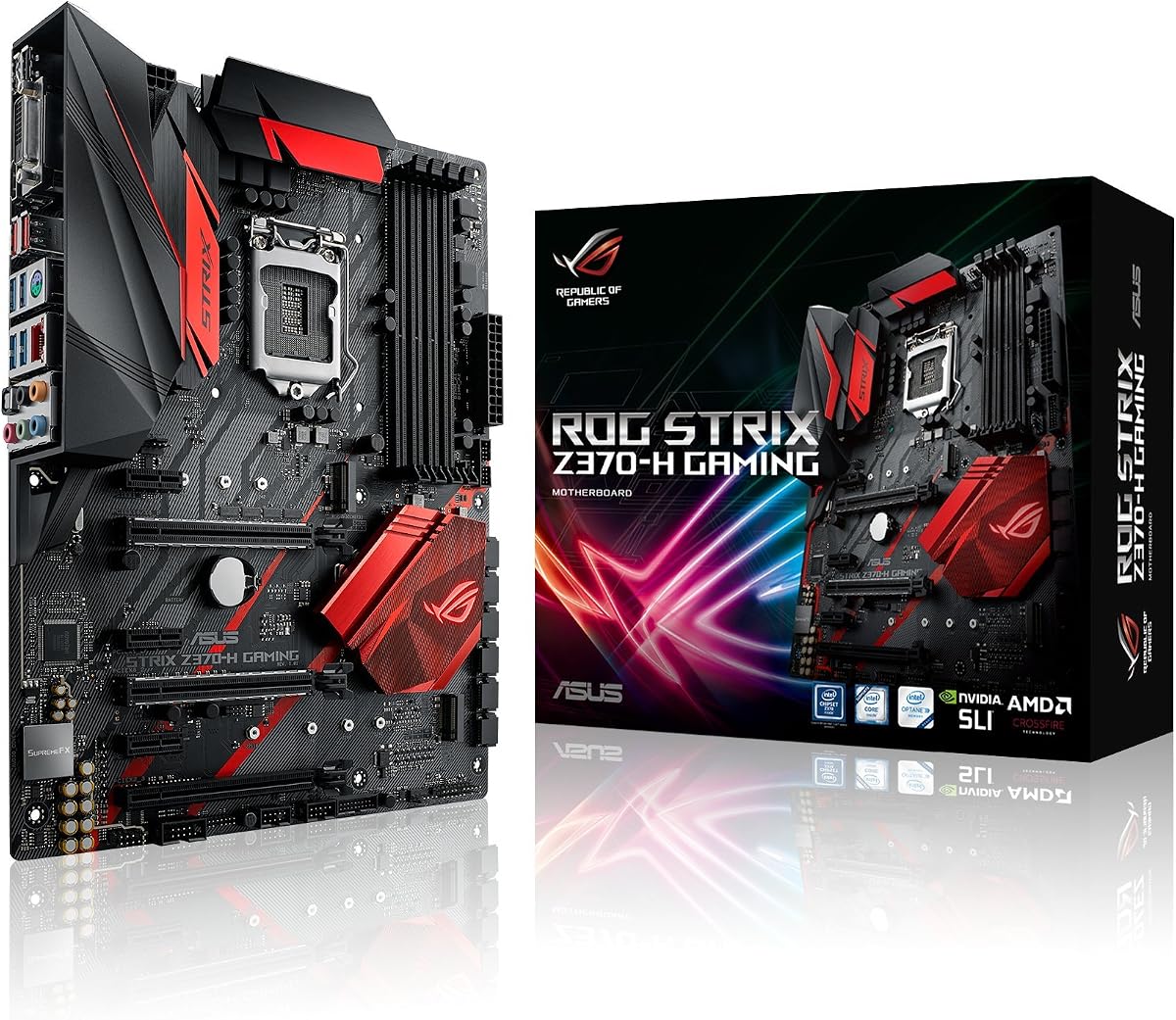
The ASUS ROG Strix Z370-H brings gaming aesthetics with extensive USB options. It supports 64GB DDR4 and includes optical audio outputs for surround sound setups.
We may earn a commission when you buy through this link, at no additional cost to you.
Its design caters to gamers who value form and function. Multiple USB ports ensure ample connectivity for peripherals and devices.
However, it offers fewer M.2 slots than some competitors. The premium price and specialized look may not appeal to all users.
This model suits those wanting a visually distinct gaming board. It delivers performance and style for a dedicated gaming environment.
Multiple USB ports across different generations ensure you can connect all your devices simultaneously.
The Optical S/PDIF out allows high-quality audio transmission to external DACs or receivers.
We may earn a commission when you buy through this link, at no additional cost to you.
Selecting the right motherboard requires assessing specific features and performance needs. This guide outlines key factors to consider before purchasing.
Ensure the motherboard supports your processor's socket type. Z370 boards use LGA 1151 and support 8th Gen Intel Core processors. Check specific compatibility lists to avoid issues.
Always verify CPU socket compatibility before purchasing to ensure proper fit.
Look for boards with adequate DDR4 slots and capacity. Most support up to 64GB which is sufficient for gaming and heavy multitasking. Speed ratings vary by model.
Choose memory slots that match your intended usage capacity and speed requirements.
Consider how many PCIe slots you need for GPUs or other cards. Some models support multi-GPU configurations while others offer single slot solutions. Check slot layout carefully.
Select a model with enough expansion slots for your planned hardware upgrades.
M.2 slots offer faster storage speeds than traditional SATA. Look for multiple M.2 slots if you want extensive fast storage. Thermal guards help maintain performance under load.
Prioritize boards with multiple M.2 slots for improved storage performance.
USB 3.1 Gen2 and Type-C ports improve data transfer speeds. Check the number and types of ports to match your peripheral needs. Ethernet speeds also matter for network performance.
Verify USB and network connectivity to ensure compatibility with your devices.
Integrated audio codecs vary in quality. Boards with ESS Sabre DAC or dedicated audio features provide better sound. For casual use standard audio is often sufficient.
Choose high-quality audio components if sound fidelity is important to you.
Effective cooling prevents overheating and ensures stability. Look for heat sinks and fan headers for system cooling. Some include advanced controls like Smart Fan 5.
Ensure the board has adequate heat dissipation for your system load.
Balance features with your available budget. Established brands often offer better support and BIOS updates. Consider total cost including potential accessories or cases.
Select a reputable brand that fits your budget and support needs.
Install the motherboard in a compatible case ensuring all standoffs align. Connect power and data cables carefully to avoid loose connections.
Update the BIOS to the latest version for optimal stability and compatibility. Use the manufacturer's utility tool to simplify the update process.
Monitor system temperatures regularly and clean dust from heatsinks. Proper airflow and cleanliness extend the lifespan of your motherboard components.
Z370 motherboards support 8th and 9th generation Intel Core processors using the LGA 1151 socket. Always check specific CPU support lists for your model to confirm compatibility before purchase.
Yes, Z370 chipsets support overclocking of Intel processors. Ensure your CPU is unlocked and your power supply is sufficient to handle increased power requirements effectively.
Most Z370 motherboards support up to 64GB of DDR4 memory across four slots. Verify your specific model supports the speed and capacity you intend to use.
Yes most Z370 motherboards include at least one M.2 slot for fast storage. Check the number of slots and supported sizes to ensure they fit your needs.
Prime series boards focus on reliability and balanced features while ROG series emphasize gaming aesthetics and advanced features like enhanced audio and RGB lighting.
While newer chipsets exist, Z370 boards remain relevant for budget builds using 8th Gen CPUs. They offer strong features at lower prices compared to newer options.
Most Z370 boards are ATX form factor which fits standard mid to full tower cases. Measure your case to ensure compatibility before installation.
Standard ATX power supplies work well with Z370 boards. Ensure your wattage rating is sufficient for your CPU and GPU combination for stable performance.
We explored ten top options highlighting their strengths in performance connectivity and reliability. Each model offers unique benefits suited for different user priorities and budgets.
Prioritize features like M.2 slots and memory capacity based on your usage needs. Balance aesthetics with practical performance to find the right fit.
Always verify current pricing and availability since market conditions change frequently. Check user reviews for the latest feedback before finalizing your decision.