
EMEET C960 4K Webcam for PC
4.5Editor score
True 4K CMOS sensor resolution
PDAF autofocus and light correction
Dual omnidirectional microphones
Finding the right camera for green screen streaming can transform your broadcast quality and viewer engagement. A good model offers sharp video, accurate color, and reliable background removal without requiring complex setups or expensive hardware.
We evaluated ten top-rated cameras based on sensor size, autofocus speed, software features, and green screen performance. Our analysis focuses on tools that deliver professional results for streamers, educators, and content creators seeking efficiency.
Each pick highlights specific strengths like low-light handling, AI tracking, or built-in keying. Prices and availability change frequently, so verify current details before purchasing to ensure you get the best value for your needs.
4.5Editor score

4.2Editor score

4.3Editor score
As an Amazon Associate we earn from qualifying purchases.
This side-by-side comparison outlines the core specifications and strengths of each selected camera to help you decide which model fits your streaming environment and budget requirements best.



The Hollyland VenusLiv Air stands out as a dedicated streaming camera designed to handle the rigors of continuous live broadcasting. It features a 1/1.3 CMOS sensor paired with an F1.05 custom lens to deliver high-quality visuals with natural background separation.
We may earn a commission when you buy through this link, at no additional cost to you.
Its self-developed green screen keying technology is particularly impressive, offering clean edges even around fine details like hair strands. The camera also includes AI tuning for automatic exposure and white balance adjustments, reducing the need for manual tweaks.
While the price is higher than standard webcams, the VenusLiv Air includes robust features like 24/7 streaming capability and a dedicated cooling system. These elements ensure stable performance during long sessions without overheating issues common in phone setups.
Streamers needing reliable green screen functionality and professional output will find this camera a worthy investment. It simplifies setup by removing the need for external capture cards while delivering crisp, consistent video quality.
The built-in keying algorithm separates subjects from backgrounds with high accuracy, preserving intricate edges like hair without complex software configuration.
An advanced air-cooling system prevents overheating during extended broadcasts, ensuring uninterrupted video feeds for long-term production needs.
We may earn a commission when you buy through this link, at no additional cost to you.
The EMEET S600 brings Sony sensor technology to a more accessible price point for streamers seeking 4K quality. Its PDAF autofocus ensures sharp focus during movement, while auto light adjustment maintains clarity in varying lighting conditions.
We may earn a commission when you buy through this link, at no additional cost to you.
Audio clarity is enhanced through proprietary algorithms that filter background noise, making it suitable for environments without dedicated soundproofing. The adjustable FOV lets users control how much background remains visible during shots.
While it lacks native green screen tools found in premium models, the S600 works well with external applications. It provides a reliable plug-and-play experience for users who prioritize video clarity and ease of use.
This webcam is ideal for creators who want solid 4K performance without investing in high-end hardware. Its durable design and privacy cover add value for daily use across streaming and conferencing.
Phase Detection Autofocus locks on quickly, while auto light adjustment balances shadows and highlights for sharp visuals in low-light scenes.
A built-in privacy cover and rugged component design protect lens access and ensure stability during flexible rotation and tilting.
We may earn a commission when you buy through this link, at no additional cost to you.
The Hollyland Lyra combines a large 1/1.5 CMOS sensor with AI-driven framing and tracking to create a dynamic streaming experience. It is designed for active creators who move frequently during broadcasts and need to stay centered.
We may earn a commission when you buy through this link, at no additional cost to you.
Its direct wireless mic pairing eliminates extra receivers for seamless audio, while the software provides skin perfecting and green screen tools. These features help maintain a polished look with minimal manual setup during live shows.
Although Mac support is limited for some advanced functions, the Lyra excels on Windows with its auto-framing capabilities. The magnetic base allows instant rotation between portrait and landscape modes for different platforms.
Creators prioritizing movement and audio integration will appreciate the Lyra's versatility. It bridges the gap between webcams and professional cameras with robust tracking and background removal tools.
Advanced AI tracking keeps speakers centered as they move, ideal for demonstrations or teaching scenarios requiring flexibility.
Direct connection to wireless microphones ensures drop-free sound without extra hardware, enhancing mobility for on-stage or in-room use.
We may earn a commission when you buy through this link, at no additional cost to you.
The EMEET C960 offers genuine 4K resolution with a CMOS sensor that avoids the upscaled artifacts found in cheaper models. It focuses on clarity and simplicity, providing reliable performance for meetings and streaming with minimal configuration.
We may earn a commission when you buy through this link, at no additional cost to you.
Its PDAF autofocus and auto light adjustment keep footage sharp and properly exposed even in challenging lighting. The dual omnidirectional microphones ensure clear audio capture, reducing the need for an external mic.
While external software is needed for green screen effects, the C960 provides a high-quality base for those visuals. Its privacy cover and plug-and-play setup make it secure and easy to deploy for various users.
This model is perfect for budget-conscious streamers who still demand professional 4K quality. It delivers stable performance and sharp focus, making it a strong entry point for serious creators.
A genuine 4K CMOS sensor captures ultra-clear details without false upscaling, ensuring professional-grade video fidelity.
PDAF autofocus and auto light adjustment work together to maintain clarity and exposure across varying environments.
We may earn a commission when you buy through this link, at no additional cost to you.
The EMEET C60E distinguishes itself with a dual-camera system that offers wide-angle and telephoto views in a single unit. This setup allows users to switch between panoramic shots and detailed close-ups seamlessly during presentations or streaming.
We may earn a commission when you buy through this link, at no additional cost to you.
Its 11X hybrid zoom lets presenters highlight specific items without moving closer, maintaining framing flexibility. The remote control and EMEET STUDIO software enable quick adjustments for focus and color without interrupting live feeds.
While zoom is limited in 4K mode, the C60E delivers solid visual variety for product demos or teaching. The RGB lighting adds aesthetic appeal and helps locate the camera status clearly in dark rooms.
Streamers needing versatility in framing will find the dual-camera approach valuable. It combines functionality with modern design, making it suitable for varied streaming scenarios requiring detail and context.
Two cameras share a 4K sensor to deliver wide-angle and telephoto views, offering flexibility without moving the setup.
Smooth zoom from 1X to 11X allows seamless transitions between full-scene and close-up views during presentations.
We may earn a commission when you buy through this link, at no additional cost to you.
The EMEET PIXY introduces an AI-powered PTZ design with a main camera for imaging and an auxiliary camera for tracking. This dual-sensor system enables faster, smoother focusing and auto-exposure optimization for perfect skin tones under any light.
We may earn a commission when you buy through this link, at no additional cost to you.
Its 3-chip AI tracking predicts motion to keep subjects centered without manual adjustment, ideal for fitness or product demos. The included tripod supports flexible angles, while gesture controls activate tracking with a simple hand signal.
The 3-mic array filters steady noise and sudden sounds, providing studio-grade audio versatility. While green screen functionality relies on external tools, the PIXY excels in framing and lighting automation for dynamic content creation.
Creators needing automated framing and professional PTZ features will value this camera. It simplifies complex shots with AI tools, making it a powerful option for active broadcasts or remote teaching.
The 3-chip AI system predicts motion to maintain center framing, allowing seamless tracking during movement without manual control.
Gesture activation lets users start tracking or frame shots hands-free, enhancing convenience during live broadcasts.
We may earn a commission when you buy through this link, at no additional cost to you.
This bundle offers a standalone solution for streaming directly to platforms like YouTube or Twitch without a capture card. It combines a 50MP CMOS sensor with AI image enhancement tools to optimize visual quality in different lighting.
We may earn a commission when you buy through this link, at no additional cost to you.
Built-in chroma key technology and overlay support let creators add graphics and backgrounds on-device, streamlining the setup process. The included cable ties, cleaning kit, and SD card provide everything needed for immediate deployment.
Although it costs more than typical webcams, the VenusLiv All In One removes the need for a PC during broadcasts. It simplifies workflows for users who want independent control over their live video feeds.
Podcasters and streamers needing direct streaming will find this bundle valuable. It offers professional tools and included accessories, making it a comprehensive solution for content creation.
Stream directly to platforms using RTMP protocols, eliminating the need for a computer or capture card setup.
The bundle includes essential cables and cleaning tools to ensure you have everything needed for immediate use.
We may earn a commission when you buy through this link, at no additional cost to you.
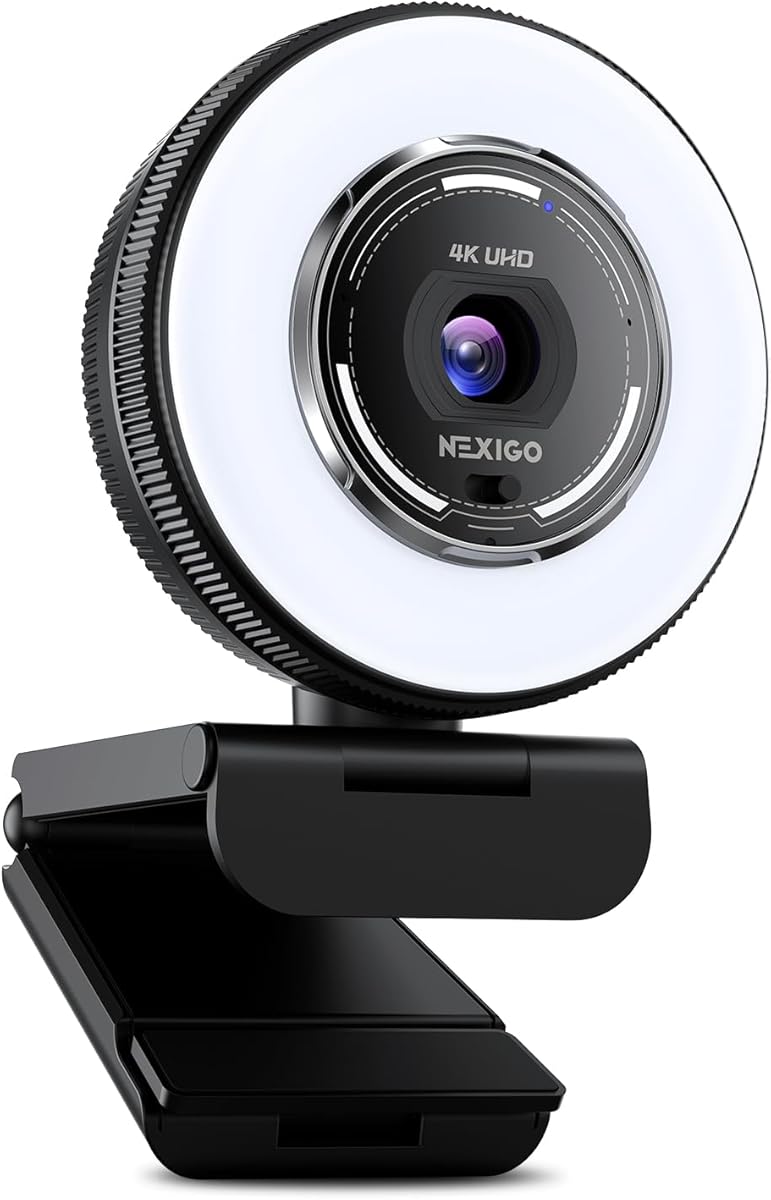
The NexiGo N680E Pro stands out with its built-in tri-tone ring light, allowing users to adjust color temperature for ideal lighting in any room. It pairs this with a Sony sensor and PDAF autofocus to deliver sharp, true-to-life video.
We may earn a commission when you buy through this link, at no additional cost to you.
Its dual noise-canceling microphones filter background noise effectively, ensuring clear voice capture during streams. The privacy shutter provides security when the camera is idle, adding a layer of protection for sensitive environments.
While external software is needed for full 4K output or green screen effects, the N680E Pro excels in lighting and audio features. It is well-suited for creators prioritizing visual clarity and sound quality.
Streamers needing reliable lighting will appreciate the tri-tone control. This webcam offers a balance of quality and convenience, making it a strong choice for daily streaming or conferencing.
Three color temperature modes and stepless brightness control help achieve perfect lighting for any space with a simple touch.
A built-in privacy shutter blocks the lens completely, giving full control over access and preventing unauthorized use.
We may earn a commission when you buy through this link, at no additional cost to you.
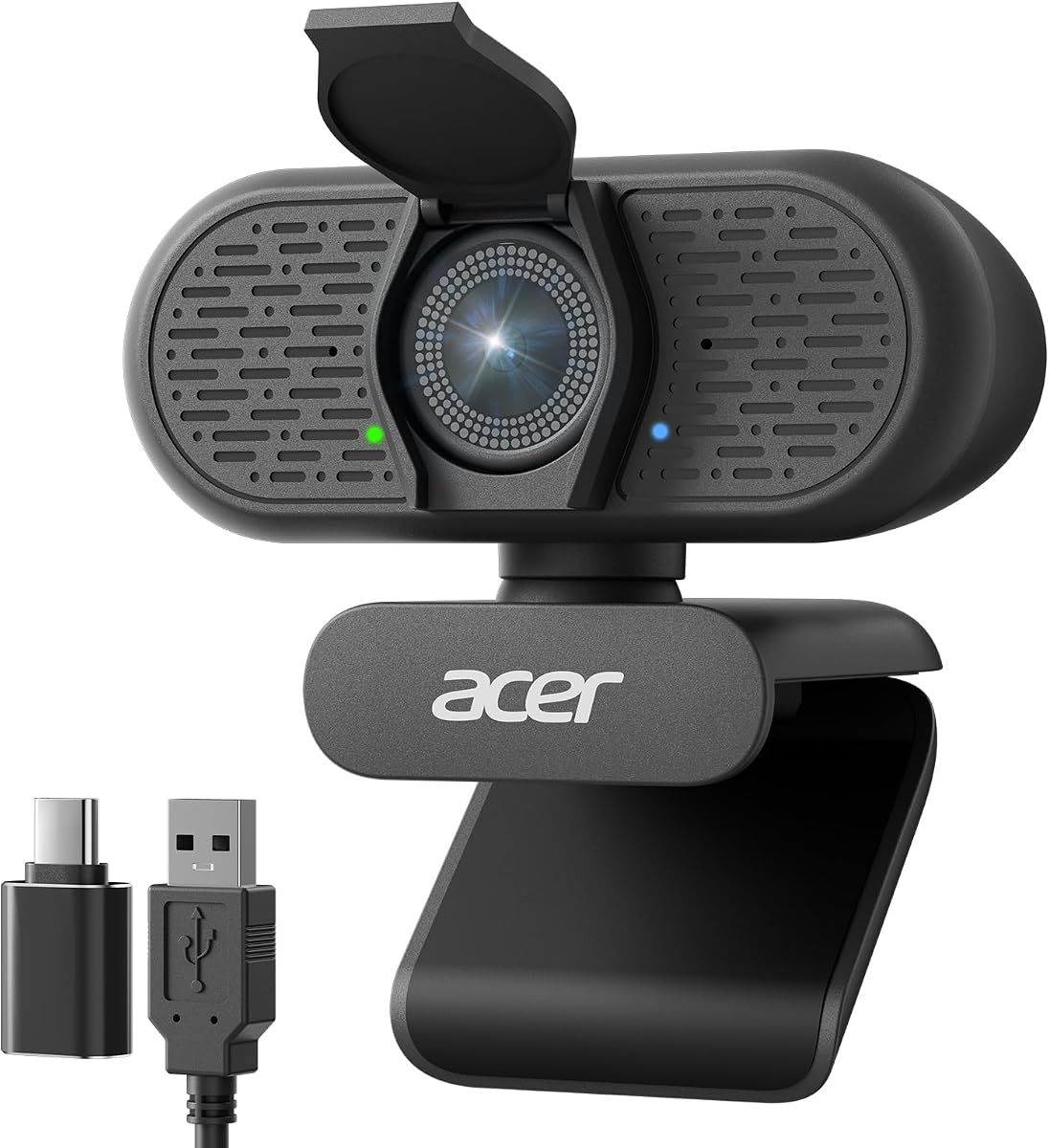
The Acer A640 delivers 4K video fidelity using a Sony sensor and PDAF autofocus to lock subjects instantly. It avoids focus hunting common in standard webcams, providing a crisp, stable streaming experience for various setups.
We may earn a commission when you buy through this link, at no additional cost to you.
Its AI noise cancellation filters background distractions, ensuring your voice remains clear. The privacy shutter offers visual security, and plug-and-play compatibility simplifies setup across multiple devices and operating systems.
While it lacks native green screen tools, the A640 offers solid 4K quality at an affordable price point. It suits users needing reliable video and audio performance for meetings or casual streams.
For those seeking value without compromising on 4K resolution, this model is a good fit. It provides essential features that enhance clarity and privacy for daily use.
Phase Detection Auto Focus locks onto subjects instantly, eliminating focus hunting and ensuring stable streaming visuals.
AI-powered noise cancellation filters background distractions, ensuring professional voice quality during calls and streams.
We may earn a commission when you buy through this link, at no additional cost to you.
The OBSBOT Meet 2 is a compact 4K webcam with advanced AI framing and dynamic gesture controls for intuitive operation. Its lightweight design and AI focus make it easy to move around while keeping the subject centered.
We may earn a commission when you buy through this link, at no additional cost to you.
Dynamic gesture control lets users open or close framing with a simple hand signal, reducing manual interference. The 1/2 CMOS sensor enhances light sensitivity for clearer images in varied lighting conditions.
While it lacks native green screen functionality, the Meet 2 excels in AI-driven composition and ease of use. It is ideal for mobile creators who need a portable tool that adapts to their movements.
This camera suits those prioritizing AI automation and portability. With noise-canceling mics and gesture support, it provides a modern approach to webcam interaction and visual clarity.
Simple hand gestures allow users to control framing and zoom without physical buttons, enhancing convenience during streams.
Weighing only 40.5 grams, this compact webcam offers unrivaled convenience for mobile workers and traveling streamers.
We may earn a commission when you buy through this link, at no additional cost to you.
Selecting the right camera for green screen streaming involves balancing hardware quality, software capabilities, and budget. Here are key factors to evaluate.
Larger sensors capture more light and produce sharper images with better background separation. This is crucial for green screen work where edge detail determines keying accuracy.
Prioritize cameras with 1/1.3 or larger sensors for professional-grade quality in low-light environments.
Built-in keying tools simplify your setup by removing the need for external software. Look for models that support chroma keying with high accuracy to preserve hair and fine details.
If the camera lacks this feature, ensure it integrates with third-party streaming software that offers robust green screen functionality.
Aiming for 4K resolution at 30FPS ensures crisp visuals for modern viewers. Higher resolutions help with digital zooming and cropping during post-production or live editing.
Confirm that your streaming setup supports the output format to avoid bottlenecks during broadcasts.
Phase Detection Autofocus (PDAF) provides fast and accurate tracking essential for active streams. This prevents blurry footage when moving during presentations or demonstrations.
Choose models with reliable autofocus to maintain clarity throughout your broadcast without constant manual adjustment.
Internal ring lights or auto light adjustment help balance exposure in dim rooms. Proper lighting is vital for green screen performance to reduce shadows and improve keying.
Cameras with built-in lighting tools can save money by eliminating the need for external fixtures.
Dual or array microphones with noise cancellation ensure clear voice transmission. Good audio is just as important as video for maintaining audience engagement.
Check for noise-canceling features to filter out ambient sounds during live sessions.
USB-C or HDMI output offers flexibility for connecting to mixers or computers. Direct streaming via RTMP removes the need for a capture card.
Verify that your setup supports the required connections to avoid compatibility issues.
Check if the camera supports your preferred streaming software like OBS or Streamlabs. Some models offer companion apps for additional control over image parameters.
Ensure cross-platform support for Windows and Mac to maintain workflow flexibility.
Start by placing your green screen evenly lit with no shadows. Position the camera at eye level and adjust focus settings manually or via auto modes to ensure sharp edges on your subject.
If your camera lacks built-in keying, connect it to streaming software like OBS. Use the color key plugin to select the green hue and refine spill settings to avoid green reflections on your clothes.
Maintain the lens with a soft microfiber cloth to avoid scratches. Store the camera in a dry area and update firmware regularly to ensure stable performance during long streams.
A good camera offers sharp resolution, accurate autofocus, and advanced green screen tools. Sensors that handle low light well reduce noise, improving keying accuracy. Look for models with built-in chroma key or high compatibility with streaming software.
Not necessarily. Many modern webcams support UVC over USB for direct computer connection. Some models also offer HDMI output for switchers or RTMP streaming directly to platforms without extra hardware.
Yes, most webcams work with green screens using external software like OBS. Cameras with built-in keying simplify the process but external tools allow precise control over edges and colors.
Even lighting without shadows is essential for clean keying. Use softbox lights or ring lights to illuminate the background separately from your subject. Avoid colored clothing to prevent spill issues.
Use a dry microfiber cloth to wipe the lens gently. Avoid using paper towels or chemicals that might scratch the coating. Store it in a protective case when not in use to prevent dust and damage.
Phase Detection Autofocus locks focus quickly and accurately without hunting. This is critical for maintaining sharp video during movement. It ensures consistent quality for professional streams.
We reviewed ten cameras suited for green screen streaming, from the versatile Hollyland VenusLiv Air to budget-friendly options like the EMEET C960. Each model offers distinct strengths for different production needs.
Prioritize sensor quality and keying tools based on your workflow. If you move frequently, consider models with AI tracking. For standalone streaming, direct RTMP options save time and equipment.
Prices and availability fluctuate, so always check current offers before buying. Verify that your streaming software supports the camera's features to get the most out of your setup.