
TRENDnet Ethernet Over Coax MoCA 2.5 Adapter
4.3Editor score
Gigabit Ethernet port
Compact design
MoCA 2.5 support
This guide compares the top coax to ethernet adapters for 2026, evaluating speed, compatibility, and features to help you upgrade your home network effectively.
Finding the right coax to ethernet adapter can transform your home network without running new cables. These devices use existing coaxial wiring to deliver fast, reliable internet speeds to every room.
We compared ten top-rated models based on speed performance, compatibility with major ISPs, and ease of setup. Our analysis focuses on real-world usability and value for different household needs.
Each pick highlights key strengths and limitations to help you choose wisely. Remember that prices and availability can change, so verify current details before making your final purchase decision.
4.3Editor score

4.8Editor score

4.4Editor score
This table provides a side-by-side comparison of all ten adapters, highlighting key specifications and compatibility details to help you find the perfect match for your network setup.


The TRENDnet 2.5Gbps Ethernet Over Coax Adapter (2-Pack) stands out as a top performer for home networking. With a 4.8 rating, it delivers consistent 2.5Gbps speeds over existing coaxial wiring.
We may earn a commission when you buy through this link, at no additional cost to you.
Its MoCA 2.5 technology ensures low latency and high reliability, making it ideal for streaming and gaming. The adapters are compact and support up to 16 nodes for whole-home coverage.
While it lacks compatibility with satellite TV systems, this is common across most MoCA adapters. The included cables and plug-and-play setup make installation straightforward for most users.
This adapter is best suited for cable and fiber internet users seeking a reliable wired connection without new cabling. It offers excellent value for performance and stability.
The 2.5Gbps port enables faster data transfer than standard gigabit ports, supporting demanding applications like 4K streaming and large file uploads.
NDAA and TAA compliance makes this adapter suitable for government and enterprise installations that require certified networking solutions.
We may earn a commission when you buy through this link, at no additional cost to you.
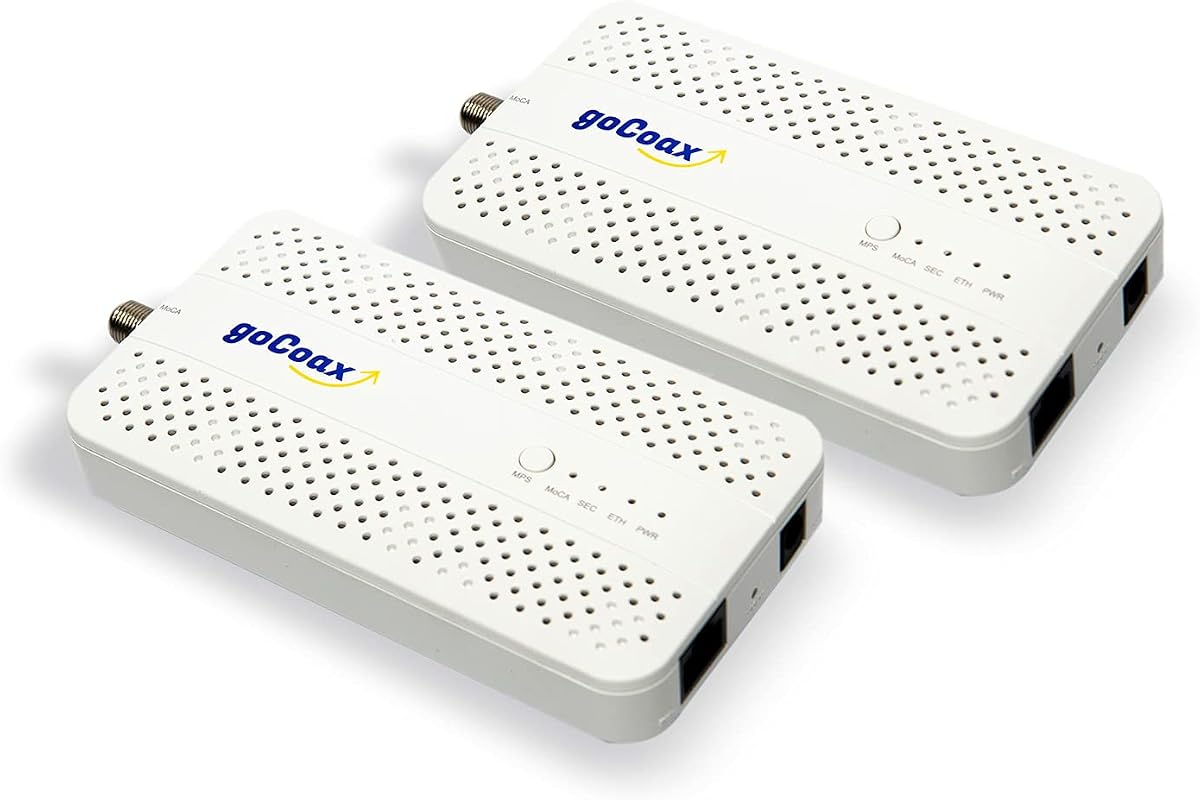
The goCoax MoCA 2.5 Adapter (2-Pack) is designed for gamers and streamers who demand minimal latency. With under 3ms latency, it outperforms WiFi significantly for competitive gaming.
We may earn a commission when you buy through this link, at no additional cost to you.
It delivers full 2.5Gbps bandwidth over coax cables, supporting multiple 4K/8K streams simultaneously. The kit includes all necessary cables for immediate setup without extra purchases.
While it works with most cable providers, users with satellite TV wiring may face compatibility issues. A PoE filter is recommended for optimal security but is not included in the box.
This adapter is ideal for households prioritizing gaming performance and high-speed connectivity. Its reliability and speed make it a strong contender for demanding network needs.
Low latency ensures real-time responsiveness during online matches, providing a competitive edge over wireless connections.
Works with major providers like Comcast, Spectrum, Cox, and FiOS, offering broad compatibility for different internet setups.
We may earn a commission when you buy through this link, at no additional cost to you.
The Kiwee Broadband MoCA 2.5 Adapter offers a unique dual 2.5GbE port design, allowing multiple devices to connect at full speed. This is rare among MoCA adapters and adds significant flexibility.
We may earn a commission when you buy through this link, at no additional cost to you.
With MoCA 2.5 technology, it provides up to 2.5Gbps speeds ideal for 4K/8K streaming and large file transfers. The kit includes coax and Ethernet cables for complete setup out of the box.
Though priced higher than some alternatives, the dual ports justify the cost for users needing multiple wired connections. Compatibility is broad, but satellite TV wiring remains a limitation.
This adapter is perfect for home offices or media centers requiring multiple high-speed connections. Its future-proof design ensures longevity as network demands increase.
Two Ethernet ports eliminate the need for additional switches, simplifying connections for multiple devices in a single location.
The 2.5Gbps standard supports upcoming network upgrades, ensuring your investment remains relevant as internet speeds increase.
We may earn a commission when you buy through this link, at no additional cost to you.
The ScreenBeam ECB7250K02 Starter Kit provides a comprehensive solution for upgrading home networks. It includes two adapters, cables, and splitters, offering everything needed for a complete setup.
We may earn a commission when you buy through this link, at no additional cost to you.
Using Bonded MoCA 2.5 technology, it delivers up to 2.5Gbps speeds surpassing standard WiFi performance. The kit is particularly well-suited for FiOS users with compatible routers.
Some users may experience conflicts with certain DOCSIS 3.1 modems requiring ISP intervention. However, the included splitters and accessories add value that offsets the higher price point.
This kit is ideal for users seeking a full-featured, reliable network upgrade. Its completeness and performance make it a top choice for comprehensive home networking.
All necessary components including splitters and cables are included, reducing the need for additional purchases and simplifying installation.
Optimized for FiOS networks with built-in MoCA support, ensuring seamless integration with existing infrastructure.
We may earn a commission when you buy through this link, at no additional cost to you.
The Hitron HTEM5 MoCA 2.5 Network Adapter is designed for cable and fiber users seeking to extend their network via coax wiring. It delivers up to 2.5Gbps speeds effectively.
We may earn a commission when you buy through this link, at no additional cost to you.
It works with most providers like Verizon Fios and Google Fiber, but users with AT&T Fiber should avoid it due to signal interference. Detailed compatibility guidance helps avoid purchase mistakes.
The kit includes all necessary cables and offers free technical support for setup issues. While the price is competitive, users must verify their coax network is interconnected.
This adapter suits households with existing coax networks needing reliable wired connections. Its clear specifications and support make it a practical choice for many users.
Works seamlessly with major fiber providers, extending wired speeds throughout the home without additional infrastructure costs.
Free technical assistance helps resolve connectivity issues quickly, reducing setup frustration for less tech-savvy users.
We may earn a commission when you buy through this link, at no additional cost to you.
The LNOVISION LongReach PoE over Coax EoC Converter is specialized for upgrading surveillance systems using existing coaxial cables. It supports PoE standards for powering IP cameras.
We may earn a commission when you buy through this link, at no additional cost to you.
While bandwidth is limited to 100Mbps, this is sufficient for most security camera applications. The industrial design includes a heat sink for reliability during continuous operation.
Installation is simple with no configuration needed, making it accessible for non-technical users. However, it is intended for indoor use and may not suit outdoor setups without protection.
This adapter is best for businesses or homes upgrading CCTV systems. Its PoE capabilities and reliability make it a practical solution for security-focused networks.
Transmits both data and power over coax, eliminating the need for separate power adapters for IP cameras and devices.
Built-in heat sink and industrial design ensure stable performance even during extended use periods in monitoring systems.
We may earn a commission when you buy through this link, at no additional cost to you.
The G.hn Ethernet Over Coax Adapter Kit is designed specifically for unused or dark coax networks not shared with cable TV or internet services. It transforms these lines into fast Ethernet connections.
We may earn a commission when you buy through this link, at no additional cost to you.
With speeds up to 1.2Gbps, it offers reliable performance for gaming and streaming in homes with available coax outlets. The kit includes adapters for straightforward plug-and-play installation.
Because it requires dark coax, it is unsuitable for shared cable internet setups. However, for those with isolated lines, it provides an efficient solution without interference from other services.
This adapter is ideal for secondary networks or homes with excess wiring capacity. Its affordability and simplicity make it a practical choice for specific networking scenarios.
Effectively utilizes unused wiring infrastructure to create additional wired connections without disrupting active internet services.
Supports transmission over 800 meters, allowing network extension across large properties with adequate coax routing.
We may earn a commission when you buy through this link, at no additional cost to you.
The MoCA 2.5 Adapter Kit combines high-speed networking with PoE+ power delivery, making it ideal for Wi-Fi access points and IP cameras. It supports up to 30W power output.
We may earn a commission when you buy through this link, at no additional cost to you.
With 2.5Gbps speeds and low latency, it ensures stable connections for high-demand devices. The plug-and-play design simplifies installation, allowing quick deployment in various locations.
Users should note that it is not compatible with satellite TV wiring. The price reflects the added PoE capabilities, offering a comprehensive solution for powering and networking devices.
This kit is best for setups requiring both data and power over a single connection. Its versatility and performance make it valuable for modern smart home and office networks.
Delivers up to 30W of power through Ethernet, supporting devices like access points and cameras without additional power sources.
Optimized for Wi-Fi 6E and 7 access points, providing robust backhaul connections for next-generation wireless performance.
We may earn a commission when you buy through this link, at no additional cost to you.
The TRENDnet Ethernet Over Coax MoCA 2.5 Adapter offers a budget-friendly option for users needing Gigabit speeds. It is one of the most affordable choices in the lineup.
We may earn a commission when you buy through this link, at no additional cost to you.
Despite the lower price, it supports MoCA 2.5 standards and includes NDAA and TAA compliance for government customers. Its compact design fits well in entertainment centers or offices.
While it does not offer 2.5Gbps speeds, Gigabit is sufficient for most households. The included three-year protection and tech support add value to this economical solution.
This adapter is best for users prioritizing cost-effectiveness over maximum speed. It delivers reliable performance for streaming and general internet use at a reasonable price point.
Provides solid performance at a lower price than premium models, making it accessible for budget-conscious buyers.
NDAA and TAA compliance ensures suitability for regulated environments requiring certified networking equipment.
We may earn a commission when you buy through this link, at no additional cost to you.
The ScreenBeam ECB6200S02 is designed as an add-on to existing MoCA networks, allowing users to expand connectivity affordably. It provides 1Gbps Ethernet over coax connections.
We may earn a commission when you buy through this link, at no additional cost to you.
While it supports MoCA 2.0 rather than newer 2.5 standards, it remains effective for most basic home needs. The carrier-grade quality ensures stability for additional network nodes.
This product is not for new setups without existing adapters, but ideal for extending current networks. The included accessories simplify adding new rooms to the wired network.
This adapter is best for existing ScreenBeam users needing extra ports. Its affordability and reliability make it a practical option for expanding network coverage without major costs.
Enables easy addition of network nodes to existing setups without replacing the entire adapter system.
Engineered for reliability and durability, ensuring consistent performance even with frequent usage or additional connections.
We may earn a commission when you buy through this link, at no additional cost to you.
Selecting the right adapter depends on your internet provider, wiring setup, and performance needs. This guide outlines key factors to consider before purchasing.
Different adapters offer varying speeds, from Gigabit to 2.5Gbps. Choose a model that matches your internet plan to avoid bottlenecks. Higher speeds benefit streaming and large file transfers.
Opt for 2.5Gbps adapters for future-proofing and performance, especially if you have high-speed fiber or cable internet plans.
MoCA 2.5 adapters provide better performance than 2.0 models with faster data rates and improved reliability. Ensure your router or existing setup supports the version you choose.
MoCA 2.5 is recommended for new installations as it offers superior speeds and compatibility with modern networking standards.
Not all adapters work with every internet provider. Check if your ISP, such as AT&T Fiber or satellite services, is supported by the adapter model you select.
Verify compatibility with your provider before purchasing to ensure the adapter will function correctly with your existing network setup.
Your home must have interconnected coax outlets for the adapter to work. If your coax runs are isolated or cut, the adapter cannot establish a network connection.
Inspect your wiring or consult your provider to confirm that coax outlets are properly connected before buying an adapter.
Some adapters include PoE functionality to power devices like access points or cameras through the Ethernet port. This reduces the need for additional power outlets.
If you plan to connect PoE devices, choose an adapter with explicit PoE support to streamline your setup and reduce clutter.
Most adapters have one Ethernet port, but some offer two for connecting multiple devices without a switch. Decide how many wired connections you need in each location.
Dual-port adapters provide more flexibility for connecting multiple devices directly, which can be cost-effective compared to buying additional switches.
Some kits include cables, splitters, and power adapters, while others require separate purchases. Ensure the kit meets your needs to avoid extra expenses later.
Review what is included before buying to confirm you have all necessary components for installation without additional shopping trips.
Reliable technical support can be valuable if you encounter setup issues. Check if the manufacturer offers assistance or warranty protection for your peace of mind.
Choose brands with strong support reputations to ensure you can resolve connectivity problems quickly when they arise.
Connect the adapter to a coax wall outlet using the included cable and link it to your router via Ethernet. Repeat this setup with a second adapter in the desired room.
Plug both adapters into power outlets and wait for the status lights to stabilize, indicating the network is active. No additional configuration is usually required.
Keep adapters in well-ventilated areas and avoid covering them to prevent overheating. Clean dust regularly with a dry cloth to maintain performance and longevity.
A coax to Ethernet adapter converts coaxial cable lines into Ethernet connections, allowing you to use existing coax wiring for internet. This eliminates the need for new cables and provides faster speeds than Wi-Fi.
Yes, your home must have interconnected coax outlets for the adapter to function. Isolated or cut wiring will not work, so verify your coax network status before purchasing.
Most adapters work with cable and fiber providers like Xfinity, Spectrum, and FiOS. However, AT&T Fiber and satellite services often have compatibility issues, so check provider lists before buying.
Yes, these adapters provide low-latency connections ideal for gaming. They offer stable wired performance that outperforms Wi-Fi for online gaming and streaming.
MoCA stands for Multimedia over Coaxial Alliance, a technology standard enabling Ethernet over coax cables. MoCA 2.5 is the latest version offering higher speeds and better reliability.
A PoE filter is recommended to prevent signal leakage to the ISP and improve network security. Some kits include it, but others may require separate purchase for optimal performance.
These ten adapters offer reliable solutions for extending wired internet through coax cables. Top picks like TRENDnet and ScreenBeam deliver high speeds and broad compatibility for most homes.
Prioritize MoCA 2.5 adapters with 2.5Gbps speeds for future-proofing. Ensure your wiring and ISP support the adapter before purchasing to avoid compatibility issues.
Prices and availability change frequently, so verify current listings and reviews before buying. Choose the adapter that best fits your specific network needs and budget.