
LG DVD Rewriter Internal Slim
5.0Editor score
Compact 8X write speed
Manual load with release
Power saving modes support
This guide compares the top internal DVD drives for laptops, evaluating compatibility, speed, and reliability to help you choose the right optical drive for
Finding a reliable internal DVD drive for laptop systems is essential for users who still rely on optical media for data storage, software installation, or media playback. As laptops become thinner, many manufacturers omit these drives, making upgrades necessary for continued functionality and versatility in modern computing environments.
We evaluated ten top-rated internal optical drives based on compatibility, build quality, writing speed, and user feedback. Our analysis focuses on SATA interface models that fit standard slim bays, ensuring you can replace worn-out units or add optical capabilities to machines that originally lacked them without complex modifications.
Each selection below highlights specific strengths like M-DISC support, silent operation, or ultra-slim profiles. While prices fluctuate due to market demand and availability, these models represent the most consistent performers for internal laptop upgrades today. Check current listings before purchasing to confirm fit and stock status.
5.0Editor score

4.4Editor score
4.4Editor score
The following table provides a side-by-side comparison of all ten internal DVD drives reviewed in this guide. Each entry lists essential specifications including interface type, thickness, write speed, and key features to help you quickly identify the model that matches your laptop's physical constraints and performance requirements.


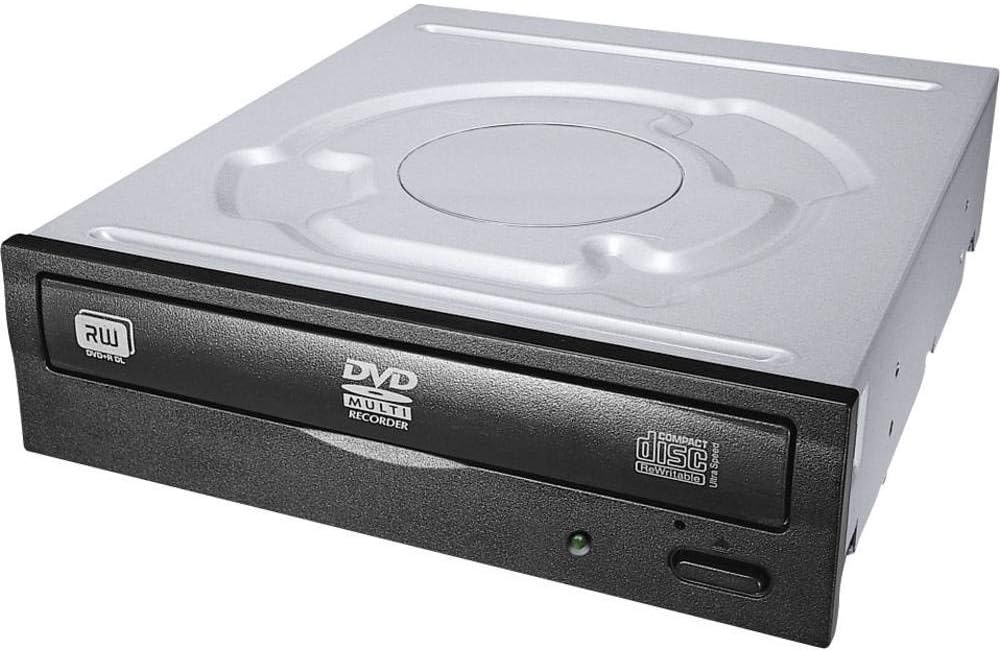


The Hitachi-LG GTC2N stands out as the top choice for users needing a robust internal optical drive with advanced data protection. Its 4.4-star rating reflects consistent performance in reading and writing various disc formats while maintaining quiet operation during playback. This model excels in environments where long-term archival storage is critical due to its specialized M-DISC capabilities.
We may earn a commission when you buy through this link, at no additional cost to you.
Key strengths include LG's Super Multi-Compatibility feature, which allows reading and writing of DVD+R, DVD-R, DVD-RAM, and other formats in a single unit. The Silent Play technology automatically adjusts spin speeds based on media type to reduce vibration and noise. This makes it ideal for offices or home theaters where loud drives are disruptive. The 8x writing speed ensures quick burns for standard DVDs without sacrificing reliability.
While highly capable, this drive requires a 12.7mm slim bay which may not fit ultra-thin laptops designed for 9.5mm units. Users must verify their laptop's physical dimensions before purchasing to ensure a proper fit. Additionally, the SATA cable is typically not bundled, so you may need to source a compatible slim SATA connector separately if your replacement drive lacks one.
For professionals managing physical media archives or users upgrading older business laptops, this drive offers the best balance of speed, compatibility, and durability. Its OEM quality ensures it integrates smoothly with existing system architectures. We recommend this model for anyone prioritizing data longevity and silent operation over extreme thinness.
M-DISC technology uses a rock-like surface to etch data, ensuring your photos and files remain readable for decades without degradation.
Silent Play technology intelligently adjusts spin speeds to minimize noise, making it perfect for office environments or media centers.
We may earn a commission when you buy through this link, at no additional cost to you.
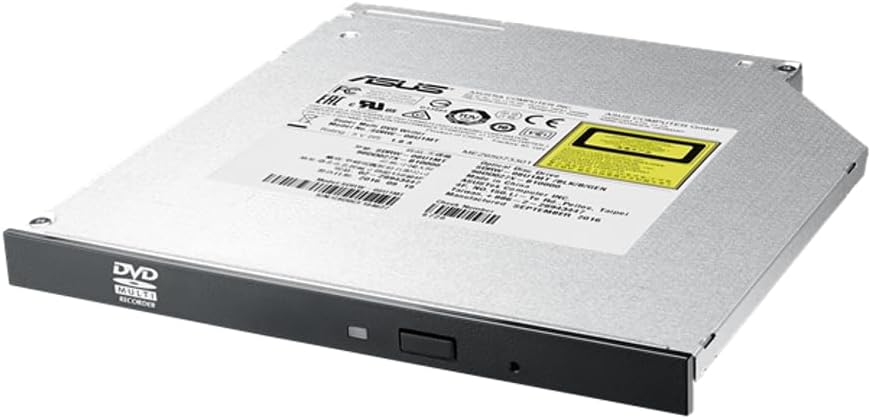
The ASUS SDRW-08U1MT combines premium build quality with energy-efficient features that appeal to modern laptop users. Its 9.5mm profile makes it suitable for thinner chassis that cannot accommodate standard 12.7mm drives. With a 4.4-star rating, it delivers consistent performance for both casual media playback and serious data archiving needs.
We may earn a commission when you buy through this link, at no additional cost to you.
This drive features E-Green technology that automatically closes applications when idle, saving over 50% power during non-use periods. The E-Media suite ensures a quiet environment by optimizing spindle speeds. M-DISC support provides archival-quality storage for photos and videos, claiming up to 1,000 years of longevity. The 8X writing speed is sufficient for most backup tasks without overheating.
The main trade-off is the higher price compared to generic OEM alternatives, though the energy savings and durability justify the cost for many. It is strictly limited to 9.5mm bays so users with older thick laptops must seek alternative models. Ensure your laptop's SATA interface matches the slim connector type before installation.
Ideal for users seeking a balance of style and substance, this drive fits well in professional workstations and modern notebooks. Its focus on power efficiency and data longevity makes it a strong premium option. We recommend it for those willing to invest in long-term reliability and quieter operation.
E-Green technology reduces power consumption significantly when the drive is idle, contributing to longer battery life in laptops.
M-DISC technology ensures your critical backups remain intact for up to a millennium, ideal for family photos and legal documents.
We may earn a commission when you buy through this link, at no additional cost to you.
The LG DVD Rewriter Internal Slim offers incredible value for users needing a reliable optical drive without breaking the bank. Despite its budget-friendly nature, it holds a perfect 5.0-star rating reflecting high customer satisfaction. It is a practical choice for restoring optical functionality to laptops that previously had it removed or broken.
We may earn a commission when you buy through this link, at no additional cost to you.
This model supports a wide range of formats including CD-R, DVD-RW, and M-DISC for long-term storage. The Silent Play technology minimizes noise during movie playback which is essential for shared spaces. The drawer type features manual load but includes electrical release for convenience. Its 8X DVD write speed handles standard data burns efficiently.
The primary limitation is ensuring the thickness matches your laptop bay as some units vary slightly. It is not a high-end premium drive but covers all basic needs effectively. Users should verify the dimensions before purchase to avoid fit issues. The manual load mechanism is simple but requires a button press to open.
For students or casual users, this drive is the most cost-effective solution available. It brings back CD burning and movie watching capabilities at a fraction of external drive costs. We recommend this for anyone needing a straightforward, no-fuss optical replacement that works out of the box.
This drive provides essential reading and writing features at a price point that is hard to beat for internal upgrades.
Compatible with nearly all standard CD and DVD formats including M-DISC for long-lasting data preservation.
We may earn a commission when you buy through this link, at no additional cost to you.
The HP 16X DVD-ROM is designed specifically for users who only need to read discs such as software installers or movies. With a 5.0-star rating it delivers consistent performance without the complexity of writing hardware. It is an ideal replacement for laptops where the original drive failed and burning is not required.
We may earn a commission when you buy through this link, at no additional cost to you.
Its 16X read speed ensures quick loading of large data sets from DVDs which is faster than many standard 8X models. Being an OEM unit it guarantees compatibility with HP chassis designs. The SATA interface allows straightforward connection to the motherboard. It is built for reliability over years of use.
The lack of write capability means you cannot burn new discs with this unit limiting its utility for backups. If you need to create discs consider a RW model instead. The price is higher than some alternatives but the specific focus on read-only performance justifies it for certain use cases.
This drive is best for office PCs or media centers where playback is the primary function. It avoids the wear associated with writing lasers keeping the hardware robust. We recommend it for users who strictly need to access existing optical media.
16X read speeds allow quick loading of software and games from DVD media without unnecessary delays.
Original HP engineering ensures this drive works seamlessly with compatible laptop frames and internal connectors.
We may earn a commission when you buy through this link, at no additional cost to you.
This HP drive features the reliable Samsung SH-216 core which is known for durability and consistent performance. With a 4.7-star rating users appreciate its ability to handle dual-layer DVDs for larger storage needs. It is a solid choice for replacing original drives in HP systems that support SATA optical bays.
We may earn a commission when you buy through this link, at no additional cost to you.
Dual layer support allows writing up to 8.5GB on a single side which is crucial for HD video backups or large software packages. The SATA interface ensures modern connectivity. It is branded HP but internally leverages Samsung quality standards for optical accuracy. The build quality is sturdy for daily operations.
Users should verify the exact model number matches their laptop chassis to avoid connector mismatches. The specific part numbers listed in the title help with identification. It is not a universal fit but works perfectly within its intended ecosystem. The price is reasonable for the capacity offered.
Ideal for IT departments or power users needing high-capacity optical storage without external hardware. It balances cost and performance well for professional environments. We recommend it for those who need reliable dual-layer writing in a compact form.
Dual layer technology doubles your storage space per disc allowing more data per burn cycle.
Built with the proven Samsung SH-216 engine this drive offers industry-leading read and write accuracy.
We may earn a commission when you buy through this link, at no additional cost to you.
The Lite-On 24X SATA offers exceptional speed for CD burning with its 24X write capability. With a 4.5-star rating it is a trusted choice for users who frequently burn audio or data CDs. The IHAS124-14 model is well-documented for compatibility with older laptops that utilize standard internal bays.
We may earn a commission when you buy through this link, at no additional cost to you.
Lite-On is a manufacturer known for robust optical drives that rarely fail. The SATA interface ensures broad support across many systems. It supports standard DVD formats though the CD speed is the standout feature. The price remains competitive making it accessible for budget-conscious buyers.
Users should check their laptop's SATA generation as older drives may vary in connector details. It is not the sleekest design but functionality is prioritized over looks. The 24X speed is excellent for rapid CD burns which older drives cannot match easily.
Best for legacy systems or users with heavy CD media needs. It provides the speed necessary for efficient workflows without the cost of external drives. We recommend it for those prioritizing raw burning speed in an internal package.
24X write speeds allow quick creation of audio and data CDs saving valuable time during transfers.
Lite-On drives are renowned for durability ensuring consistent performance over years of regular use.
We may earn a commission when you buy through this link, at no additional cost to you.
Another top pick from LG this rewriter focuses on efficiency and data protection. With a perfect 5.0-star rating it is highly trusted by users for reliability. It includes buffer under-run prevention which ensures your data is not lost during the burning process even if the system lags.
We may earn a commission when you buy through this link, at no additional cost to you.
The drive supports sleep modes to save power when not in use. M-DISC support is included which is rare for budget units. It uses a manual tray load which is simple and effective. The 8X write speed is standard for internal laptops.
The manual load requires a button press rather than an auto eject which some may find less convenient. Dimensions must be verified to match your laptop chassis. Overall it is a robust unit that covers all essential needs for daily usage.
For users needing a dependable replacement without extra frills this drive delivers. It is cost-effective and performs well over time. We recommend it for general media and data storage tasks.
Buffer under-run prevention ensures your burning sessions complete successfully even during system interruptions.
Built-in sleep modes reduce power usage when the drive is idle helping extend laptop battery life.
We may earn a commission when you buy through this link, at no additional cost to you.
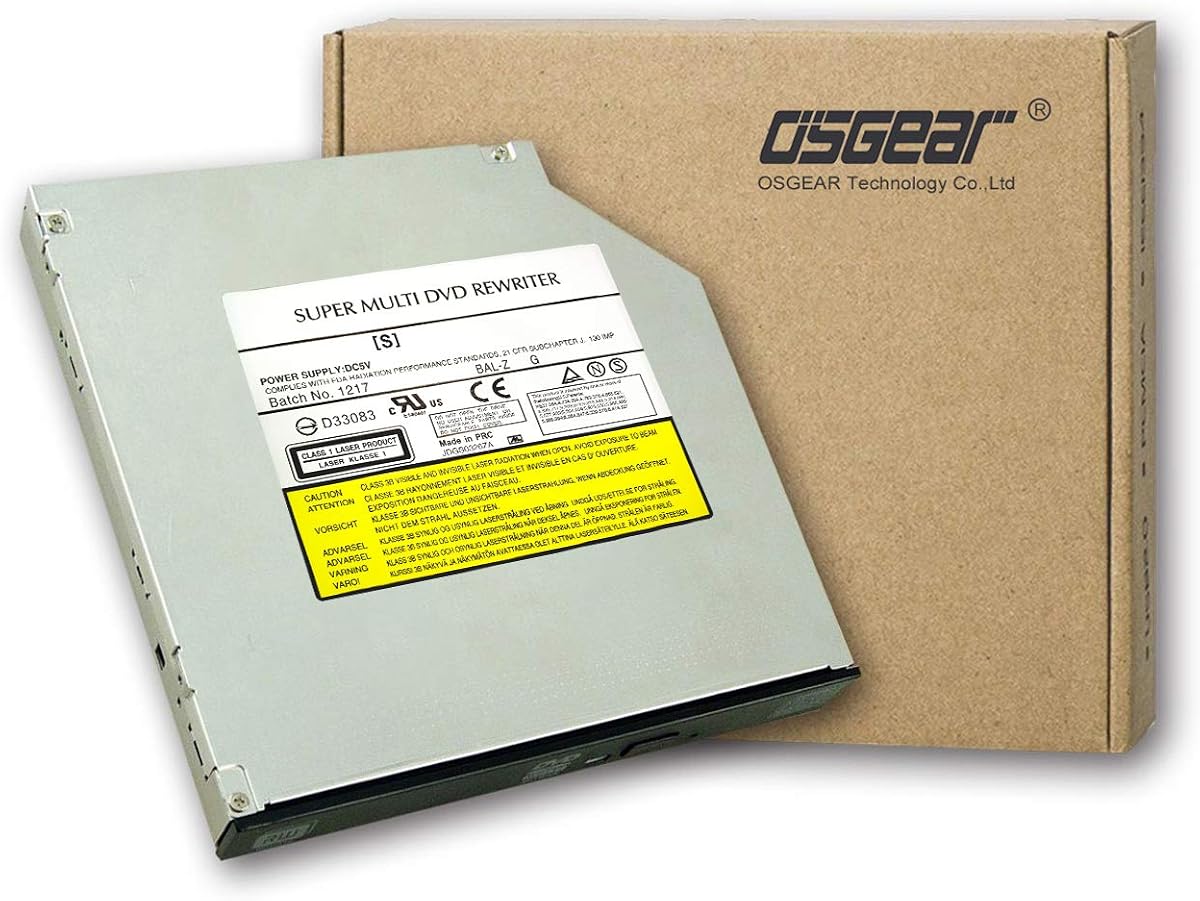
OSGEAR offers a versatile internal drive that fits many popular laptop brands like Dell HP and Lenovo. With a 4.1-star rating it provides solid performance for everyday tasks. It supports Windows and Linux making it suitable for cross-platform environments.
We may earn a commission when you buy through this link, at no additional cost to you.
The 24X CD read speed allows quick access to existing media files. It includes tray loading for easy disc insertion. Compatibility is wide covering most 9.5mm bays. It is designed for easy replacement without needing professional assistance.
Some users report needing to verify thickness before purchasing as dimensions can vary slightly between OEMs. The build quality is decent for the price but may lack the refinements of branded units. It works well as a direct replacement for broken drives.
Ideal for budget upgrades across various laptop brands. It restores optical capabilities without the expense of new hardware. We recommend it for users comfortable with basic installation checks.
Compatible with Windows and Linux operating systems allowing use across different software environments.
Designed to fit multiple major brands including ASUS Acer HP and Dell for broad upgrade options.
We may earn a commission when you buy through this link, at no additional cost to you.
The UJ8C2 Super Slim drive is designed for convenience with its plug-and-play setup. With a 5.0-star rating users praise its ease of installation. It includes a USB 3.0 SATA cable which simplifies connection to systems that support hybrid interfaces.
We may earn a commission when you buy through this link, at no additional cost to you.
It features slot-in loading which is sleek and modern compared to traditional trays. No drivers are needed allowing immediate use upon connection. It supports standard CD and DVD formats well. The height is strictly 9.5mm fitting modern ultra-slim chassis.
Not all laptops support slot-in loading so verify your model's compatibility. The cable inclusion is a great value add compared to standard drives. It is a strong choice for those needing a simple upgrade path without software fuss.
Best for modern laptops with slim slots and users who value quick setup. It bridges the gap between internal and external ease of use. We recommend it for tech-savvy users seeking a streamlined replacement.
Plug and play functionality eliminates the need for driver downloads getting you burning disks immediately.
Inclusion of a USB 3.0 SATA cable adds value by covering connection needs without extra purchases.
We may earn a commission when you buy through this link, at no additional cost to you.
The TechMagnet 7mm Slim stands out as one of the thinnest drives available fitting modern Macs and ultrabooks. With a 3.8-star rating it offers value but may have minor defects due to being renewed. It supports both PC and Mac systems making it versatile for mixed environments.
We may earn a commission when you buy through this link, at no additional cost to you.
Its 7mm profile is essential for extremely slim chassis that reject 9.5mm units. It supports M-DISC for long-term storage at a low price point. The tray loading is standard and reliable for daily use. It is an affordable way to restore optical capabilities.
Being renewed means it is pre-owned but tested for function which carries slight risk compared to new units. Ensure the thickness matches your device exactly as 7mm is specific. It is best for users who need thinness above all else.
Ideal for Mac users and ultrabook owners needing a compact optical drive. It provides functionality where no other options fit. We recommend it for those prioritizing ultra-thin profiles.
Designed to work seamlessly with Mac systems allowing optical functionality on Apple laptops.
At 7mm this drive fits into the slimmest chassis that cannot accept standard 9.5mm optical drives.
We may earn a commission when you buy through this link, at no additional cost to you.
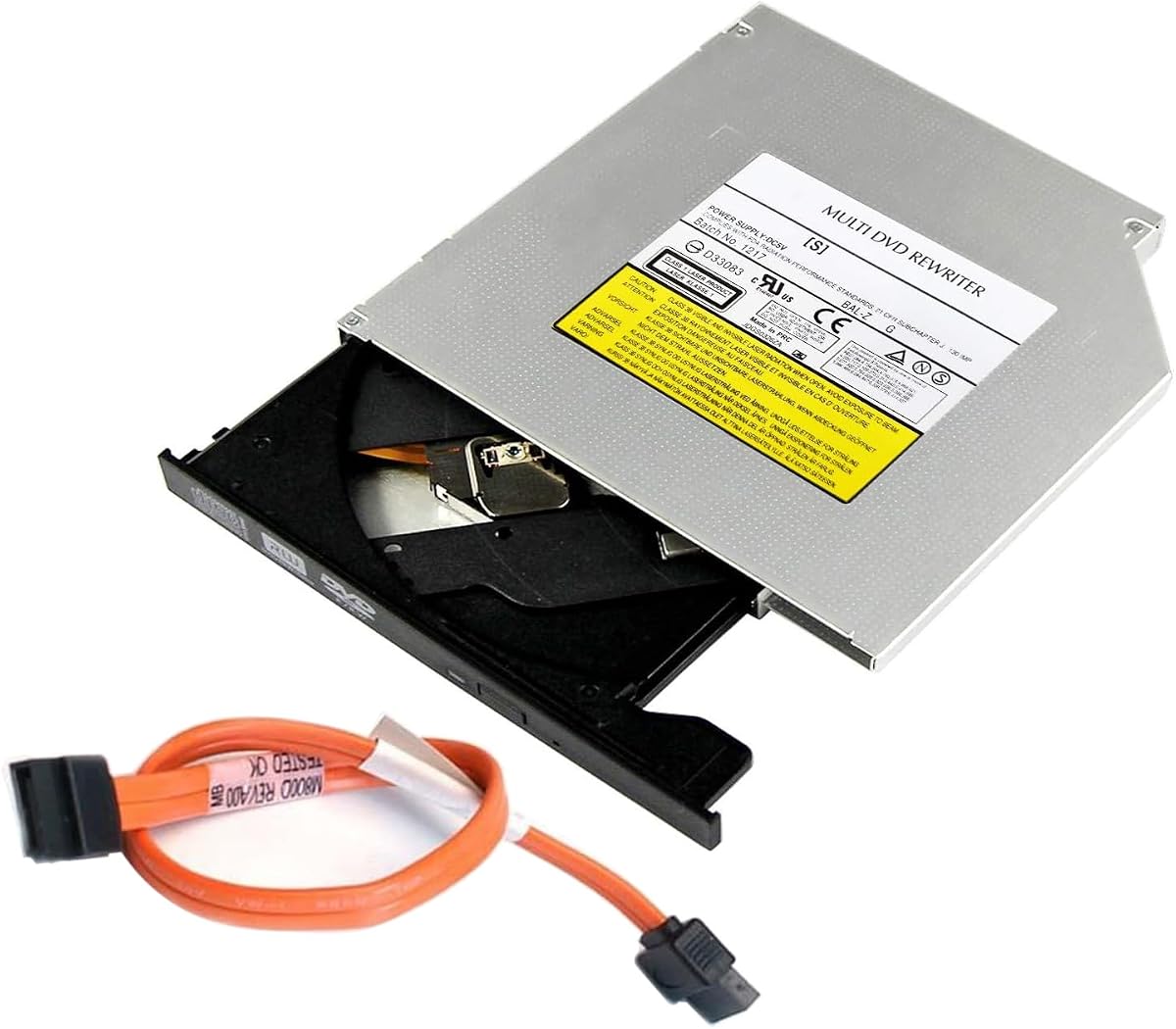
The GUD1N optical drive offers a simple reliable solution for restoring DVD RW capabilities. With a 4.2-star rating it is a trusted option for those needing a direct replacement. It includes a data cable which ensures you have all necessary connectors for installation.
We may earn a commission when you buy through this link, at no additional cost to you.
This drive supports M-DISC and reads various DVD formats including R and RW variants. The 8X write speed is standard for internal drives and handles daily tasks well. It is designed to fit 9.5mm bays commonly found in older laptops and desktops.
Generic branding means it lacks the premium polish of branded units but the core functionality is solid. It is a great option for those who need basic performance without paying extra for logos. The included cable adds convenience to the package.
For users needing a straightforward and supported optical drive this unit delivers. It is cost-effective and covers most media playback needs. We recommend it for general home and office use.
Includes a data cable so you have everything needed to install the drive immediately.
Supports M-DISC for preserving important files and photos for many years.
We may earn a commission when you buy through this link, at no additional cost to you.
Selecting the right internal DVD drive requires careful attention to physical dimensions interface type and feature sets to ensure compatibility with your specific laptop model.
The most critical factor is the drive thickness which is typically 9.5mm or 12.7mm. Modern laptops often use 9.5mm slim bays while older desktops use 12.7mm. Measuring your existing drive or consulting your laptop manual is essential to avoid fit issues.
Always verify the thickness before purchasing to ensure the new drive fits snugly in your laptop's optical bay without modification.
Internal drives use SATA interfaces which come in different pin configurations for slim drives. Ensure the connector matches your motherboard port. Most modern units use standard slim SATA connectors but older models may vary.
Check your laptop's internal connector type to match the SATA interface of the new drive.
Decide between ROM for read-only playback and RW for writing data. RW drives offer more flexibility for backups and media creation but cost slightly more. ROM drives are cheaper and faster for reading.
Choose RW for versatility and ROM for budget-conscious playback needs.
M-DISC technology provides long-term archival storage that can last up to 1000 years. If you store important photos or documents look for this feature to ensure data longevity.
Prioritize M-DISC support for critical data preservation needs.
Silent Play or E-Media technologies reduce noise during operation. For shared spaces or home theaters choose models with these features for a quieter experience.
Select models with noise reduction features for better acoustic performance.
Ensure the drive is compatible with your operating system like Windows or Linux. Most modern drives are plug-and-play but older systems may need drivers.
Check system compatibility lists before buying.
Write speeds for DVDs are typically 8X while CD speeds can reach 24X. Ensure the speed meets your needs for burning media or installing software.
Look for higher write speeds if you burn discs frequently.
Some drives come with internal SATA cables while others do not. Check the package details to avoid needing to buy a separate cable.
Verify if the data cable is included in the package.
To install your new drive turn off the laptop and remove the battery. Open the optical bay cover usually located on the side. Remove the screws holding the old drive in place and gently pull it out. Insert the new drive ensuring the connector aligns perfectly with the port. Replace the screws and close the cover.
Use high-quality discs to prevent reading errors and potential damage. Avoid touching the lens with fingers as oils can degrade performance. Clean the lens periodically with a soft dry cloth if needed. Keep the tray mechanism free of dust and debris to ensure smooth loading.
Update your system drivers if playback issues occur after installation. Ensure your laptop BIOS recognizes the new drive properly. Use dedicated software for burning to prevent data corruption during the process. If the drive makes unusual noises check for mechanical obstruction or loose screws.
Most modern internal DVD drives are plug-and-play and do not require additional drivers for Windows or Linux. However if you encounter issues check your laptop manufacturer website for specific chipset updates. Older operating systems like Windows XP may still require manual installation.
No a 12.7mm drive will not fit in a 9.5mm slot. The physical dimensions are too large. You must purchase a drive that matches your laptop's specific bay size to ensure proper installation and function.
DVD-ROM drives can only read discs while DVD-RW drives can read and write data. DVD-RW is more versatile for backups and creating media. If you only watch movies ROM is sufficient but for data storage choose RW.
An internal DVD drive typically lasts three to five years depending on usage frequency. Lasers can degrade over time especially with heavy burning. Proper maintenance and avoiding cheap discs can extend its lifespan significantly.
This may be due to a mismatched interface or BIOS settings. Check that the SATA connection is secure. Ensure your BIOS recognizes optical devices. Try updating your motherboard drivers. If the drive clicks it may be defective.
M-DISC support is ideal for archival data storage but not necessary for regular media playback. If you save photos or documents long-term it is a valuable feature. For occasional movie watching standard DVDs work fine.
MacBooks do not support internal optical drives due to their slim design. You must use an external USB optical drive for Mac systems as Apple removed internal bays years ago.
Silent play technology reduces vibration and noise during playback by optimizing spin speeds. This makes it better for quiet environments like offices or bedrooms where noise is a concern during media viewing.
We have reviewed ten top models offering a range of options from budget-friendly replacements to premium archival units. The Hitachi-LG GTC2N leads in overall performance while the LG Rewriter offers the best value. For slim laptops the ASUS SDRW-08U1MT provides a perfect balance of size and features.
When prioritizing your purchase focus on thickness compatibility and writing speed needs. If you require long-term storage M-DISC support is a crucial feature to look for. For casual media playback a standard RW model will suffice without breaking your budget.
Always verify your laptop's specifications before purchasing to ensure a seamless upgrade. Prices for optical drives fluctuate so check current listings for the best deals. With the right drive you can restore your laptop's media capabilities for years to come.